JWT Workato claim
Identity providers streamline the process of maintaining verified access to multiple applications. The end user only needs to authenticate with the identity provider. Subsequently, the end user can access multiple applications and services without needing to remember additional sets of credentials. For example, the identity provider will issue JSON Web Tokens (JWT) that allow the end user to make authenticated requests with Workato API platform.
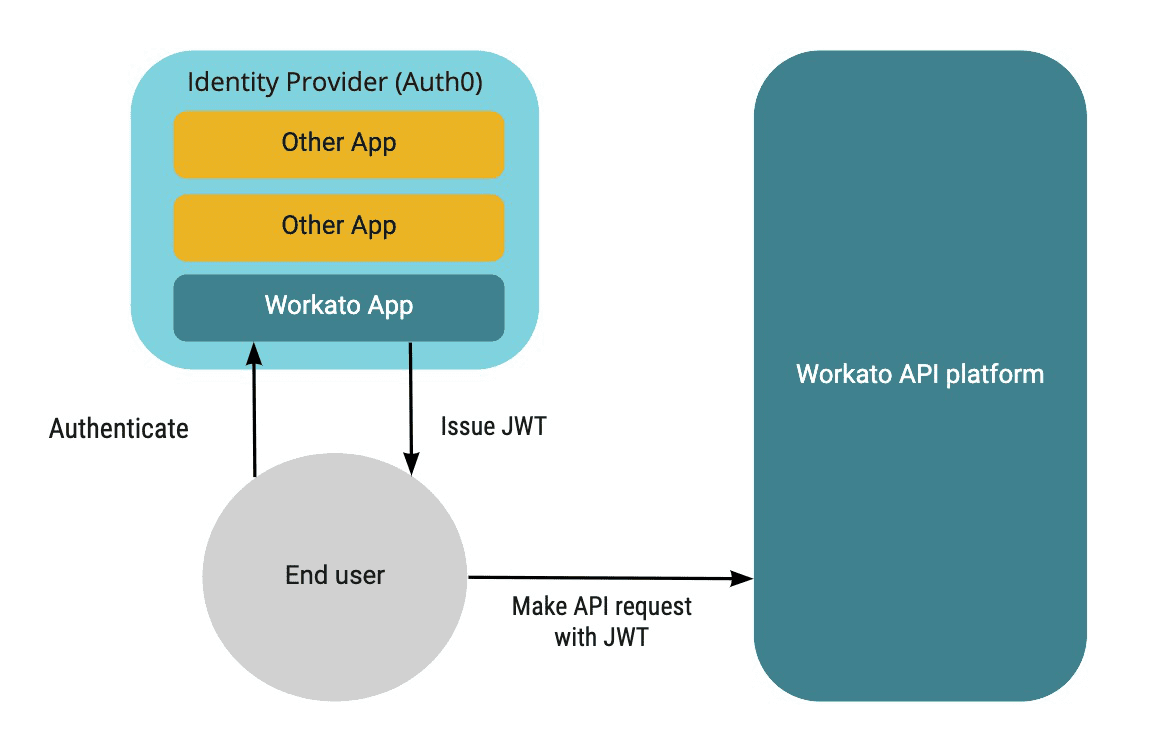 Identity provider issues JWT to the end user, who uses it to obtain verified access to Workato API platform
STANDARDS-COMPLIANT ALTERNATIVE
Use custom validation instead if your identity provider can't embed your application's Workato-issued API key as a claim. Custom validation matches incoming tokens against claim and scope rules you define on the application, so the IdP doesn't need to add a Workato-specific claim.
Workato checks the JWT for a valid API key when an incoming request is received. This is done to determine that the request is coming from a valid application. The API request returns a 401 Unauthorized error if a valid token isn't found.
Workato inspects the following JWT claims in sequential order. Workato identifies the first claim that isn't empty and compares the claim value with an internal list of known applications. The API request returns a 401 Unauthorized error if the token isn't verified. Otherwise, if a valid API key is found, the API request succeeds.
Default claims for API key
| Priority | Part | JWT claims | Description |
|---|---|---|---|
| 1st | payload | https://www.workato.com/sub | This is a namespace claim. As it uses unique names, this claim is unlikely to be restricted by the identity providers. |
| 2nd | payload | workato_sub | Workato will inspect this claim if the above claims are empty. |
| 3rd | payload | sub | This represents the subject of the JWT. Some identity providers reserve this JWT claim and thus Workato API key cannot be used here. Workato will inspect this claim if the above claims are empty. |
| 4th | header | kid | This is a header claim. Workato will inspect this claim if the above claims are empty. |
If these claims are used for other purposes in your use case, you may use a custom claim to hold the API key.
Advanced settings
Reserved claims to enforce
This multiselect input allows you to choose which of the reserved claims you want to enforce. API platform will ensure that every chosen claims here are present in the JWT. For example, select exp to ensure that only tokens with limited validity are used to access your APIs.
Allowed issuers for iss claim
If iss is select in Reserved claims to enforce, this additional input will be provided. Here, you can provide a list of iss values that will be allowed. Leave this field blank to accept all iss values.
Custom claim for API key
If all four of the default API key claims are occupied for other purposes, you may use a custom claim to hold the API key in the JWT. This custom claim must be specified in the application's advanced encryption settings.
Last updated: