Knowledge base management
Knowledge base management gives you a centralized view to monitor and manage the content stored across your Workato GO and custom knowledge bases.
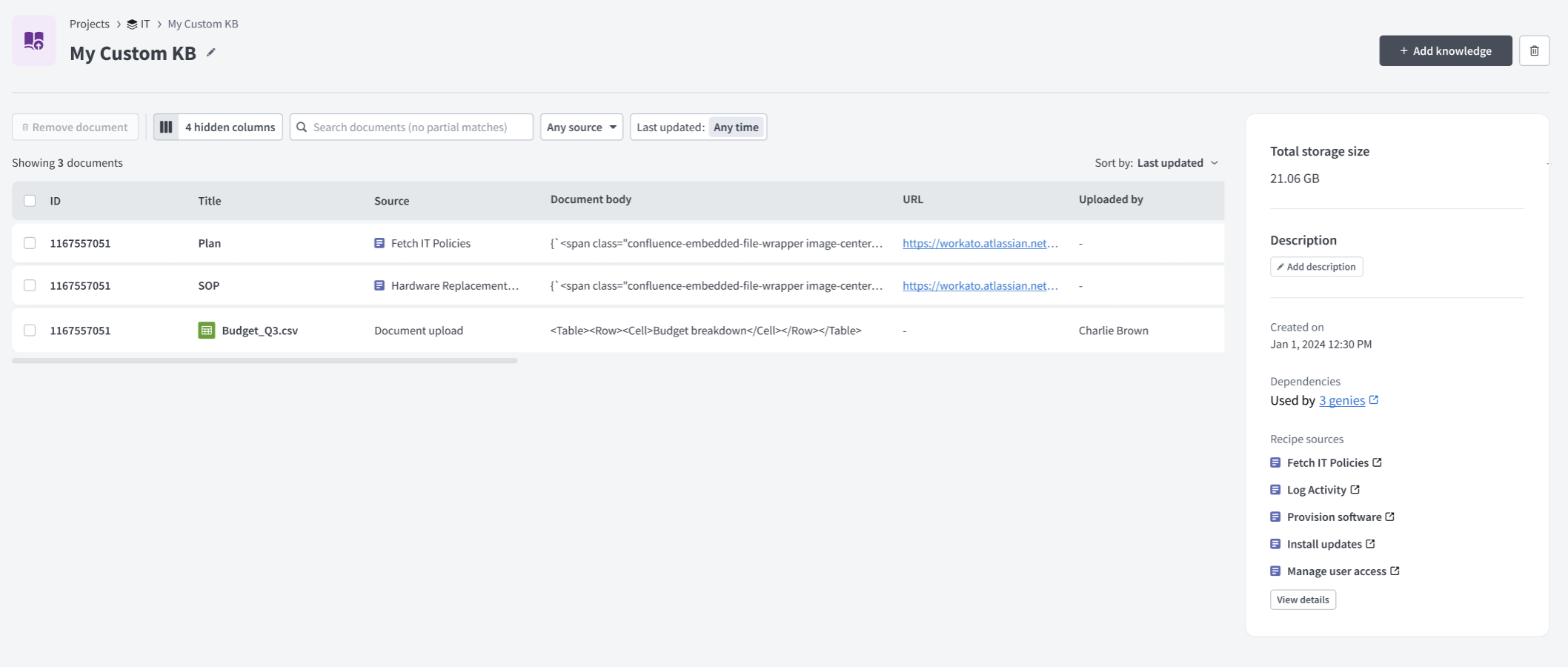 Knowledge base management
You can search, view, organize, and remove documents, track storage footprints, and manage file uploads to ensure your genie always has access to accurate and up-to-date information. Storage footprint isn't supported for Workato GO.
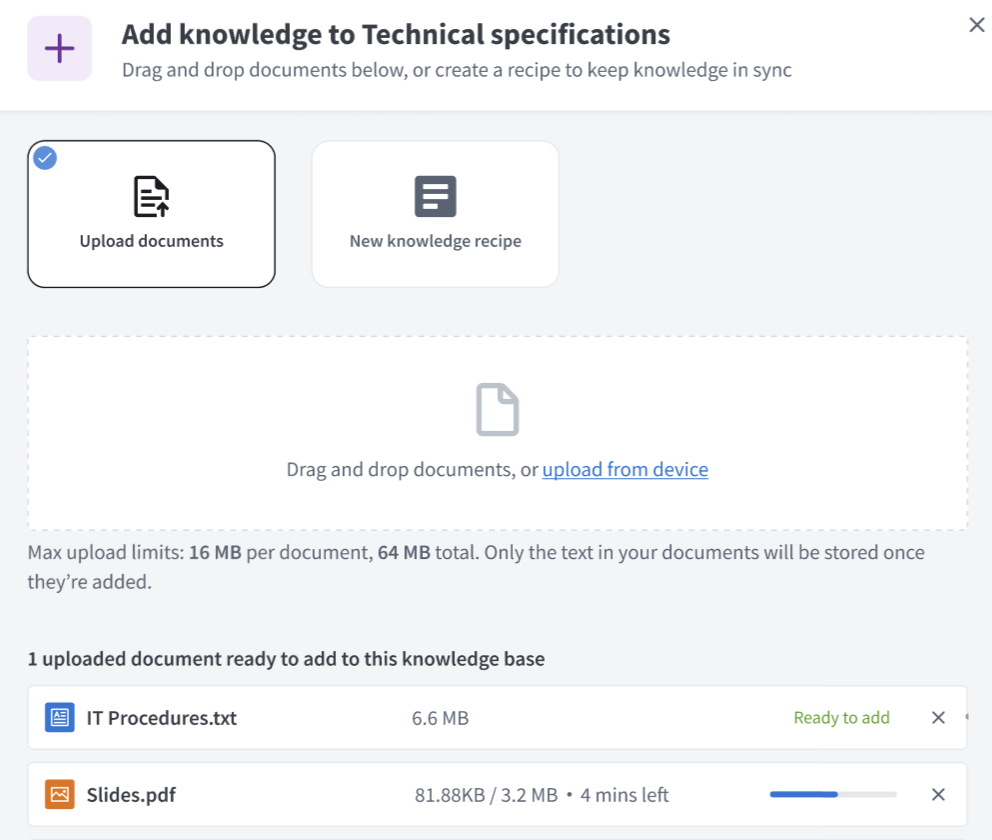 Knowledge base management file uploads
Workato GO enforces its own permission model. Agent Studio uses this permission model to scope file visibility to your Workato GO identity and access level. This means you can only view content that you have permission to access in the connected data source. File visibility for third-party apps, such as Confluence, is also scoped to your identity permissions.
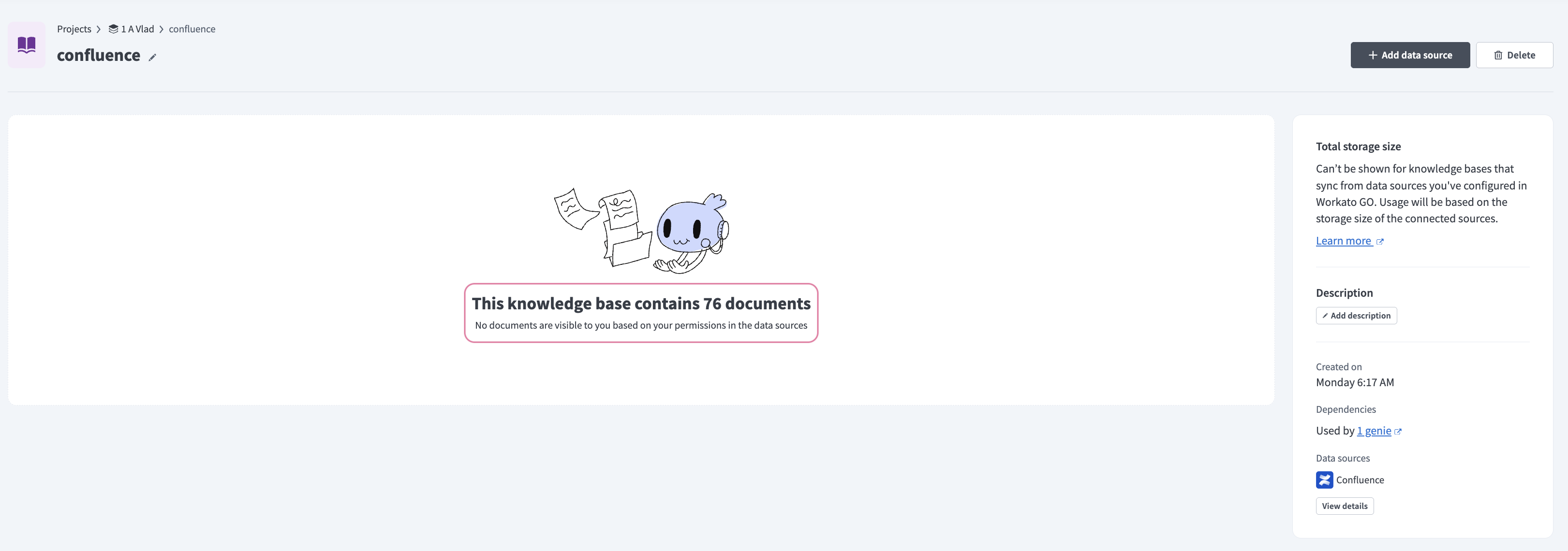 Workato GO permissions are applied to knowledge bases
Manage knowledge bases
Complete the following steps to access and manage your knowledge base data sources, including Workato GO sources:
Go to Projects > Assets.
Click Knowledge bases.
Select the knowledge base you plan to view or update.
Review the details panel for total storage size (unsupported for Workato GO), description, dependencies (how many genies use this knowledge base) and recipe or data source details.
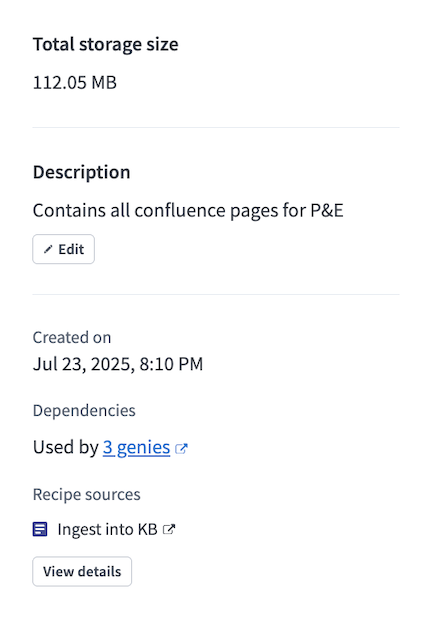 Knowledge base details panel
Click a source to view the individual source details.
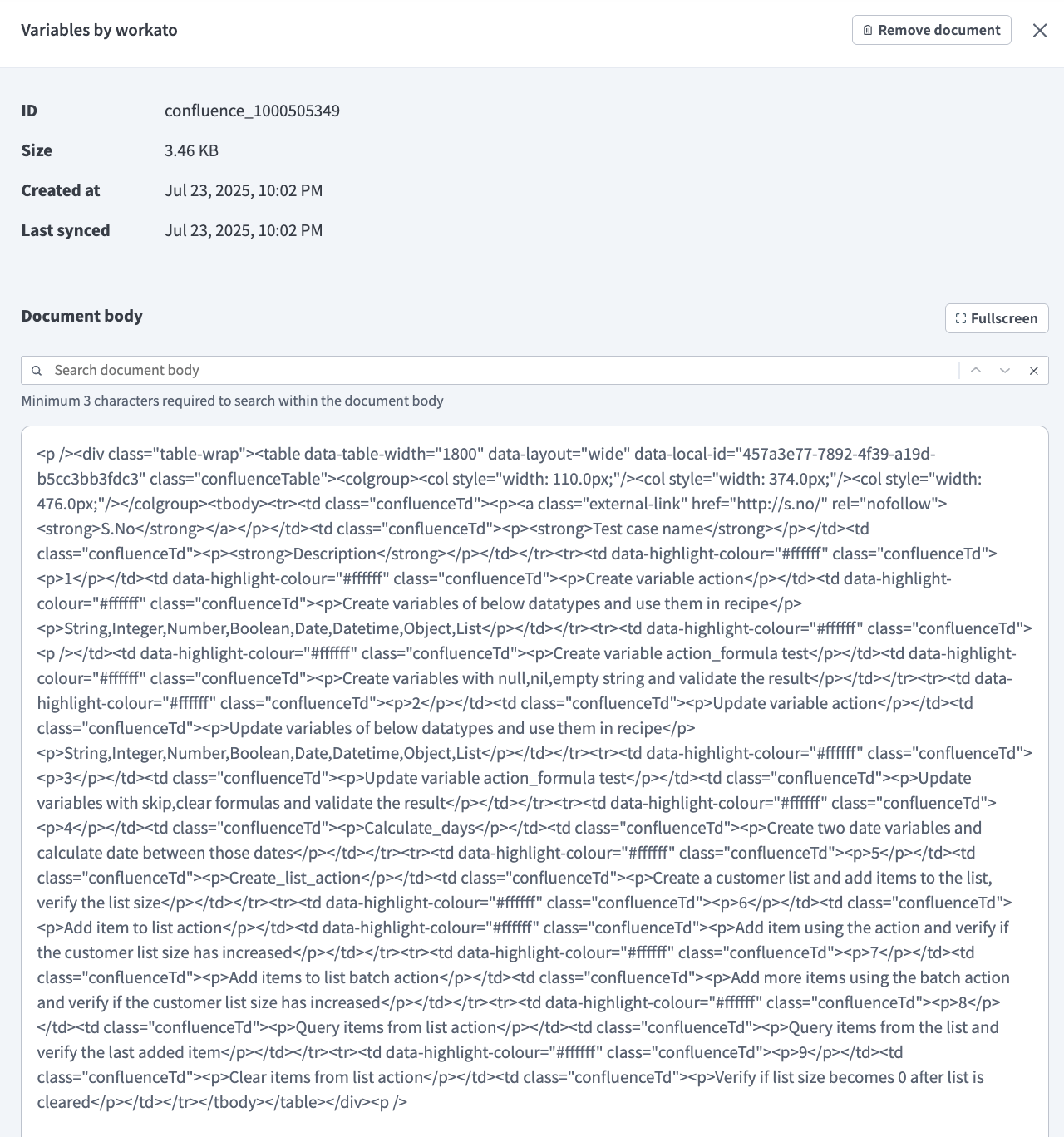 Knowledge source details
Optional. Select one or more source checkboxes and click Remove documents to remove documents from your knowledge base.
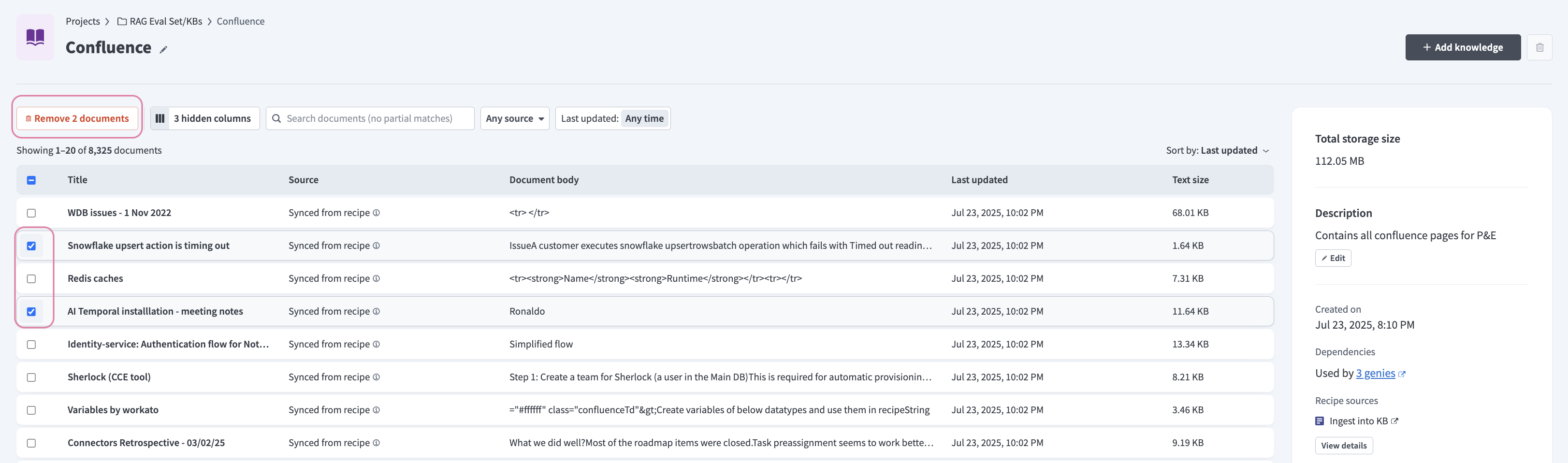 Remove documents
More resources
Last updated: