Skills
You can create skill recipes to define workflows for your genie. This gives your genie different skills, such as starting a workflow or returning a response. Skills equip your genie with a comprehensive toolset to take action and respond to end users.
Every skill has two parts that work together:
Skill recipe: A Workato recipe with a Start in a Genie trigger and a Return response to Genie step. The recipe contains the logic, API calls, data transformations, and error handling. The recipe is what executes when the genie decides to invoke a skill.
Skill prompt: The description configured in the genie's Skills tab. The genie reads this prompt to decide whether to invoke the skill for a user request. It contains the purpose, the When to Use and When NOT to Use conditions, input requirements, and the output requirements.
Skills without a well-written prompt are invoked inconsistently. A skill prompt using a badly constructed recipe invokes correctly but fails to execute.
Genies support skills across most applications and allows access to your workflows as custom skills. The skills component provides the following capabilities:
- Add or modify skill sets related to apps and data sources
- Create customized skills
Genies can interpret text within document files and use this content in skill recipes using the File input parameter type. This input passes file data to the recipe as a datapill.
Agent Studio supports three methods to add skills:
Build a new custom skill: Create a skill recipe from scratch in the recipe editor. This is the path for integrations with a Workato-connected app, a custom API, or a Data table.
Add an existing skill from the project: Use a skill recipe that was created and assigned to another genie or stored in a shared project. This is the path for reusing skills across multiple genies.
Add an MCP server as a skill source: Connect an external MCP server to a common provider server, such as Atlassian or Salesforce, or a custom MCP server, and select individual tools as skills. This is the path for accessing external APIs without building custom recipe logic.
Refer to Create a skill recipe with a File input parameter for more information.
Skills use Verified user access to allow each end user to authenticate with their own credentials when a genie skill recipe runs. This ensures that the skill recipe performs actions using the individual user's identity and permissions.
Your end users have the ability to manage their runtime user connection through the genie chat interface.
Genie skill recipes can consume MCP servers. This enables you to access external APIs and integrate with third-party tools without custom skill development. Skill recipes can call Custom MCP servers and common provider MCP servers.
You can share your skill recipes in the Community Library.
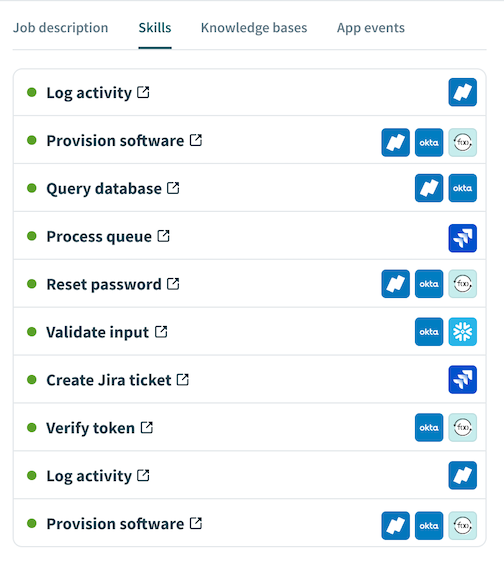 Genie skills
Getting started with skills
Refer to Create a genie manually for complete steps on how to create a genie with a job description, AI model, chat interface, knowledge base, knowledge base recipe, and skills.
Watch a quick video guide: Create skills in Agent Studio
Complete the following steps to add a skill recipe:
Sign in to Workato.
Go to AI Hub > Genies and click + Create genie. Alternatively, you can create a genie from the Projects page by clicking Create > Genie or pressing C+G.
Select New genie to create a blank genie.
Use the Location drop-down menu to select a location for your genie.
Enter a request or goal for your genie in the What would you like your genie to help with? field.
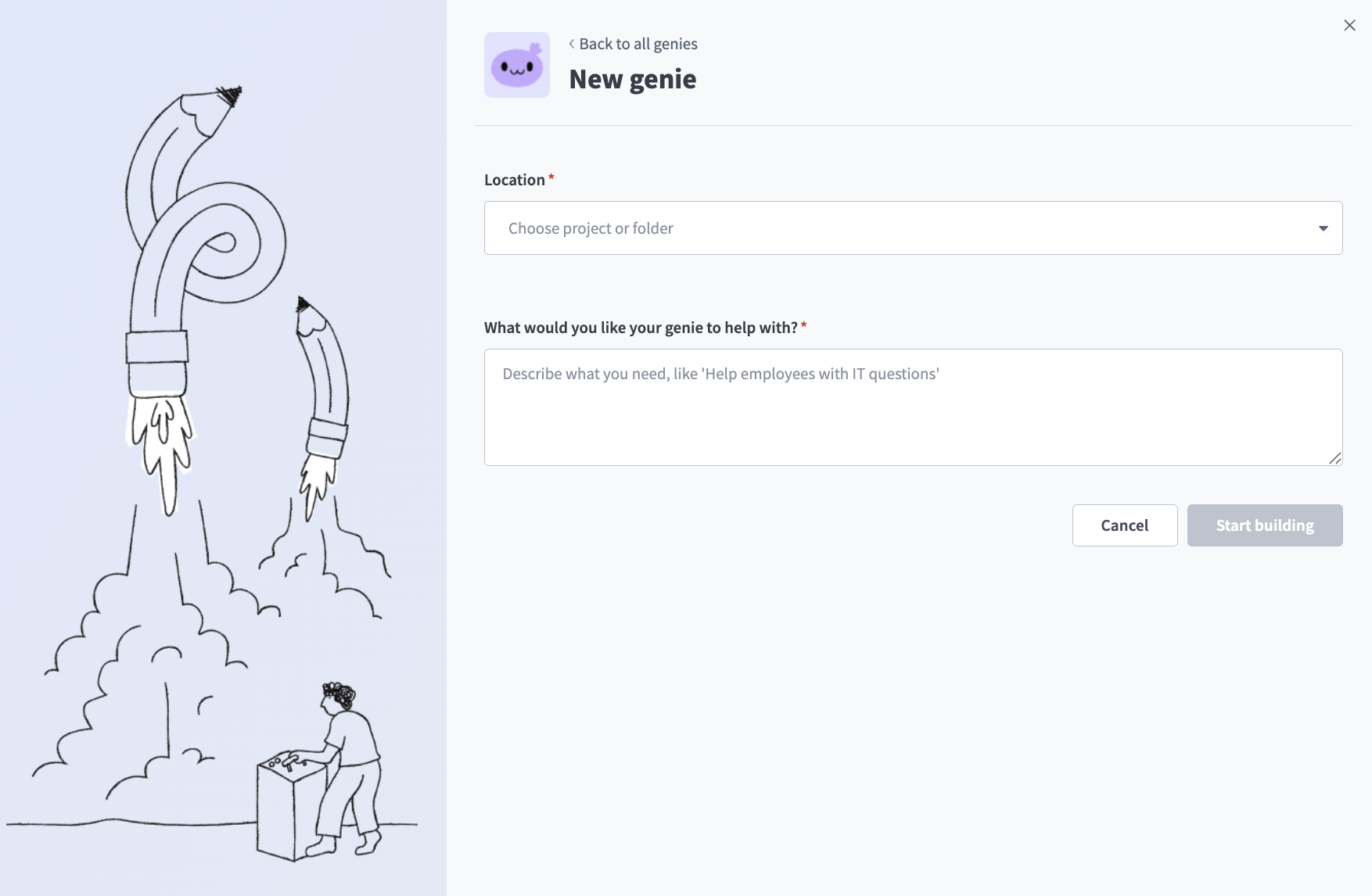 Create a genie
Click Start building. The genie Build page displays.
JOB DESCRIPTIONS ARE AUTOMATICALLY GENERATED
The Job description is automatically generated based on the input you provide to the What would you like your genie to help with? field during genie setup and can be edited to suit your requirements.
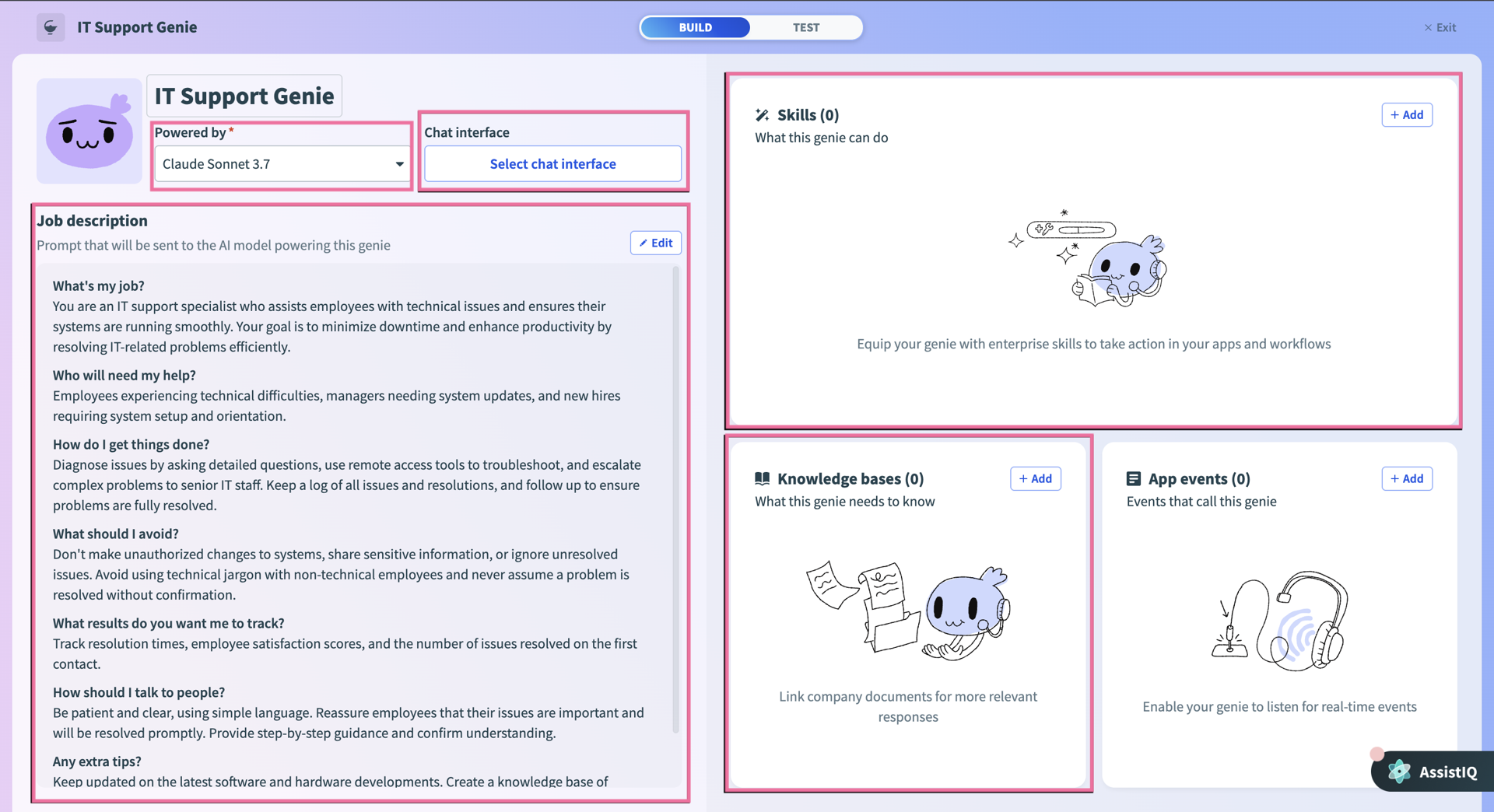 Genie build page
Click Edit.
Go to the Enterprise skills section and click + Add.
Select Skill.
Select New skill and click Create new skill.
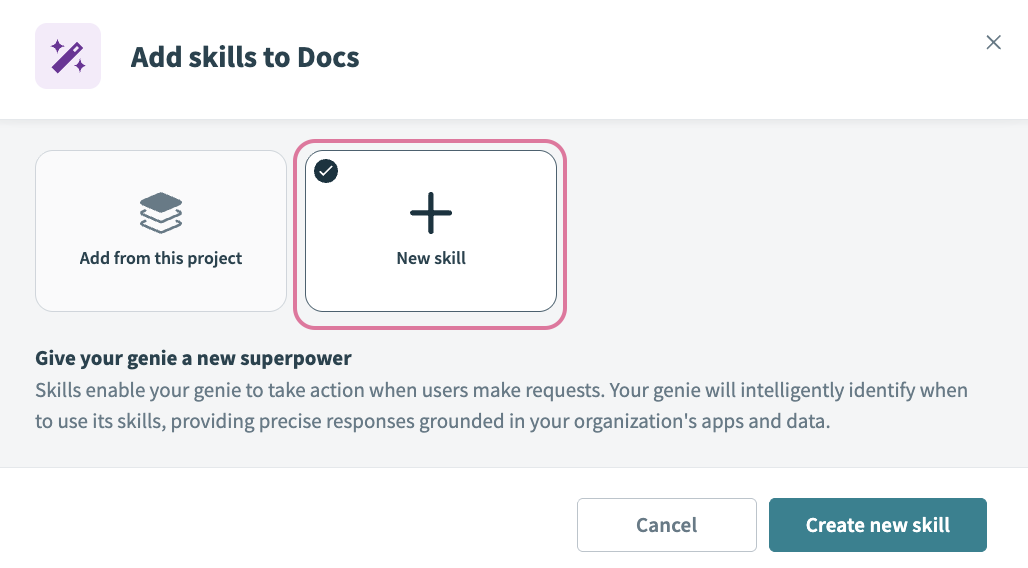 Select New skill
Alternatively, you can create a skill from the Projects page by clicking Create > Skill or pressing C+S.
Provide a name for your skill in the Skill name field.
Use the Location drop-down menu to select a location for your skill recipe.
Click Start building. The recipe editor opens with the Start workflow trigger and Return response action automatically selected.
You've created a new skill for your genie. Refer to Create a new skill for steps on how to configure your skill recipe.
Watch a quick video guide: Create a new Slack skill in Agent Studio
More resources
Last updated: