Extract JWT payload claims
Identity providers who manage employee identities often load several pieces of information about the subject, such as Email, Employee ID, or assigned Permissions or scopes. They write this information in the JWT as payload claims.
PAYLOAD SIZE QUOTA
JWT payloads must not exceed a size quota of 10,240 bytes. Requests will fail if the payload exceeds this quota.
The following example shows a decoded JWT payload. The sub claim identifies the API client, while other claims describe the API caller:
{
    "sub": "588dec828cc4fc6f579e5252ca4a3acb3d24527efa588e0329a9490a0d1dc062",
    "name": "John Doe",
    "email": "[email protected]",
    "acme_id": "A0122152",
    "admin": true
}
Workato parses the JWT and reads all payload claims. It prioritizes standard claims and claims required for API client authentication. If the payload exceeds the size quota, Workato truncates it, and some claims may become unavailable.
How to extract JWT payload claims
Use the JWT claims datapill to access payload claims from the JWT in a recipe. Switch an input field to formula mode and parse the datapill as a JSON object. You can then reference any available claim by key.
For example, to extract the email claim, map the JWT claims datapill and append ["email"]:
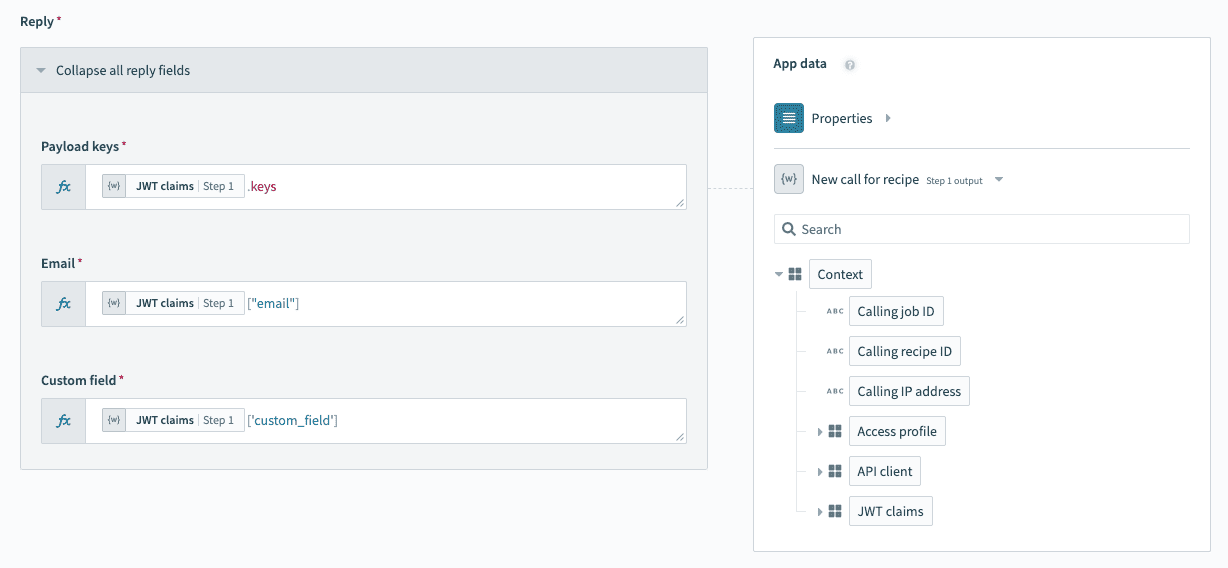 Extract JWT payload claims
Workato automatically parses the JWT at runtime and makes the claims available for use in your recipe logic.
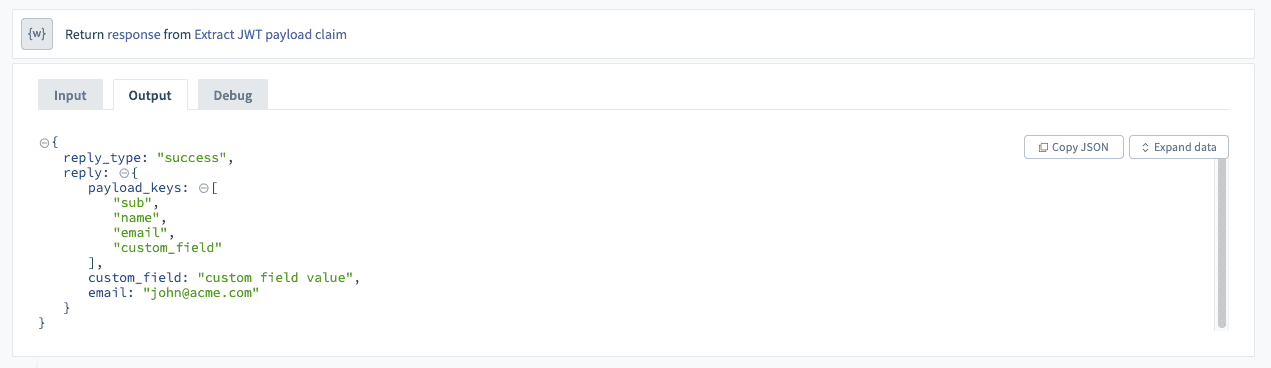 JWT payload claims parsed at runtime
Last updated: