Syncro
Syncro is a business management platform built for managed service providers. It combines tools for service desk operations, remote monitoring, and customer management in one system. The Syncro connector lets you create, update, and retrieve records in Syncro.
How to connect to Syncro
Workato requires your Syncro subdomain and a valid API key to authorize the connection. Complete the following steps to gather credentials and create the connection in Workato:
Generate API credentials in Syncro
Complete the following steps to retrieve your Syncro subdomain and API key:
Sign in to your Syncro account.
Locate your account's subdomain, such as demo.syncromsp.com.
Go to Admin > API > API Tokens.
Click + New Token.
Click the Custom Permissions tab.
Enter a Name for your API token.
Optional. Enter an Expiration date.
Select the checkboxes for the permissions you plan to enable.
Refer to the Security Permissions Reference for more information.
Scroll down and click Create API Token.
Copy the token and save it securely. You can only view this value once.
Click Done.
Refer to the Syncro API documentation for more information.
Complete the setup in Workato
Complete the following steps to create a Syncro connection in Workato:
Click Create > Connection or press C twice.
Search for and select Syncro as your connection on the New connection page.
Enter a name for your connection in the Connection name field.
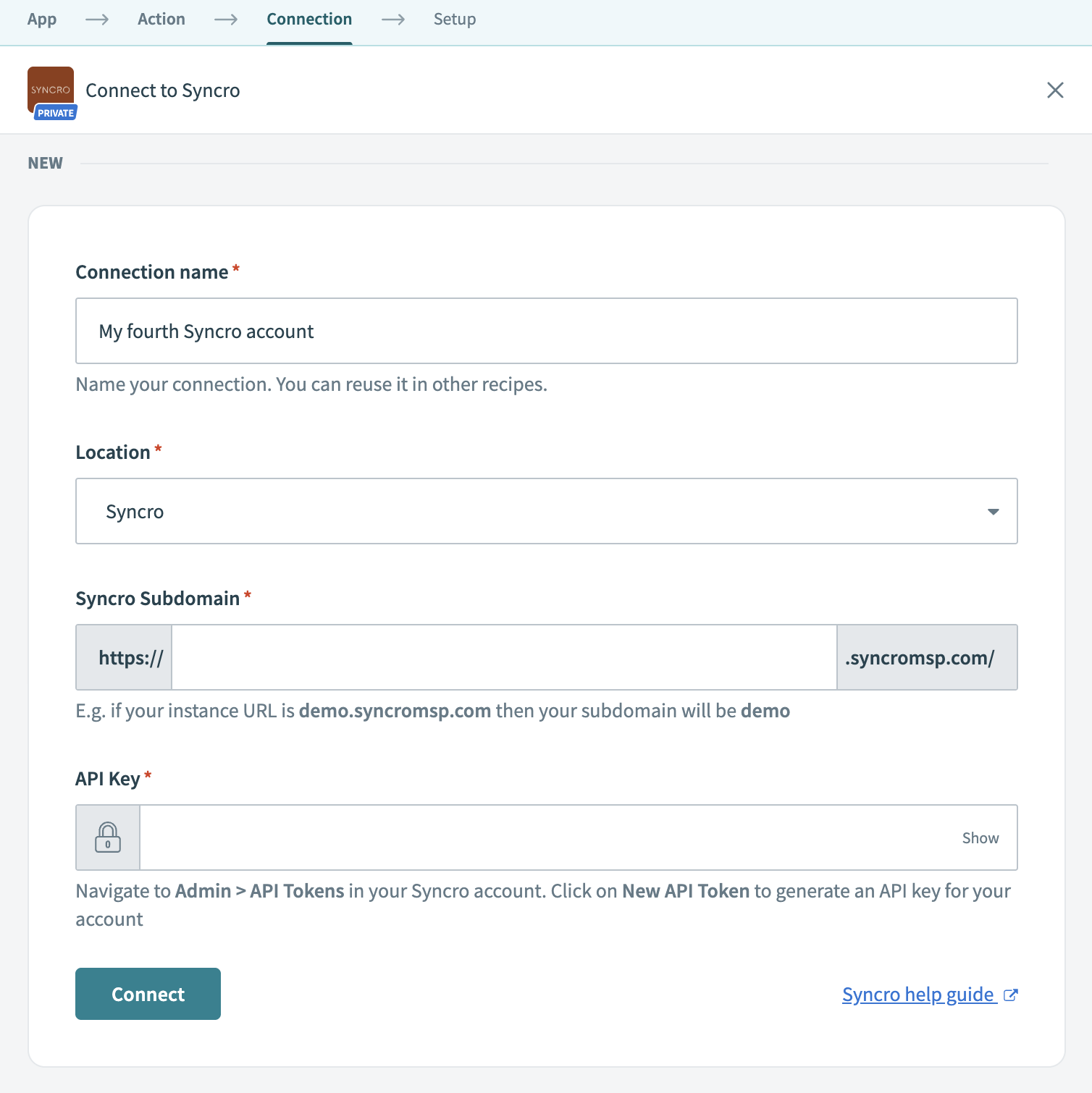 Connect to Syncro
Use the Location drop-down to select the project or folder to store this connection.
Enter your Syncro Subdomain.
For example, if your Syncro instance URL is https://demo.syncromsp.com, enter demo.
Enter your API key.
You can generate this key from your Syncro account by navigating to Admin > API Tokens and clicking New API Token.
Click Connect.
Last updated: