Enable the new access control model
This page describes what changes in your workspace after Workato enables the new role-based access control (RBAC) model. Enablement is a low-impact change. Your existing permissions, collaborator roles, and workflows continue to function normally. No action is required until you choose to migrate your legacy roles.
SUMMARY
Enablement adds new navigation tabs and functionality to Workspace admin. All existing collaborator permissions remain intact. Legacy collaborator roles continue to work until the deprecation date. You can begin using environment roles, project roles, and collaborator groups at your own pace.
What changes in the UI
Workato adds new tabs and navigation paths to Workspace admin after enablement. These additions provide access to environment roles, project roles, and collaborator groups without affecting your existing configuration.
Environment roles and project roles tabs
Two new tabs appear under Workspace admin > Access control > Roles. The Environment roles tab allows you to define and manage roles that control access to environment-level settings.
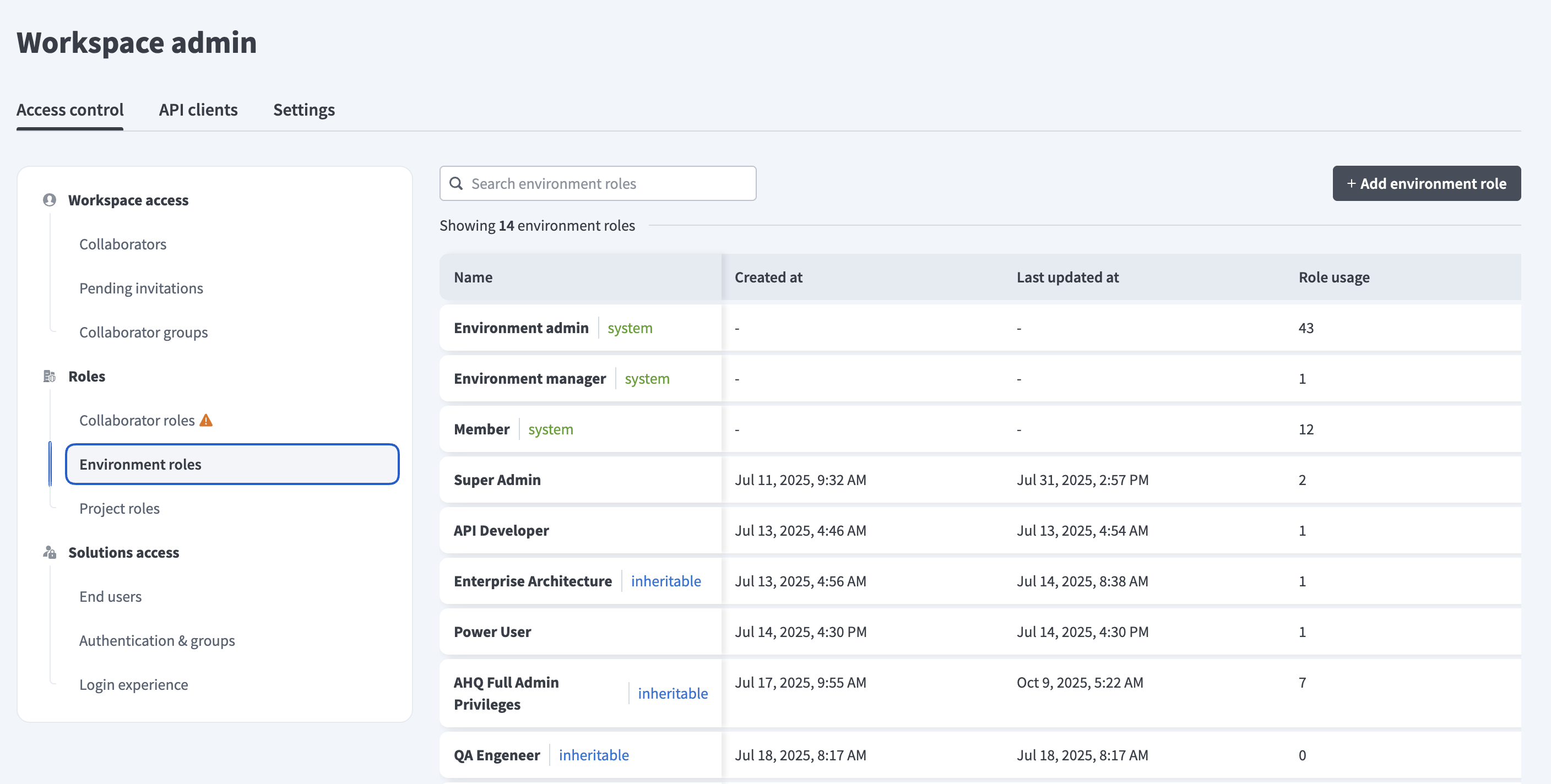 Environment roles tab
The Project roles tab allows you to define and manage roles that control actions within specific projects.
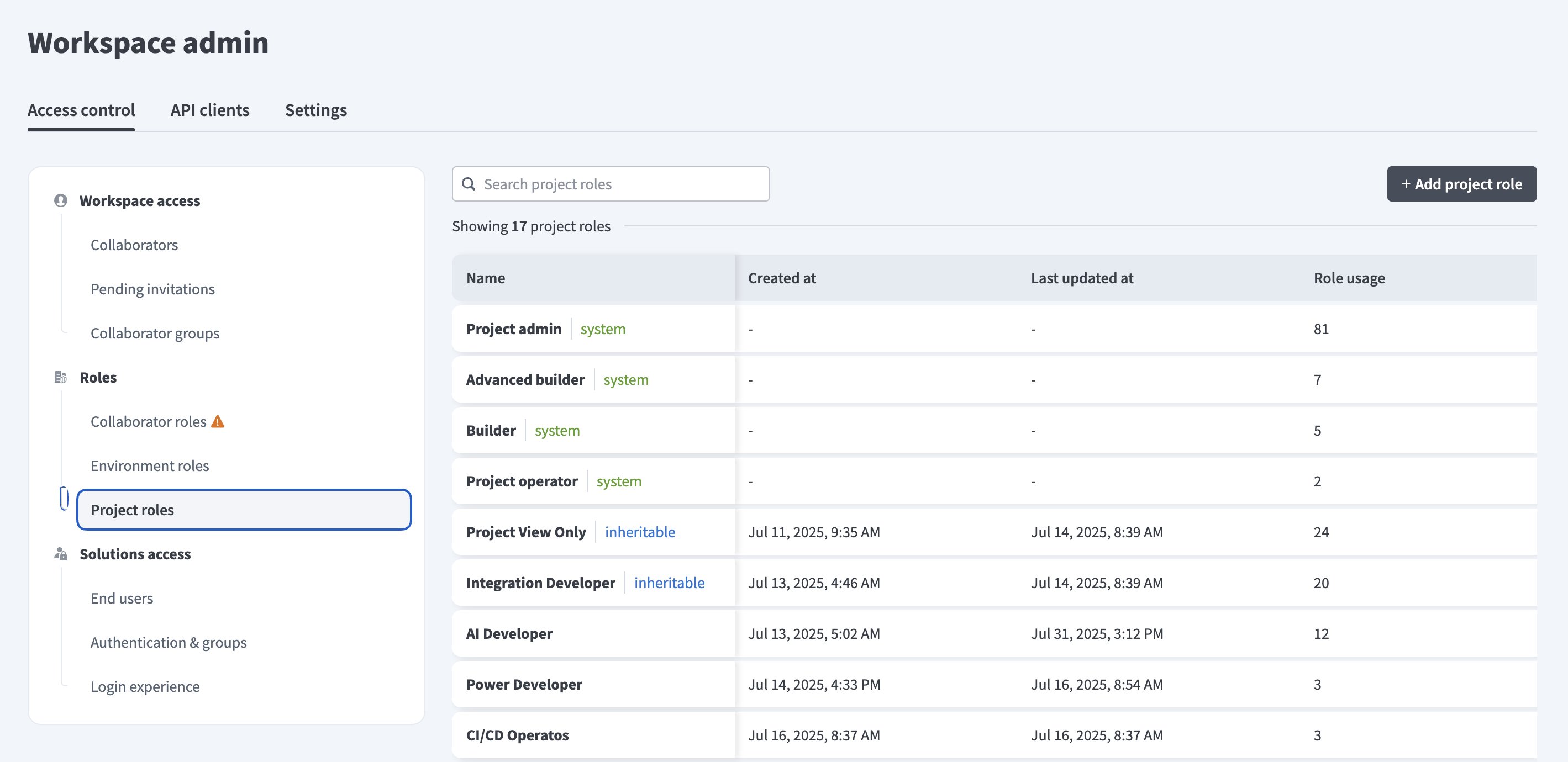 Project roles tab
Collaborator groups
A new Collaborator groups tab appears under Workspace admin > Workspace access. You can use this tab to create named groups of collaborators who share the same project access needs.
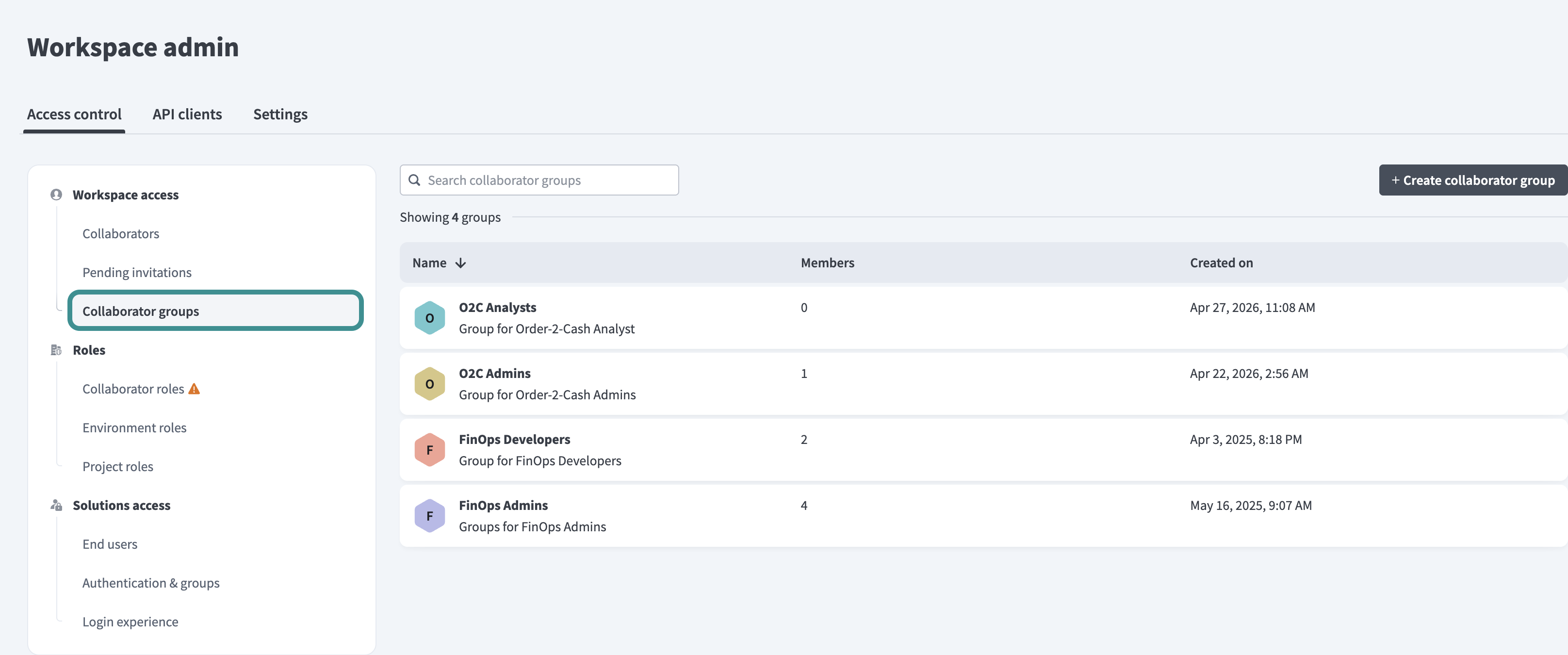 Collaborator groups tab
The Invite collaborator dialog also includes a new optional Collaborator groups field, which allows you to add a collaborator to one or more groups during the invitation process.
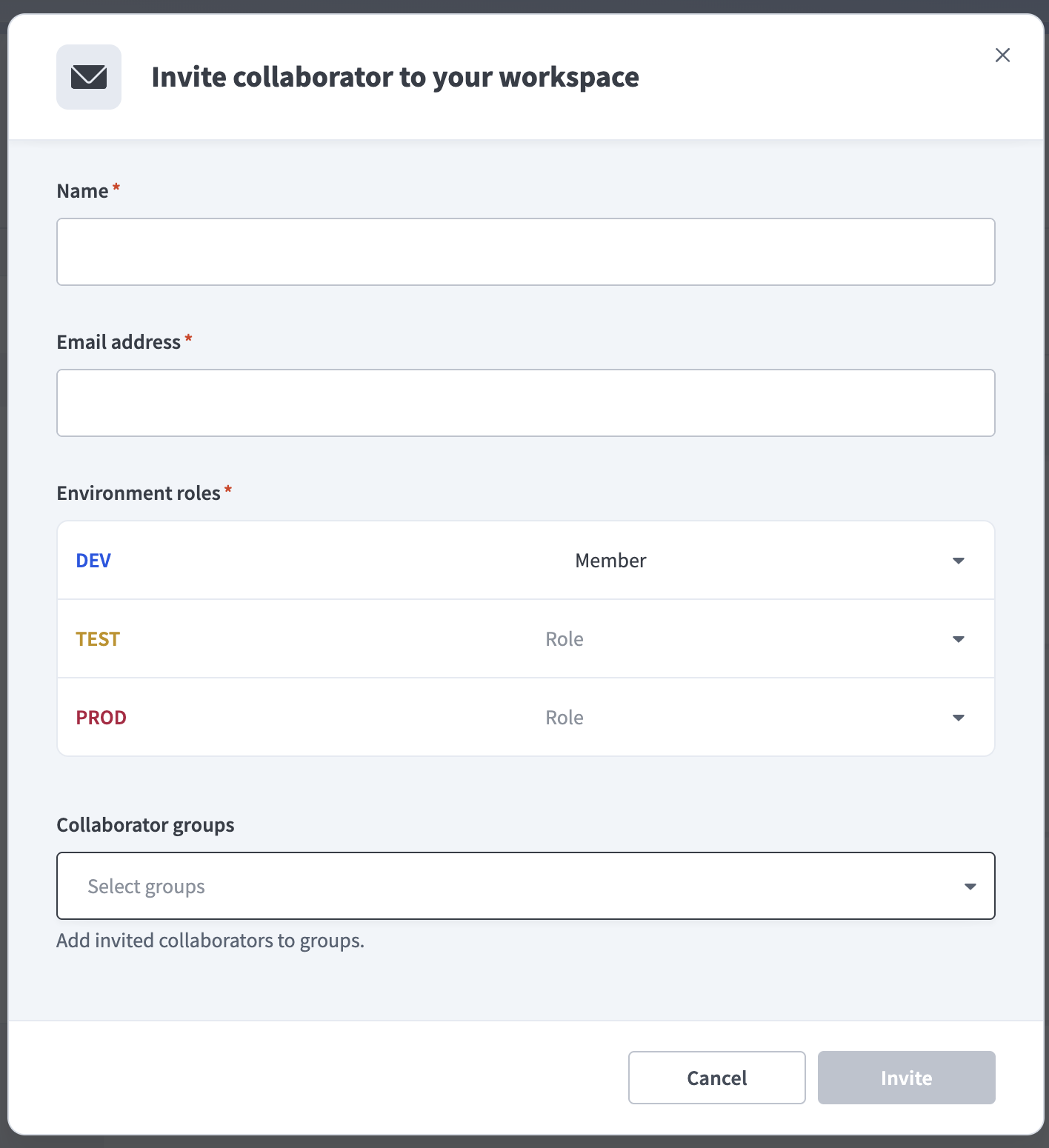 Collaborator groups field
Project access settings
A new Project access page appears under the Settings tab for each project. You can use this page to manage which collaborators and groups can access a specific project and assign their project roles.
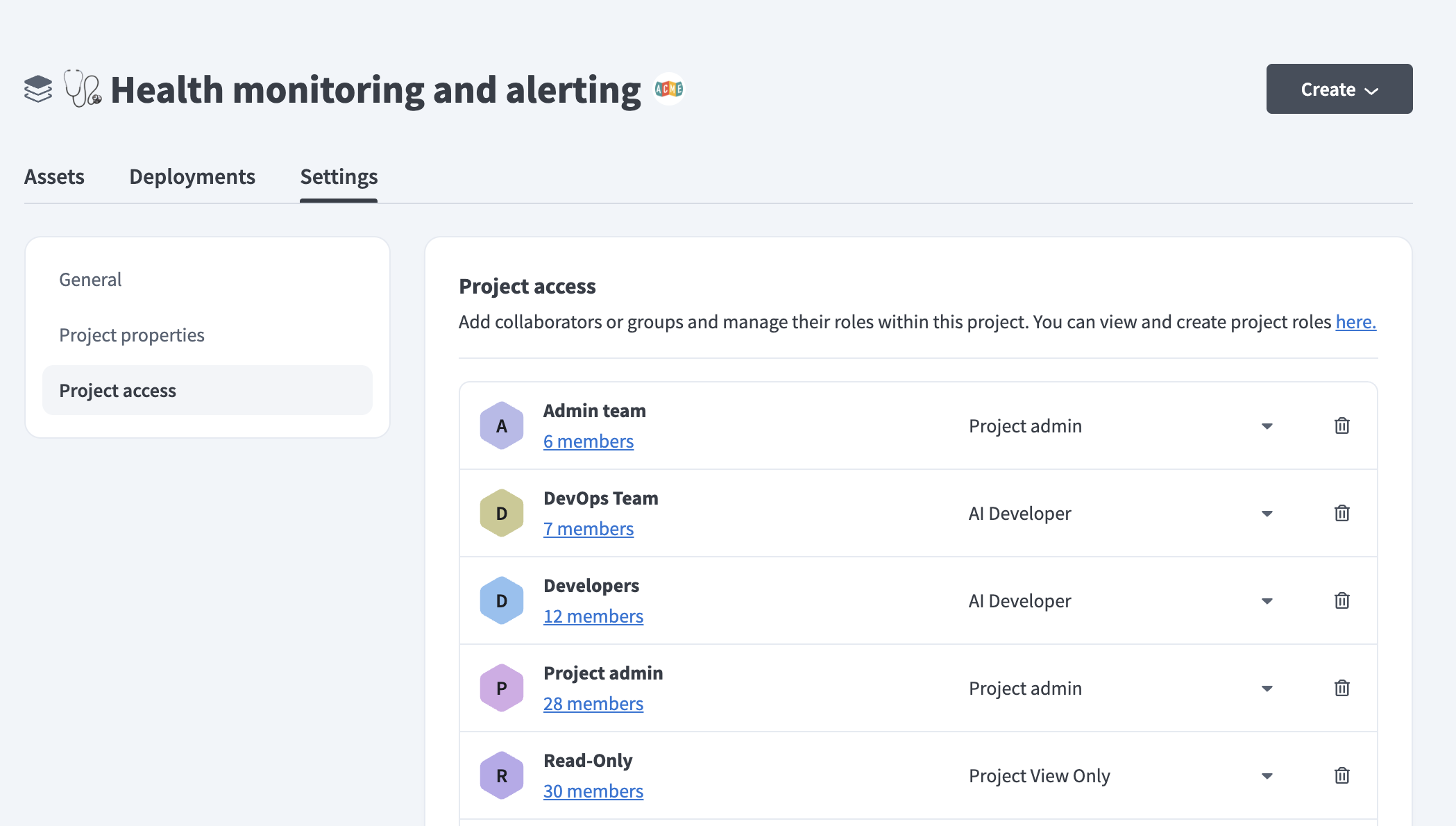 Project access field
Deprecation indicator on legacy roles
A deprecation indicator appears on the Collaborator roles tab after enablement.
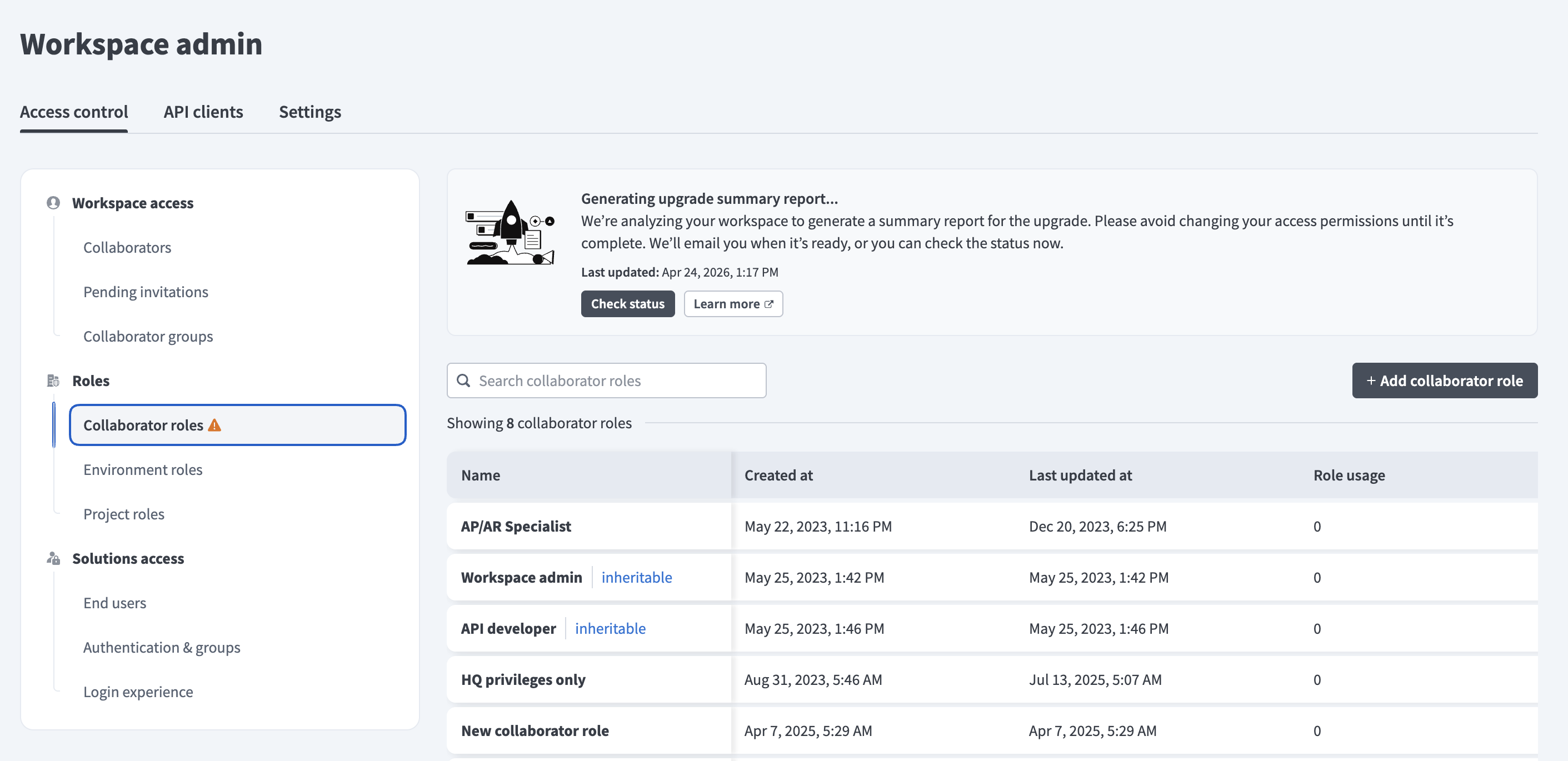 Collaborator roles tab
Legacy system roles display with a (deprecated) label. For example, the Admin role displays as Admin (deprecated).
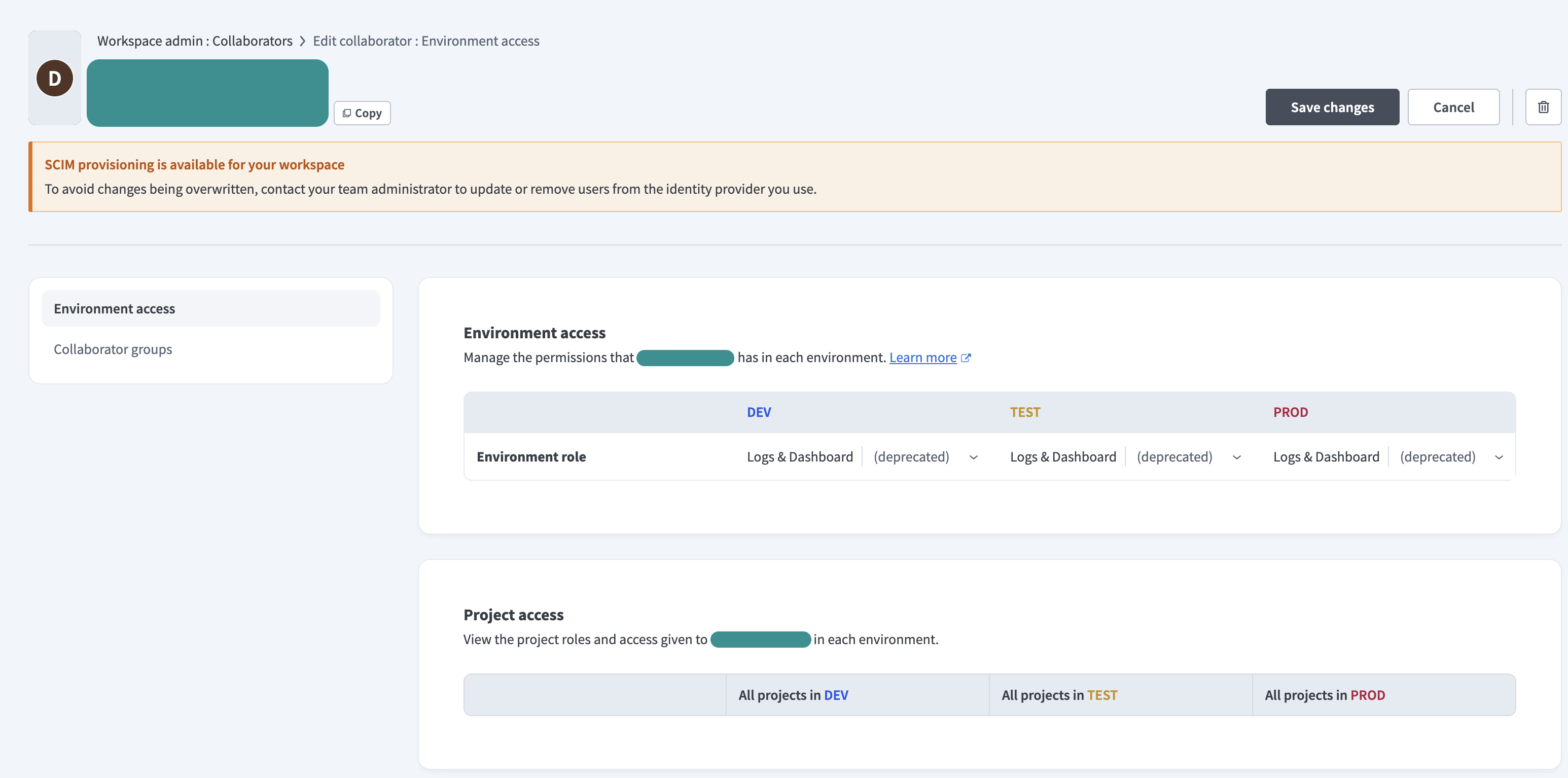 Legacy system roles
LEGACY ROLES STILL FUNCTION
Legacy collaborator roles remain fully functional after enablement. The deprecation indicator is a visual reminder that these roles will be deprecated. You don't need to take immediate action.
What stays the same
Enablement preserves your existing access control configuration. No collaborator loses access to any workspace, project, or environment.
Collaborator permissions and roles
All existing collaborator permissions are preserved on the enablement date. Existing collaborator roles continue to work until the deprecation date, and you can edit new collaborator roles and continue to clone and edit existing ones.
Automation HQ and inheritable roles
Inheritable roles managed through Automation HQ (AHQ) remain unchanged. AHQ moderators retain managed workspace access with their assigned collaborator role.
Identity provider integrations
SAML role sync and SCIM provisioning behavior is unchanged. Existing identity provider configurations continue to function as expected after enablement.
Project creation
New and existing collaborators are added to projects according to their current collaborator role when you create a project. This behavior does not change after enablement.
Assign roles to AHQ moderators
Workato introduces one new workflow step for Automation HQ moderators after enablement. You must select both an environment role and a project role when you create a moderator. The assigned roles propagate to all projects in the workspaces the moderator manages.
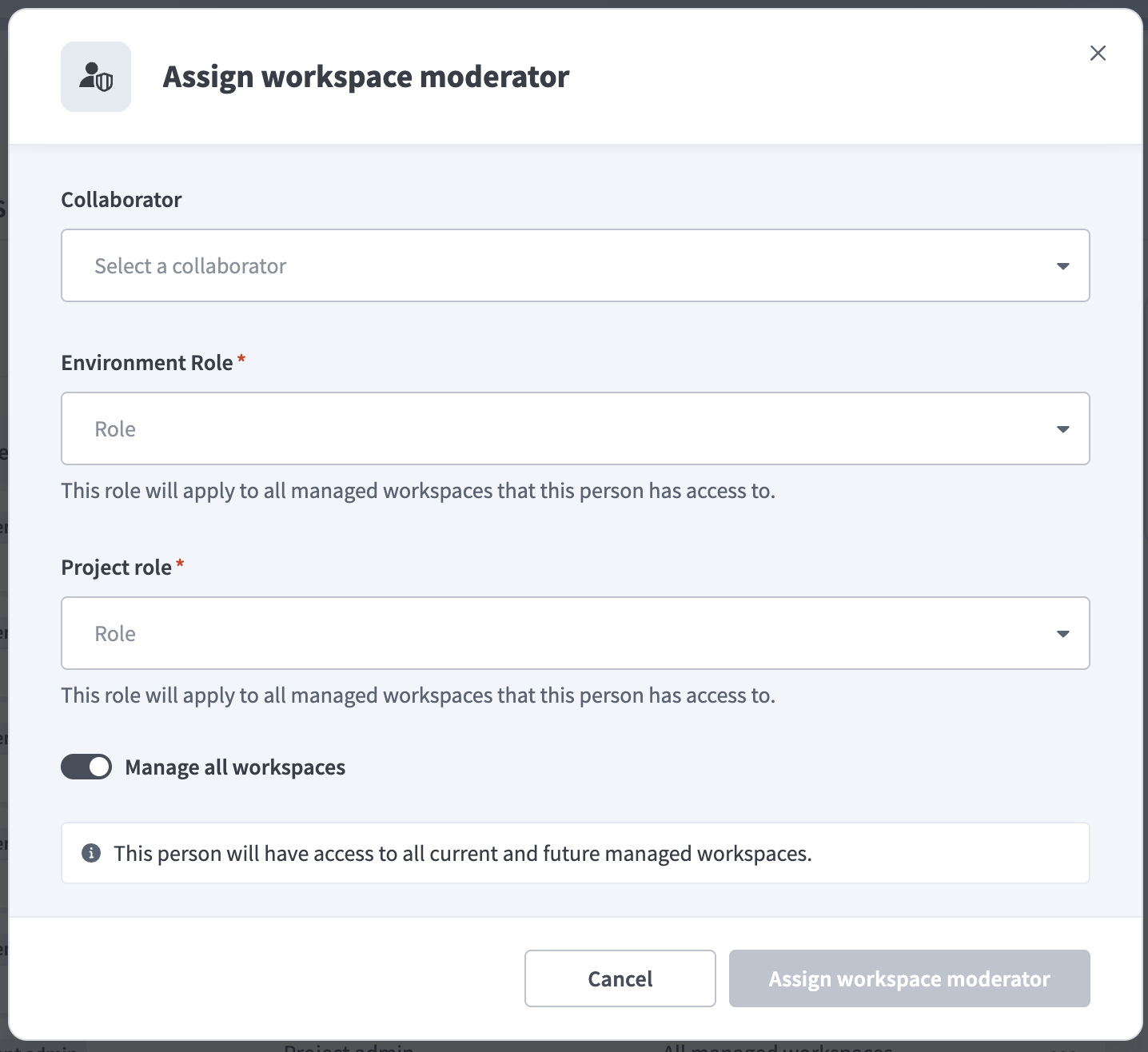 Assign roles to AHQ moderators
Refer to the Assign a workspace moderator section for more information.
Use collaborator groups
Collaborator groups are a new capability available after enablement. Admins can create named groups to organize collaborators who share the same project access needs. Groups allow you to grant per-project permission granularity. For example, you can assign view-only access to Project A through one group and write access to Project B through a separate group.
Collaborator groups manage project roles only. You must assign environment roles to each collaborator individually.
Refer to the Collaborator groups guide to learn how to create and manage groups.
Migrate legacy collaborator roles
Legacy collaborator roles continue to function normally after enablement but will be deprecated. Workato recommends that you plan your migration before the deprecation deadline.
Migration complexity varies depending on the number of custom roles in your workspace. Workato provides a bulk migration tool to help you transition to environment roles and project roles.
Refer to the Migrate to the new access control model guide for step-by-step instructions on how to upgrade legacy system and custom roles.
DEPRECATION DEADLINE
Legacy collaborator roles will be deprecated at the end of August 2026. Run the migration tool before this date to ensure uninterrupted access for all collaborators.
Last updated: