Outreach
Outreach helps sales and marketing teams manage the journey of prospects and customers through an easy-to-use interface. Teams use sequences of planned interactions with each prospect that include automated emails, scheduled phone calls, and other custom tasks. This helps you remain coordinated with your team on each sales interaction and retain a personal touch for each sales cycle.
API version
The Outreach connector uses the Outreach REST API v2.
Connection setup
The Outreach connector uses OAuth 2.0 authentication.
Complete the following steps to connect to Outreach in Workato:
Click Create > Connection.
Search for Outreach and select it as your app.
Enter a name for your connection in the Connection name field.
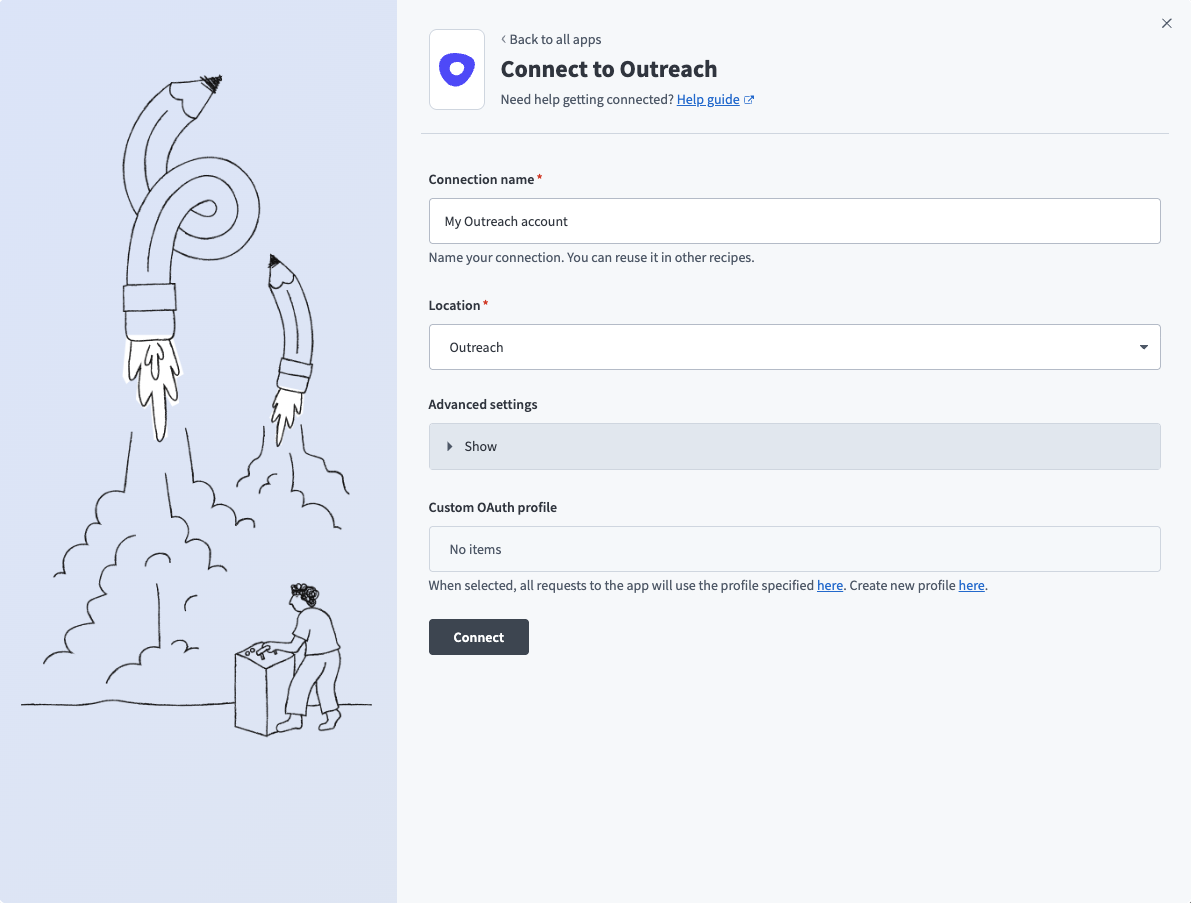 Set up your Outreach connection
Use the Location drop-down menu to select the project where you plan to store the connection.
Optional. Expand the Advanced settings section to configure Requested permissions (OAuth scopes) for your connection.
Optional. Use the Custom OAuth profile drop-down menu to select a custom OAuth profile for your connection.
OAUTH PRIVILEGES
The Outreach connection inherits permissions from the user who authenticates it. Workato recommends that you create an integration user for Workato on the Outreach platform. This prevents the connection from being tied to a physical user.
Click Connect.
Sign in to your Outreach account.
Last updated: