Zendesk
Zendesk is a cloud-based ticketing solution that empowers customer engagement and support management.
API version
The Zendesk connector uses Zendesk REST API v2.
Connection setup
The Zendesk connector uses OAuth 2.0 authentication.
DEPRECATED AUTHENTICATION METHODS
Effective March 31, 2026, you can no longer create new Zendesk connections using Basic authentication or Custom OAuth profiles. This change is required by Zendesk Developer Terms.
Existing connections using these authentication methods will continue to work until December 31, 2026. On this date, Zendesk connections still using Basic authentication or a Custom OAuth profile will be terminated, and recipes relying on these connections will stop functioning.
Complete the following steps to connect to Zendesk in Workato:
Click Create > Connection or press C twice.
Search for Zendesk and select it as your app.
Enter a name for your connection in the Connection name field.
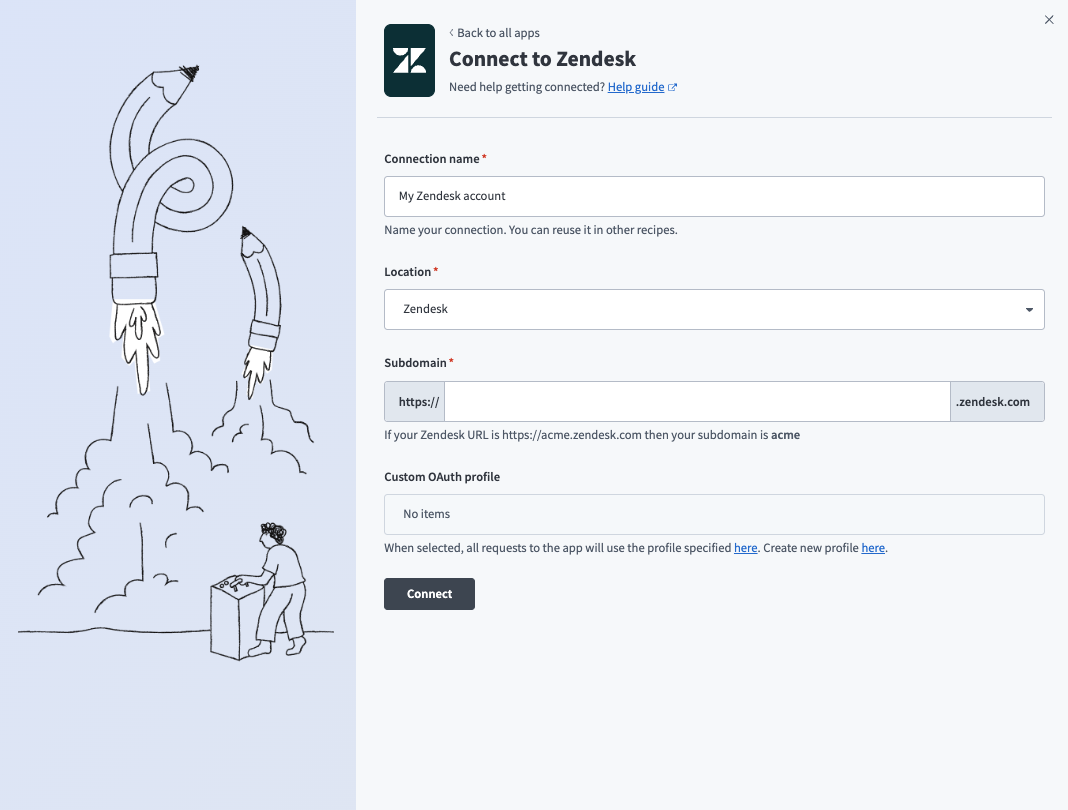 Connect to Zendesk with OAuth 2.0
Use the Location drop-down menu to select the project where you plan to store the connection.
Enter your Zendesk subdomain in the Subdomain field. For example, your subdomain is acme if your Zendesk URL is https://acme.zendesk.com.
Click Connect.
Sign in to Zendesk using your credentials to authorize Workato.
Last updated: