Skill version management
Skills maintain a full version history as you iterate on their logic, inputs, and outputs. Each time a skill is saved, a new version is created and attributed to the user who made the change, along with a timestamp and change type.
You can use version history to review what changed, compare versions side by side, roll back to a previous version, and run test cases against a specific version. This lets you safely iterate on a skill's behavior without disrupting the genies or MCP servers that depend on it.
Change types
Workato logs two types of changes: Skill changes made by collaborators and schema changes detected automatically.
Skill changes
Skill changes are logged when a user actively modifies the skill, such as adding or removing steps, updating field mappings, or changing the skill's input and output schema.
Schema changes
Schema changes are logged when Workato detects that the underlying schema of a connected app has changed, for example when a new custom field is added to a Salesforce object used in the skill. Schema changes are logged automatically without any action from the builder.
View version history
To view a skill's version history:
Open the skill.
Click the Versions tab.
Each version displays the version number, date created, change type, the collaborator who made the change, and an optional comment.
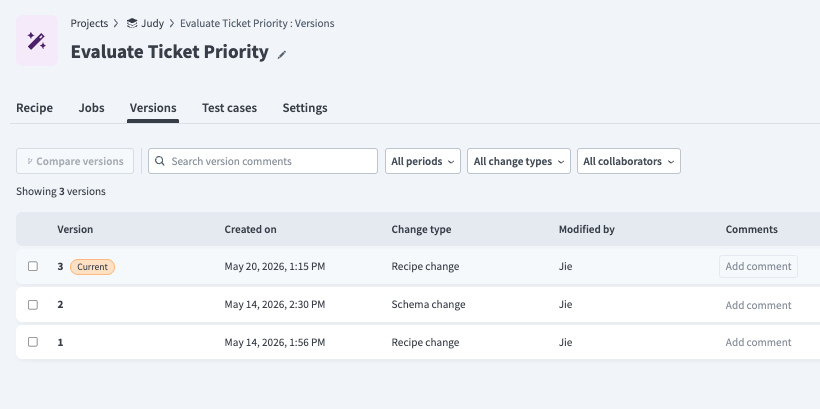 Versions tab
Compare versions
The Recipe Diff feature lets you visually compare two skill versions and review the changes. Refer to Compare versions with Recipe Diff for more information.
Restore a version
Open the skill and click the Versions tab.
Click a non-current version to open the Version details page.
Click Restore this version.
Click Yes to confirm.
The selected version is copied and becomes the current version of the skill. Any genies or MCP servers assigned to this skill will use the restored version on their next invocation.
Version management across environments
Skills are deployed as part of projects across development, test, and production environments. Refer to Agent version management for more information on managing skill versions across environments.
Last updated: