Using Sales Rep Agent
You can interact with Sales Rep Agent in natural language through Slack.
FOR ADMINS
Open the End user access tab to grant access. Confirm that the end-user groups you plan to add are configured there, and that everyone in those groups can reach the connected chat interface.
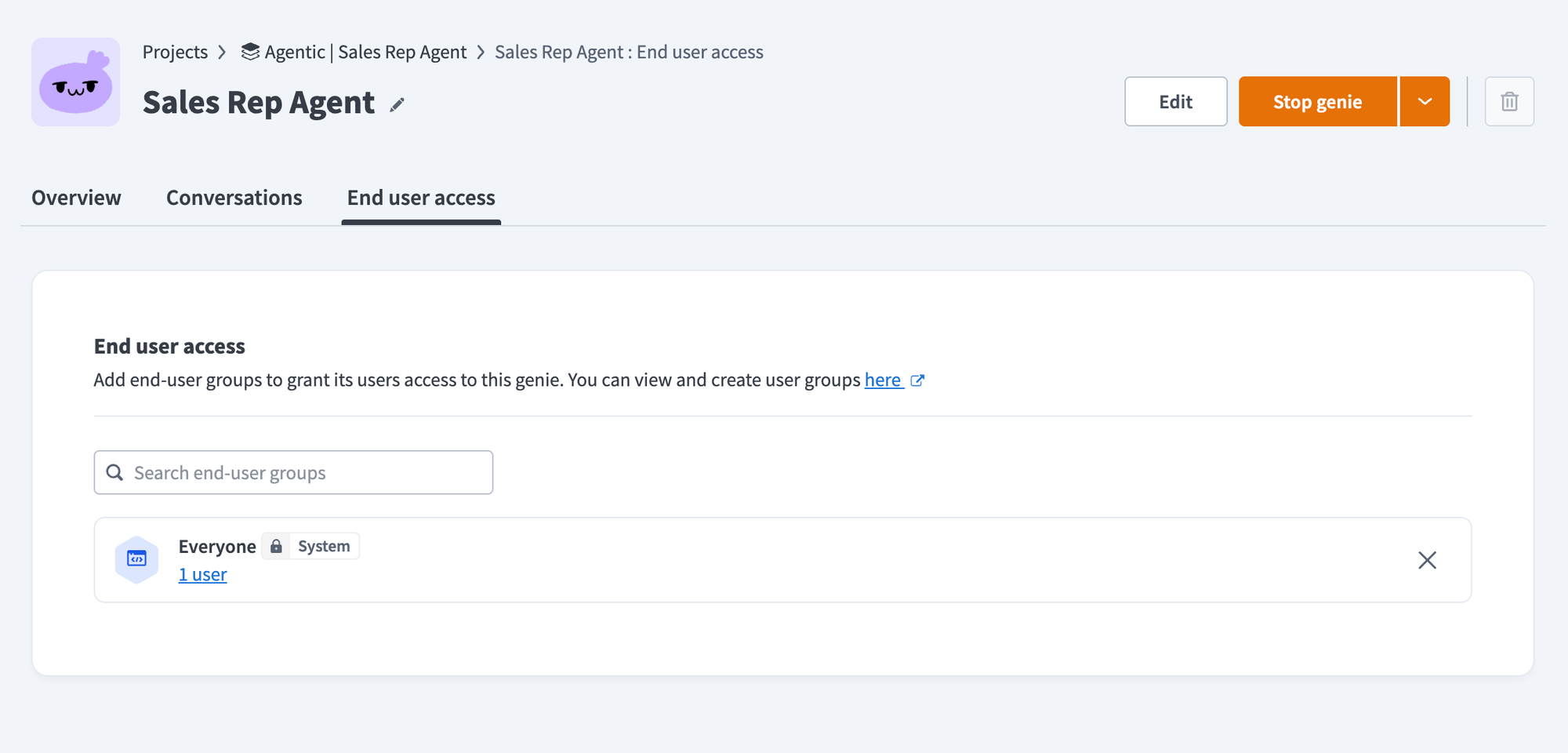 Grant end-user groups access on the End user access tab
Connect your accounts to Sales Rep Agent
In apps where end-user access is enabled, such as Salesforce, Sales Rep Agent acts as you rather than as a shared service account. The first time you ask for something that needs one of these apps, Sales Rep Agent asks you to connect your account. Sign in and approve access once, and Sales Rep Agent uses your connection from then on.
Because Sales Rep Agent uses your account, it can see and change only what you can already see and change in that app.
Apps without end-user access use a shared connection configured by your admin. What Sales Rep Agent can reach in those apps depends on that connection's permissions.
What you can ask Sales Rep Agent
You can ask Sales Rep Agent questions about accounts, prospects, and sales activities. The following sections provide examples of questions you can ask:
Account research
Ask for a consolidated view of an account before a call, and Sales Rep Agent gathers the account summary, contacts, open issues, support history, documentation, recent calls, meetings, and news into one response.
- "Give me an account summary for [Company]."
- "Give me a Customer 360 view for [Company]."
CRM operations
Query, create, and update CRM records in conversation. Sales Rep Agent shows you the change it plans to make and applies it after you confirm.
- "Show me all open opportunities for [Company]."
- "Show me my opportunities closing this quarter."
- "Create a new lead for [Name] at [Company]."
- "Update the close date for [Opportunity] to September 30."
- "Change the owner of [Opportunity] to [Name]."
Sales Rep Agent can search, read, summarize, create, and update records. It can't delete, archive, cancel, merge, or unassign them.
Knowledge base questions
Ask Sales Rep Agent about sales content in your connected knowledge bases, such as battlecards, case studies, and internal policies.
- "What's our battlecard against [Competitor]?"
- "Do we have a case study for a healthcare customer?"
- "What's our policy on multi-year discounts?"
Sales Rep Agent logs the questions it can't answer so your admins can close the gap. Refer to Knowledge gap logging for details.
Post-call updates and follow-up
Sales Rep Agent summarizes the transcript, shows you a before-and-after comparison of the fields it plans to change, and updates the opportunity after you approve. Sales Rep Agent then logs a note, creates a follow-up task, and drafts a follow-up email that it sends after you approve it, if enabled. Refer to How the call completion workflow works for details.
Receive CRM alerts
Sales Rep Agent notifies you in your chat interface when one of your opportunities meets an alert condition, such as a stalled deal, a close date that has passed, or a required field left blank for the current stage. Sales Rep Agent escalates an alert to the configured recipient if you don't address it within the escalation window. Refer to How CRM alerts work for details.
Last updated: