SOAP API recipe collection
A SOAP API recipe collection exposes SOAP 1.1 or 1.2 service endpoints through Workato's API platform. Each operation in the collection maps to one API recipe, automatically generated from a Web Services Description Language (WSDL) definition.
You can use SOAP API recipe collections to support legacy enterprise systems that require XML/SOAP protocols. This enables you to modernize platforms that can't migrate to REST.
WSDL FILE REQUIRED
You must create SOAP API recipe collections from a WSDL file. You can't build SOAP API recipes from scratch in the recipe editor.
Prerequisites
Ensure the following before you create a SOAP API recipe collection:
- You created or selected a project in your workspace.
- You have a valid WSDL file that meets the following requirements:
- The file is self-contained.
- It doesn't use
wsdl:import,xsd:import, orxsd:includeto reference external files.
Create a SOAP API collection
Complete the following steps to create a SOAP API collection:
Sign in to your Workato account.
Go to Platform > API platform > API collections.
Click + Create new collection.
Select API recipe collection as the collection type.
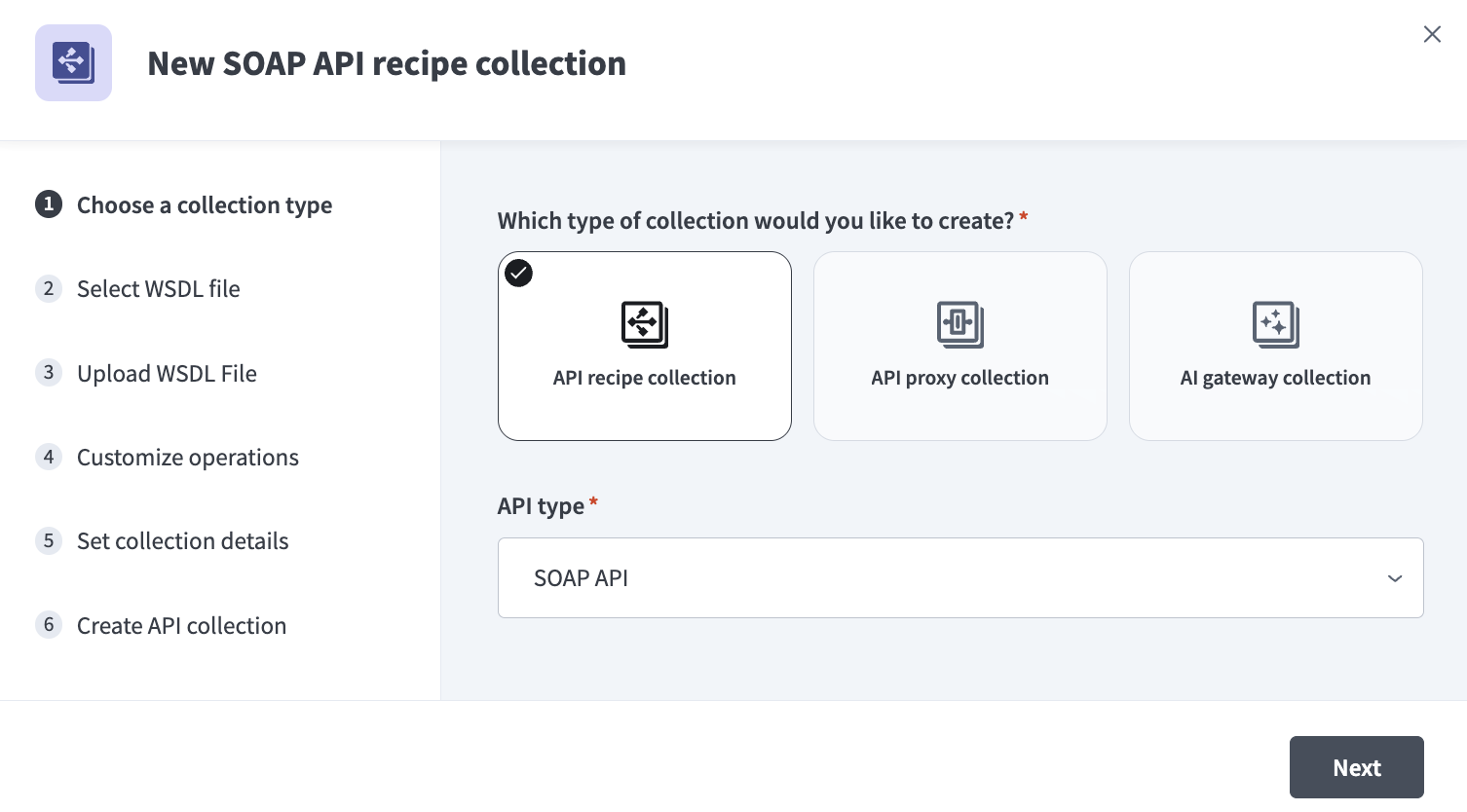 Select API recipe collection
Use the API type drop-down menu to select SOAP API.
Click Next.
Use the Location drop-down menu to select the project where you plan to store the generated recipes. Workato creates one recipe per WSDL operation in this location.
Drag and drop your .wsdl file into the WSDL file upload area, or click upload from device to browse for the file.
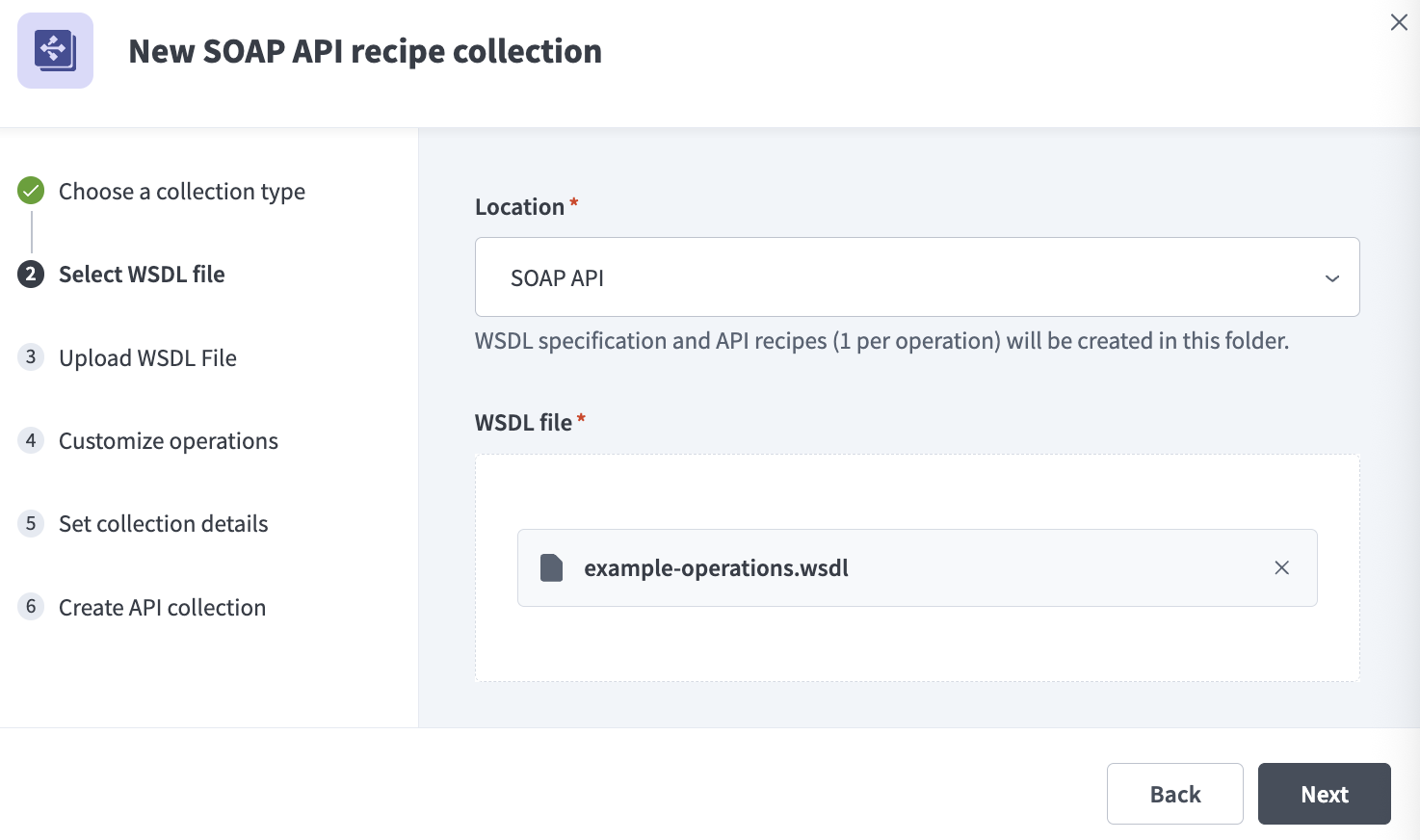 Select WSDL file
Click Next. Workato uploads and validates the WSDL file. A success message confirms the upload completed.
UPLOAD FAILED
If the upload fails, click Go back to return to the previous step and re-upload your file or try a different file.
Ensure your WSDL file meets the requirements in the Prerequisites section.
Click Next.
Review the list of operations generated from your WSDL. Workato imports all operations and creates one recipe per operation.
SCHEMA VALIDATION
All requests made to this endpoint are validated against the defined schema by default.
Optional. Expand Edit details for an operation to configure the following fields:
Enter a human-readable name in the Operation label field. This defaults to the operation name.
Verify the Request Name value. This is the unique identifier the SOAP service uses to route requests to this operation.
Enter a short summary in the Operation description field.
Set the Request timeout value. The default value is 30 seconds and the maximum value is 240 seconds.
Click Next.
Enter a descriptive name in the Collection name field. For example, Weather SOAP API.
Enter a version number in the Version field.
Enter a short summary in the Description field.
Click Create collection. Workato stores the WSDL as a resource and generates one recipe per operation.
Click View API collection to manage access or activate endpoints.
Manage a SOAP API collection
After you create a SOAP API collection, you can manage operations, configure client access, and download the WSDL from the collection overview page.
Go to Platform > API platform > API collections and select your SOAP API collection to open the overview page.
The overview page contains the following tabs:
- Operations: View and manage the operations in the collection. Each operation displays its name, SOAP action, description, and activation status.
- Clients: Manage which clients have access to the collection.
- Settings: Configure collection-level settings such as the collection path and version.
The right sidebar displays the collection type, service URL, clients with access, and creation date. The service URL is auto-generated per environment.
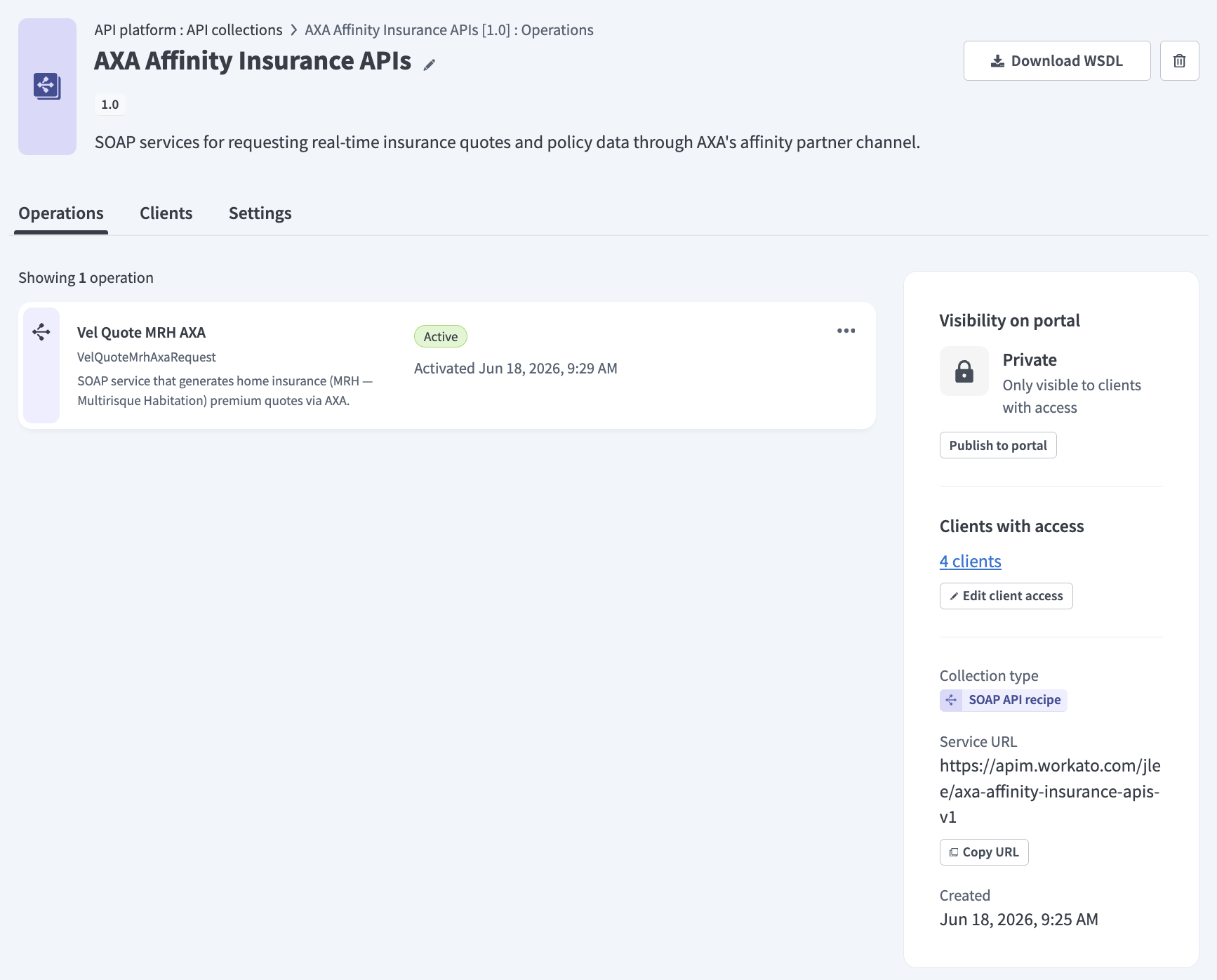 SOAP API collection overview
Download the WSDL
Click Download WSDL in the upper-right corner of the collection overview page to export the WSDL file. This reflects the current state of the collection.
Workato doesn't edit the WSDL, but generates a new endpoint URL and preserves all mappings and namespaces without modification.
You can also download the WSDL from the resource detail page in your project's Assets tab. Refer to WSDL asset management for more information.
Workato doesn't edit the WSDL and generates
View operation details
Select an operation from the Operations tab to open its Details page. The detail page shows the auto-generated recipe with a New SOAP API request trigger and a RETURN action, along with a sidebar that displays the SOAP action, endpoint type, description, request timeout, and activation status.
Update operation details
You can update the label, description, SOAP action, request timeout, and other details for each operation.
Complete the following steps to edit an operation:
Go to Platform > API platform > API collections and select your SOAP API collection.
Select an operation from the list.
Go to the Settings tab and update the operation fields as needed.
Click Save to apply your changes.
WSDL asset management
Workato stores the WSDL file as a resource in the selected project folder when you upload it during collection creation. You can view and manage this resource in your project's Assets tab.
The WSDL resource enables Workato to:
- Generate API recipes and operation schemas automatically from WSDL operations
- Validate incoming XML payloads against the defined schema
- Track version history and manage dependencies between the WSDL and its linked recipes
You can click Download on the resource detail page to export the current WSDL file.
USE CAUTION
You can't edit WSDL files or collection configuration after upload. You can upload a new version of the WSDL, but the changes don't apply to the existing API collection or its generated recipes. Ensure your WSDL contains all required operations and specifications before uploading. After the collection is created, you can only modify the recipe logic directly.
Last updated: