JIT user settings
JIT user settings define the authentication method and policy applied to API clients created through JIT provisioning. When a Workato Identity end user logs in through SSO for the first time, Workato Identity creates the end user record, and then the portal creates an API client for that user using these settings.
JIT users land on the Discover new APIs page on first login with no collection access. They can browse available collections and submit access requests, which an admin must approve before they can interact with any APIs.
Prerequisites
Complete the following before configuring JIT user settings:
- Configure SAML-based authentication in your workspace through Workato Identity, then follow your IdP-specific guide: Okta, Google Workspace, Microsoft Entra ID, or OneLogin.
- Enable JIT provisioning in your SAML SSO configuration. This allows Workato Identity to automatically create end user records when users first authenticate through SSO.
END-USER GROUPS
Create end-user groups before configuring JIT user settings if you plan to assign JIT-provisioned clients to specific groups.
Configure JIT user settings
Complete the following steps to configure JIT user settings for the developer portal:
Go to Platform > API platform > Settings > Developer Portal > JIT user settings.
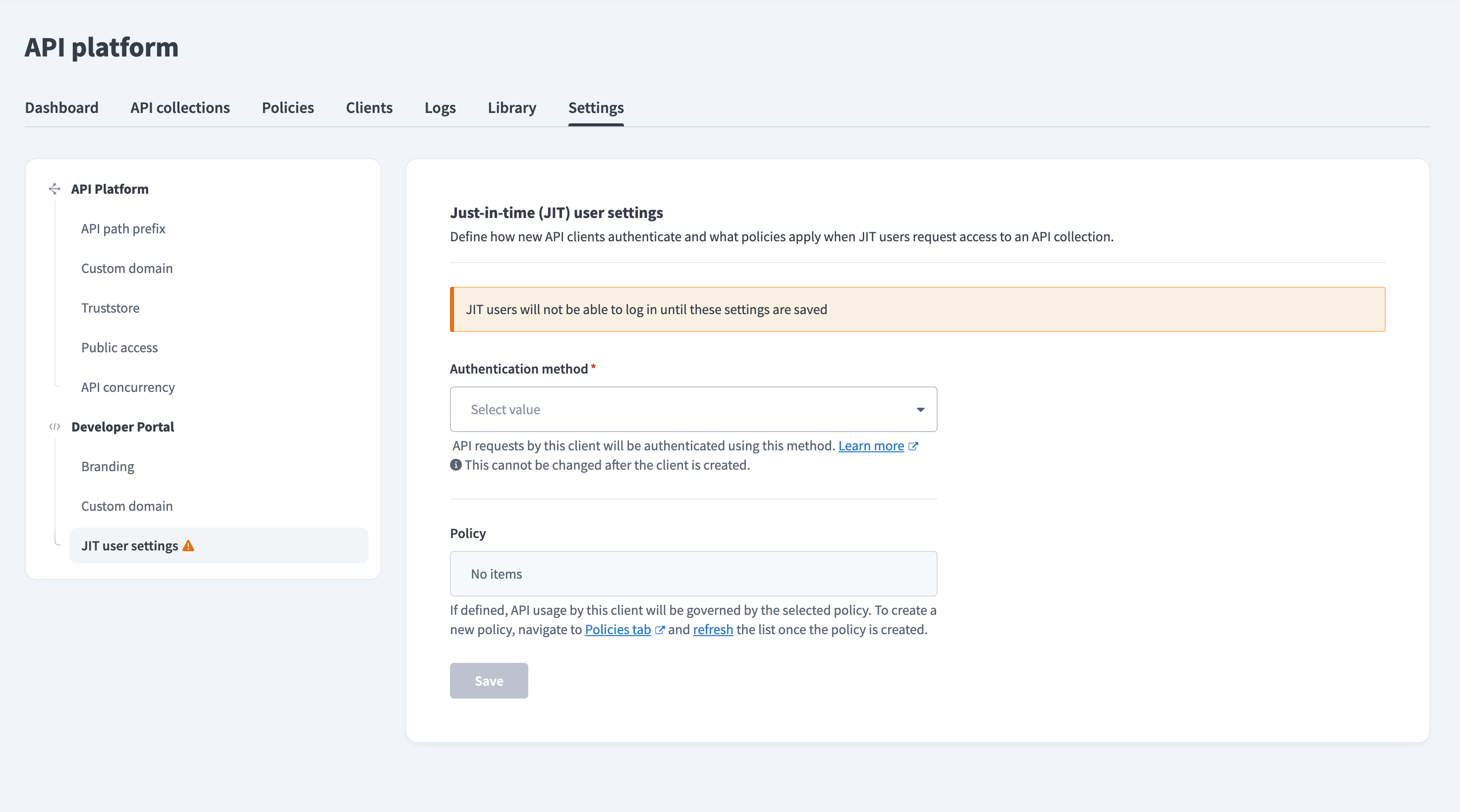 JIT user settings — not yet configured
Select an authentication method from the Authentication method drop-down menu. This applies to all clients provisioned through JIT.
AUTHENTICATION METHOD
You cannot change the authentication method after a client is created. Refer to available authentication methods for more information.
Optional. Select a policy from the Policy drop-down menu to govern API usage for JIT-provisioned clients. Go to the Policies tab to create a policy first if needed, then refresh the drop-down menu.
Click Save.
BEFORE DIRECTING USERS
JIT user settings must be saved before end users can log in to the portal. Complete these settings before directing users to the portal.
Last updated: