# Gong
Gong (opens new window) is a revenue intelligence platform that captures customer interactions across phone, web conferencing, and email. Gong understands the content of these interactions and delivers actionable insights. Use the trigger from the Gong connector to run the recipe each time an event occurs in Gong, and the actions to add calls and media, and search for call data.
# API version
The Gong connector uses the Gong API v2 (opens new window).
# Connection setup
The Gong connector uses OAuth 2.0 authentication.
# Minimum and default scopes
Workato requires the api:users:read scope. Refer to the Gong API documentation (opens new window) for more detailed information about the available scopes.
# Gong setup
Complete the following steps in Gong to generate credentials:
Sign in to your Gong developer instance. Refer to Request a developer instance (opens new window) for more information.
Go to Admin center.
 Admin center
Click API in the Ecosystem section.
Click CREATE INTEGRATIONS in the INTEGRATIONS tab.
Complete the CREATE YOUR GONG INTEGRATION page, including name, description, and required authorization scopes. Refer to Submit your integration details to Gong (opens new window) for more information.
Click Save. Your integration information appears as a new row in the list of integrations.
Copy and save the CLIENT ID and CLIENT SECRET for use in Workato.
# Connect to Gong with OAuth 2.0
Complete the following steps to connect to Gong in Workato:
Click Create > Connection.
Search for Gong.io and select it as your app.
Enter a name for your connection in the Connection name field.
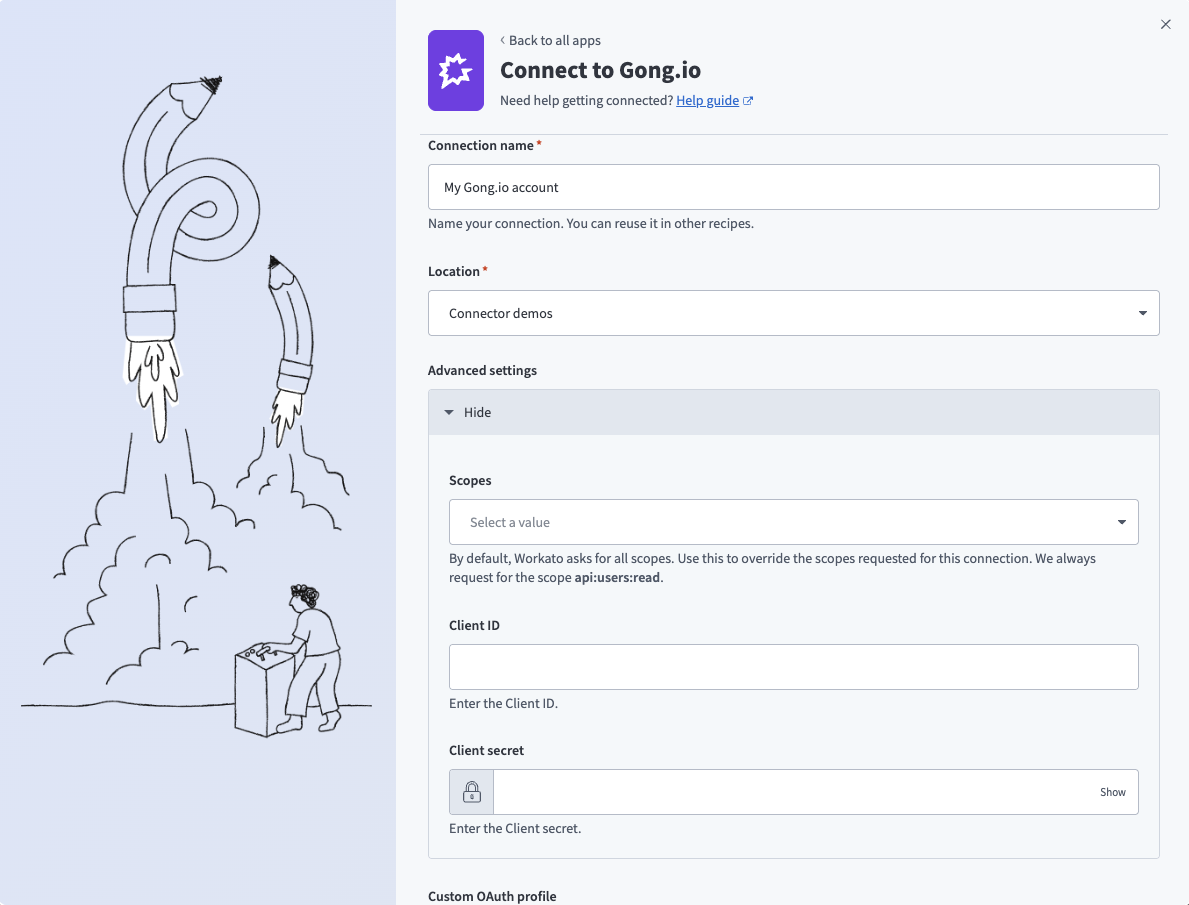 Connect to Gong
Use the Location drop-down menu to select the project where you plan to store the connection.
Expand the Advanced settings section to configure Scopes for your connection. Workato requests all available scopes by default. You can select granular scopes from the multi-select list to limit access.
Enter the Client ID and Client secret. Refer to Gong setup for more information.
Optional. Use the Custom OAuth profile drop-down menu to select a custom OAuth profile for your connection.
Click Connect.
Sign in to Gong using your credentials when prompted.
Click Allow to provision access to Workato.
Last updated: 4/3/2026, 8:32:16 PM