Pipedrive
Pipedrive is sales CRM and pipeline management software that helps small sales teams manage intricate or lengthy sales processes. It's built to be simple and easy to use, yet powerful.
CONNECTOR UPGRADE TO API V2
Action required by July 31, 2026. Pipedrive is sunsetting a significant portion of its API v1 endpoints that Workato's Pipedrive connector currently relies on. Recipes using deprecated Pipedrive triggers, actions, or affected custom actions will stop functioning after this date. Refer to Connector upgrade to API v2 for more information.
Connection setup
The Pipedrive connector uses API token authentication.
Pipedrive setup for API token authentication
Complete the following steps to retrieve credentials in Pipedrive:
On your Pipedrive dashboard, click on your profile icon, then click Personal preferences.
Select the API tab.
Copy and save Your personal API token for use in Workato.
Connect to Pipedrive with API token authentication
Complete the following steps to connect to Pipedrive in Workato:
Click Create > Connection or press C twice.
Search for Pipedrive and select it as your app.
Enter a name for your connection in the Connection name field.
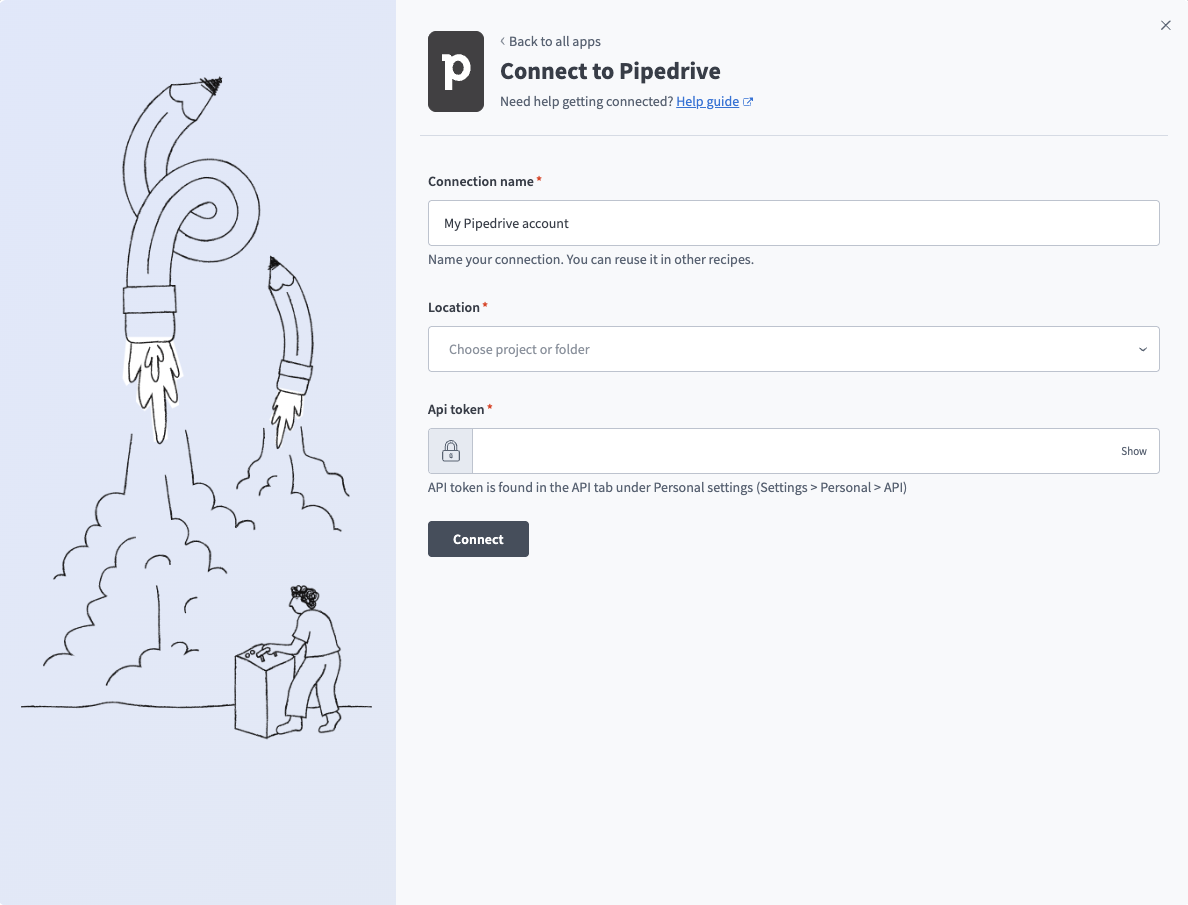 Pipedrive connection
Use the Location drop-down menu to select the project where you plan to store the connection.
Enter the API token. Refer to Pipedrive setup for API token authentication for more information.
Click Connect.
Last updated: