Manage an MCP registry
Create and manage an MCP registry to enable teams to browse, search, and add MCP servers from a single catalog. Each MCP server entry includes the name, description, available tools, and ownership metadata.
MCP REGISTRY IS ENVIRONMENT SPECIFIC
An MCP registry is available only within the environment where you created it. MCP registries aren't shared across workspaces, AHQ managed workspaces, or Embedded customer accounts.
Set up an MCP server registry
Complete the following steps to set up an MCP server registry:
Go to AI Hub > Enterprise MCP > Custom servers.
Click Set up MCP registry.
Enter a name for the registry in the Registry name field.
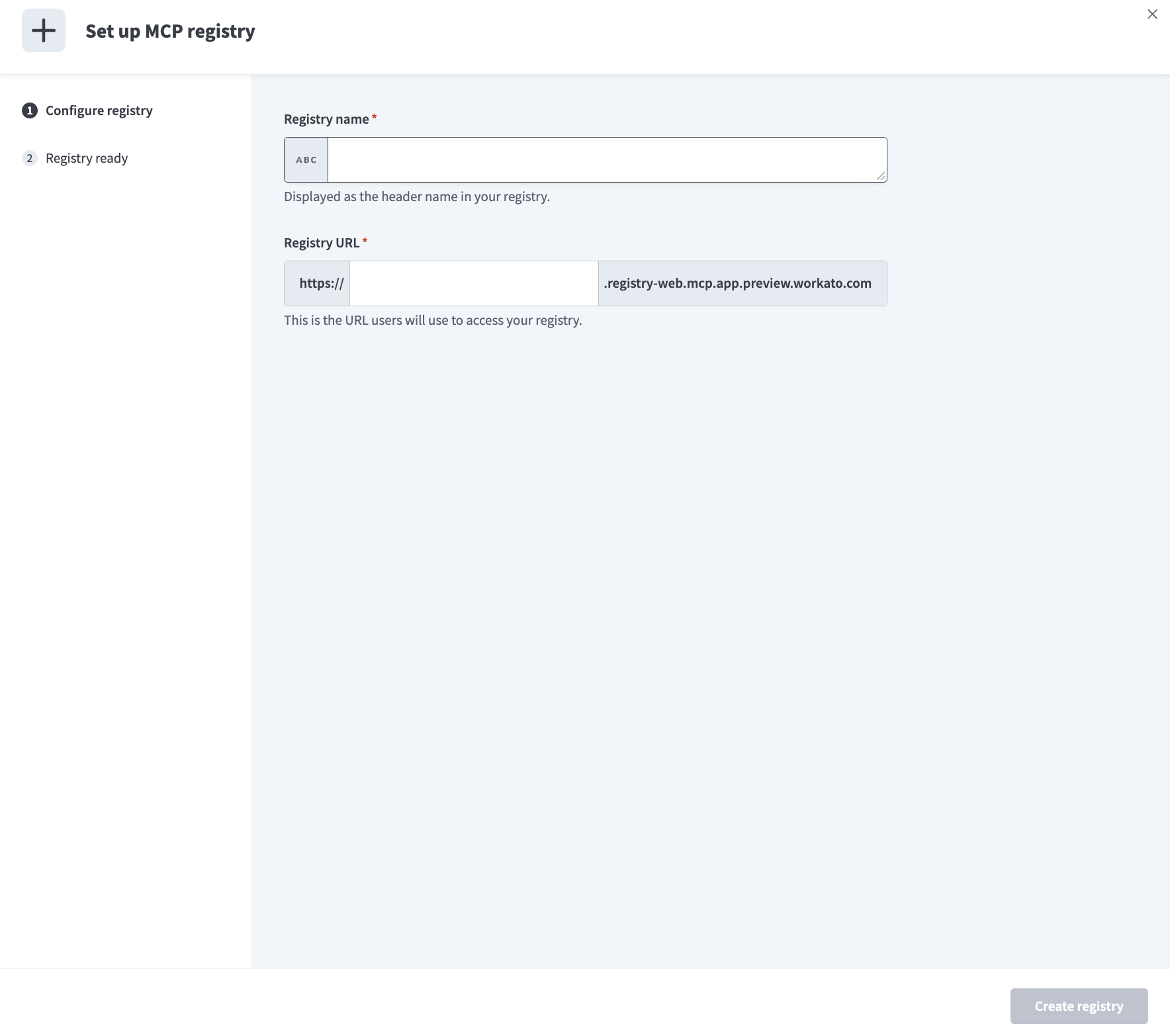 Set up your registry
Enter the registry URL in the Registry URL field.
Click Create registry.
Click Copy to copy the MCP registry URL.
Click Done.
Manage your MCP server registry
Complete the following steps to manage your MCP server registry:
Go to AI Hub > Enterprise MCP > Custom servers.
Click Manage MCP registry.
Optional. Change the name of your MCP server registry, update the Registry URL, or copy your Registry MCP endpoint.
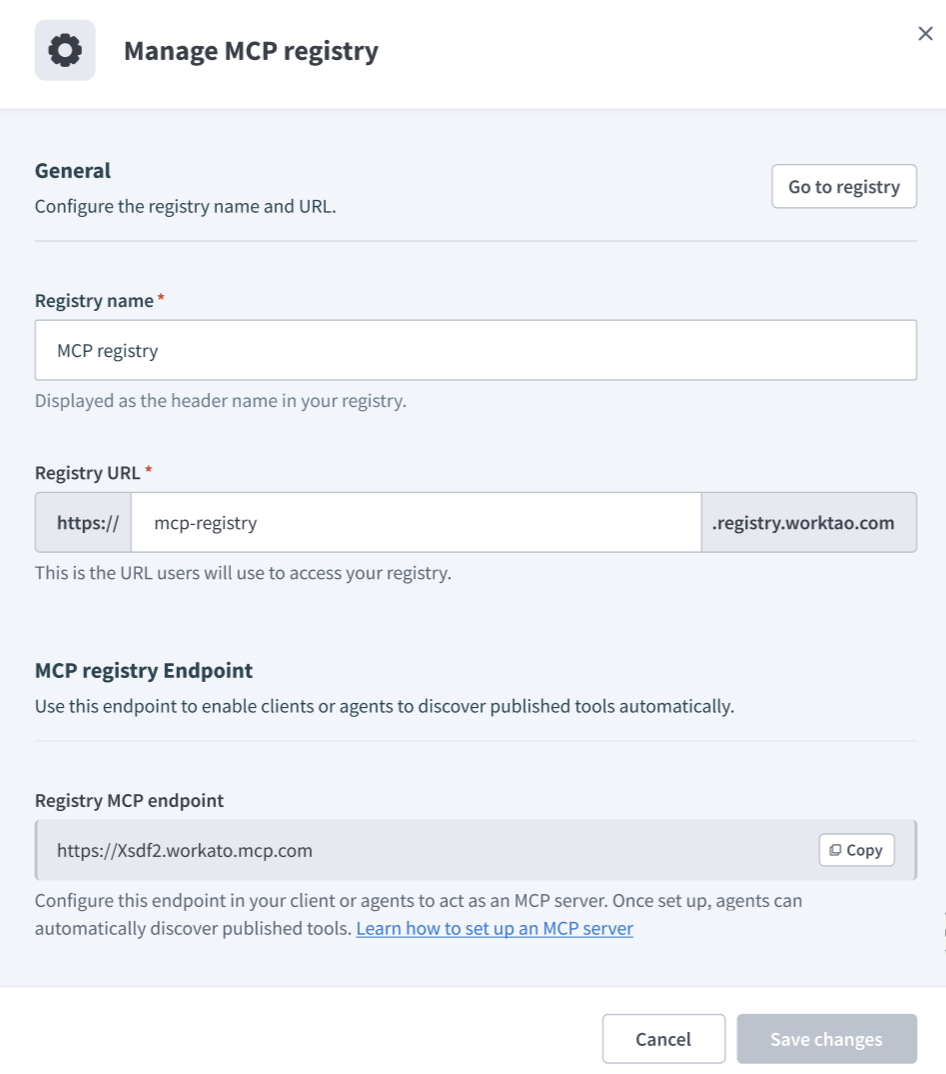 Access and manage your MCP server registry information
Click Save changes to save your edits.
Manage MCP server permissions
You must enable permissions to publish and unpublish MCP servers from the MCP server registry at the project-role level.
Complete the following steps to enable publish and unpublish permissions:
Sign in to your Workato account.
Go to Workspace admin > Project roles.
Select the role you plan to provide with MCP server permissions.
Go to the MCP servers section and select the Publish / Unpublish checkbox.
 Select the Publish / Unpublish checkbox
Publish an MCP server
Complete the following steps to publish an MCP server to your registry:
Go to AI Hub > Enterprise MCP > Custom servers.
Select the MCP server you plan to publish.
Go to the Visibility on MCP registry section and click Publish.
Unpublish an MCP server
Complete the following steps to unpublish an MCP server from your registry:
Go to AI Hub > Enterprise MCP > Custom servers.
Select the MCP server you plan to unpublish.
Go to the Visibility on MCP registry section and click Unpublish.
Last updated: