Outreach Sales Engagement MCP server
The Outreach Sales Engagement MCP server enables LLMs to manage sales engagement data in Outreach through natural conversation. It provides tools to discover and build sequences, manage prospects and accounts, review activity, and execute enrollment operations without requiring direct interaction with the Outreach interface.
Uses
Use the Outreach Sales Engagement MCP server to perform the following actions:
- List and search sequences with filters for status, owner, and name
- Retrieve sequence steps and structure
- Create new sequences and add steps
- Search for prospects by name, email, account, or owner
- Get detailed prospect information
- Search accounts by name or domain
- Review calls and tasks with date and type filters
- Update prospect stage, owner, or tags
- Log manual call records
- Enroll prospects in sequences
- Pause or resume sequence enrollments
Example prompts
Show me all active sequences owned by Mei.Get the steps for the Q1 Enterprise sequence.Create a new outbound sequence for product demos.Find prospects at Acme Corp.Show me today's calls and tasks.Update Josh's stage to Working.Log a call with this prospect - left voicemail.Enroll Jade Anderson in the Q1 Enterprise sequence.Pause the enrollment for this prospect.Search for accounts in the technology industry.
Outreach Sales Engagement MCP server tools
The Outreach Sales Engagement MCP server provides the following tools:
| Tool | Description |
|---|---|
| list_sequences | Lists Outreach sequences with optional filters for status, owner, and name. |
| get_sequence_steps | Retrieves the ordered steps for an Outreach sequence you specify. |
| create_sequence | Creates a new Outreach sequence in draft status. |
| create_sequence_step | Adds a new step to an existing Outreach sequence. |
| search_prospects | Searches Outreach prospects by name, email, account, or owner. |
| get_prospect | Retrieves full details for a single Outreach prospect by ID. |
| search_accounts | Searches Outreach accounts by name or domain. |
| list_calls_and_tasks | Lists Outreach calls and tasks with filters for date, type, prospect, or account. |
| update_prospect | Updates stage, owner, or tags on an Outreach prospect record. |
| log_call | Logs a manual outbound call record against an Outreach prospect. |
| enroll_prospect | Enrolls a single prospect in an active Outreach sequence. |
| manage_enrollment | Pauses or resumes a prospect's active sequence enrollment. |
Install the Outreach Sales Engagement MCP server
Complete the following steps to install a prebuilt MCP server to your project:
Sign in to your Workato account.
Go to AI Hub > MCP servers.
Click + Create MCP server.
Go to the Start with pre-built MCP Servers using your connected apps section and select the prebuilt MCP server you plan to use.
Click Use this server.
Provide a name for your MCP server in the Server name field.
Use the Location drop-down menu to select the project for the MCP server.
Go to the Connections section and connect to your app account.
Select the connection type you plan to use for the MCP server template.
- User's connection: MCP server tools perform actions based on the identity and permissions of the user who connects to the application. Users authenticate with their own credentials to execute the skill.
- Your connection: This option uses the connection established by the recipe builder and follows the same principles as normal app connections.
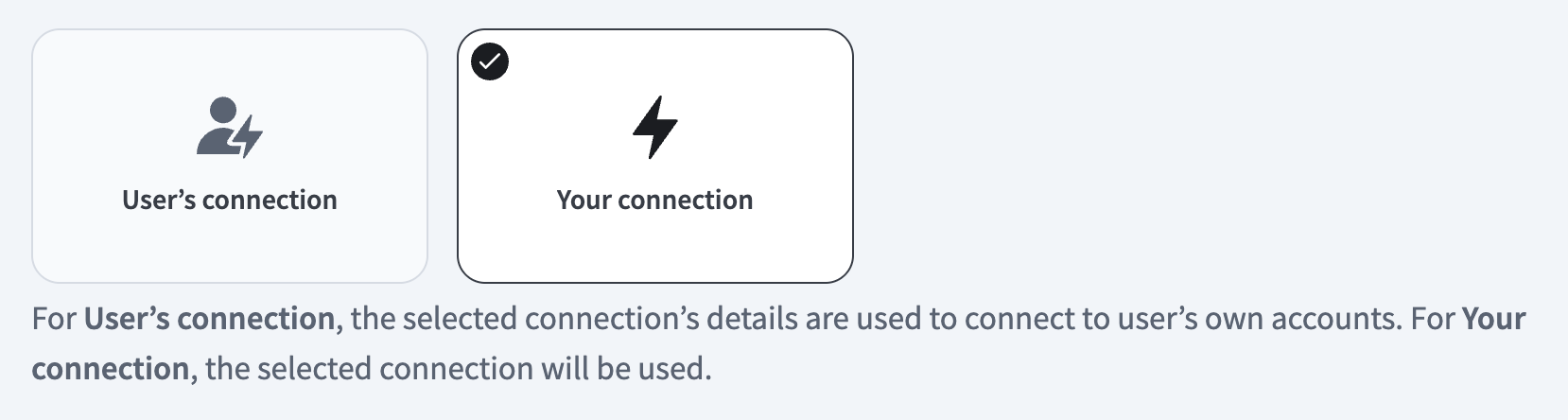 Select your connection type
VERIFIED USER ACCESS AUTHENTICATION REQUIREMENTS
Only app connections that use OAuth 2.0 authorization code grant are available for user's connection. Refer to Verified user access for more information.
Complete the app-specific connection setup steps in the following section.
Outreach connection setup
View Outreach connection setup steps
The Outreach connector uses OAuth 2.0 authentication.
Complete the following steps to connect to Outreach in Workato:
Click Create > Connection.
Search for Outreach and select it as your app.
Enter a name for your connection in the Connection name field.
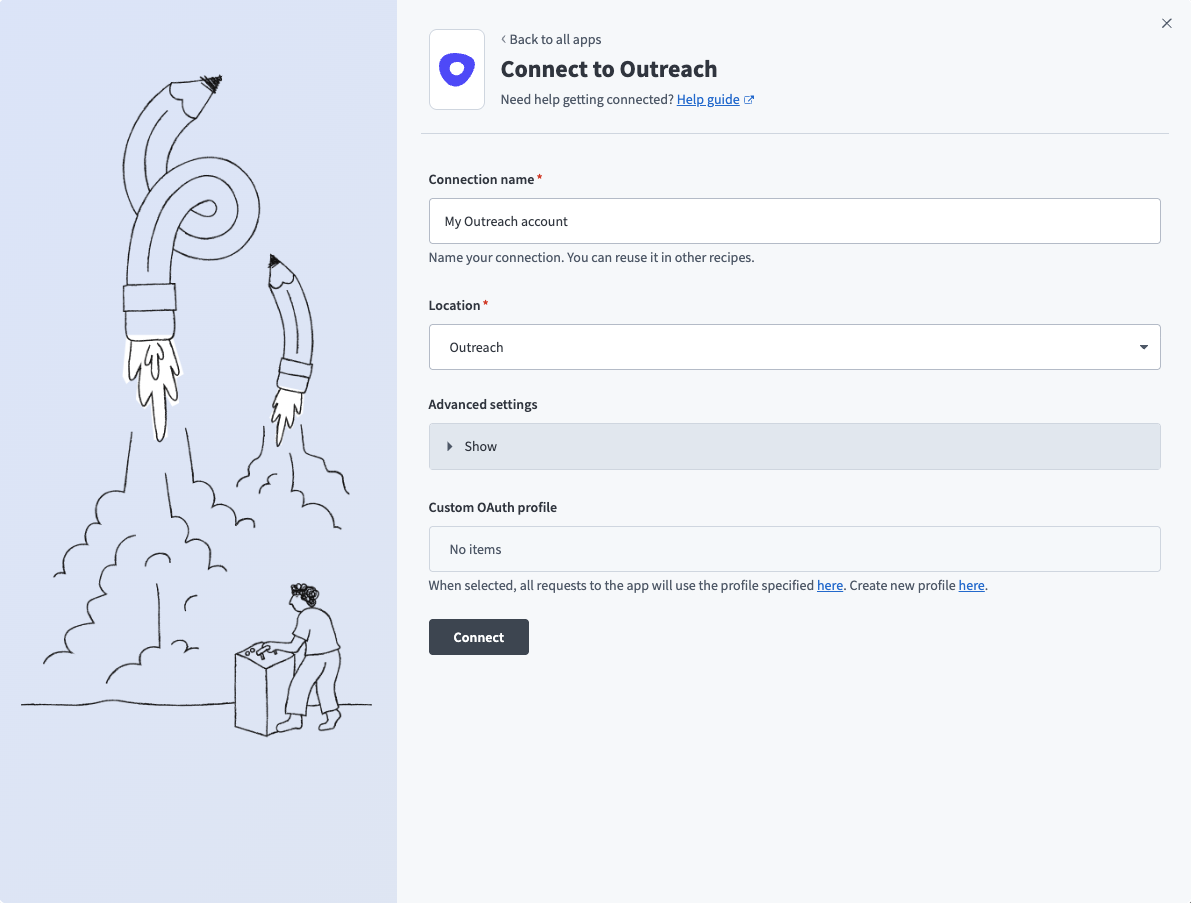 Set up your Outreach connection
Use the Location drop-down menu to select the project where you plan to store the connection.
Optional. Expand the Advanced settings section to configure Requested permissions (OAuth scopes) for your connection.
Optional. Use the Custom OAuth profile drop-down menu to select a custom OAuth profile for your connection.
OAUTH PRIVILEGES
The Outreach connection inherits permissions from the user who authenticates it. Workato recommends that you create an integration user for Workato on the Outreach platform. This prevents the connection from being tied to a physical user.
Click Connect.
Sign in to your Outreach account.
How to use Outreach Sales Engagement MCP server tools
Refer to the following sections for detailed information on available tools:
list_sequences tool
The list_sequences tool lists Outreach sequences with optional filters for status, owner, and name. Your LLM uses this tool to view available sequences, find a specific sequence by name or owner, or review sequences by status.
Try asking:
Show me all active sequences.List sequences owned by Alex.Find the Q1 Enterprise sequence.What sequences are in draft status?
get_sequence_steps tool
The get_sequence_steps tool retrieves the ordered steps for an Outreach sequence you specify. Your LLM uses this tool to view the structure of a sequence, review what steps are configured, or understand the sequence flow before enrolling prospects.
Try asking:
Get the steps for the Q1 Enterprise sequence.Show me what's in the outbound prospecting sequence.What steps are configured in this sequence?Review the structure of the product demo sequence.
create_sequence tool
The create_sequence tool creates a new Outreach sequence in draft status. Your LLM uses this tool to create a new sequence with a name and optional description. New sequences are created in draft status and can't send emails until activated in the Outreach UI.
Try asking:
Create a new sequence called 'Q2 Enterprise Outbound'.Set up a sequence for product demo follow-ups.Create an outbound sequence for the new product launch.Make a new sequence for warm leads.
create_sequence_step tool
The create_sequence_step tool adds a new step to an existing Outreach sequence. Your LLM uses this tool to add email steps, call tasks, or other actions to a sequence you're building.
Try asking:
Add an email step to the Q1 Enterprise sequence.Create a call task as the next step in this sequence.Add a follow-up email to the demo sequence.Insert a LinkedIn task in this sequence.
search_prospects tool
The search_prospects tool searches Outreach prospects by name, email, account, or owner. Your LLM uses this tool to find prospects matching specific criteria, locate a prospect by email or name, or see all prospects in an account.
Try asking:
Find prospects at Acme Corp.Search for John Smith in Outreach.Show me prospects owned by Mei.Find the prospect with email [email protected].
get_prospect tool
The get_prospect tool retrieves full details for a single Outreach prospect by ID. Your LLM uses this tool to find complete information about a prospect already identified from search results, or when you need to review prospect details before updating or enrolling.
Try asking:
Get the full details for this prospect.Show me complete information about prospect ID 12345.What's the current status of Jade Anderson?Review the details for this prospect before enrolling.
search_accounts tool
The search_accounts tool searches Outreach accounts by name or domain. Your LLM uses this tool to find accounts by company name, locate accounts by domain, or discover accounts matching search criteria.
Try asking:
Search for Acme Corp account.Find accounts with domain acme.com.Look for technology companies in our accounts.Search for accounts matching 'Enterprise'.
list_calls_and_tasks tool
The list_calls_and_tasks tool lists Outreach calls and tasks with filters for date, type, prospect, or account. Your LLM uses this tool to review outreach activity, view today's calls or tasks, check incomplete tasks for an account, or review call history for a prospect.
Try asking:
Show me today's calls.What tasks are incomplete for Acme Corp?List calls for this prospect this week.Show me all my tasks due tomorrow.
update_prospect tool
The update_prospect tool updates stage, owner, or tags on an Outreach prospect record. Your LLM uses this tool to change a prospect's stage, reassign a prospect to another owner, or update prospect tags.
Try asking:
Update Macro's stage to Working.Reassign this prospect to Sarah.Tag this prospect as hot-lead.Change the prospect stage to Qualified.
log_call tool
The log_call tool logs a manual outbound call record against an Outreach prospect. Your LLM uses this tool to record a call you made, document call outcomes, or track call activity.
Try asking:
Log that I called Jade Anderson and left a voicemail.Record a completed call with this prospect.Log a call - had a good conversation about pricing.Record that I spoke with the prospect about the demo.
enroll_prospect tool
The enroll_prospect tool enrolls a single prospect in an active Outreach sequence. Your LLM uses this tool to start a prospect on a sequence or add a prospect to an outbound campaign.
Try asking:
Enroll Josh in the Q1 Enterprise sequence.Add this prospect to my outbound sequence.Start Alex on the product demo sequence.Enroll this prospect in the warm lead follow-up sequence.
manage_enrollment tool
The manage_enrollment tool pauses or resumes a prospect's active sequence enrollment. Your LLM uses this tool to pause a prospect's sequence enrollment temporarily or resume outreach after a pause.
Try asking:
Pause Mei's enrollment in the sequence.Resume outreach to this prospect.Hold off on the Acme Corp sequence for now.Resume the sequence for Marco.
Getting started
View and manage your MCP server tools in the Overview page Tools section. Tool management provides the following capabilities:
TOOLS MUST BE STARTED
Your LLM can only access active tools in your MCP server connector.
Last updated: