Using a recipe diff to compare recipe changes
Workato tracks all changes made to recipes and skills. A new version of the skill or recipe is created when the skill or recipe is saved.
The Recipe Diff feature enables you to visually compare two skill or recipe versions and review the changes.
In this guide, we'll cover:
- How the Recipe Diff feature works
- The types of changes included in Recipe Diffs
- How to access and use Recipe Diffs
How it works
Check out this video guide
The Recipe Diff (or difference) feature visually compares any two skill or recipe versions and highlights their differences.
In tools like GitHub, the diff feature shows a text comparison. For example:

In Workato, the Recipe Diff feature shows a visual difference between two skill or recipe versions. Recipe Diffs make it easier to review the changes and discuss them as part of the recipe development lifecycle. For example:
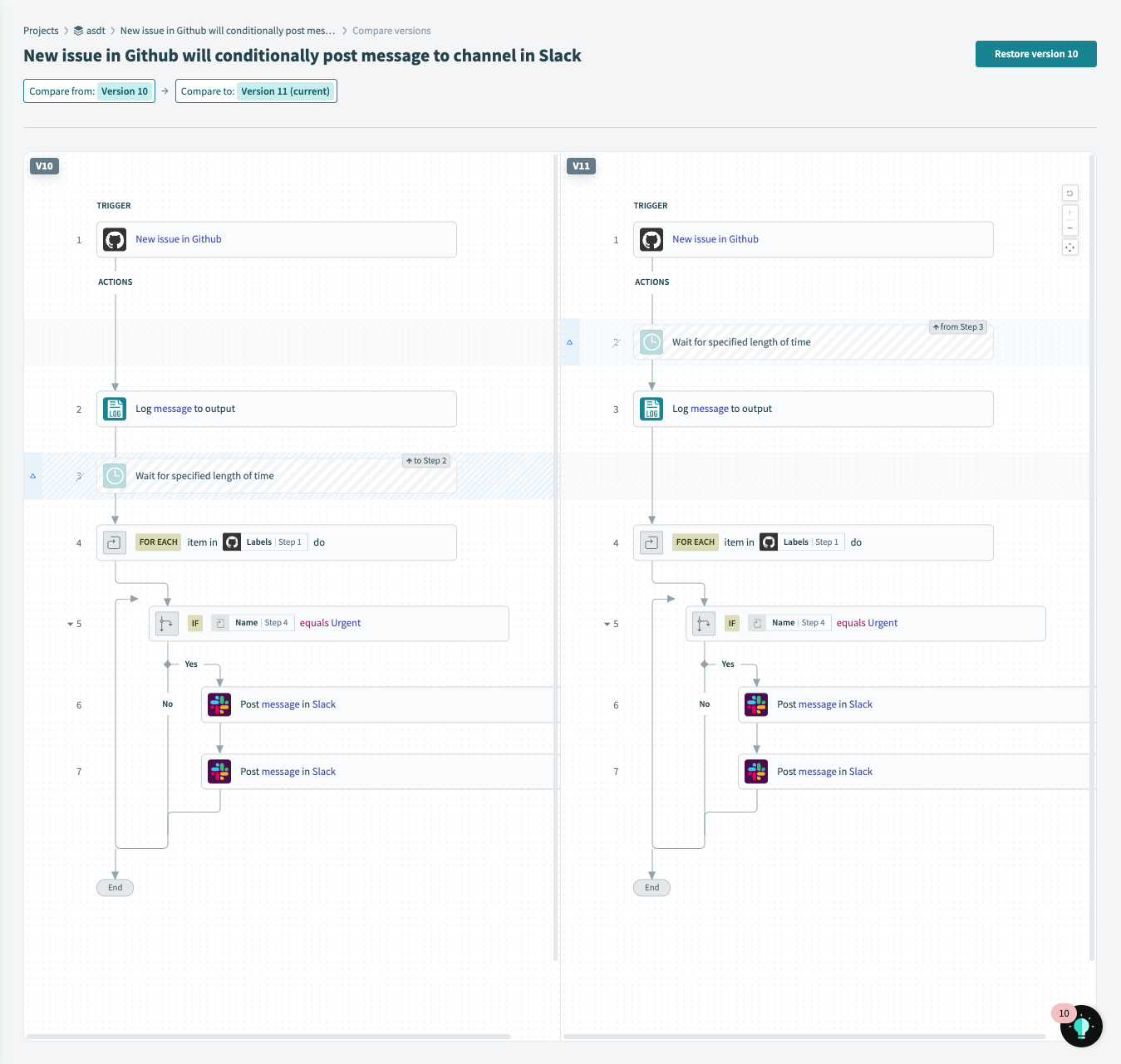
How changes are displayed depends on the type of change.
Change types
The Recipe Diff feature tracks the following types of recipe changes:
- Adding a step
- Deleting a step
- Moving a step
- Nesting or unnesting a step
- Updating a step's configuration
- Skipping or unskipping a step
Note: Any combination of the following changes can happen in a single step. For example, a step's position or configuration can change, along with being (un)skipped or (un)nested.
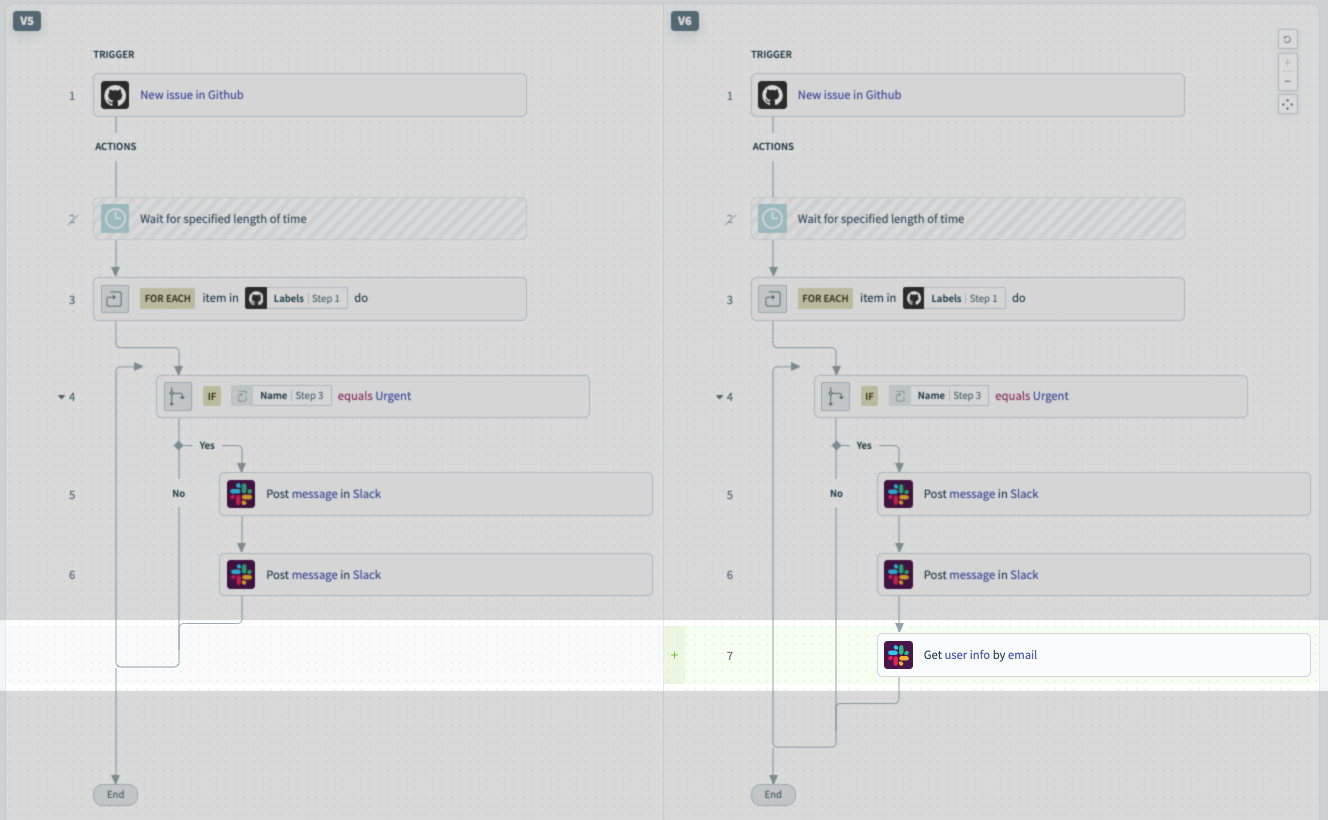
Adding a step
When a new step is added to a skill or recipe version, the step is highlighted in green:
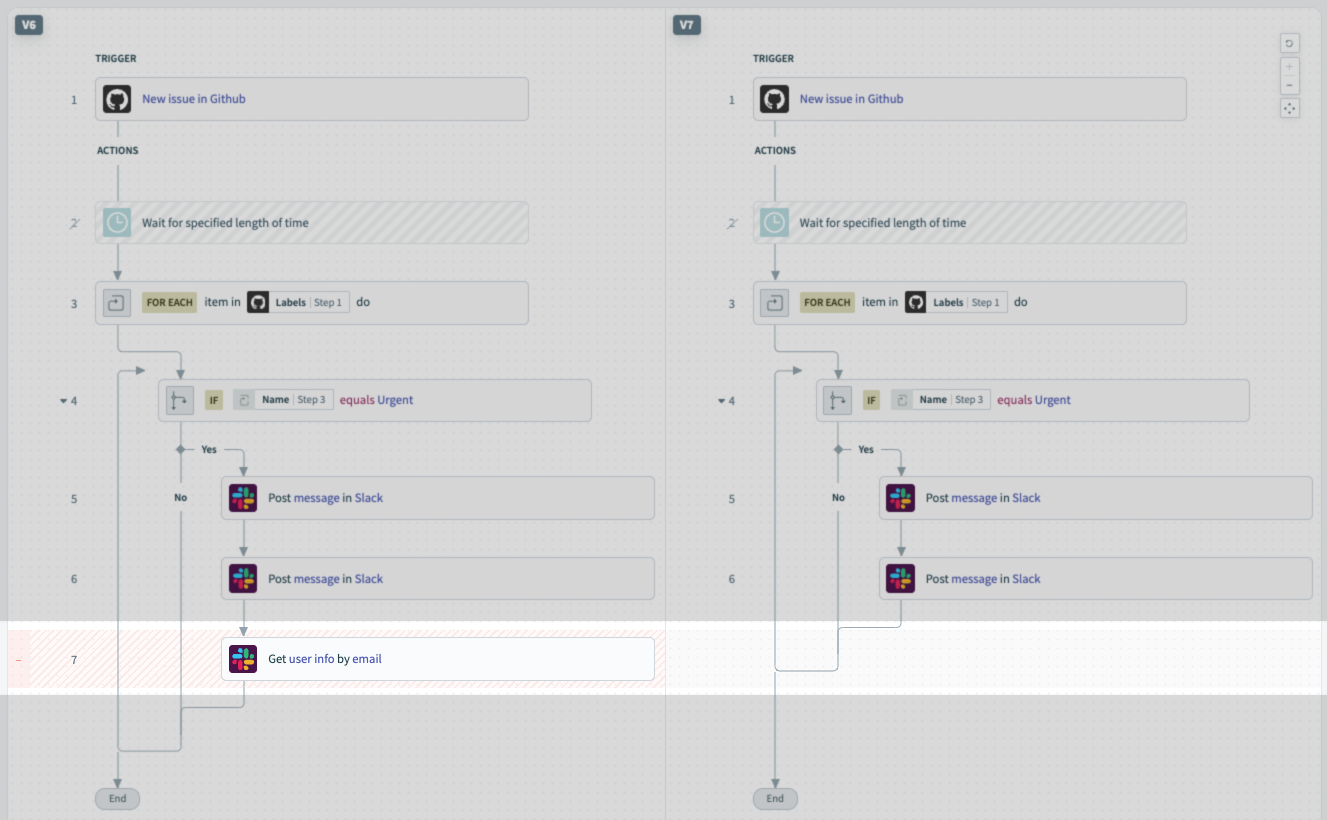
Deleting a step
When a step is deleted from a skill or recipe version, the step is highlighted in red:
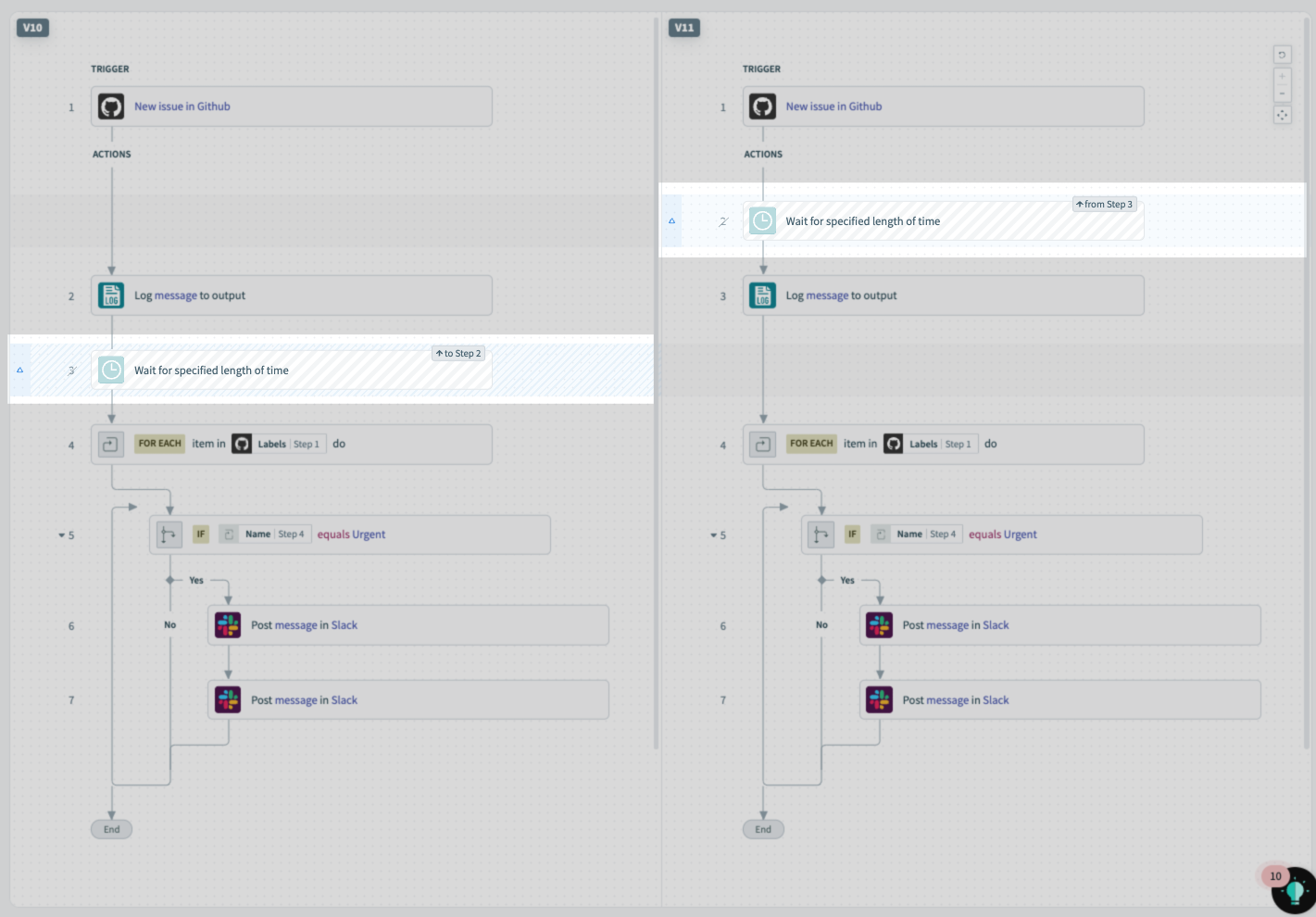
Moving a step
When a step is moved in a skill or recipe version, the step is highlighted in blue and a label describing the movement will display:
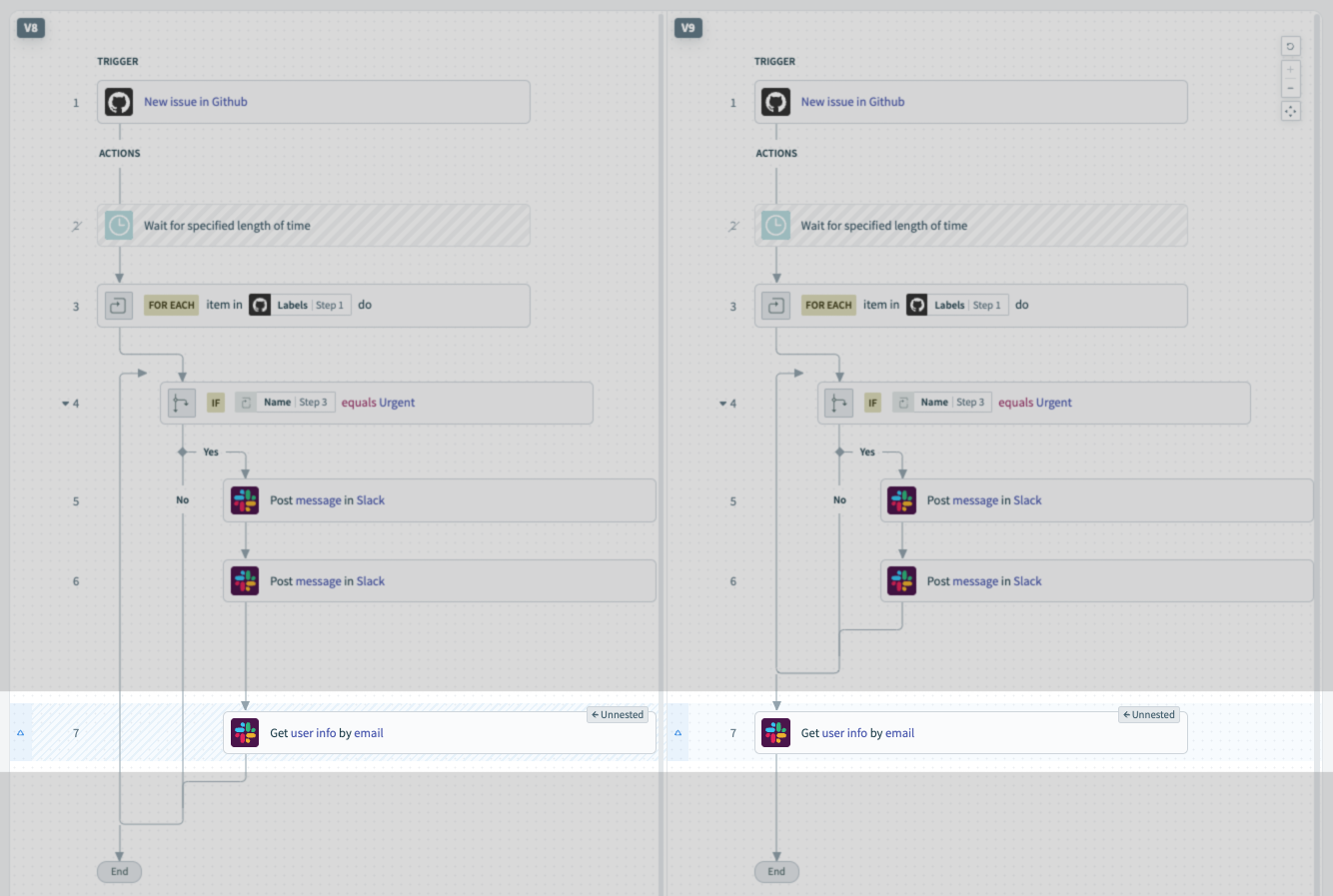
Nesting or unnesting a step
When a step is nested or unnested in a skill or recipe version, the step is highlighted in blue and a Nested or Unnested label will display:
Updating a step's configuration
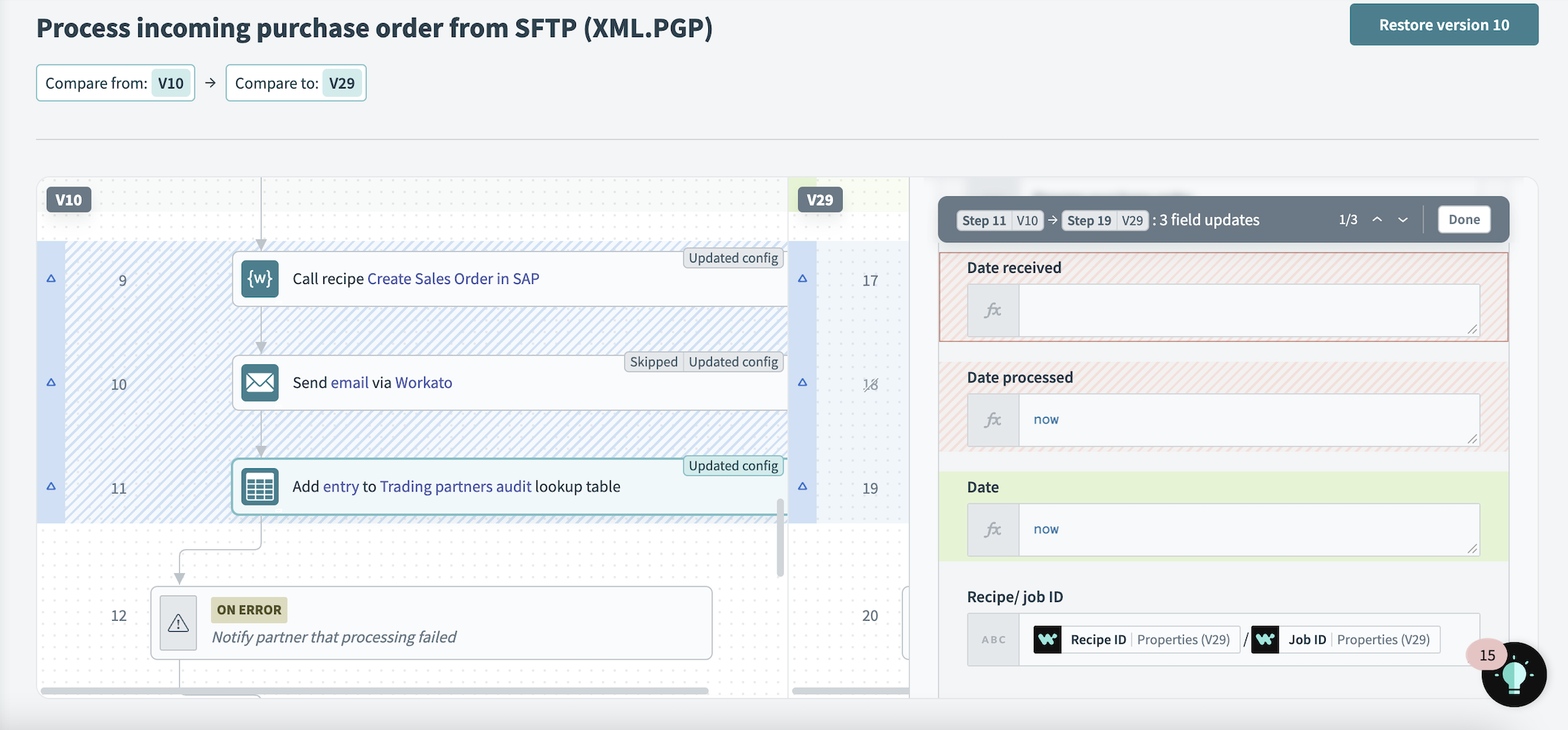
When a step's configuration is changed, the step is highlighted in blue and an Updated config label displays. Furthermore, within the step configuration, field addition, removal, and updates will be displayed.
Viewing step-level changes
Field updates and datapill changes will display in the diff.
- Field addition (green)
- Field removal (red)
- Field updates (grey) - this includes switching datapills and formulas
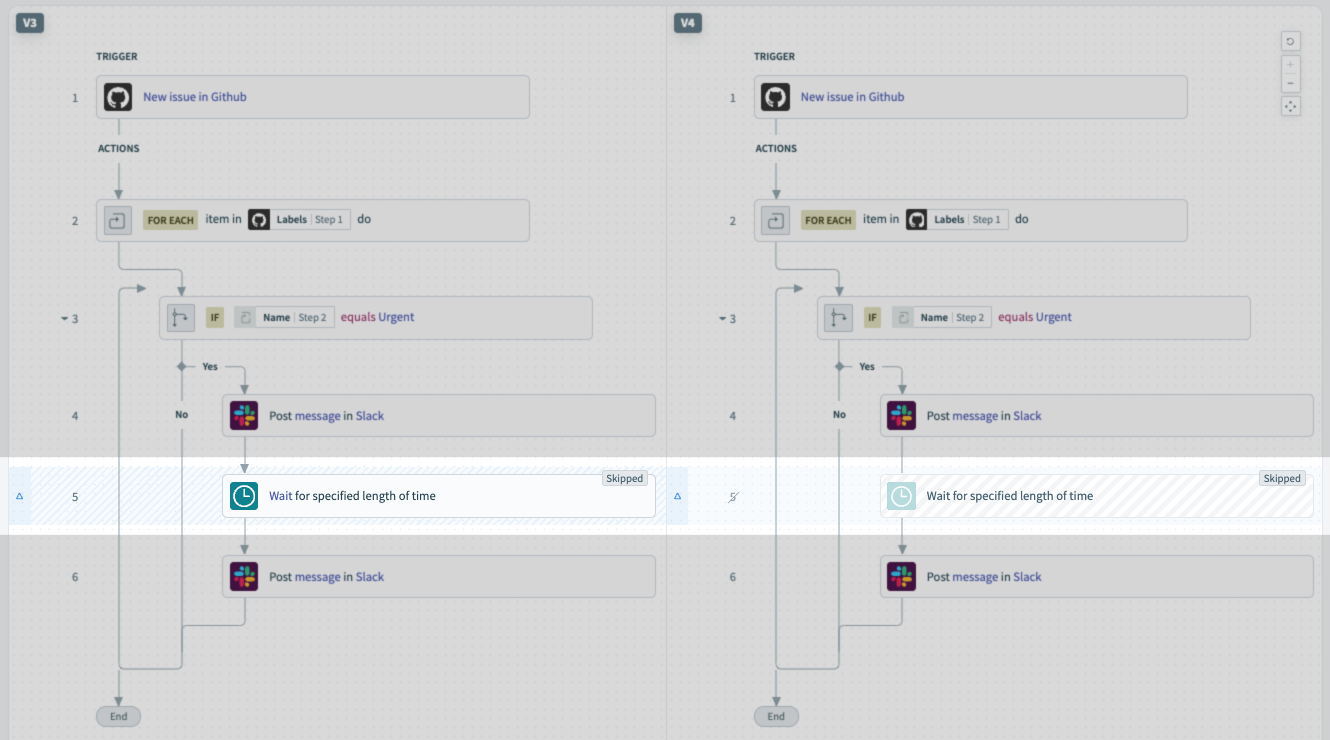
Skipping or unskipping a step
When a step is skipped or unskipped in a skill or recipe version, the step is highlighted in blue and a Skipped or Unskipped label displays:
Using diffs
Sign in to your Workato account.
Open a recipe.
Click the Versions tab.
You can access the Recipe Diff feature in the following ways:
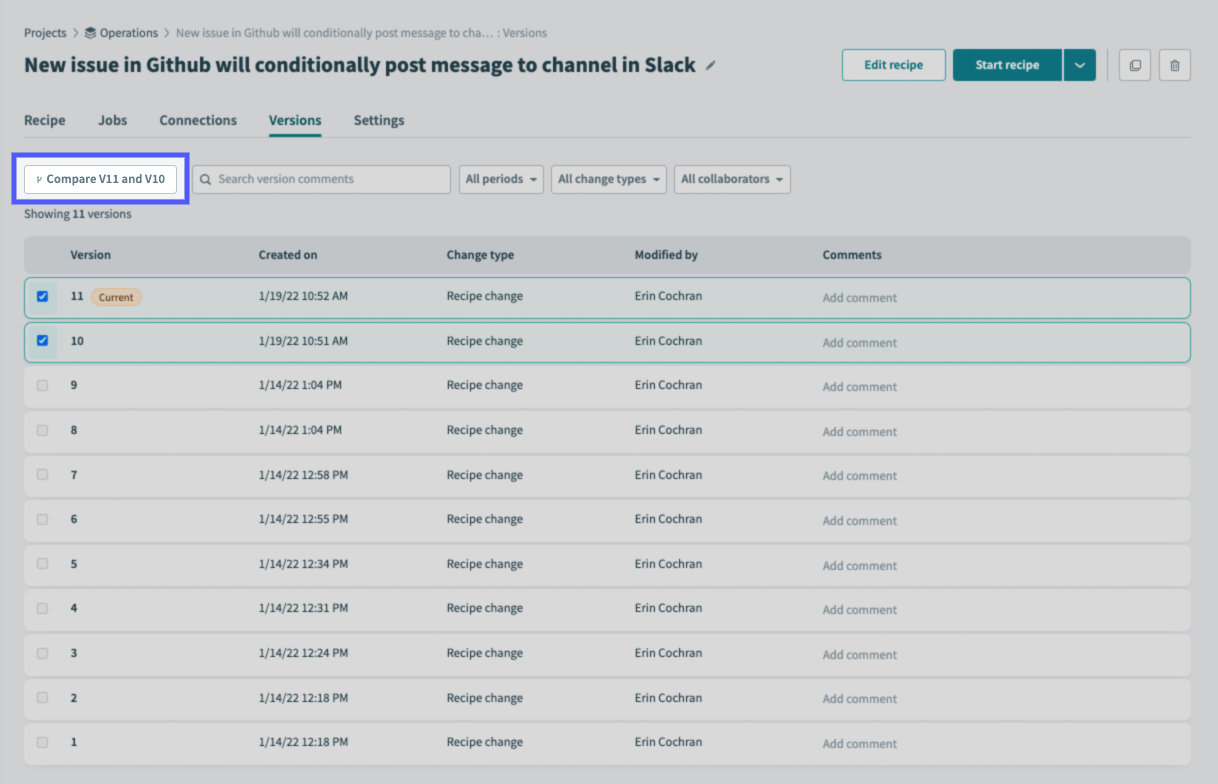
From the Version history page:
Check the checkboxes of the versions you want to compare:
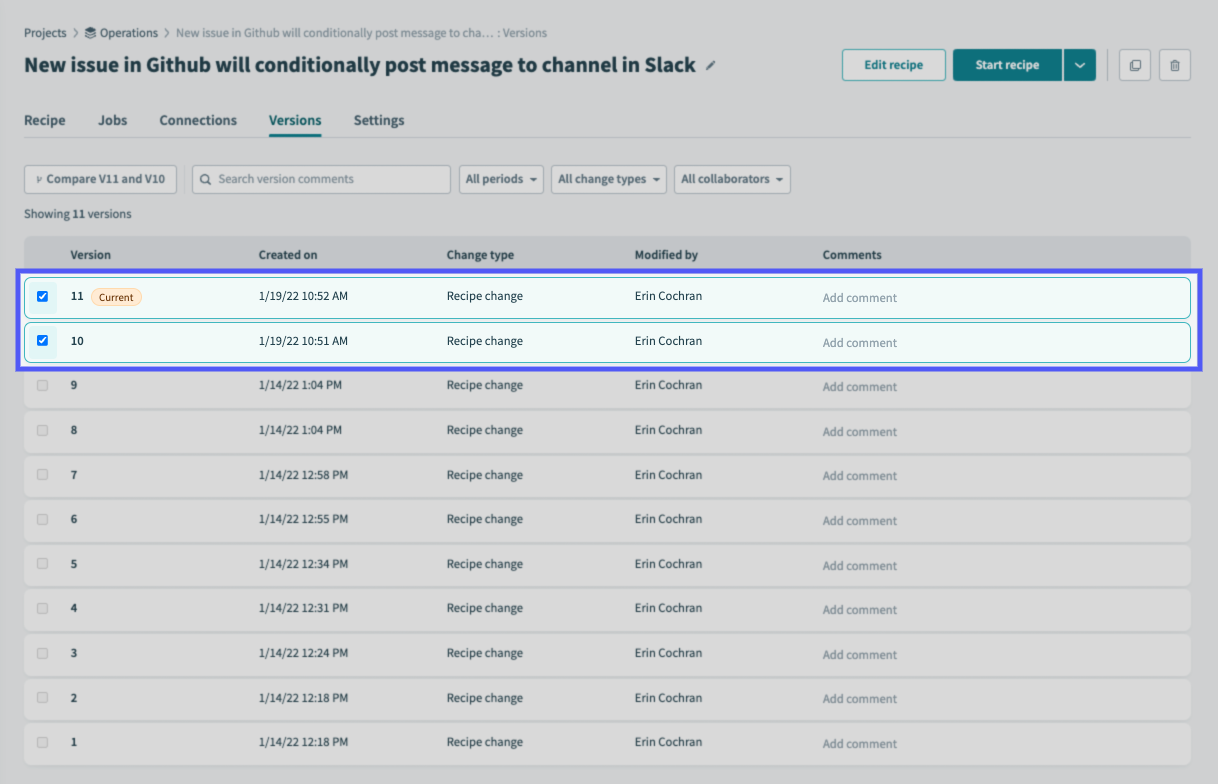
Click the Compare VXX and VXX button:
From the Version details page:
Click a skill or recipe version.
On the Version details page, click Compare to current version near the top right corner of the page:
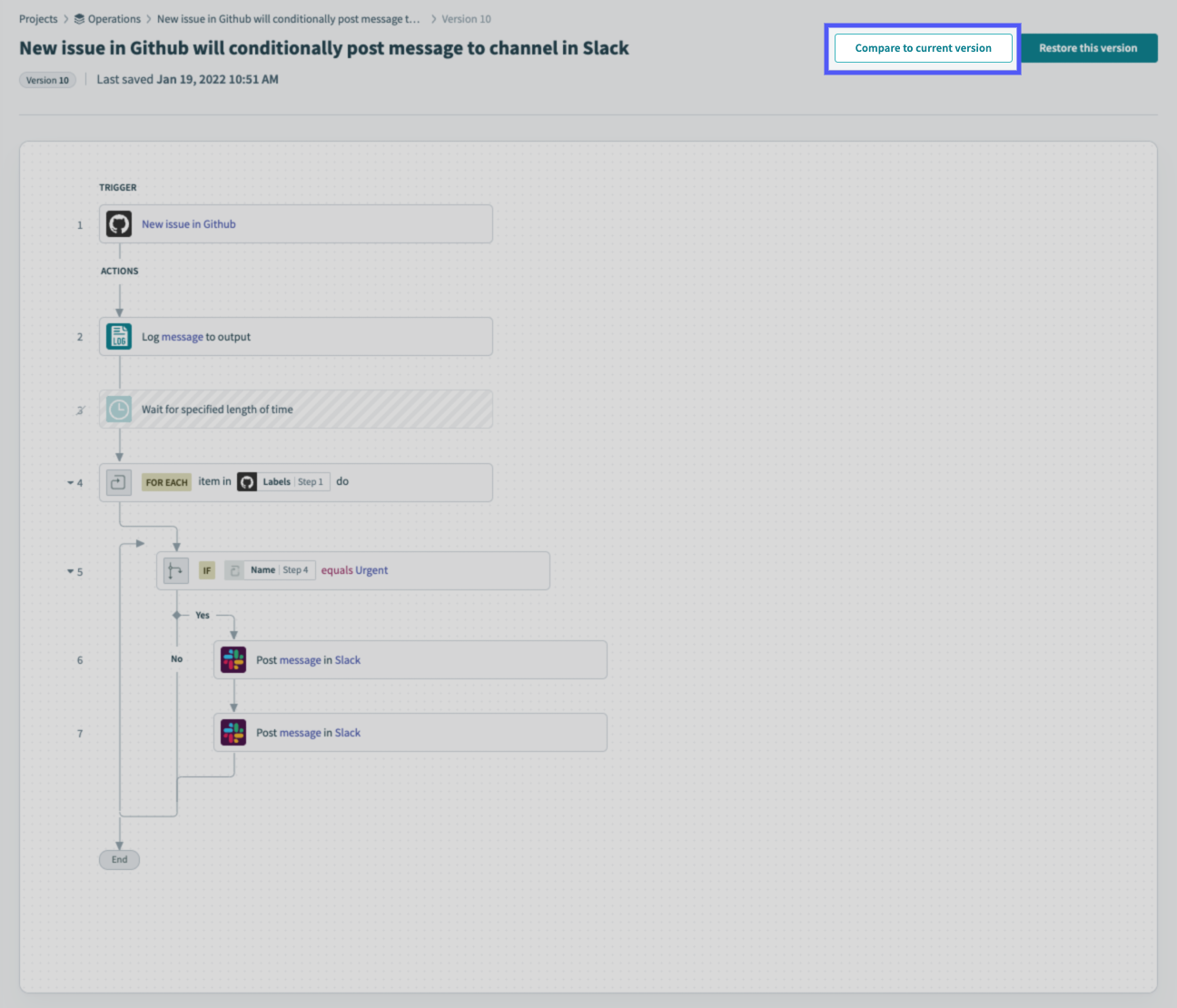
If you're viewing the current version of the skill or recipe, the button will read Compare to the previous version.
The Recipe Diff page will display:
Changes between the versions will be highlighted depending on their type.
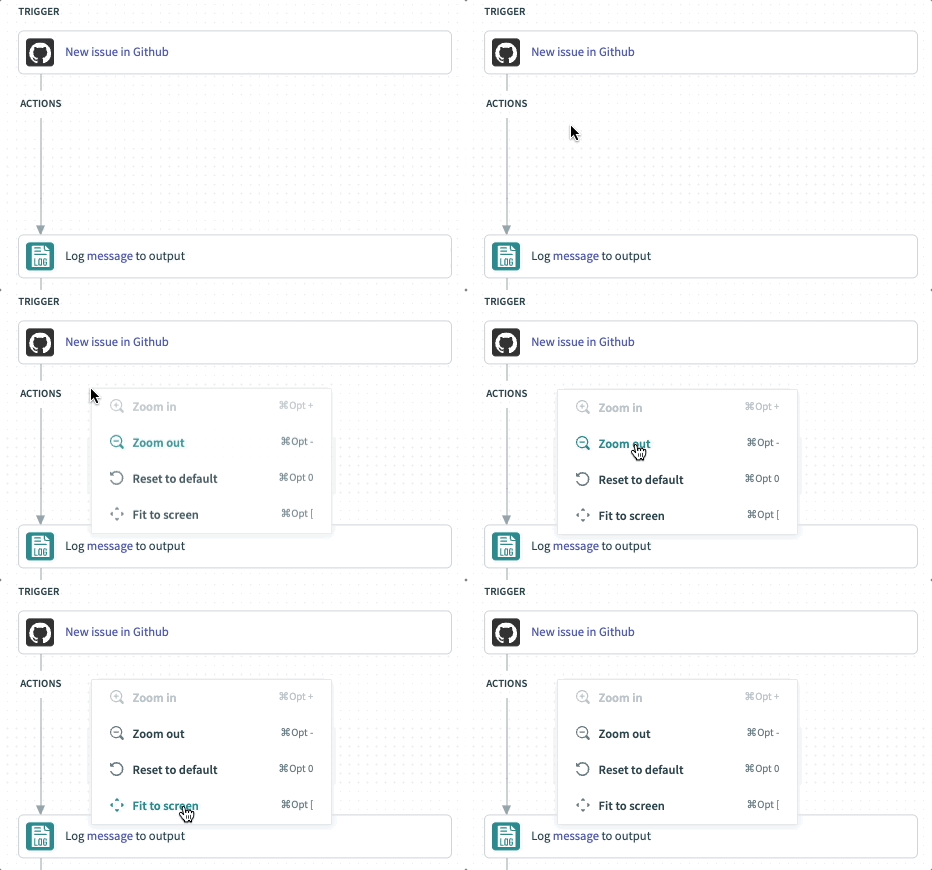
You can also use interactions like Zoom by right-clicking or using keyboard shortcuts:
To change the versions you're comparing, use the Compare from and Compare to menus:
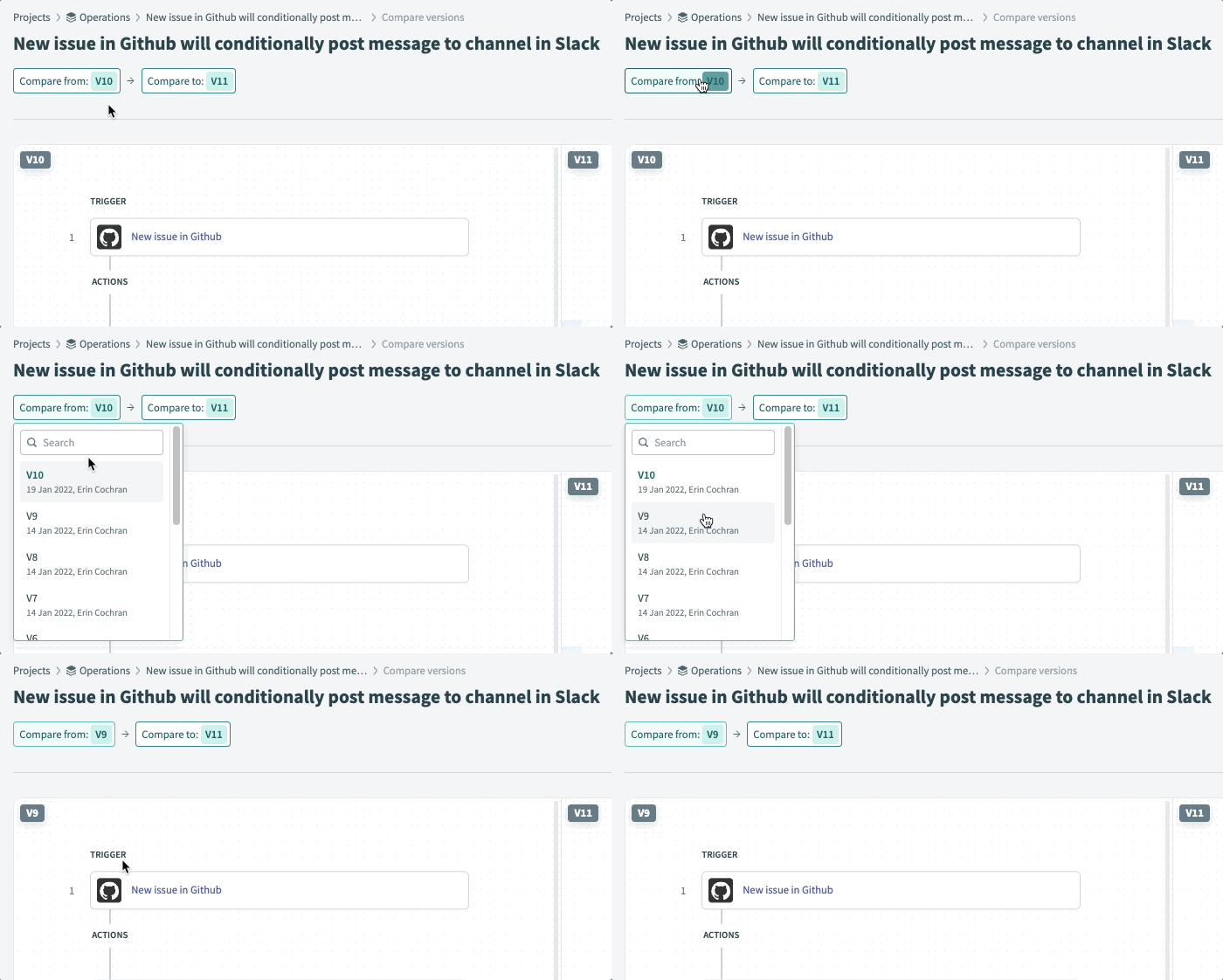
The comparison views will automatically update with the selected version(s).
Last updated: