Agent Studio data
Agent Studio genies use data to process your workflows. This requires storing essential recipe information in Data tables and uploading and maintaining data in knowledge bases and skills.
Data residency
Data residency refers to which geographic region processes and stores the data associated with genie interactions. Data residency is a critical consideration for organizations subject to data localization requirements such as GDPR, country-specific data sovereignty rules, or financial services regulations governing cross-border data transfers.
DATA CENTER LOCATIONS
Genies are available to all users in the US, EU, AU, SG, and JP data centers. Genie models are hosted in the US, EU, and APAC regions and respect data residency requirements where possible. Contact your Customer Success representative if you're interested in using genies or require additional information.
This means that selecting the appropriate Workato data center for your workspace is the primary mechanism for ensuring model inference happens in the correct region. If your organization is subject to EU data localization requirements, your workspace should be in the EU data center - which routes model inference to EU-hosted models.
Data security
Development and staging environments exist to test genie behavior before deploying to production. Testing requires conversations, Skill invocations, and Knowledge Base queries. Don't use real production data, including customer records, employee personal information, financial data, or patient records. Workato recommends that you use synthetic data for testing.
The risks of using production data in lower environments include the following:
Data exposure: Lower environments typically have less restrictive access controls than production. Developers, testers, and contractors who have legitimate access to the lower environment may not have legitimate access to the production data. Using production data in the lower environment exposes it to a broader audience than intended.
Regulatory violation: Using real personal data in a lower environment without appropriate controls may violate the regulation's data handling requirements if your data is subject to GDPR, HIPAA, CCPA, or other privacy regulations. Particularly if the lower environment is hosted in a different region from the production environment.
Data quality contamination: Test operations that create, update, or delete records using production data can contaminate production data quality even in an isolated environment if the environment boundaries aren't correctly enforced.
Use synthetic data in development and staging environments: Synthetic data should be realistic enough to test the genie's behavior, including realistic names, plausible values, and representative data structures. Invest in a synthetic data generation process rather than copying production data for genies that require large volumes of realistic test data.
Conversation data retention
Workato will soon enforce a fixed 90-day retention policy for Agent Studio genie conversation data. The retention period won't be configurable and applies to new and existing conversations.
After 90 days from a conversation's last message, Workato purges its content, including prompts and responses. Operational metadata used for billing and audit is retained.
Refer to Data retention policies for how the platform retains other data, such as job history.
How retention works
Each conversation has its own 90-day retention period, measured from its last message.
- Sending a new message starts a new 90-day retention period from the time of that message.
- Opening or viewing a conversation does not reset the retention period.
- In a channel with multiple users, such as a Slack help desk channel, each thread is a separate conversation with its own retention period.
- Conversations already inactive for more than 90 days when the policy takes effect are purged immediately, not given a new 90-day period.
What Workato purges and retains
Workato purges a conversation's content from customer-facing stores and retains the operational metadata used for billing and audit. The following shows what's purged and what's retained:
- Purged (conversation content): Messages, uploaded files, and other content you or your end users submit or receive during the conversation.
- Retained (operational metadata): Conversation ID, timestamps, conversation length, status, error codes, token counts, credits, user feedback (thumbs up/down and comments), and
user_id.
Purged content can't be recovered. Refer to Keep records beyond 90 days to export anything you need to retain before the conversation reaches the end of its retention period.
Purged conversations
How a purged conversation appears depends on the surface:
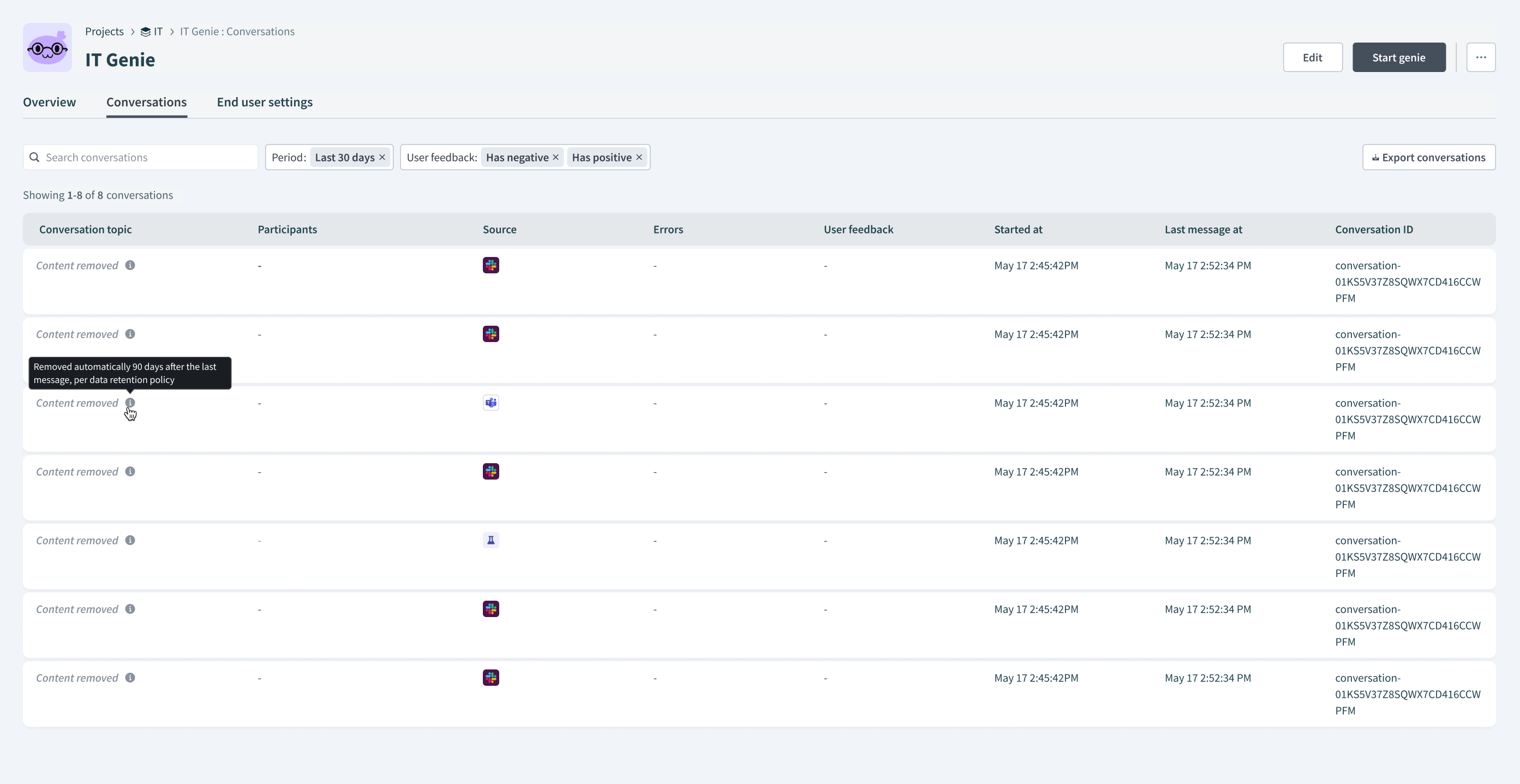 A purged conversation shows Content removed on the Conversations tab
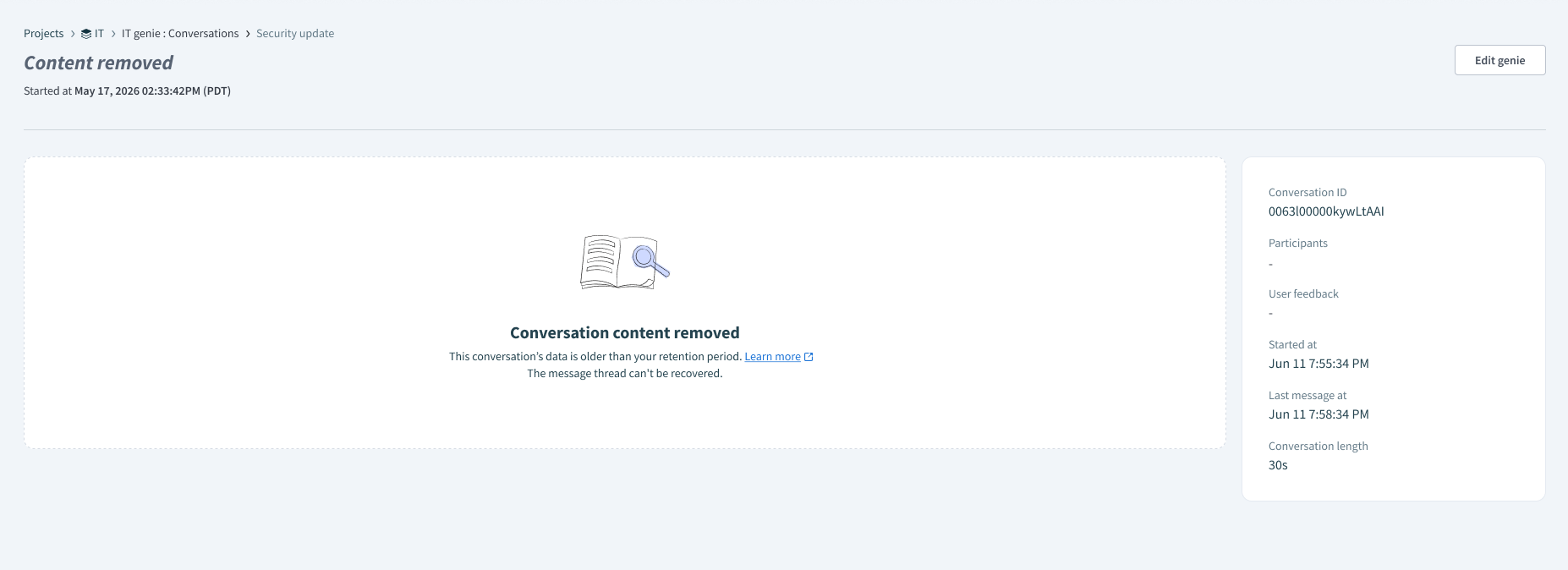 A purged conversation on the Conversation details page
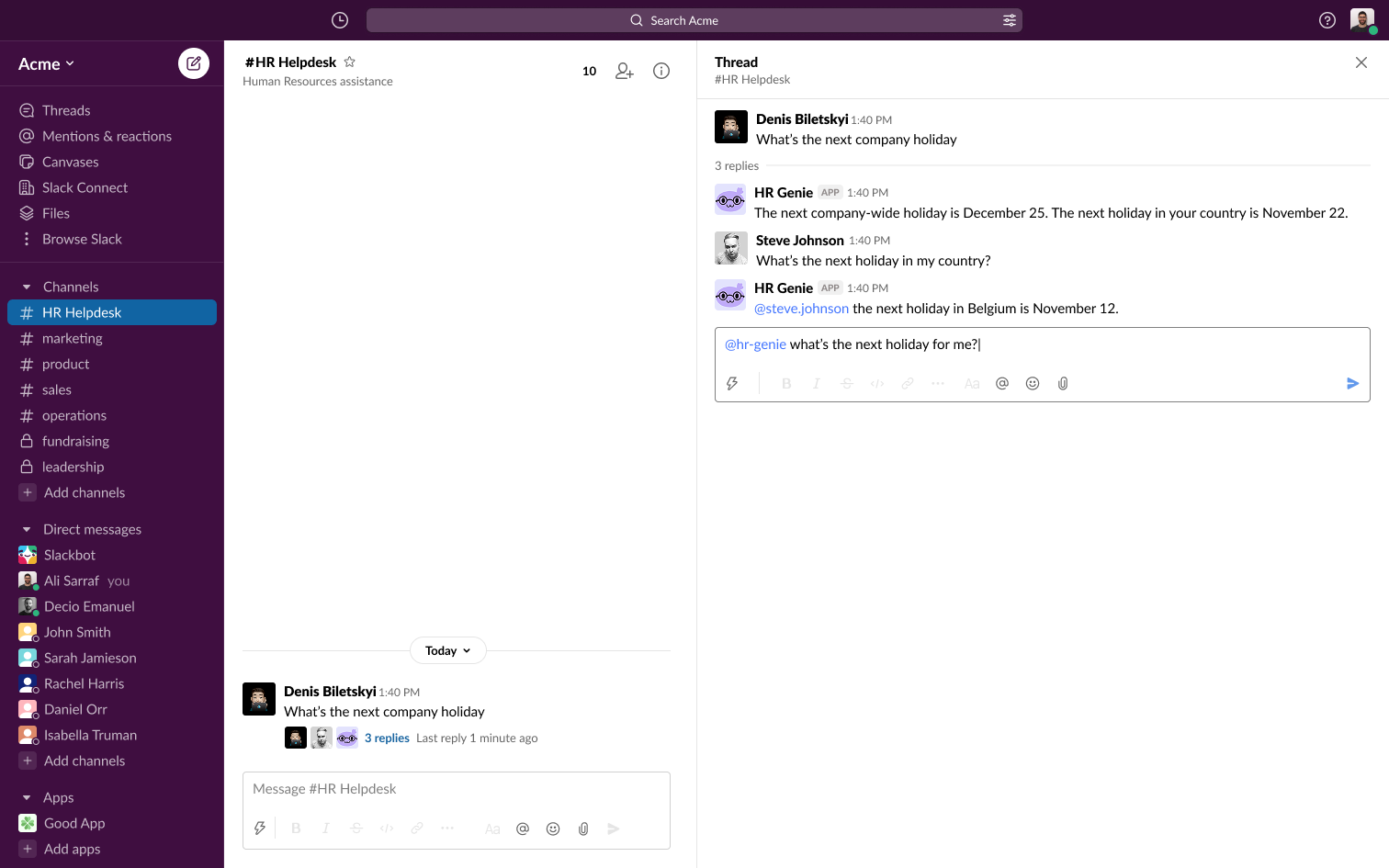 Before purge: the genie answers with the full thread history
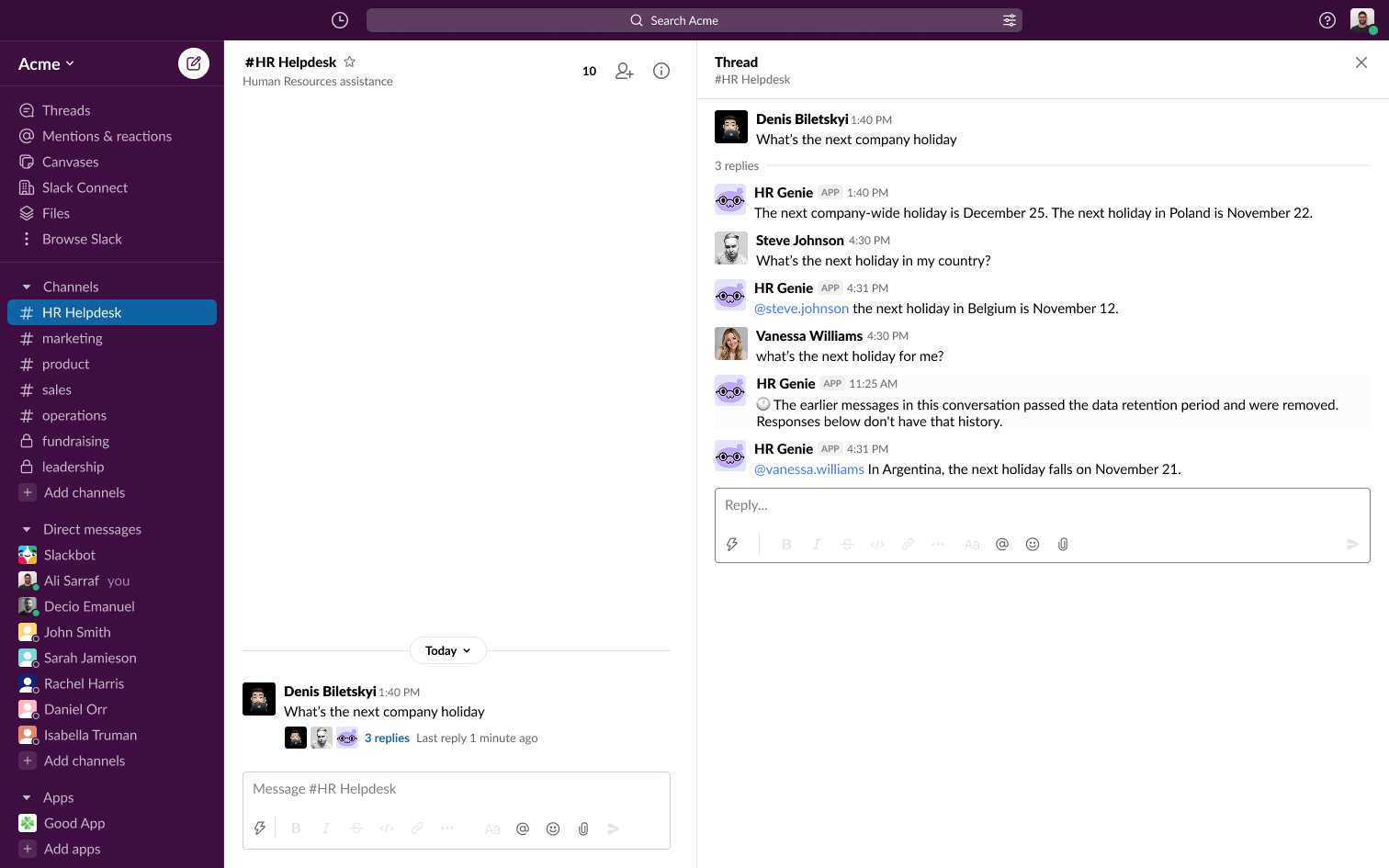 After purge: the genie notes that the earlier messages were removed
Through the Developer API, a purged conversation returns its retained metadata with a retention_status of content_purged and no content.
Deletion audit event
Each purge generates an audit event that records information about the deletion, including the conversation ID, workspace, timestamps, and retention policy applied. The event doesn't contain conversation content.
You can send these events to an external destination through audit log streaming to maintain a record that the retention policy was applied.
Keep records beyond 90 days
If your organization needs to retain conversation records for longer than 90 days, retrieve and store them in your own system before they're purged.
Ask your Business Technology team to configure either of the following to collect conversation data:
Use the Agent Studio Developer API to query conversation data programmatically.
Use audit log streaming to send conversation data to an external destination, such as Amazon S3, Splunk, or Datadog. To include conversation messages and responses, set up audit log streaming and enable Genie conversation events.
Audit log streaming captures events only after you enable it. Configure streaming before you need to retain records.
Genie conversation events are separate from the deletion audit event described in Deletion audit event.
Common uses
Retained conversation records provide an audit trail for contractual or regulatory compliance, evidence to review a support case or dispute, and a growing dataset for performance tuning and usage analysis.
- Meet contractual or regulatory retention requirements: Use audit log streaming, because it captures every conversation continuously after it's enabled.
- Investigate a specific support issue or dispute: Use the Developer API to pull the record for one conversation on demand.
- Analyze usage patterns and trends across conversations: Use audit log streaming and export the data to your own warehouse for bulk analysis.
- Build evaluation or regression-test datasets: Use the Developer API or audit log streaming, depending on whether you need a defined sample or an ongoing feed.
- Review real interactions to improve genie performance: Use the Developer API to spot-check recent conversations.
Last updated: