Policies
A policy is a reusable set of rate limits, token limits, and IP access restrictions in Model Gateway. Policies are optional. Assign a policy to an access key or a route to apply its limits.
Create a policy
Complete the following steps to create a policy:
Go to Model Gateway > Policies.
Click + Create policy.
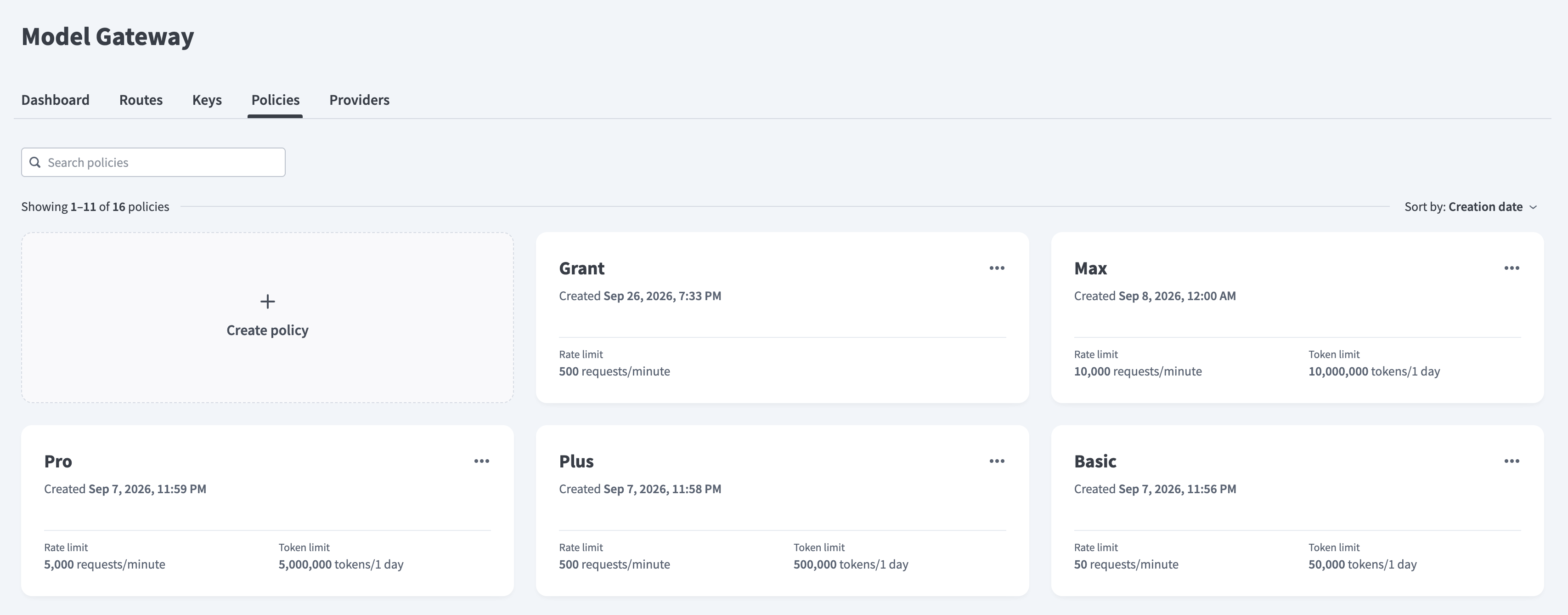 Create policy
Enter a name in the Name field.
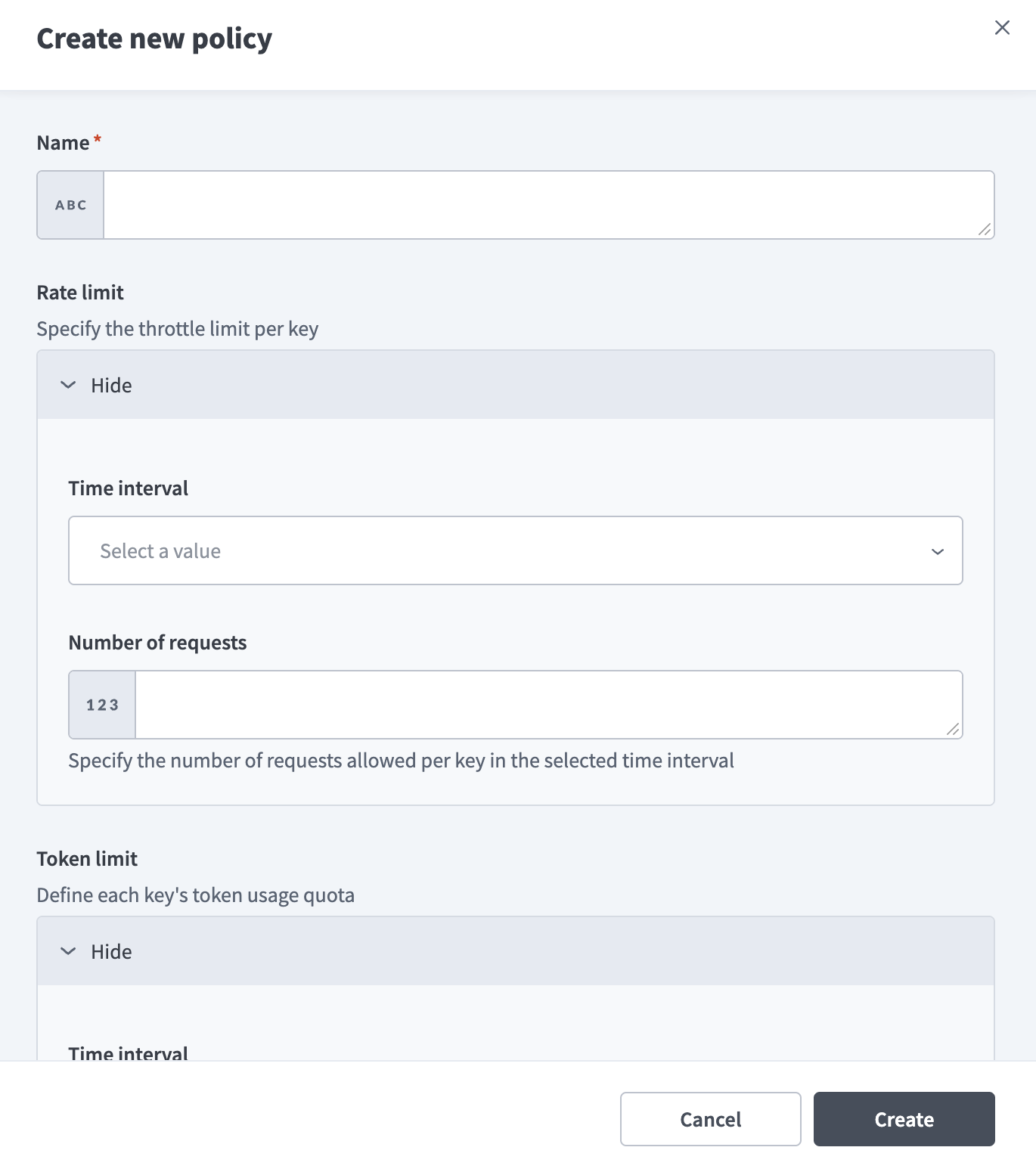 Create new policy
Optional. Expand Rate limit to specify the request limit per key, then configure the following fields:
Use the Time interval drop-down menu to select the interval the limit applies to.
Enter the number of requests allowed per key in the selected time interval in the Number of requests field.
Optional. Expand Token limit to define each key's token limit, then configure the following fields:
Use the Time interval drop-down menu to select the interval the limit applies to.
Enter the number of tokens allowed per key in the selected time interval in the Number of tokens field.
Optional. Expand IP access control to restrict access by IP address, then configure the following fields:
Optional. Enter one or more IP addresses in the Allowed IPs field to allow requests only from those addresses. Separate multiple IP addresses with commas, or define a netmask, for example 106.226.96.0/20.
Optional. Enter one or more IP addresses in the Blocked IPs field to block requests from those addresses. Separate multiple IP addresses with commas, or define a netmask, for example 106.226.96.0/20.
Click Create.
Last updated: