NetSuite SOAP - Migrating NetSuite recipes across environments
On 19/5/2020, we deployed enhancements to the NetSuite connector. Users can now seamlessly migrate recipes across environments.
Prior to the enhancement, changing your recipe's connection from a sandbox Netsuite account to a production NetSuite account only preserved mappings for all standard fields in NetSuite. This enhancement preserves mapping for custom fields when you switch connections.
Recipes created after 19/5/2020
No action. When switching connections, Workato preserves all mappings.
Recipes created before 19/5/2020
You must remap datapills that use custom fields in each relevant action for specific recipes. The following example uses the Update Purchase order action with a single custom field.
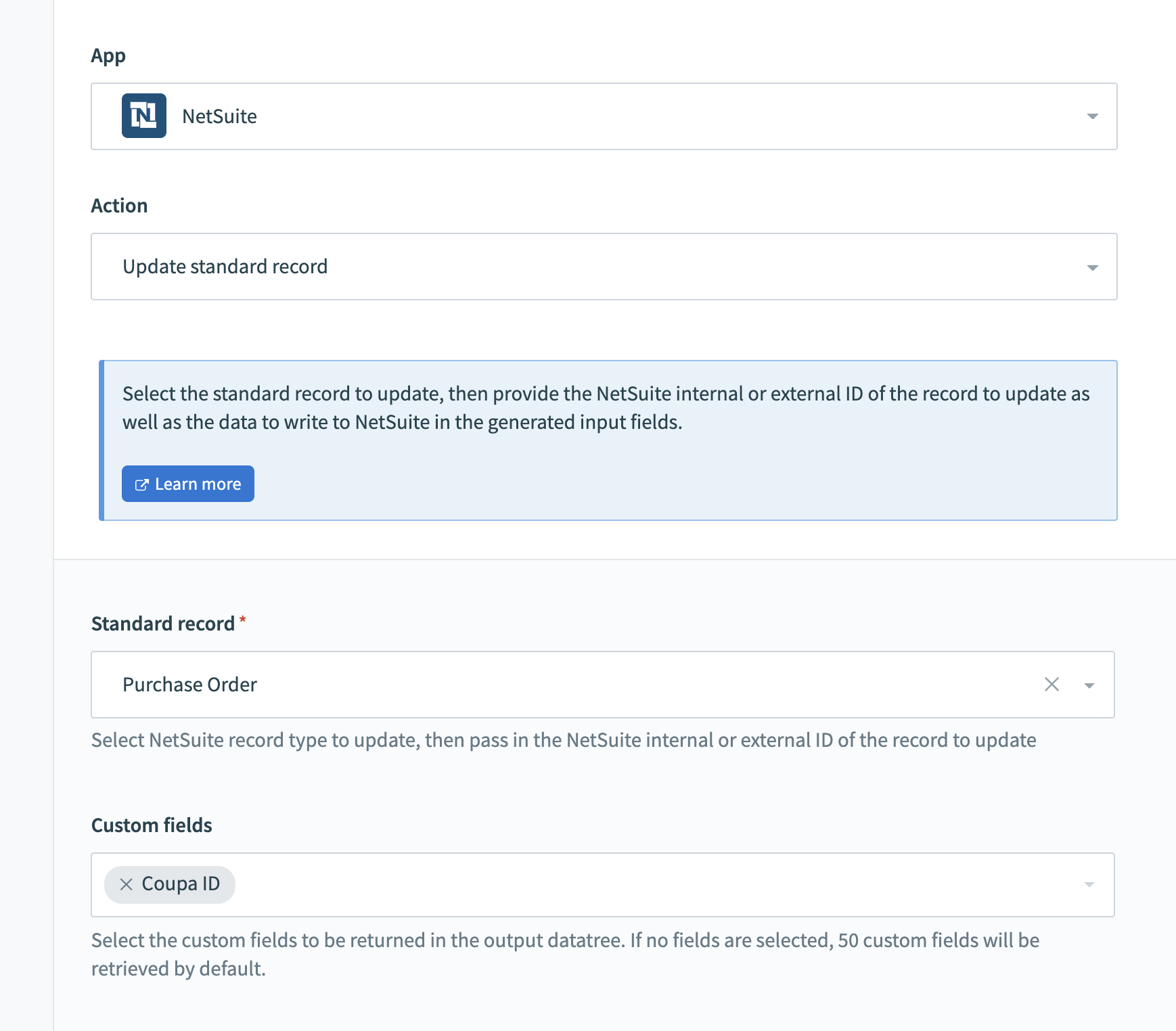 Update Purchase Order with 1 Custom field
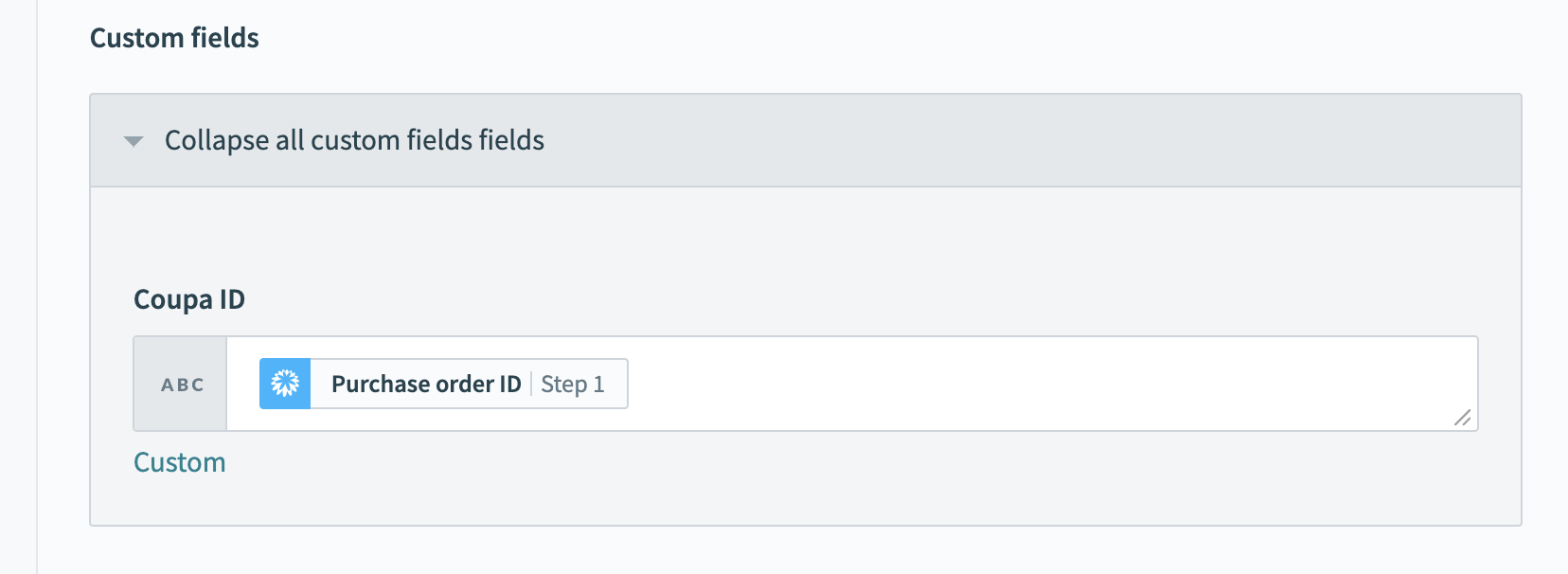 Custom field mapping
Recommendation
We recommend that you either save a reference of this recipe in another open browser tab, or make a back-up copy of this recipe.
Go to the Standard record >re-select > Purchase Order.
Select the first of the two Purchase Order options. Your custom field selection clears out.
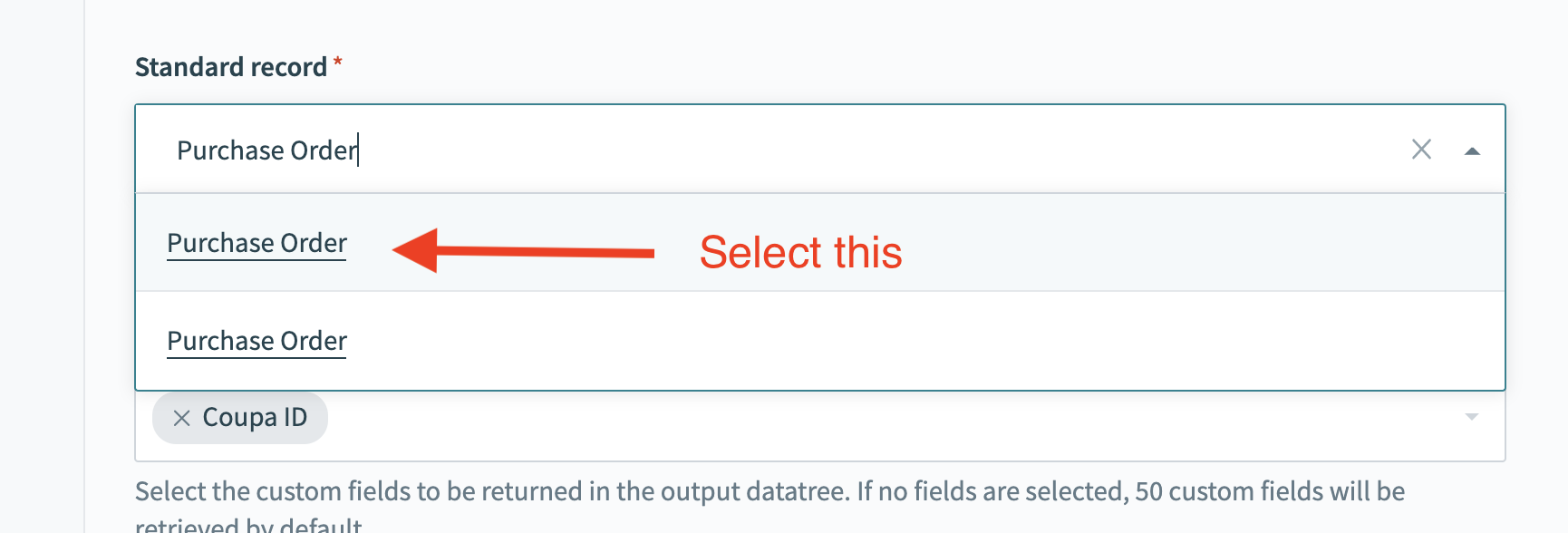 Custom field mapping
Re-select the custom field, and remap all custom fields again.
Continue this for the rest of the actions in the recipe, and other recipes that use the custom field.
INFO
Complete the initial remapping of custom fields only if you plan to change the NetSuite connection for this recipe.
FAQ
Must I migrate every action and every recipe?
There is no requirement that you must migrate all existing recipes and/or actions. You can choose only to do this for selected recipes and actions where custom fields are used AND if this recipe is going to be migrated through recipe lifecycle management to a production Workato workspace. This enablement is unnecessary for actions and recipes that only interact with standard fields.
Must I migrate recipes in my production Workspace?
NetSuite recipes in production workspaces probably do not need to be migrated. In situations where you do not foresee changing this recipe's connection or exporting and importing it into another Workato workspace, this migration is unnecessary. Migration offers the value for NetSuite recipes in UAT environments that you plan to import into production environments eventually.
Last updated: