Add an end user manually
You can manually add end users without SSO configuration. Manually adding end users is suitable for development and testing phases. Workato recommends that you use SAML-based SSO for scalable end user management. You can define the user's environment access and user group membership when you manually add a user.
Users are automatically added to the default Everyone group when you provision access to an environment.
Complete the following steps to manually add an end user:
Sign in to Workato.
Expand the workspaces menu.
Click Control plane. Control plane opens in a new tab by default.
Sign in using your Control plane credentials or SSO.
Click End user access.
Click + Add end user.
Enter the user's name in the Full name field.
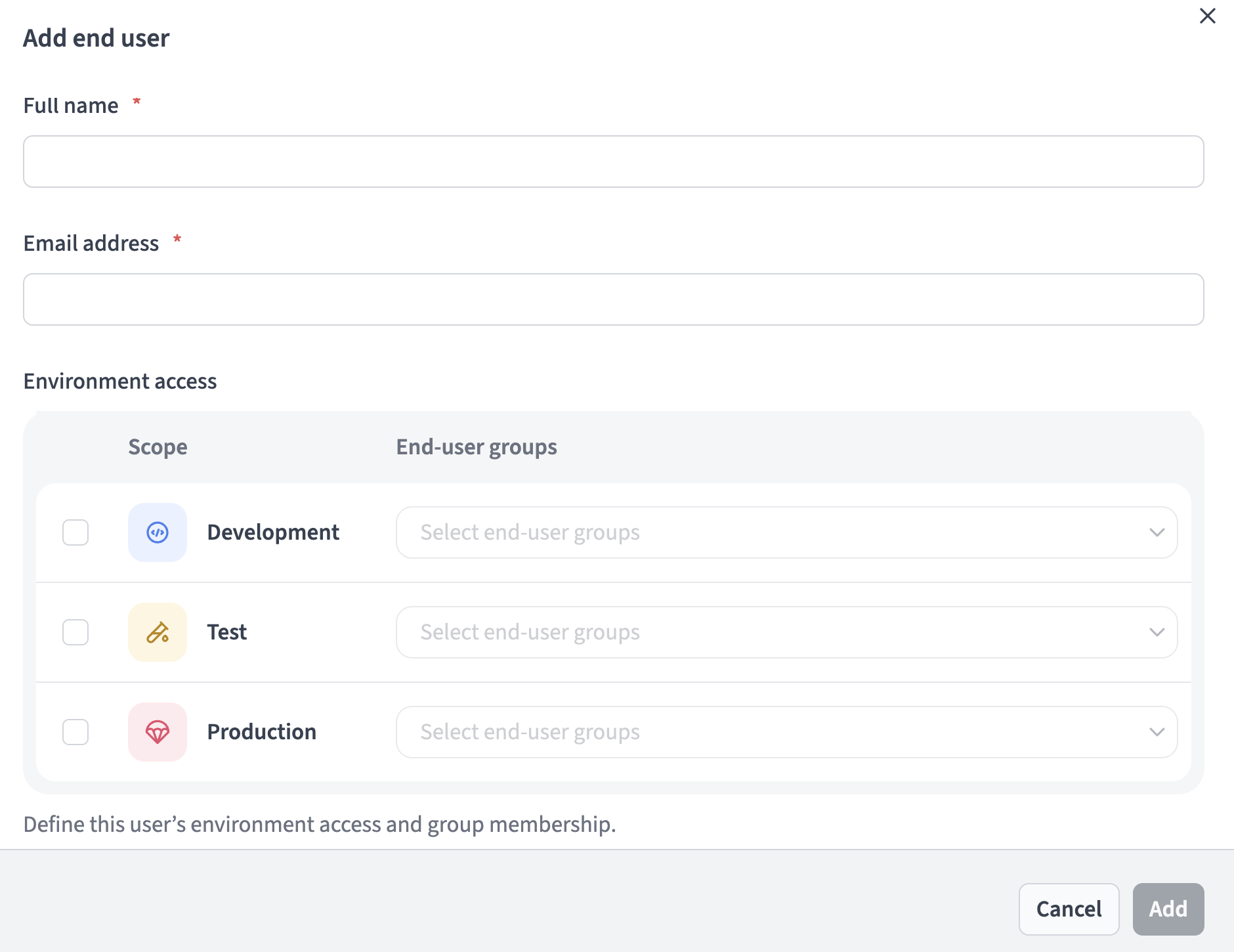 Add an end user
Enter the user's email in the Email address field.
UNIQUE EMAIL REQUIRED
The email address you enter must be unique. An error message displays if the system detects an existing email that matches the email you entered.
Go to the Environment access section and select the checkboxes for the environments the user can access. Options are Development, Test, and Production.
Use the Select a group drop-down menu for each environment to select the environment-specific user groups where you plan to add the user. The Select a group drop-down menu is only active after you select the environment checkbox.
Click Add.
Last updated: