Configure Gong as a data pipeline source
Set up Gong as a data pipeline source to extract call, scorecard, user, and workspace data from Gong and sync it to your destination. Use this guide to connect Gong, configure the pipeline, and understand the supported objects, sync modes, schema handling, sensitive data handling, and limitations.
Features supported
The following features are supported when you use Gong as a pipeline source:
- Cloud connectivity: Connects to the Gong API v2 over https using a customer-specific, region-scoped base URL.
- OAuth 2.0 authentication: Authenticate using an Authorization Code Grant, reusing the same Gong OAuth infrastructure as the Workato Gong workflow connector.
- Full sync and incremental sync: Incremental capability is fixed per object. Refer to Sync modes for more information.
- Object-level selection: Choose the supported Gong objects to include in your pipeline.
- Delete tracking: Deleted records are flagged for reference objects. Refer to Delete tracking for more information.
- Schema drift detection and handling: Detect and apply schema changes automatically with Auto-sync new fields, or keep the schema fixed with Block new fields.
- Field-level data protection: Hash sensitive fields, such as participant names, emails, and phone numbers, before they sync to your destination.
- Configurable sync frequency: Schedule syncs on a time-based interval or with a cron expression. The minimum supported interval is 15 minutes.
Prerequisites
Complete the following requirements before you connect Gong as a data pipeline source.
- A Gong account with API access enabled
- An OAuth 2.0 integration created in the Gong Admin Center, providing a client ID and client secret. Refer to Connect to Gong for setup steps.
- Your Gong API base URL. The base URL is specific to your Gong workspace's region, for example
https://us-XXXXX.api.gong.ioorhttps://eu1.api.gong.io.
REQUIRED PERMISSIONS
Grant only the OAuth scopes for the objects you plan to sync. At minimum, your Gong integration must include the api:users:read scope, which Workato uses to verify the connection. Refer to Recommended permissions for the full scope-to-object mapping.
Recommended permissions
Grant the following OAuth scopes to sync the corresponding Gong objects:
| Gong OAuth scope | Objects |
|---|---|
api:users:read | users |
api:calls:read:basic | calls, manual_calls |
api:calls:read:extensive | extensive_calls, call_parties, call_topics, call_tracker_occurrences, call_interaction_stats, call_key_points, call_highlights, call_outline |
api:calls:read:transcript | call_transcripts |
api:calls:read:media-url | extensive_calls |
api:settings:scorecards:read | scorecards |
api:stats:scorecards | answered_scorecards |
api:settings:trackers:read | trackers |
api:stats:user-actions | user_activity_stats |
api:workspaces:read | workspaces, library_folders, library_folder_content |
api:library:read | library_folders, library_folder_content |
api:calls:read:media-url grants access to the audio and video recording URLs within extensive_calls, in addition to api:calls:read:extensive. Gong also exposes api:stats:interaction and api:stats:user-actions:detailed scopes. Neither is required for this pipeline.
Supported connection types
Gong data pipelines support one authentication method:
- OAuth 2.0 (Authorization Code Grant): Sign in with a Gong user account to authorize Workato. Refer to Connect to Gong for setup steps.
Connect to Gong
Complete the following steps to connect Gong:
Connect to Gong
Gong setup
Complete the following steps in Gong to generate credentials:
Sign in to your Gong developer instance. Refer to Request a developer instance for more information.
Go to Admin center.
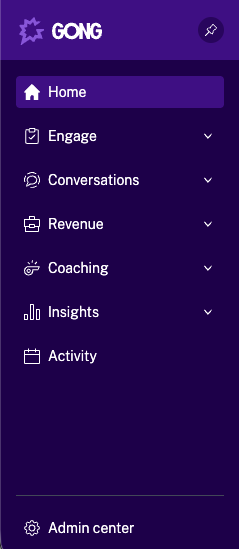 Admin center
Click API in the Ecosystem section.
Click CREATE INTEGRATIONS in the INTEGRATIONS tab.
Complete the CREATE YOUR GONG INTEGRATION page, including name, description, and required authorization scopes. Refer to Submit your integration details to Gong for more information.
SELF-SERVICE (WORKATO FREE, WORKATO PRO, OR DEVELOPER SANDBOX) WORKSPACES
If you created your workspace as a Self-service user, use https://app.trial.workato.com/oauth/callback as the redirect URI or callback URL when you configure the OAuth integration.
Click Save. Your integration information appears as a new row in the list of integrations.
Copy and save the CLIENT ID and CLIENT SECRET for use in Workato.
Connect to Gong with OAuth 2.0
Complete the following steps to connect to Gong in Workato:
Click Create > Connection or press C twice.
Search for Gong.io and select it as your app.
Enter a name for your connection in the Connection name field.
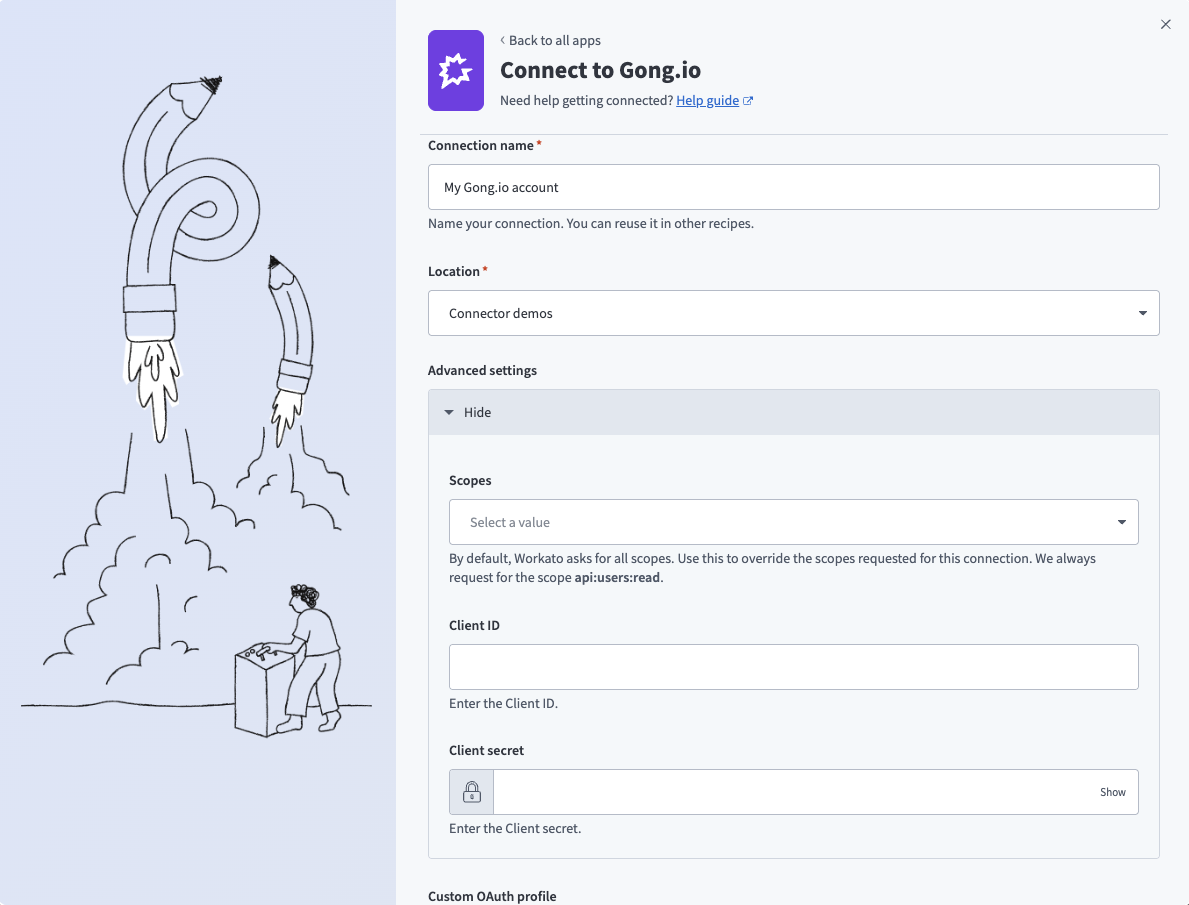 Connect to Gong
Use the Location drop-down menu to select the project where you plan to store the connection.
Expand the Advanced settings section to configure Scopes for your connection. Workato requests all available scopes by default. You can select granular scopes from the multi-select list to limit access.
Enter the Client ID and Client secret. Refer to Gong setup for more information.
Optional. Use the Custom OAuth profile drop-down menu to select a custom OAuth profile for your connection.
Click Connect.
Sign in to Gong using your credentials when prompted.
Click Allow to provision access to Workato.
Configure the pipeline
Complete the following steps to configure Gong as your data pipeline source:
Select Create > Data pipeline or press C+I.
Enter a name for the data pipeline in the Data pipeline name field.
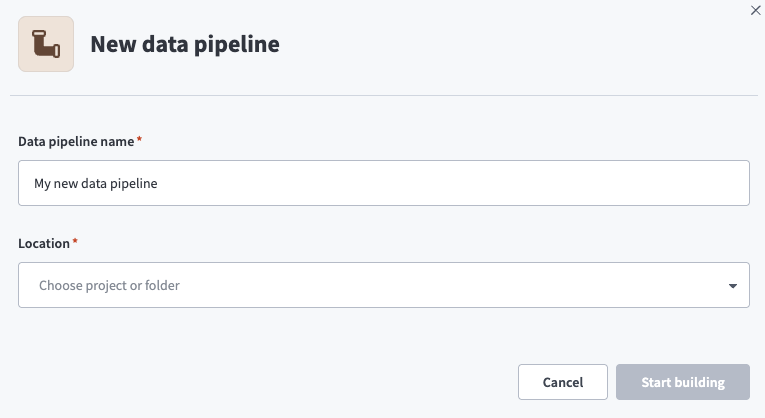 Data pipeline setup
Use the Location drop-down menu to select the project where you plan to store the data pipeline.
Click Start building.
Click the Extract new/updated records from source app trigger. This trigger defines how the pipeline retrieves data from Gong.
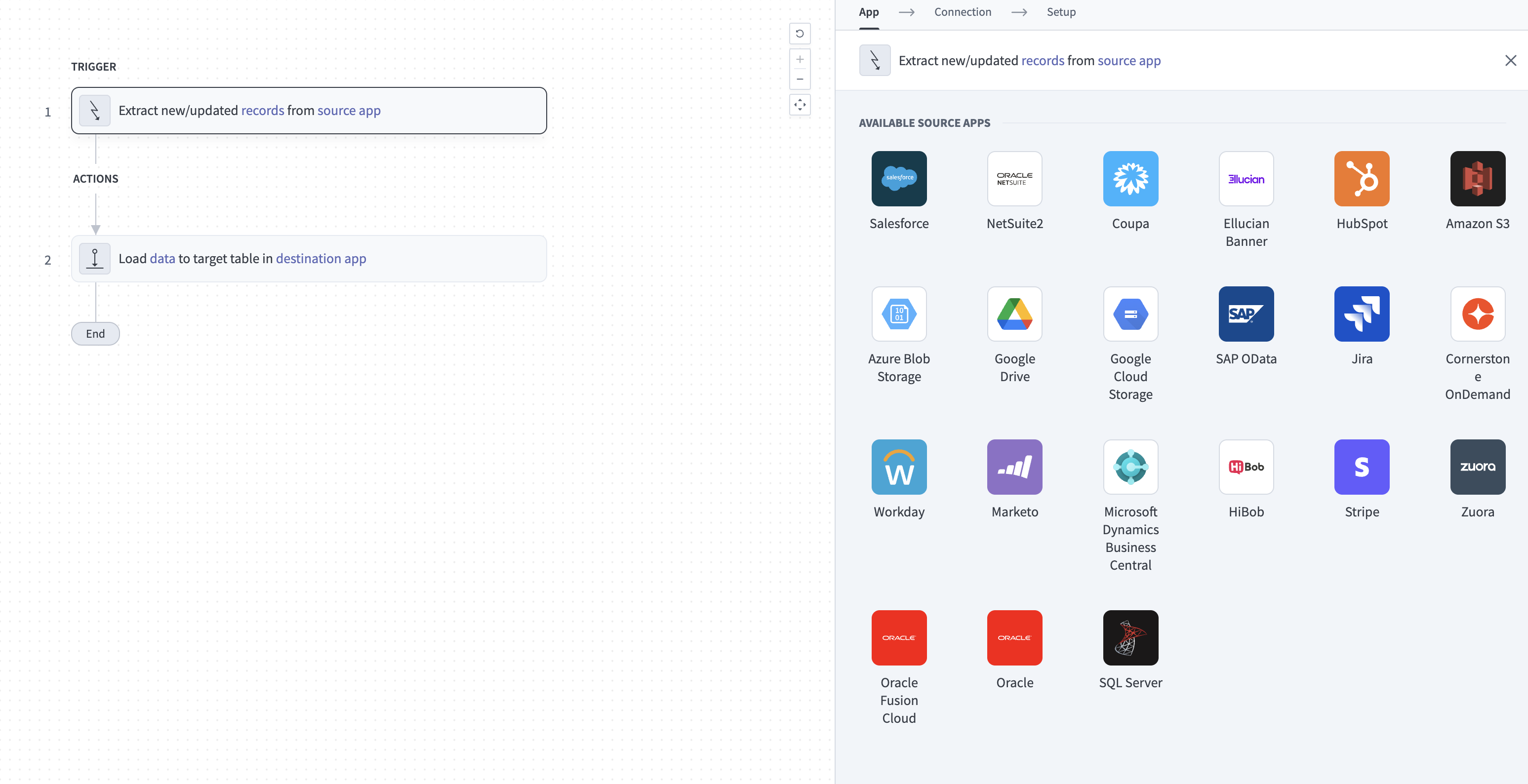 Configure the Extract new/updated records from source app trigger
Use the Your Connected Source Apps drop-down menu to select Gong.
Choose the Gong connection you plan to use for this pipeline. Alternatively, click + New connection to create a new connection.
Click Add object to open the Add new objects panel.
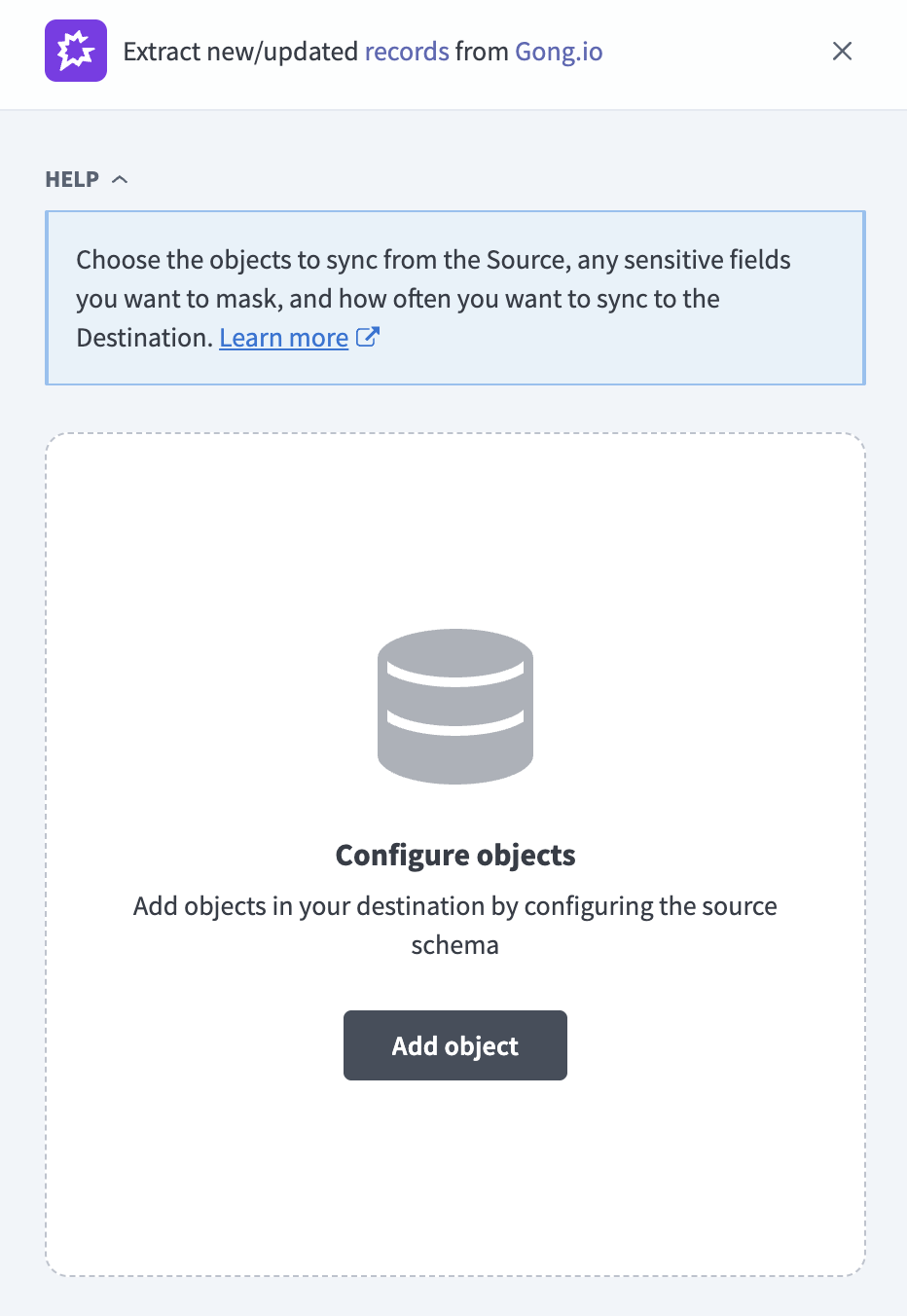 Add Gong objects
Search or browse the list of available Gong objects, select the objects you plan to sync, and click Add.
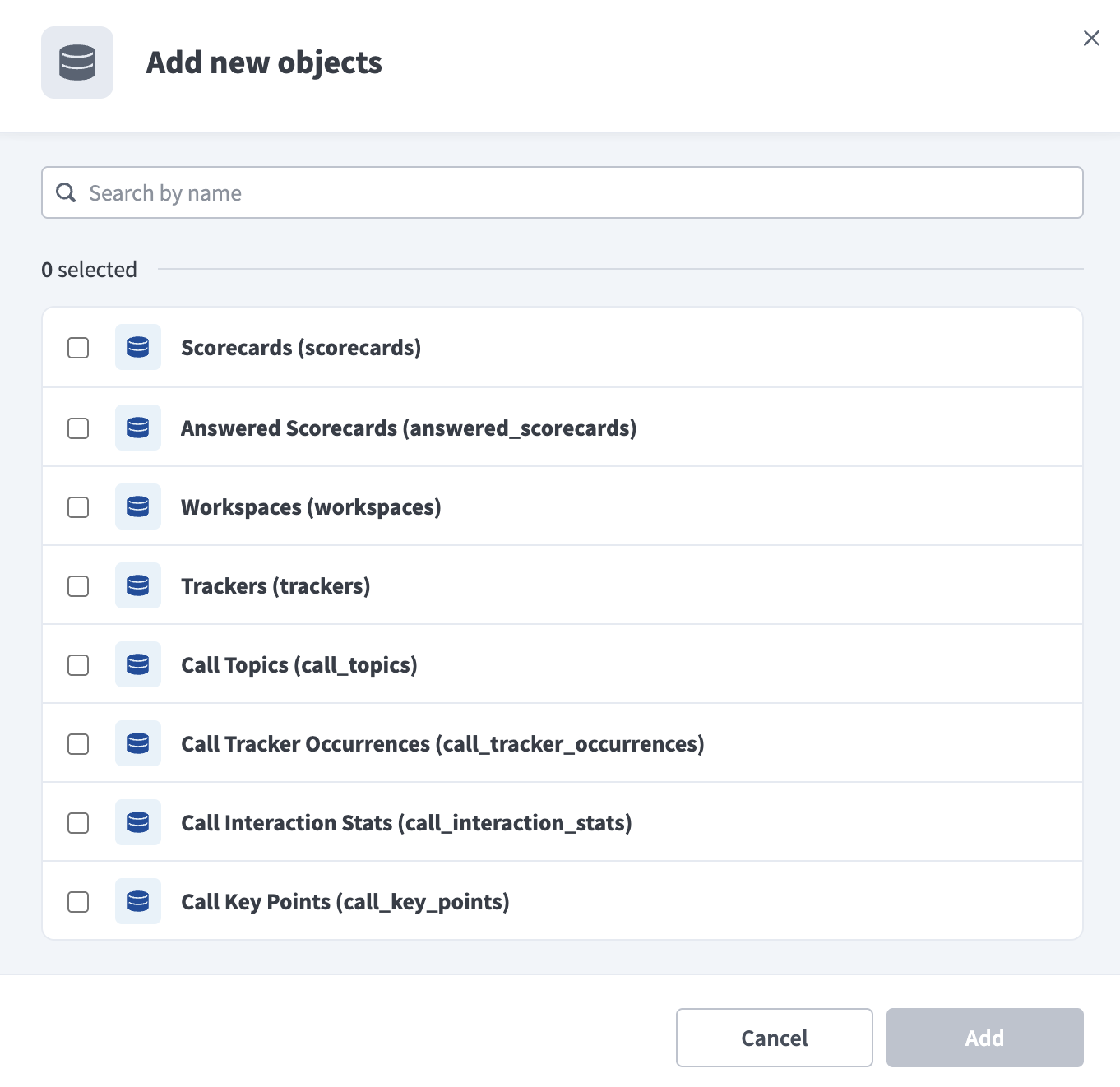 Select Gong objects
SYNC MODES
Objects that don't support incremental sync, such as users, scorecards, workspaces, trackers, library_folders, and library_folder_content, re-extract all records on every run. Refer to Sync modes for more information.
Optional. Click the settings icon next to an object to configure how the object syncs. Use the Sync mode drop-down menu to select a sync mode. The object defaults to full sync if Gong doesn't provide a timestamp for it. Refer to Sync modes for more information.
Review and customize the schema for each selected object. The pipeline automatically fetches an object's schema when you select it. This ensures the destination matches the source.
Expand an object to view associated fields. Keep all fields selected to extract all available data, or deselect specific fields to exclude them from data extraction and schema replication.
Optional. Configure field-level data protection by expanding an object and choosing how to handle each field:
- Replicate as is: Data values at the source replicate identically to the destination.
- Hash: Hash sensitive data values in the field before syncing to your destination.
Workato recommends hashing personally identifiable information (PII) and other sensitive fields. Refer to Sensitive data handling for a list of fields that commonly contain PII.
Click Add object again to add more objects. Repeat this step to include additional Gong objects in your pipeline.
Use the Choose how to handle schema changes drop-down menu to select a schema drift handling option:
- Auto-sync new fields: Automatically detects and syncs new fields added in the source.
- Block new fields: Keeps the schema fixed after the pipeline starts. You must add new fields manually. This option may cause the destination to fall out of sync if the source schema updates.
Refer to Schema replication and schema drift management for more information.
Choose either a standard time-based schedule or define a custom cron expression in the Frequency field. This determines how often the pipeline syncs data from Gong to the destination.
Supported objects
Gong data pipelines sync data from Gong API v2 REST resources. The following tables list the supported objects, grouped by category. Each object syncs as a separate table in your destination.
Calls
| Object | Sync mode | Delete tracking |
|---|---|---|
calls | Incremental | No |
call_parties | Incremental | No |
extensive_calls | Incremental | No |
call_transcripts | Incremental | No |
manual_calls | Incremental | No |
call_parties flattens each call's participants into one row per participant per call, so you can query attendee counts and talk-time patterns directly in your destination without parsing JSON. call_transcripts is enabled by default when you select it. Don't add the object, or deselect it, to opt out. Refer to Call transcripts add storage volume for more information. manual_calls contains calls where Gong's system field is Uploaded Call. These records are also included in calls.
Call content analytics
The following objects are derived from extensive_calls and require Gong's AI-powered call analysis features to return data. You select and sync each one independently of extensive_calls:
| Object | Sync mode | Delete tracking |
|---|---|---|
call_topics | Incremental | No |
call_tracker_occurrences | Incremental | No |
call_interaction_stats | Incremental | No |
call_key_points | Incremental | No |
call_highlights | Incremental | No |
call_outline | Incremental | No |
Refer to Gong subscription tier requirements for the specific features each object depends on.
Scorecards
| Object | Sync mode | Delete tracking |
|---|---|---|
scorecards | Full sync | Yes (soft) |
answered_scorecards | Incremental | No |
scorecards contains coaching scorecard templates. answered_scorecards contains completed scorecard reviews and requires Gong's Coaching feature.
Users and activity
| Object | Sync mode | Delete tracking |
|---|---|---|
users | Full sync | Yes (soft) |
user_activity_stats | Incremental | No |
Workspace and configuration
| Object | Sync mode | Delete tracking |
|---|---|---|
workspaces | Full sync | Yes (soft) |
trackers | Full sync | Yes (soft) |
trackers contains your Gong keyword tracker definitions and requires Gong's Smart Trackers feature.
Library
| Object | Sync mode | Delete tracking |
|---|---|---|
library_folders | Full sync | Yes (destination-inferred) |
library_folder_content | Full sync | Yes (destination-inferred) |
library_folder_content requires library_folders to enumerate folder IDs on each sync.
Sync modes
Gong data pipelines support full sync and incremental sync. Whether an object supports incremental sync is fixed per object.
Full sync
Full sync extracts all available records for an object on every run. An object defaults to full sync when Gong doesn't expose a last-modified timestamp for it, because the pipeline has no way to identify which records changed since the previous sync.
Incremental sync
An incremental sync extracts only records that changed since the last successful run.
calls,extensive_calls,manual_calls,call_parties,call_transcripts,call_topics,call_tracker_occurrences,call_interaction_stats,call_key_points,call_highlights, andcall_outline: Workato uses each call'sstartedtimestamp as the incremental cursor.answered_scorecards: Workato uses the scorecard's review date as the incremental cursor.user_activity_stats: Workato uses the requested activity date range as the incremental cursor.- Lookback window: Gong can ingest call recordings from third-party calling systems hours or days after a call ends. Every incremental sync re-reads the trailing 24 hours of data in addition to the new window to capture these late-arriving recordings.
Refer to the Supported objects tables to see the sync mode for each object.
Delete tracking
Delete tracking is per-object and follows sync mode:
users,scorecards,workspaces, andtrackersare marked Yes (soft): Gong's connector compares the current list of record IDs against the previous sync and flags any IDs that no longer appear with a_workato_is_deletedcolumn set totrue. Refer to Synthetic columns for more information.library_foldersandlibrary_folder_contentare marked Yes (destination-inferred): your destination detects deletions by diffing full-sync snapshots, even though the connector doesn't add a_workato_is_deletedcolumn for these two objects.- All incremental objects, including
callsand its related objects, are marked No. Refer to Deleted calls remain in your destination for why.
Schema and data type handling
Gong data pipelines apply the following rules when they map source data to your destination schema.
Nested and array data
Gong returns rich, nested data for call-based objects. Workato stores most of this nested data as JSON in a single column:
extensive_callssections that stay as JSON columns includecontent.brief,content.structure,content.callOutcome,collaboration, and the parts ofinteractionnot covered bycall_interaction_stats(such asinteraction.questions).
Call participants, call transcripts, and the six call content analytics objects are the exceptions. Workato flattens each of these into its own table instead of keeping it as JSON, including call_parties (one row per participant per call), call_transcripts (one row per transcript sentence, including the call ID, speaker, topic, start and end time in milliseconds, and the sentence text), call_topics, call_tracker_occurrences, call_interaction_stats (one row per speaker), call_key_points, call_highlights, and call_outline.
Workato syncs JSON fields to the destination's native JSON type, such as VARIANT in Snowflake. Workato serializes JSON fields as strings if the destination doesn't support a native JSON type.
Custom and variable fields
Gong exposes two fields whose structure isn't fixed:
calls.customDataandextensive_calls.metaData.customDataare free-text strings that some customers populate through third-party calling systems. These sync as plain string columns.extensive_callsparticipants can include acontextfield with links to CRM records, such as Salesforce accounts or HubSpot deals. Workato stores it as a JSON column because this structure varies by which CRM you have connected to Gong.
Timestamps
Gong timestamps sync as ISO 8601 timestamp-with-time-zone values. Workato preserves the offset Gong returns, which can be UTC or another time zone offset.
Synthetic columns
Workato adds the following synthetic column to destination tables for objects with soft-delete tracking:
| Column | Type | Purpose |
|---|---|---|
_workato_is_deleted | Boolean | Set to true for users, scorecards, workspaces, and trackers records that existed in a previous sync but no longer appear in Gong. All other fields on the row are null. |
Sensitive data handling
Gong objects can contain personally identifiable information (PII) and verbatim conversation content. The following objects commonly contain sensitive data:
| Object | Sensitive fields |
|---|---|
calls, manual_calls | Participant name, email address, and phone number |
call_parties | Participant name, email address, phone number, and title |
extensive_calls | Participant name, email address, phone number, title, and audio and video recording URLs |
call_transcripts | Verbatim customer and prospect conversation text |
users | Name, email address, phone number, and extension |
answered_scorecards | Reviewer and reviewed user IDs, and qualitative coaching feedback text |
call_transcripts contains verbatim transcript text, the most sensitive data synced by this connector. Some jurisdictions require explicit consent to record and store calls. Workato can't enforce compliance with these requirements. Confirm your own obligations before you enable call_transcripts in your pipeline.
Use the Hash option in field-level data protection during pipeline configuration to protect PII before it reaches your destination. Refer to the Configure the pipeline steps for more information.
Limitations
The following limitations apply when you use Gong as a data pipeline source:
Private calls are excluded
Gong requires OAuth-integrated applications to exclude calls marked private. Workato applies this exclusion after fetching records from calls, extensive_calls, call_transcripts, and manual_calls, and to the call content analytics objects derived from extensive_calls. Calls marked private in Gong don't appear in your destination.
Private and archived library folders are excluded
Gong's API doesn't expose private or archived Library folders to a read client. These folders, and any content inside them, don't appear in library_folders or library_folder_content in your destination.
Call transcripts add storage volume
call_transcripts is enabled by default when you add it to your pipeline. Don't add the object, or deselect it, to opt out. Refer to Configure the pipeline for more information.
STORAGE VOLUME
A single 60-minute call transcript can total 20–200 KB of text. Enabling call_transcripts can add 2–20 GB of compressed storage at your destination for accounts with 100,000 or more historical calls.
Deleted calls remain in your destination
Gong's API doesn't expose deleted calls to a read client. A call deleted in Gong after it was synced remains in your destination with its last-synced values. This applies to calls, call_parties, extensive_calls, call_transcripts, manual_calls, answered_scorecards, user_activity_stats, and the call content analytics objects.
Gong subscription tier requirements
Some objects require a specific Gong subscription tier or feature to be enabled on your Gong plan:
trackersandcall_tracker_occurrencesrequire Gong's Smart Trackers feature.answered_scorecardsrequires Gong's Coaching feature.call_topics,call_key_points,call_highlights,call_outline, andcall_interaction_statsrequire Gong's AI-powered call analysis features.
The pipeline returns a permission error naming the missing feature or scope when it syncs an object whose required feature isn't enabled on your Gong plan.
Recording URLs expire quickly
extensive_calls can include direct links to call audio and video recordings. These URLs expire 8 hours after Workato requests them from Gong, so you can't rely on a URL stored in your destination for later access to the recording.
API rate limits
Gong enforces a rate limit of 3 API requests per second and 10,000 API requests per day. Pipelines that sync many objects, or run a large historical backfill, can take longer to complete as a result.
Minimum sync frequency
The minimum supported sync interval is 15 minutes.
Last updated: