Debug loops in jobs
A job now shows every iteration of a Repeat for each or Repeat while loop, not only the last iteration. You can view each iteration's input, output, and errors, navigate nested loops, and find every error in a job.
View loop iterations
Each Repeat for each or Repeat while loop shown in a job includes an iteration navigator. Select any iteration to see that iteration's input, output, and any error for every step inside the loop.
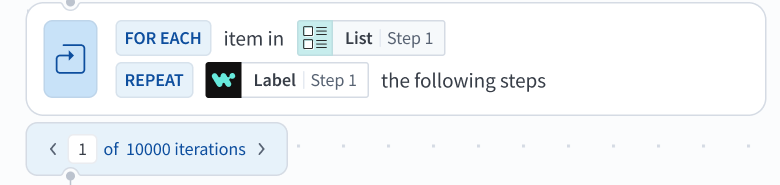 Loop iteration navigator
The navigator shows X of N iterations, for example 5 of 5 iterations. N is the number of iterations the loop ran, which is fewer than the configured count if a condition or an error stopped the loop early.
Use the arrows to move one iteration at a time, or type a specific iteration number directly. A number outside the valid range moves the navigator to the nearest iteration.
A completed job opens on the last iteration of the most deeply nested loop, whether the loop completed or stopped on an uncaught error.
Navigate nested loops
Nested loops have individual iteration selectors. Changing an outer iteration syncs every step at that level and resets any inner loop back to its first iteration. The Path field shows the full nesting path for a specific error.
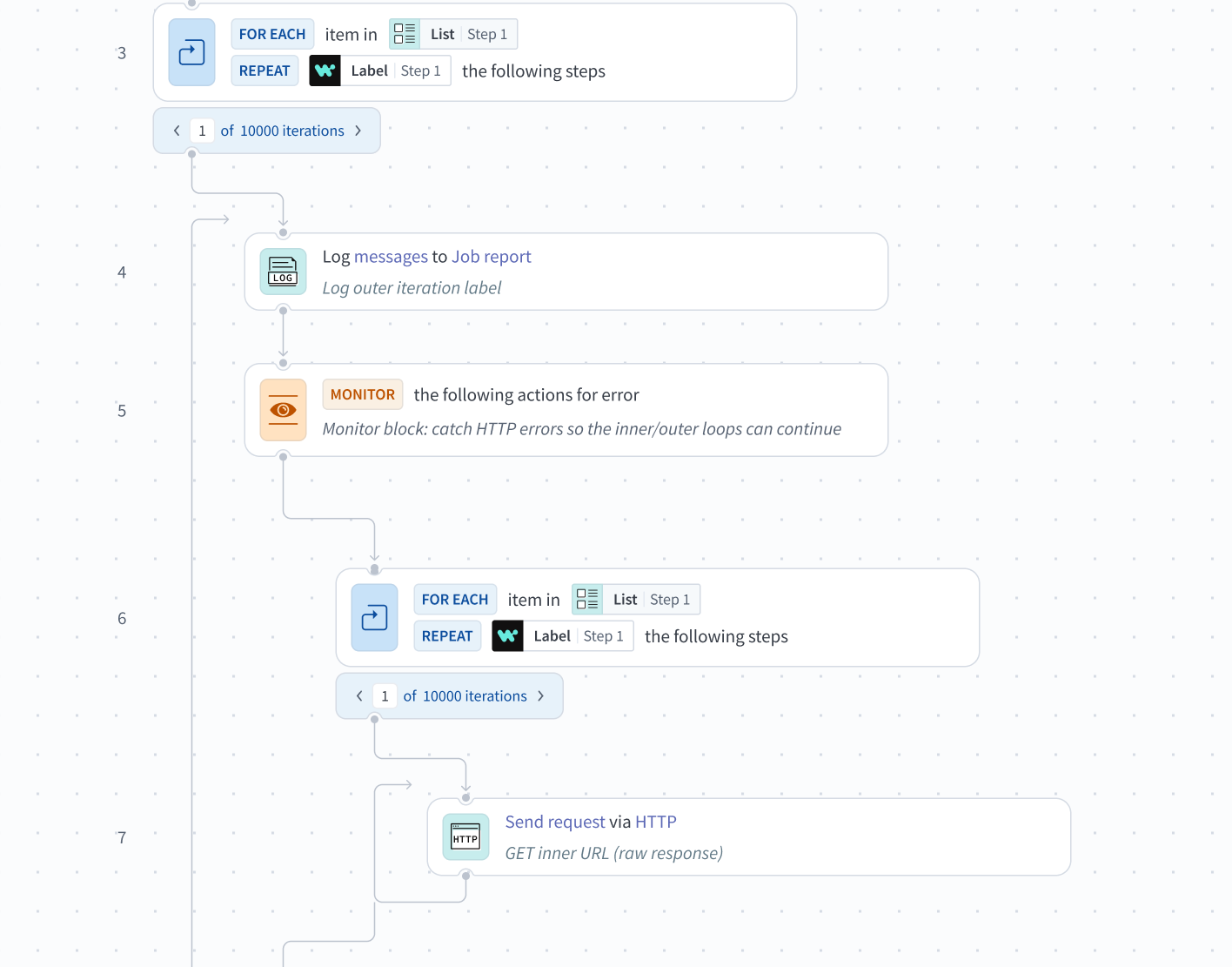 Nested loop iteration navigators
See the exact path each iteration took
A job shows only the steps an iteration actually went through:
- A step that isn't part of this iteration doesn't appear at all.
- A step that executed with an error is highlighted in red.
- Only IF conditions and Handle errors steps that ran in the selected iteration appear. An IF condition shows a true or false outcome, and a Handle errors step shows whether an error occurred. Only the branch that ran, such as the true branch of an IF condition, shows nested steps.
- An IF or Handle errors step that ran in other loop iterations but not the selected iteration shows an explicit empty state rather than displaying carried-over data.
View Handle errors retries
A Handle errors step that retries shows a try navigator, for example 3 of 3 tries for a step set to retry twice. The count includes the first run. Use the navigator to select a try and see the input, output, and error. The Path of an error in the error drop-down menu includes the try, for example 5[2] for try 2 of step 5.
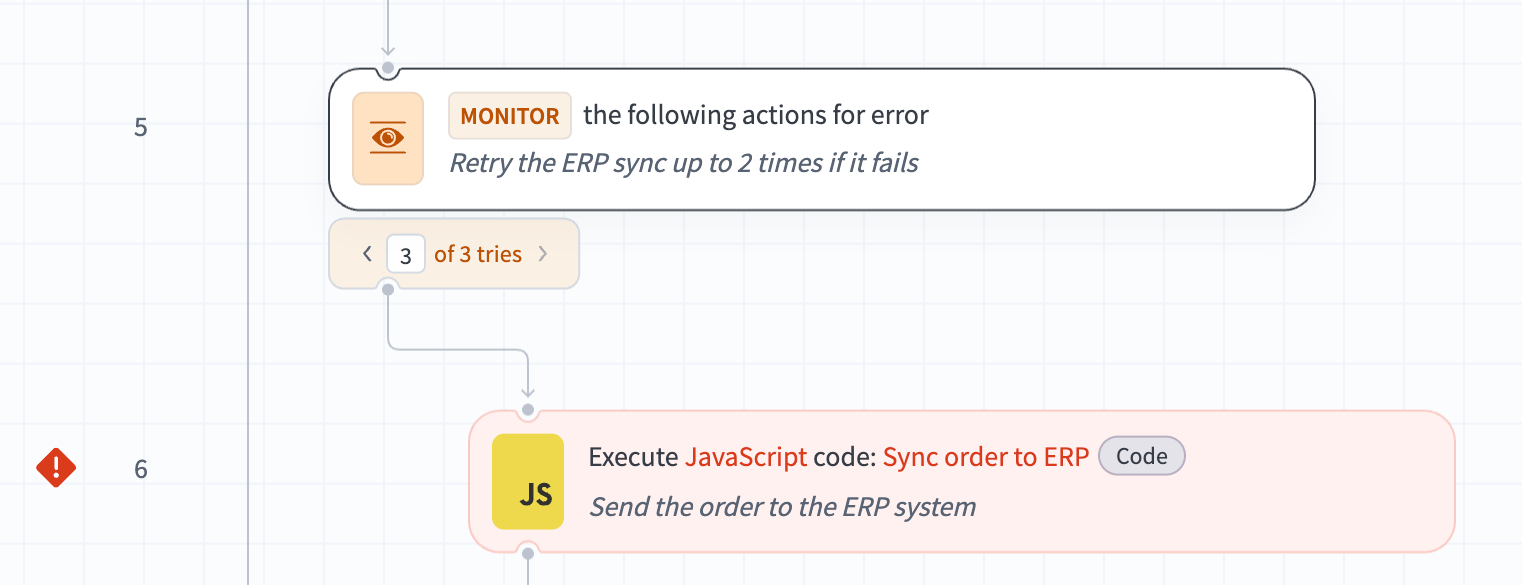 Handle errors tries navigator
Find every error in the job
A top-level error drop-down menu lists every error across every iteration of the job. Each entry links directly to the step and iteration that produced the error, and shows the following information:
| Field | What it tells you |
|---|---|
| Timestamp | When the error occurred, formatted for your locale. |
| Adapter | The connector involved. |
| Action | The action that failed. |
| Path | The route to the error, with the iteration or try in brackets, for example 3[4] > 5[2] > 6: iteration 4 of loop step 3, try 2 of Handle errors step 5, then step 6, where the error occurred. A recipe without loops shows only the step number. |
| Error | The first line of the underlying error. |
The error drop-down menu is available for every recipe, including recipes that don't have loops. The error drop-down menu paginates through errors, so a job with multiple failures stays navigable.
A completed job opens with the most recent error selected in the drop-down menu. Selecting a different error takes you to that step and iteration.
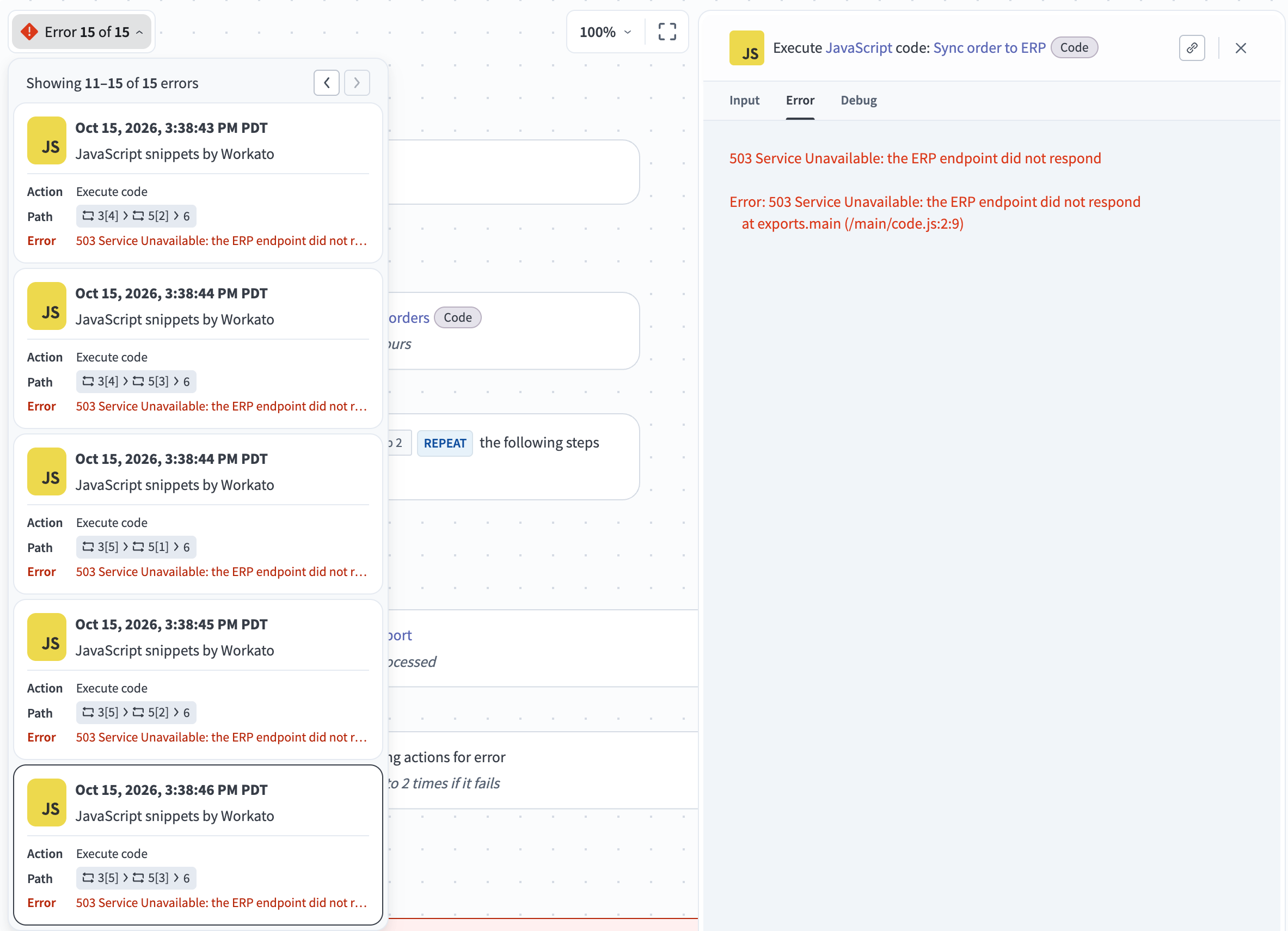 Job error drop-down menu
Availability
Full loop visibility rolls out gradually by data center. Workspaces without full loop visibility show only the last iteration of a loop in a job. Contact your Customer Success Manager to check availability.
FAQ
Get answers to frequently asked questions (FAQs) about debugging loops in jobs.
Do I need to change my recipes?
View answer
No. Existing recipes keep running without changes.
Which loops are supported?
View answer
Repeat for each and Repeat while loops.
How many iterations can I inspect?
View answer
The navigator loads per-iteration structure for every iteration that executed, so loops with a large number of iterations are supported.
What happens to iteration data outside the retention period?
View answer
Iteration data follows your workspace's data retention policy. An iteration past the retention period shows a message that the data is no longer available.
Last updated: