Status
The status of an on-prem group depends on the status of the on-prem agents that belong to a group. The group must be active for it to be used in a recipe.
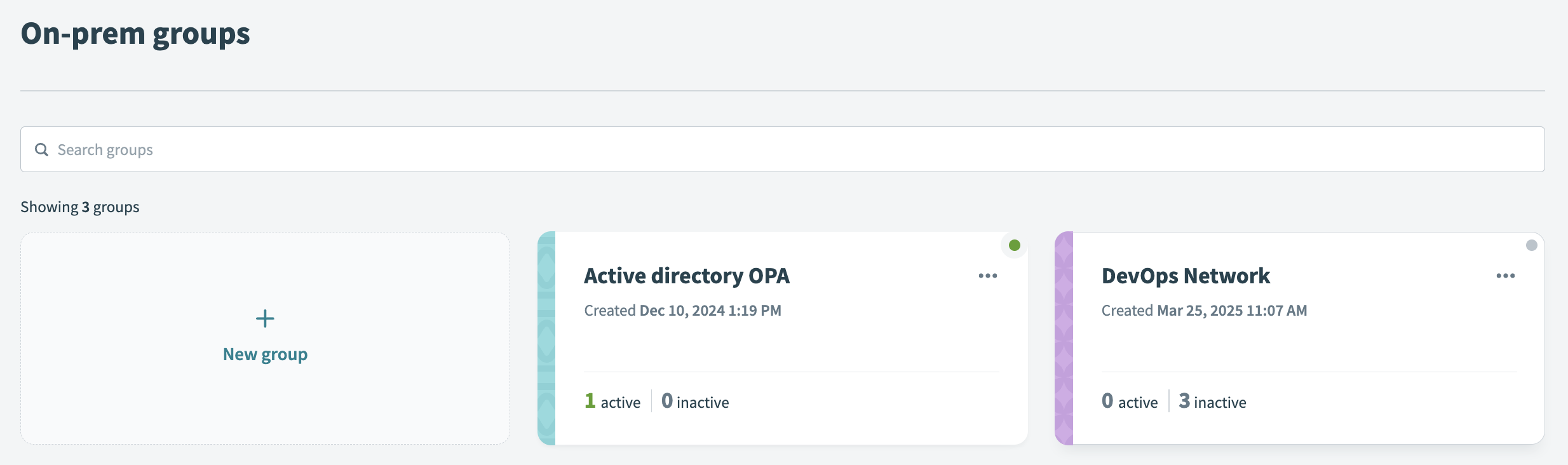 On-prem groups statuses
On-prem agent status
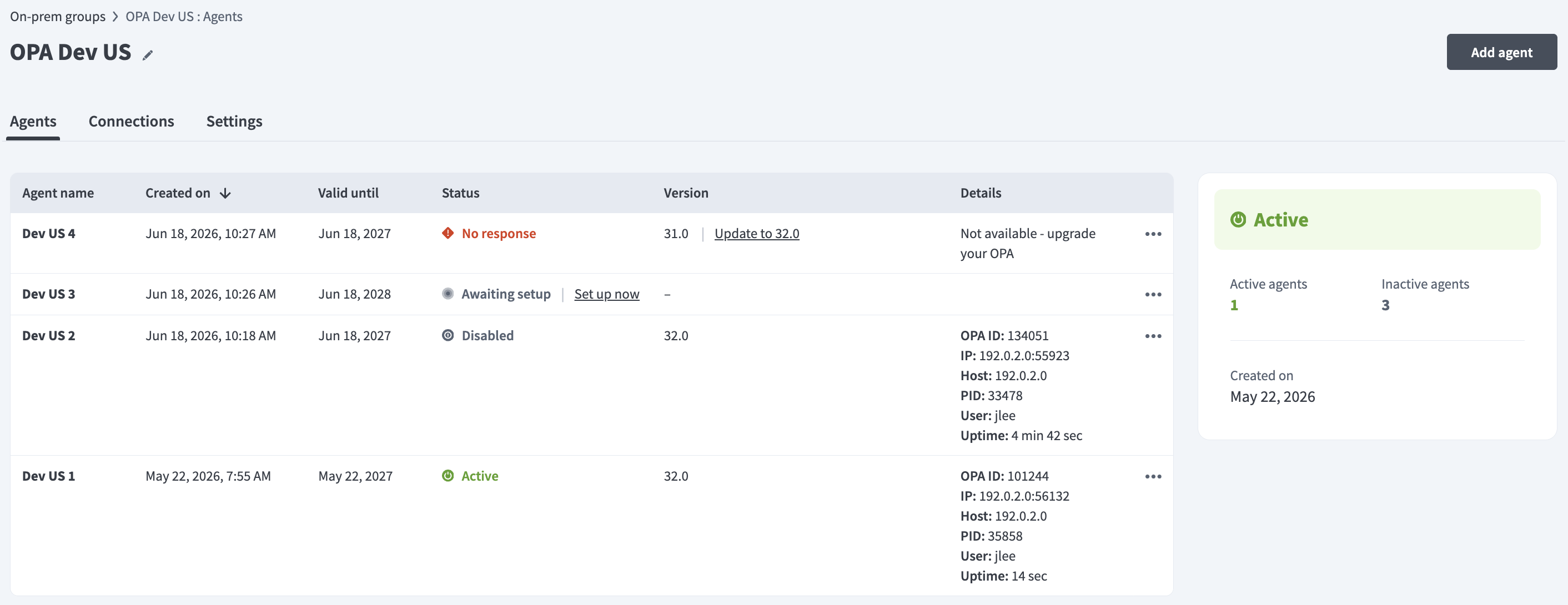 On-prem agents in a group
Select an on-prem group to view the status of each agent in the group. An agent can have the following statuses:
| Status | Description |
|---|---|
| Awaiting setup | This agent setup is incomplete. The agent setup is complete only when it has successfully connected for the first time. |
| No response | This agent is currently not responding. This could be due to several reasons. Usually, this is because the agent is shut down or if the secure connection between Workato and the server is broken. |
| Active | This agent is active and can process requests from Workato. |
| Disabled | This agent is manually disabled. Requests will not be sent to this agent. It can be manually enabled to establish an active connection again. |
Certificate expiration
The Agents page displays the expiration date for each agent's certificate in the Valid until column. Additionally, the page displays a warning when a certificate nears expiration. An agent stops processing jobs when its certificate expires. Refer to the Agent key management guide to replace keys with zero downtime or the Active on-prem group section to enhance fault tolerance.
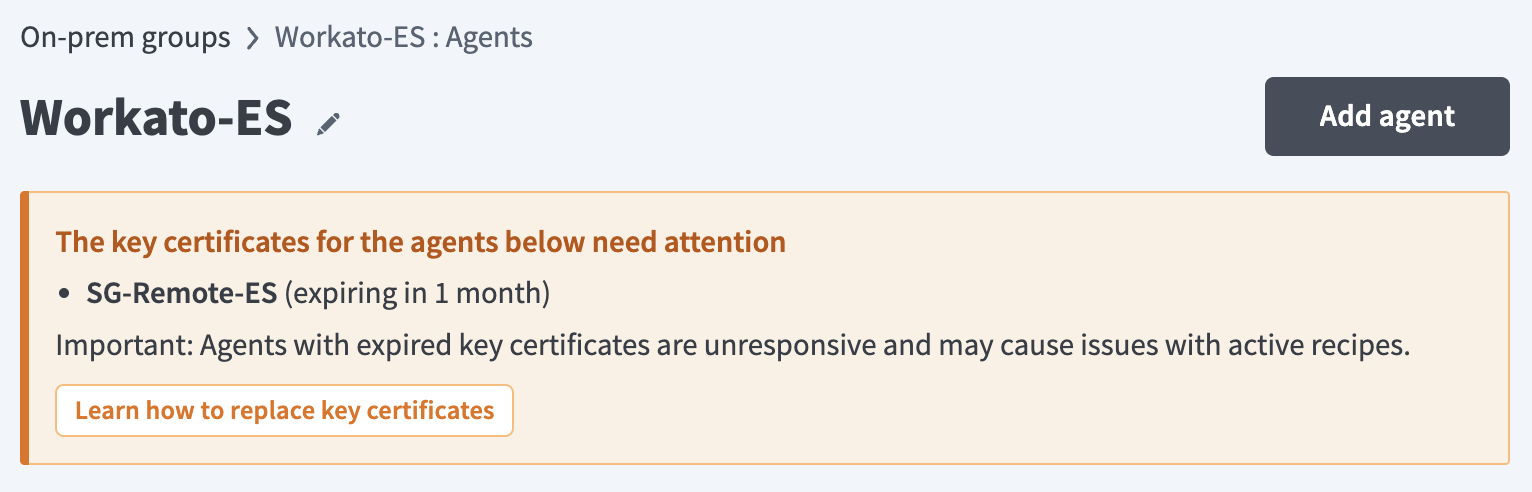 Certificate expiration warning
Agent details
The Details column displays the following information for each agent version 32.0 or higher:
- OPA ID: The unique identifier assigned to the on-prem agent.
- IP: The IP address and port the agent uses to connect to Workato.
- Host: The hostname or IP address of the server where the agent runs.
- PID: The process ID of the agent on the host server.
- User: The name of the OS user running the agent.
- Uptime: How long the agent has been active.
Active on-prem group
An on-prem group must have at least one active agent for it to be an active group.
USE MULTIPLE AGENTS
On-prem groups distribute their workload evenly across all contained agents. Workato recommends adding multiple agents to an on-prem group to ensure high availability, fault tolerance, and load balancing. You can further enhance fault tolerance and load balancing by hosting some of the group's agents on a separate server.
When the group has only a single active agent, it will continue to process the jobs but without the advantages of load balancing.
Connections
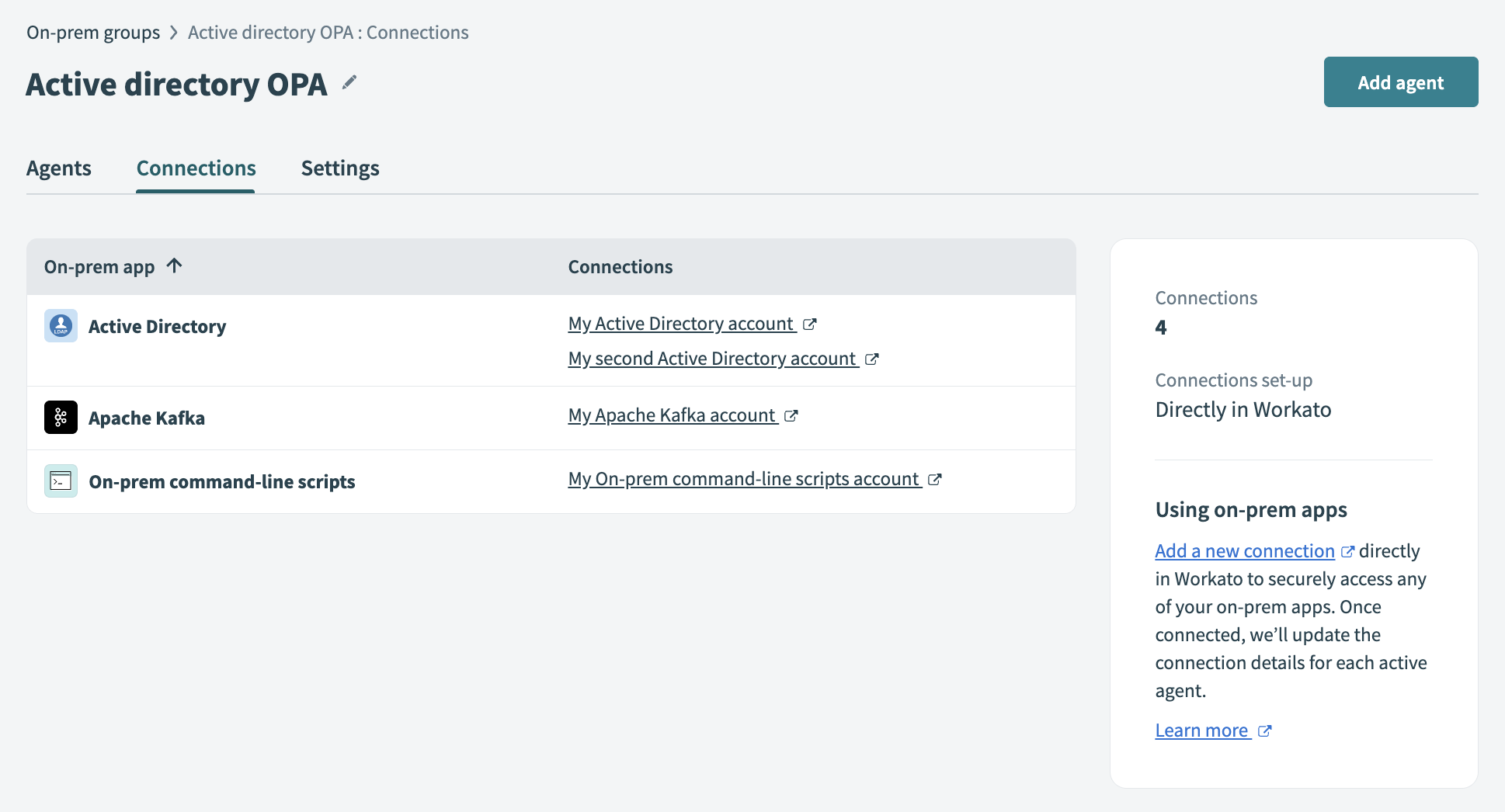 On-prem connections
A connection that connects through an on-prem group depends on the status of the group. Recipes that make use of these connections can only process jobs successfully when the group is active.
As long as a single agent within that group is active, on-prem requests can still be sent successfully.
Last updated: