Eventbrite - New order for event trigger
The New order for event trigger checks for new orders in Eventbrite. This trigger compiles a list of attendees included within the order. The picklist displays only the first 50 events, but you can search for all events using the Event field.
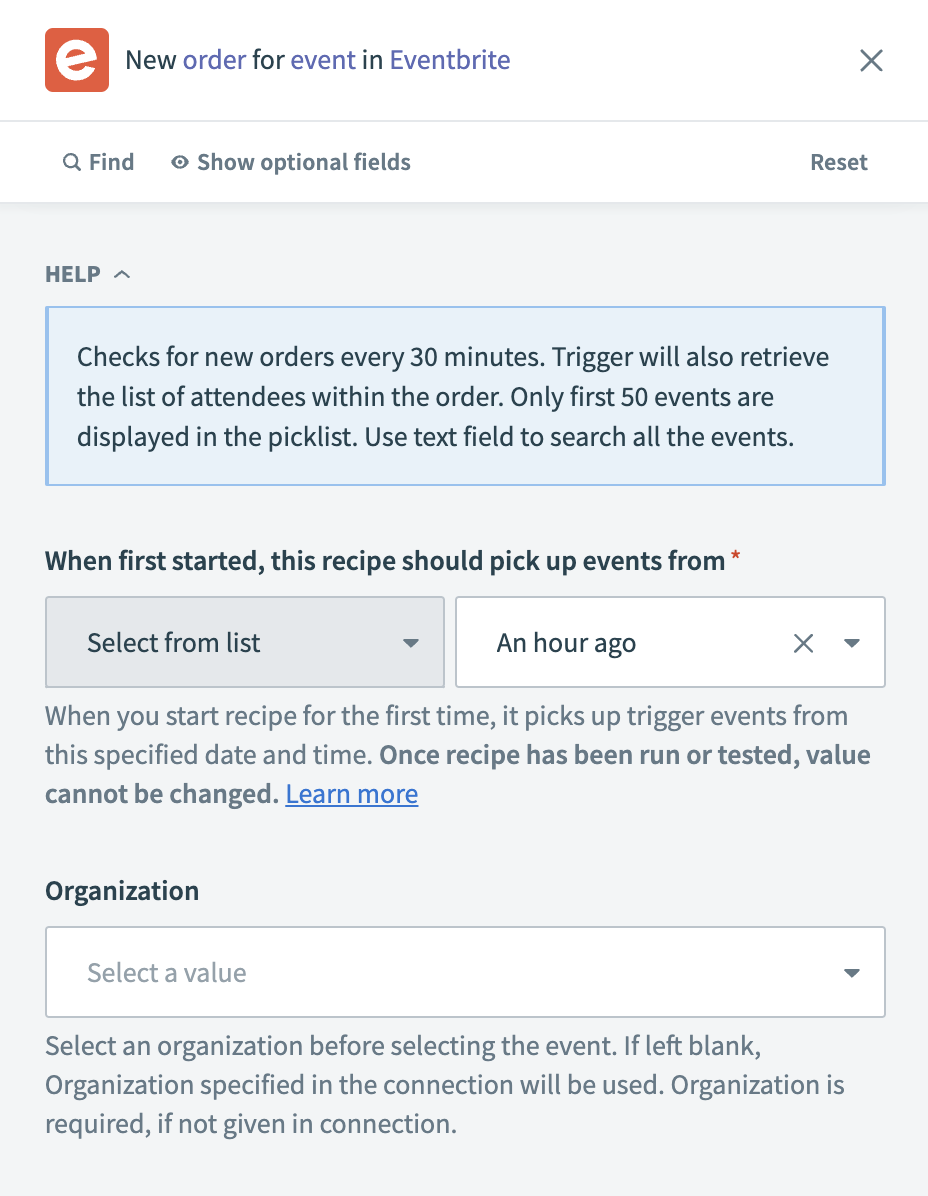 Eventbrite - New order for event trigger
Input
| Input field | Description |
|---|---|
| Trigger poll interval | Set the frequency at which Workato checks for new orders. This field defaults to every 30 minutes if not specified. |
| When first started, this recipe should pick up events from | Choose a start date for the trigger to begin fetching orders. After you test or run the recipe, you cannot change this value. Refer to Triggers to learn more about this input field. |
| Organization | Choose the organization you plan to monitor for new orders. This field defaults to the organization set in the connection if left blank. |
| Event | Choose the specific event for which to fetch new orders. Leave this field blank to monitor orders for all events owned by the connected Eventbrite user. |
Output
| Output field | Description |
|---|---|
| Costs | The cost details of the order. |
| Name | The name associated with the order. |
| Time remaining | The time left for completing the order. |
| Event ID | The identifier for the event associated with the order. |
| Event | The details of the event associated with the order. |
| Resource URI | The URI for the order resource on Eventbrite. |
| ID | The unique identifier for the order. |
| Date changed | The timestamp of when the order was last updated. |
| Date created | The timestamp of when the order was created. |
| First name | The first name of the person who placed the order. |
| Last name | The last name of the person who placed the order. |
| The email address of the person who placed the order. | |
| Status | The status of the order. |
| Attendees | A list of attendees associated with the order. |
Last updated: