Point a client at Model Gateway instead of a provider to route its requests through your routes and policies. Each client needs an access key and the route ID of a route the key can use.
Model Gateway only accepts the access key as a bearer token in the Authorization header. Anthropic clients send credentials in an x-api-key header by default, so configure the client to send a bearer token instead. Set the model to a route ID.
Replace <model-gateway-host> with the host from the URL shown in the Access key generated dialog, for example https://ai.workato.com.
ROUTE ID NAMING
Claude Desktop only accepts route IDs that resemble Claude model IDs, such as claude-sonnet-4-5 or the generic anthropic/claude. A route ID like gateways-test fails. Model Gateway generates the route ID from the route name, so the route must be named after the models it uses.
Complete the following steps to connect Claude Desktop to Model Gateway:
1
Create a route and enter a route name that generates a route ID resembling a Claude model ID, for example anthropic/claude. Check the Route ID field before you click Create. Then create an access key that includes the route.
2
Open Claude Desktop without signing in.
3
Select Help > Troubleshooting > Enable Developer Mode from the menu bar.
4
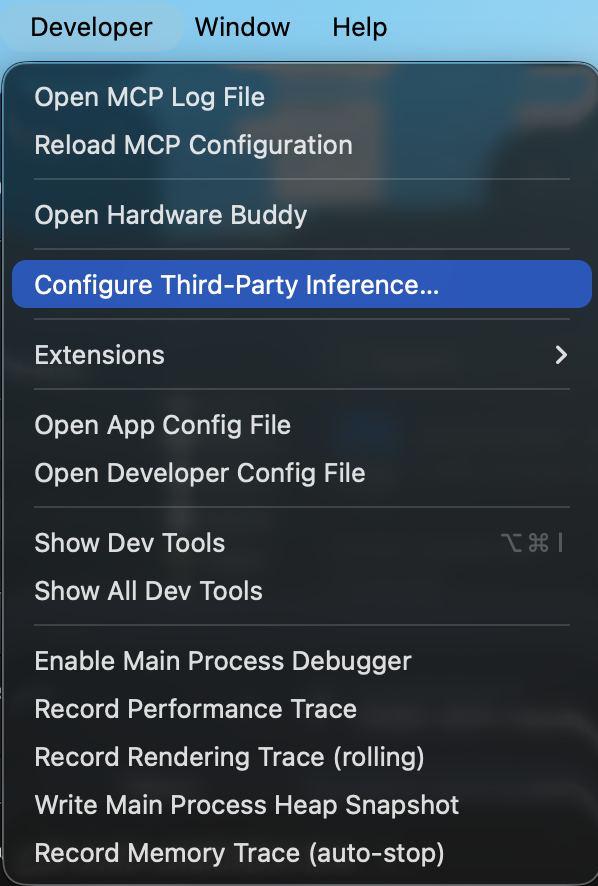
Select Developer > Configure Third-Party Inference from the menu bar.
Developer menu
5
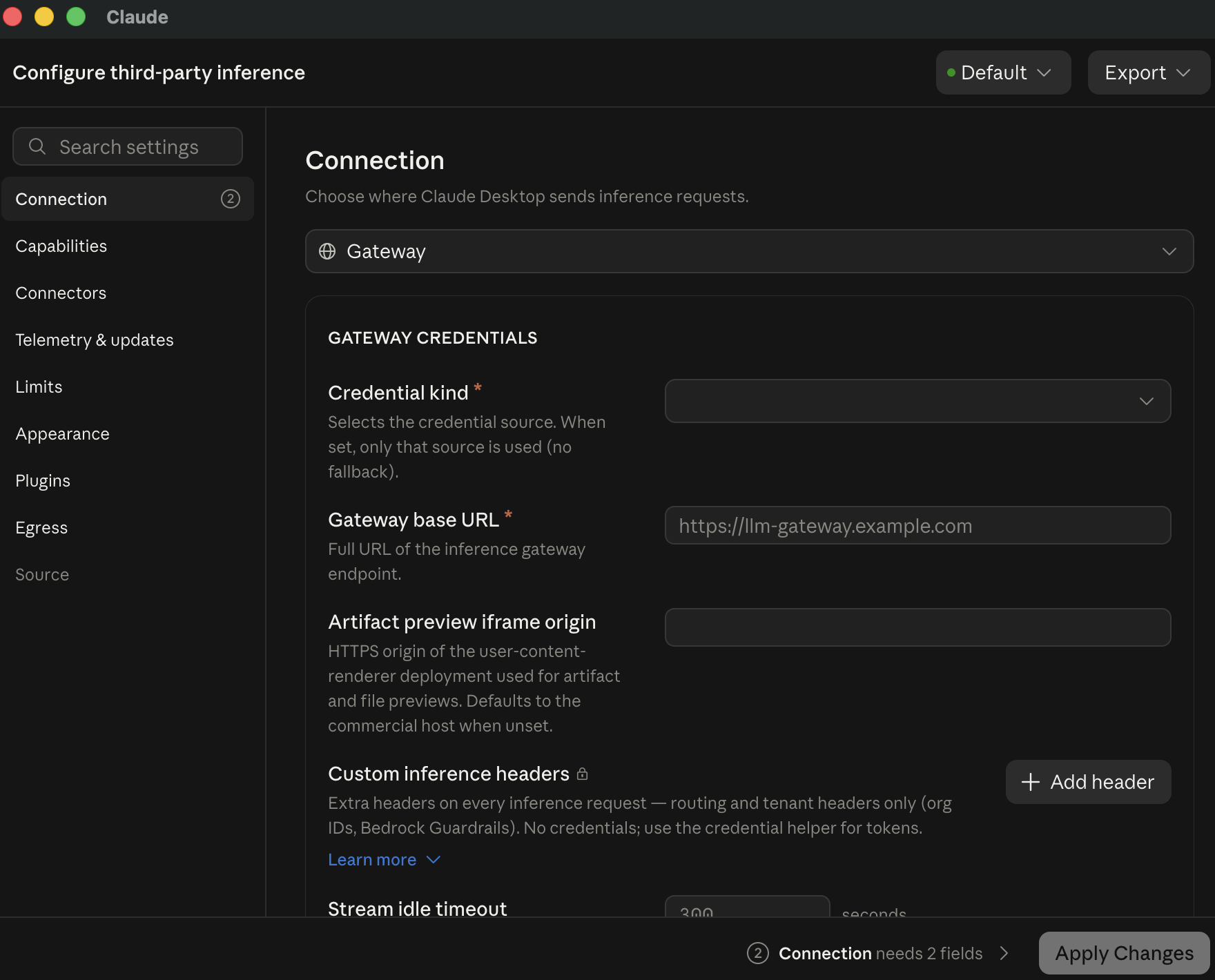
Use the Connection drop-down menu to select Gateway.
Configure third-party inference
6
Use the Credential kind drop-down menu under Gateway credentials to select Static API key.
7
Enter <model-gateway-host>/anthropic in the Gateway base URL field. Replace <model-gateway-host> with the host from the example request URL shown in the Access key generated dialog. For example, if the dialog displays https://ai.workato.com/v1/chat/completions, enter https://ai.workato.com/anthropic.
8
Enter your access key in the Gateway API key field.
9
Use the Auth scheme drop-down menu to select Bearer. The Bearer authentication scheme sends the access key as a bearer token in the Authorization header.
10
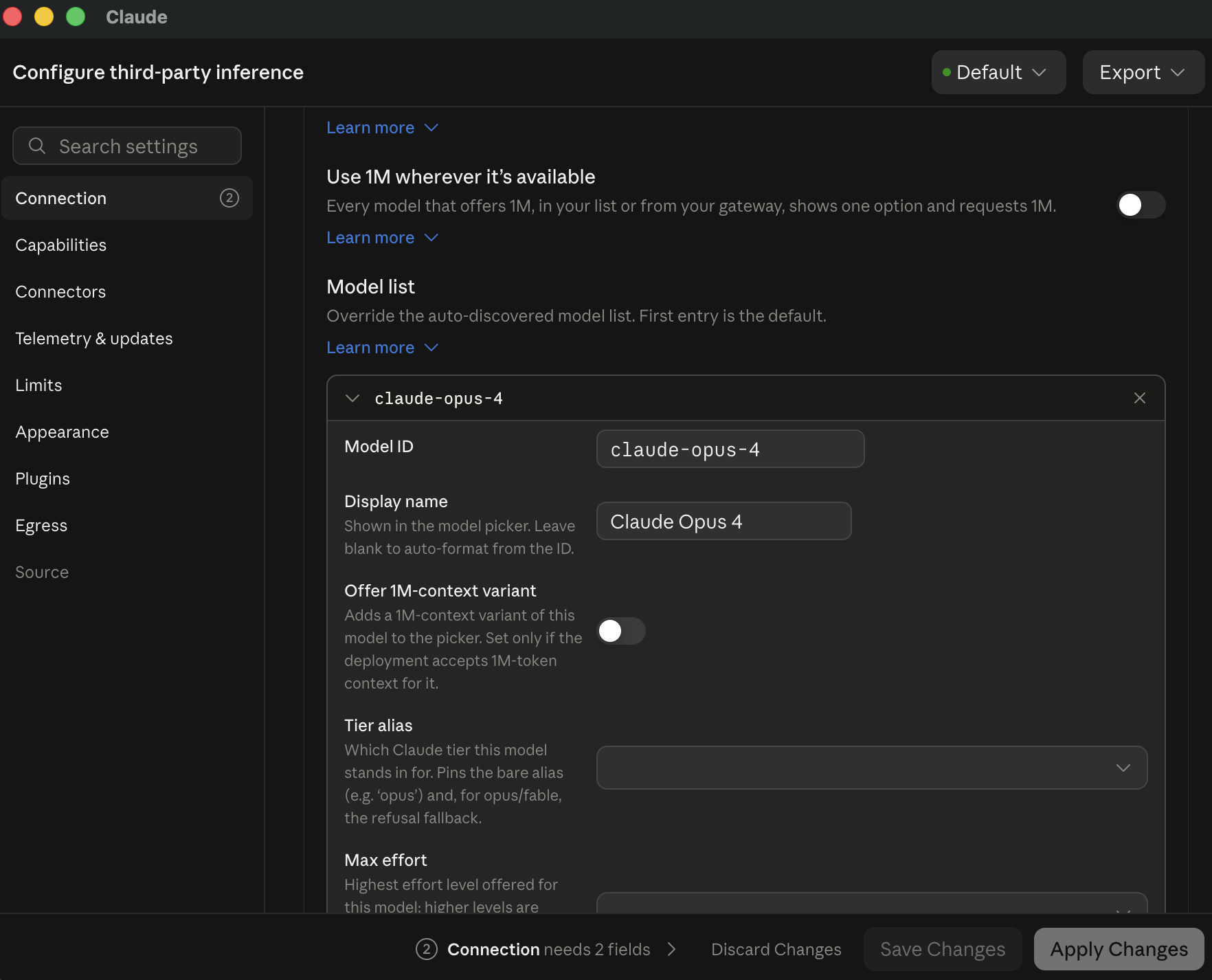
Enter the route ID in the Model ID field under Model list.
Model list
11
Optional. Enter a name in the Display name field. Claude Desktop shows this name in the model picker. Leave this field blank to generate the name from the route ID.
12
Click Apply Changes and restart Claude Desktop if prompted.
These variables apply to the Claude Code CLI and IDE extensions. Claude Code in Claude Desktop uses the Claude Desktop gateway settings instead.
Run the following commands before you start Claude Code:
ANTHROPIC_AUTH_TOKEN sends the access key as a bearer token. ANTHROPIC_API_KEY sends an x-api-key header, which Model Gateway doesn't support.
Subagents and the /model menu use the opus, sonnet, and haiku model aliases, which resolve to Claude model names unless you set the ANTHROPIC_DEFAULT_*_MODEL variables. Set each variable to a route ID so these requests also resolve to a route. You can point each alias to a different route.
 Developer menu
 Configure third-party inference
 Model list