Providers
A provider is a connection to an LLM service, along with the credentials Model Gateway uses to authenticate with it. Add a provider before you create the routes that use it.
Add a provider
Providers are stored in a project, and you can reuse the same provider connection in genies.
Model Gateway supports the following LLM providers: Anthropic, OpenAI Compatible, Azure OpenAI, and AWS Bedrock. The fields you configure depend on the provider you select.
Complete the following steps to add a provider:
Go to Model Gateway > Providers.
Click + Add provider.
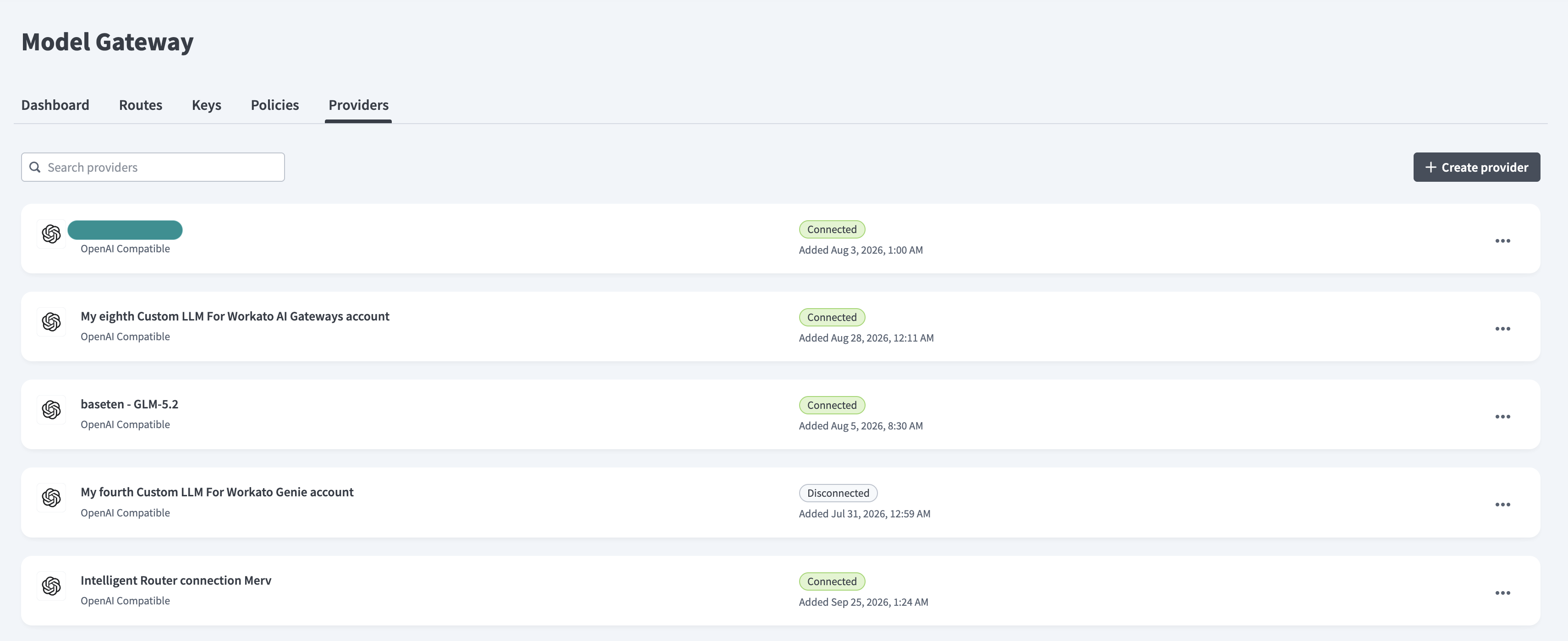 Add provider
Enter a descriptive name in the Connection name field.
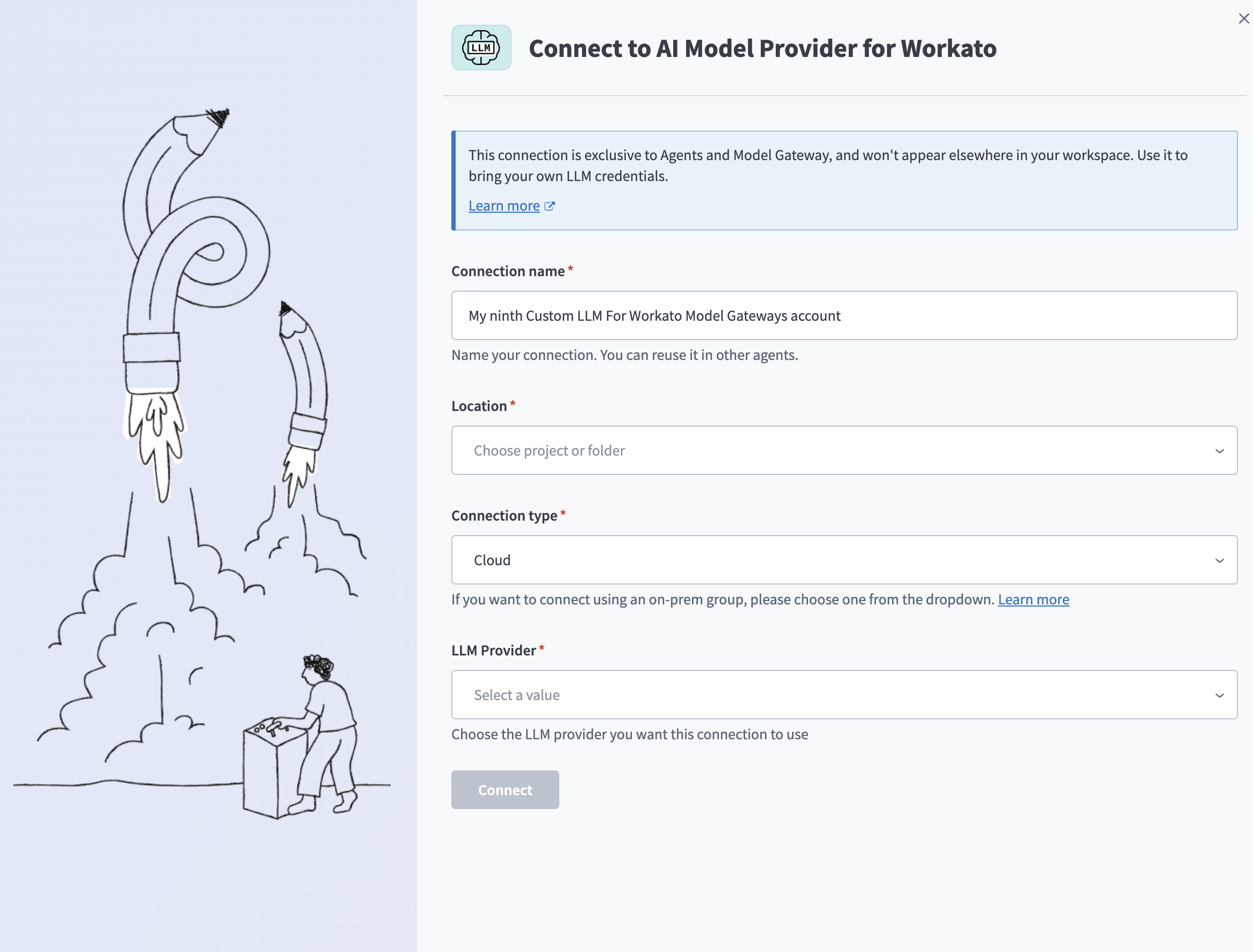 Create provider
Use the Location drop-down menu to select the project or folder where you plan to store this provider.
Use the LLM Provider drop-down menu to select the provider this connection uses. The remaining fields depend on the provider you select:
Click Create to complete the setup.
PROVIDER UNREACHABLE
Model Gateway returns Error 503 and the message Could not reach provider. The service may be temporarily down or overloaded. Please try again shortly. when it can't reach the provider. Your entries are preserved. Click Create again to retry.
The provider displays in the Providers list with a Connected status and the date it was added.
Edit a provider
Complete the following steps to edit a provider:
Go to Model Gateway > Providers.
Click the ... (ellipsis) menu for the provider you plan to edit, then click Edit. This opens the Edit provider page.
Update the fields for the provider.
Click Save.
Delete a provider
Complete the following steps to delete a provider:
Go to Model Gateway > Providers.
Click the ... (ellipsis) menu for the provider you plan to delete, then click Delete.
Review the impact summary in the Delete provider dialog.
Select I understand that this action cannot be undone.
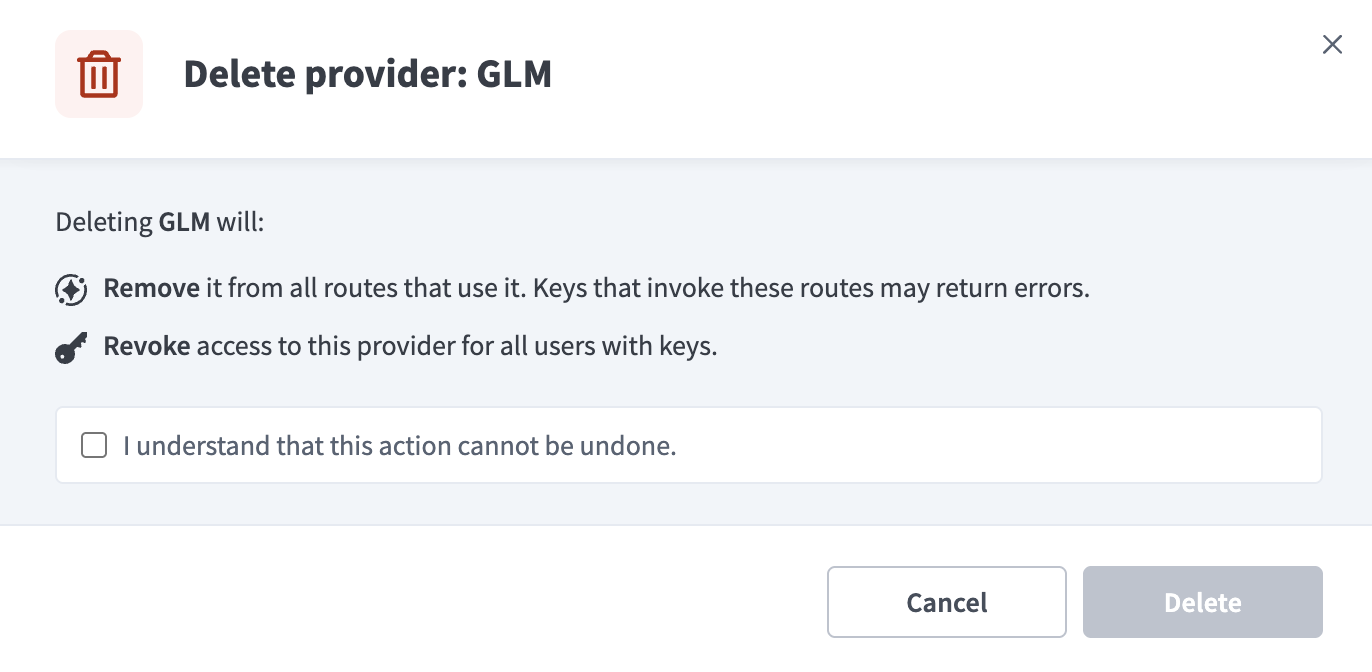 Delete a provider
Click Delete.
Validation messages
Model Gateway returns the following validation messages when you add or edit a provider:
| Field | Message | Condition |
|---|---|---|
| Connection name | Name cannot exceed 100 characters. | The name is longer than 100 characters. |
| API URL | Please enter a valid URL. | The value isn't a valid URL. |
Last updated: