Acumen
Acumen turns your Workato data into contextual insights and trend analysis, helping you manage, monitor, and optimize your automations in production.
Acumen continuously tracks three things about your workspace:
- What's running right now — job volumes, latencies, error patterns, connection health, and the typical baseline for each of your automations.
- What you've built — the dependencies between recipes, connections, APIs, MCP servers, genies, skills, and other automation assets.
- Why it matters — the business processes your automations support, who built and owns them, and the KPIs they roll up to.
This combined context is what makes Acumen useful beyond a generic dashboard: it can tell you not just that something failed, but what business outcome is at risk, which downstream automations are affected, and who should fix it.
Proactive monitoring and alerts
Acumen watches your workspace continuously and surfaces issues before someone has to ask. It detects:
- Silent failures — when an automation suddenly stops processing jobs even though no error has been thrown (for example, a trigger has stalled, a webhook has rejected an incorrect schema, or an upstream system has stopped sending events).
- Failure patterns — bursts of job errors, repeated connection failures, retry storms, or schema mismatches affecting your recipes.
- Unusual volume — sudden spikes or drops in job throughput compared to historical baselines.
When Acumen detects an issue, it raises an active incident on your homepage and through the AIRO chat interface, so the right operator can investigate without waiting for a business user to file a ticket.
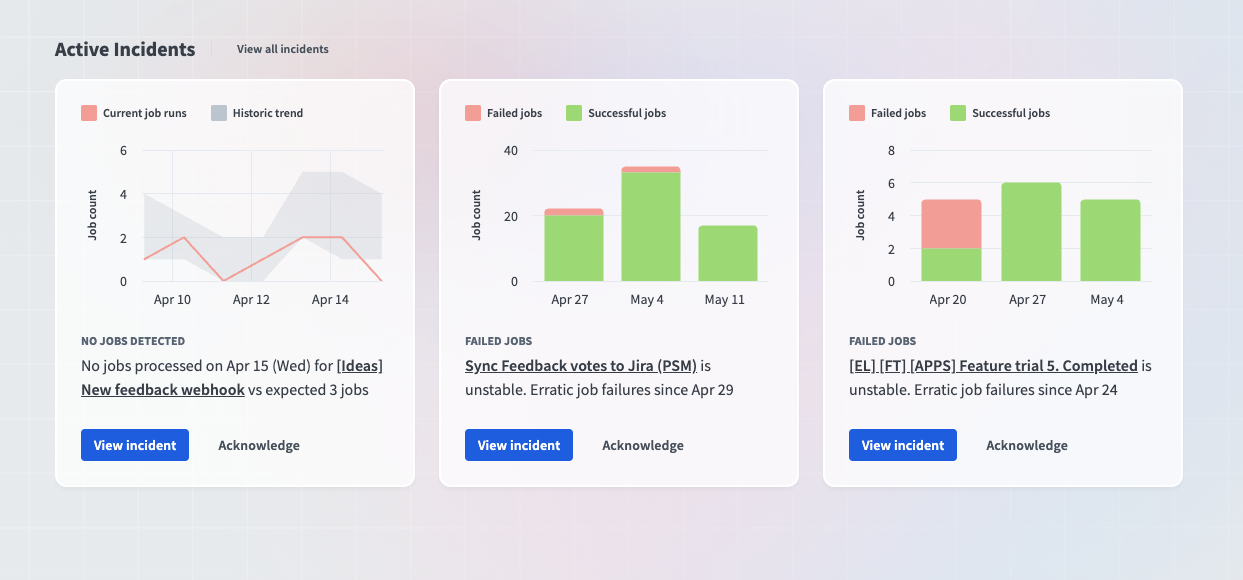 Active incidents on homepage
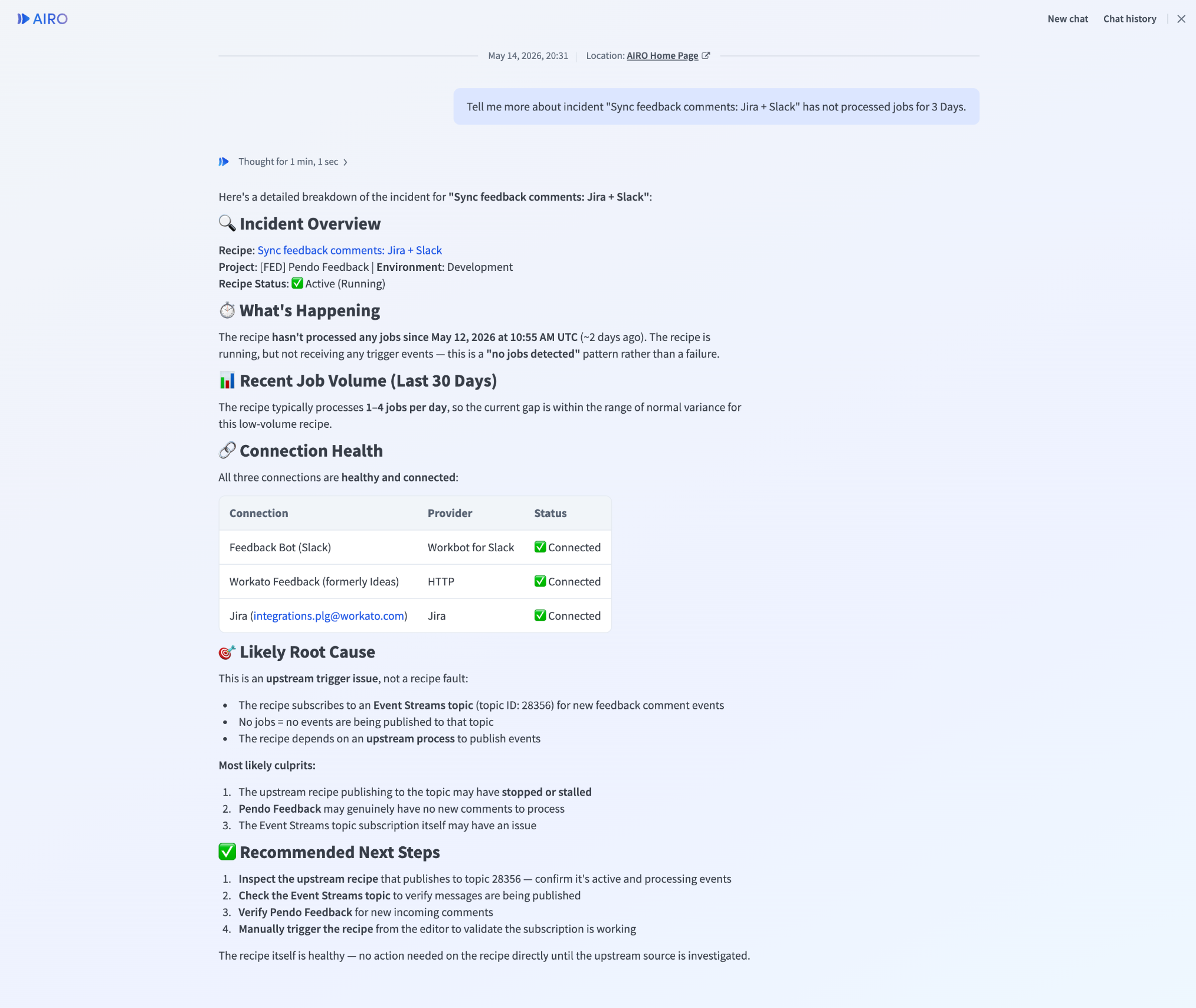 Investigating an incident through chat
Accelerate troubleshooting and impact analysis
Acumen traces a failing recipe through its upstream triggers, parent recipes, shared connections, and data dependencies to identify the root cause.
You can also use Acumen to assess the impact of a change before making it. Ask which recipes use a specific connection or which recipes could be affected by an API version change. Acumen identifies the specific recipes and connections involved rather than returning only a generic connector match.
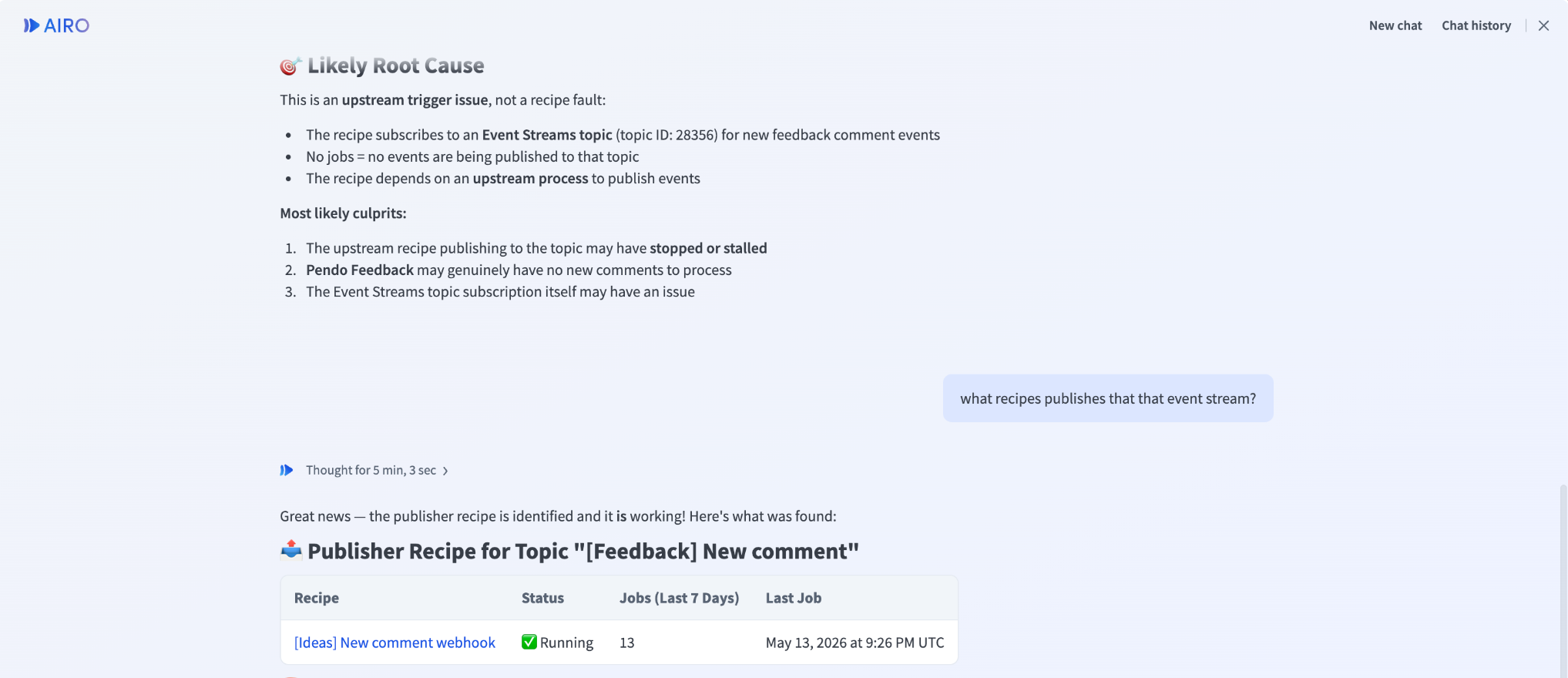 Acumen troubleshooting
Stay on top of your automations with operational analytics
Acumen stays current on all your running automations and the relationships between your assets. You can ask Acumen about recent errors or performance degradation, compare the success rates of your HR-Onboarding project against the previous 60 days, or check the status of your recent deployments.
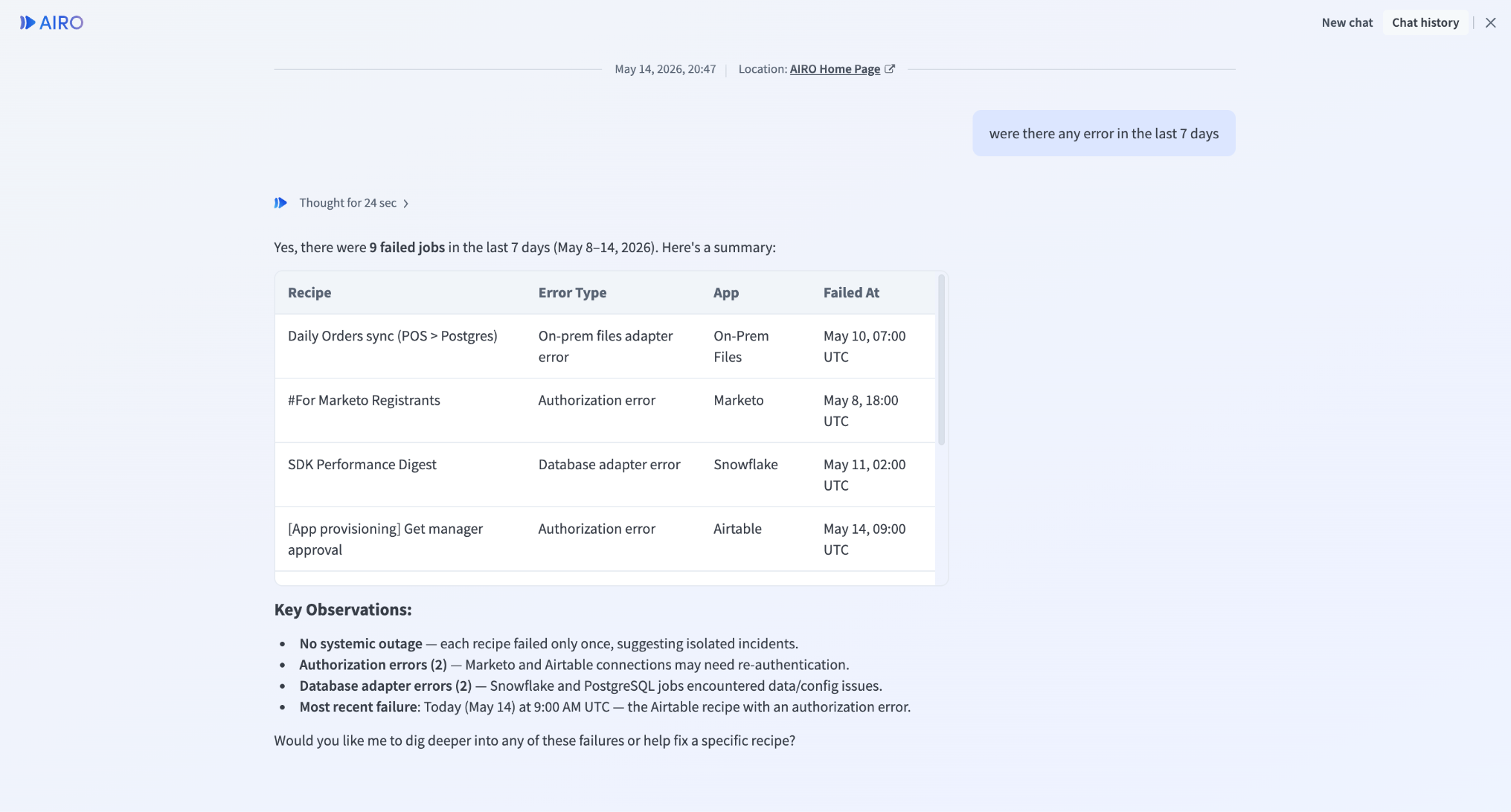 Ask Acumen about recent errors
Monitor and forecast usage
You can ask Acumen for usage reports and forecasts directly in chat. Ask Acumen to generate an ad hoc usage report for a custom time period, filtered by asset tags or projects. You can also ask Acumen to project your usage through the end of your current billing period based on recent consumption patterns.
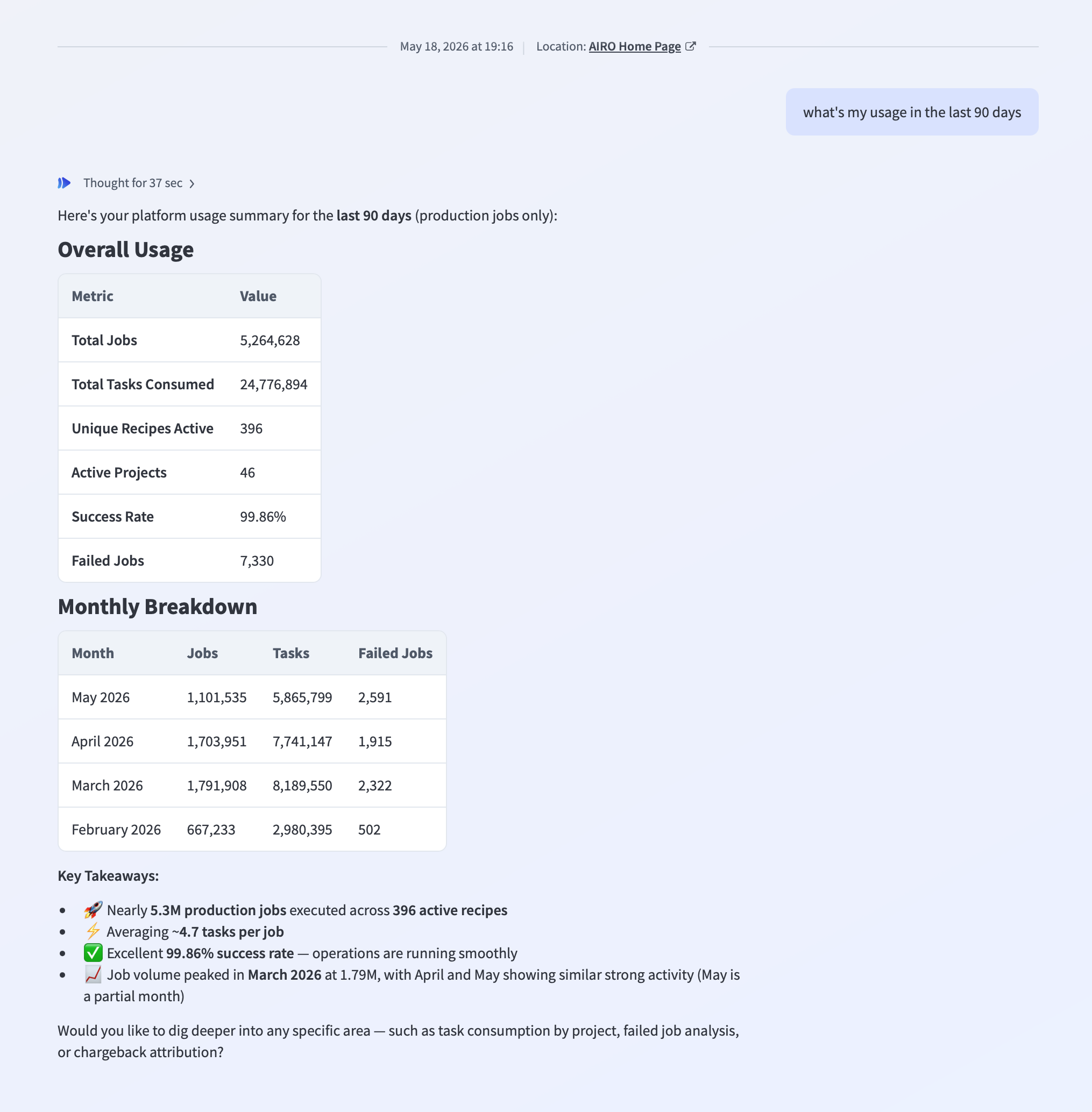 Use Acumen to monitor and forecast usage
Last updated: