Create your first blueprint
This guide walks you through creating your first blueprint using employee onboarding as an example.
REQUIRED PERMISSIONS
Before you begin, ensure you have the following permissions:
- Recipes: Edit, Create, View
- Projects: View (minimum one project)
- Connections: View
- Blueprints: Edit, Create, View
Define your business process
Start with a process you plan to automate. In this example, when a new employee joins the company, several tasks need to happen automatically: creating accounts, scheduling meetings, providing guidance, and handling requests.
The key is being specific about what should happen and when.
- Recommended: "activate an AI assistant on their start date that can schedule meetings, process access requests, and escalate complex issues to support teams."
- Not recommended: "help new employees"
Refer to Describe the outcome, not the task for more on why specificity matters.
Provide your requirements
You can share your requirements with AIRO in several ways:
- Chat directly with AIRO about what you plan to build
- Upload a requirements file. Refer to Supported file types and size for what AIRO accepts
- Paste your requirements into the chat
This example uses a product requirements document (PRD) for an "Onboarding Genie" that helps new hires get started.
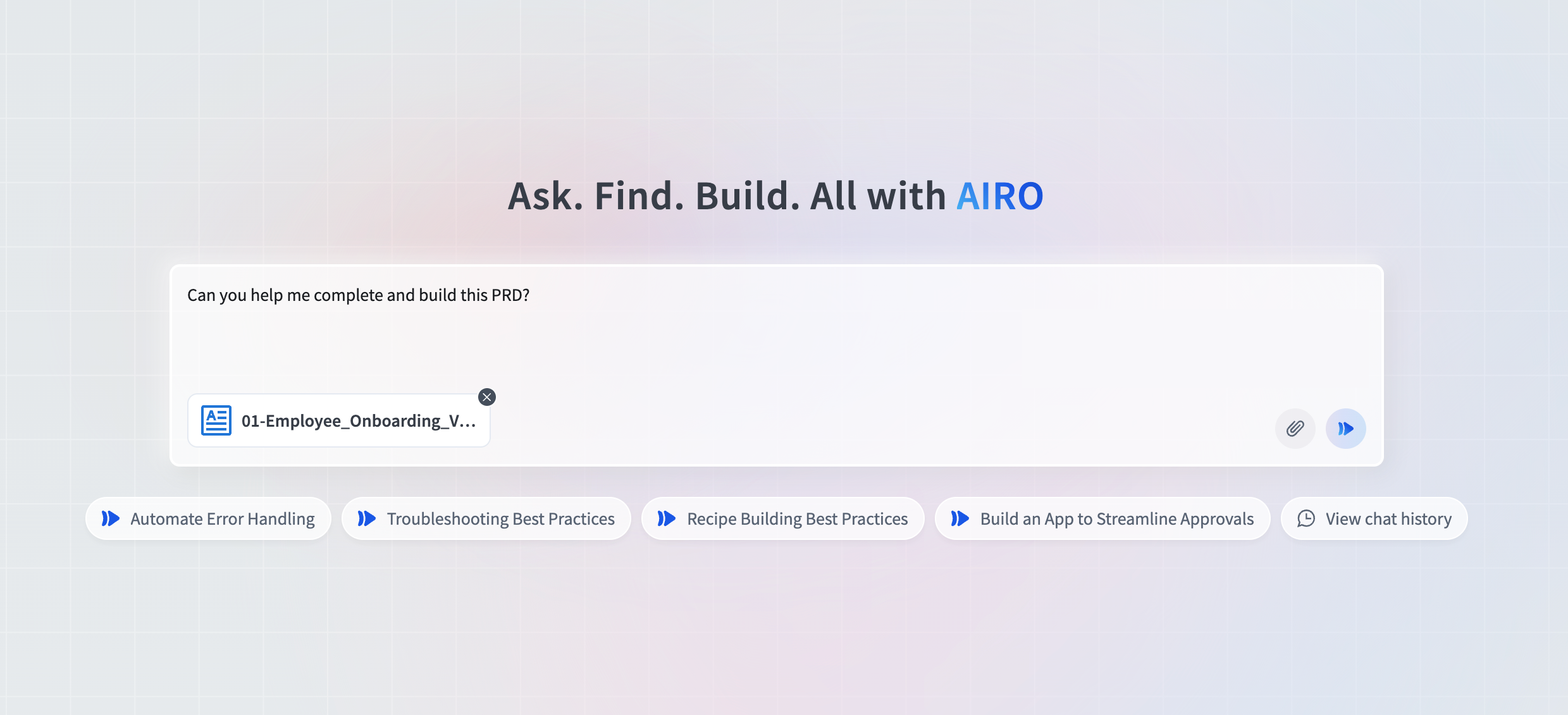 Provide your requirements
See the Onboarding Genie example PRD
Onboarding Genie PRD
Summary
The Onboarding Genie serves as each new hire's AI assistant. It provides real-time status updates, schedules meetings, processes application access requests, and escalates complex issues to support teams. This AI-powered assistant transforms the new hire experience by offering personalized guidance and immediate support throughout the onboarding journey.
Problem Statement
New hires currently feel lost and uninformed about their onboarding progress, leading to:
- Confusion about next steps and expectations
- Difficulty accessing help when needed
- Delays in resolving onboarding issues
- Poor new employee satisfaction affecting retention
Applications & Objects
| Application | Purpose | Objects/Data |
|---|---|---|
| Workday | Employee data and management chain | Workers, Positions, Manager relationships |
| Outlook | Meeting scheduling and calendar management | Users, Calendar Events, Availability |
| Okta | Identity verification and access requests | Users, Groups, Applications |
| Jira | Issue tracking and escalation | Tickets, Projects, Assignments |
Triggers
| Process | Trigger | Frequency / Schedule |
|---|---|---|
| Onboarding Genie Activation | New hire's employee record reaches their start date | Real-time (event-based) |
Functional Requirements
AI Assistant Activation and Core Functionality
Requirements:
- Activate the Onboarding Genie on the new hire's start date
- The Genie must provide personalized guidance based on the employee's position and department
- The Genie must provide status updates on onboarding progress and next steps
Implementation Details:
- Extract worker information from Workday for personalization
- Use employee department and role data to customize guidance
- Implement natural language processing for question interpretation
- Maintain session state and conversation history
Meeting Scheduling Capability
Requirements:
- The Genie must process meeting requests from new hires
- The system must check participant availability using Outlook Calendar
- The Genie must create calendar events with 30-minute default duration
- Meeting invites must be sent to all participants automatically
- The system must handle scheduling conflicts and suggest alternative times
Implementation Details:
- Integrate with Outlook Calendar API for availability checks
- Default meeting duration of 30 minutes unless specified otherwise
- Include relevant onboarding context in meeting invitations
- Provide rescheduling options when conflicts occur
Access Request Management
Requirements:
- The Genie must handle self-service application access requests
- The system must validate requester identity using Okta
- Access requests must be routed to appropriate approval workflows
- The Genie must provide status updates on pending access requests
- The system must notify users when access has been granted or denied
Implementation Details:
- Use Okta for identity verification before processing requests
- Route requests based on application type and organizational policies
- Track request status and provide real-time updates
- Send notifications for request status changes
Issue Escalation and Ticket Creation
Requirements:
- The Genie must identify complex issues that require human intervention
- The system must create Jira tickets for escalated issues with full context
- Tickets must be routed to appropriate support teams based on issue type
- The system must use Workday data to identify correct managers and support contacts
- Escalated issues must include conversation history and relevant employee information
Implementation Details:
- Define escalation triggers for different issue types
- Create Jira tickets with comprehensive context and troubleshooting history
- Use Workday manager lookup for proper routing
- Preserve chat history for human support reference
- Provide estimated resolution timelines to employees
Employee Data Integration
Requirements:
- The system must access employee information via a new Employee Directory API endpoint
- The system must retrieve and utilize the following employee data:
- Basic information: first name, last name, work email, worker ID, phone
- Organizational details: department, cost center, manager, direct reports
- Employment information: start date, position title, employment type, location
- Status information: active/inactive, PTO status
Implementation Details:
- Required parameter: employee_id
- Use retrieved data for personalized interactions and proper routing
- Cache employee data appropriately for performance
- Handle API failures gracefully with fallback procedures
Error Handling & Exception Management
System Availability Exceptions
Condition: Target systems (Workday, Outlook, Okta, Jira) unavailable
Resolution:
- Implement retry logic with exponential backoff
- Provide offline guidance where possible
- Escalate to human support after 3 failed attempts
- Log all system availability issues for monitoring
Data Integration Exceptions
Condition: Missing or incomplete employee information
Resolution:
- Use generic onboarding guidance when personalized data unavailable
- Flag missing data for HR review
- Notify manager of data gaps that affect onboarding quality
- Continue service with available information
Business Logic Exceptions
Condition: Invalid or complex requests beyond Genie capabilities
Resolution:
- Create Jira ticket with full context and conversation history
- Route to appropriate support team based on request type
- Provide estimated resolution timeline to employee
- Send confirmation that issue has been escalated
Technical Implementation Notes
- All Jira ticket creation logic must be embedded directly in the Genie workflow
- System must maintain conversation context and history throughout onboarding period
- Escalation procedures must preserve complete chat history for human support context
- Error handling should be graceful with clear communication to users about next steps
Fill in the gaps
AIRO reviews your requirements and asks targeted questions to ensure nothing is missing. For the onboarding example, AIRO might ask:
"Should the Genie respond to employees in real-time through chat, or should requests be processed in batches? If real-time, what triggers these interactions—chat events, API calls, or something else?"
This conversation continues until AIRO has enough detail to understand:
- Problem and business context: What process you're automating and why
- Applications and objects: Which systems and data need to connect
- Execution and frequency: When the automation should run
- Business logic and validation: What rules and checks should apply
- Error handling: What happens when something goes wrong
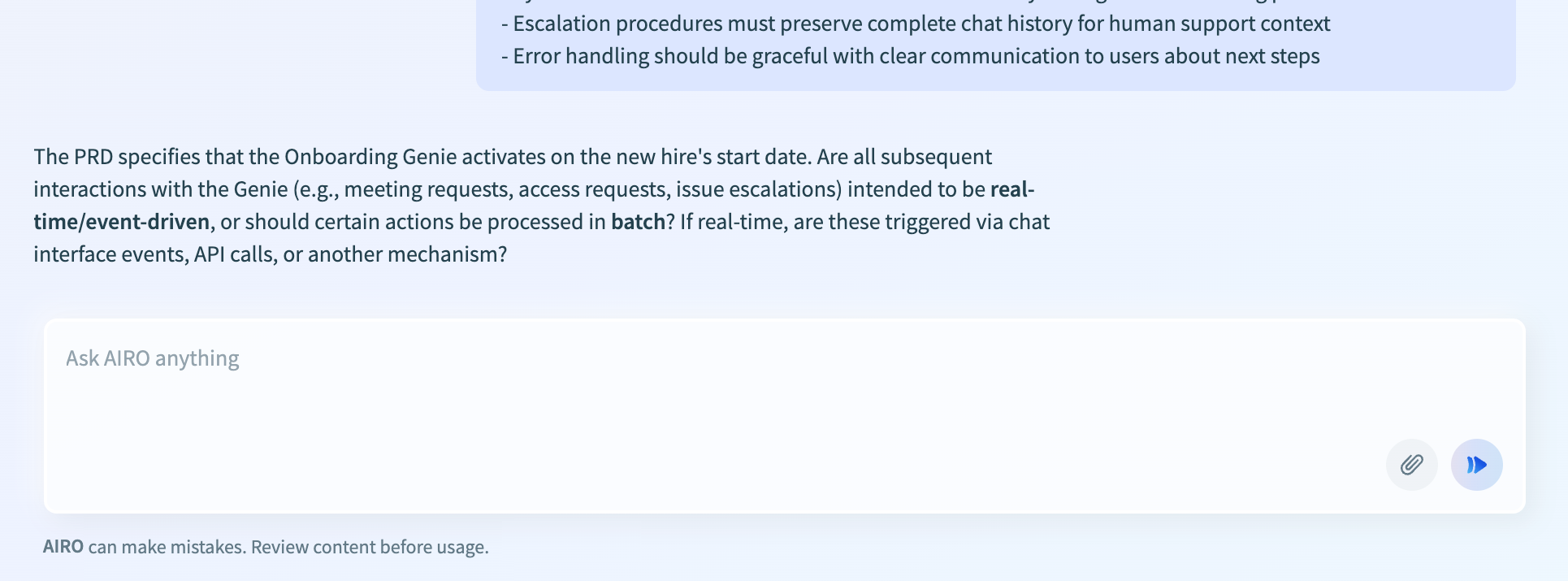 Complete your requirements with AIRO
Choose your project
Select the project where you plan to save your blueprint. You'll only see projects where you have sufficient permissions.
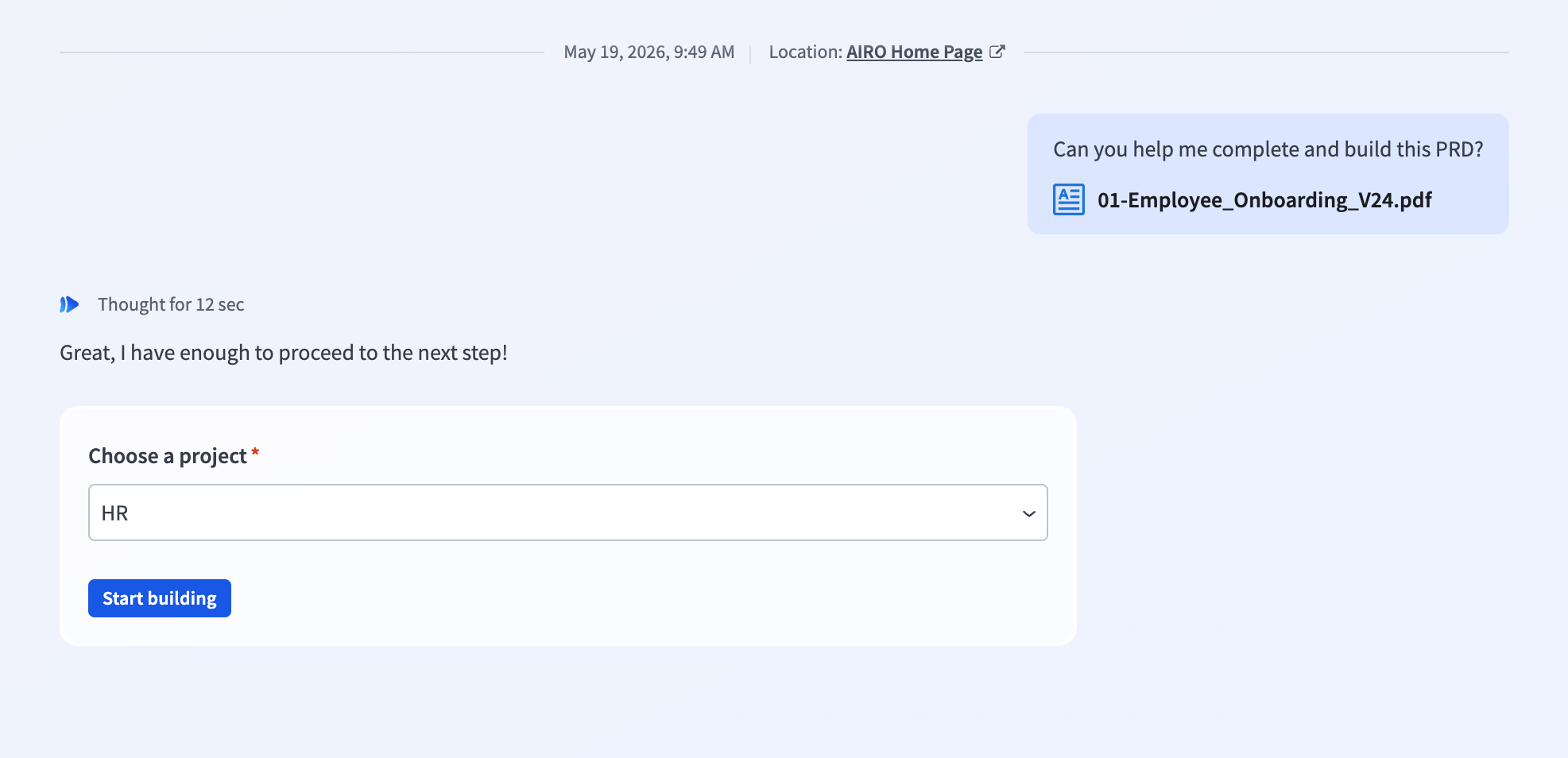 Choose the project to save your blueprint in
Generate your blueprint
AIRO creates a complete implementation plan that includes all the assets needed to build your automation. This process takes a few minutes depending on the complexity of your requirements.
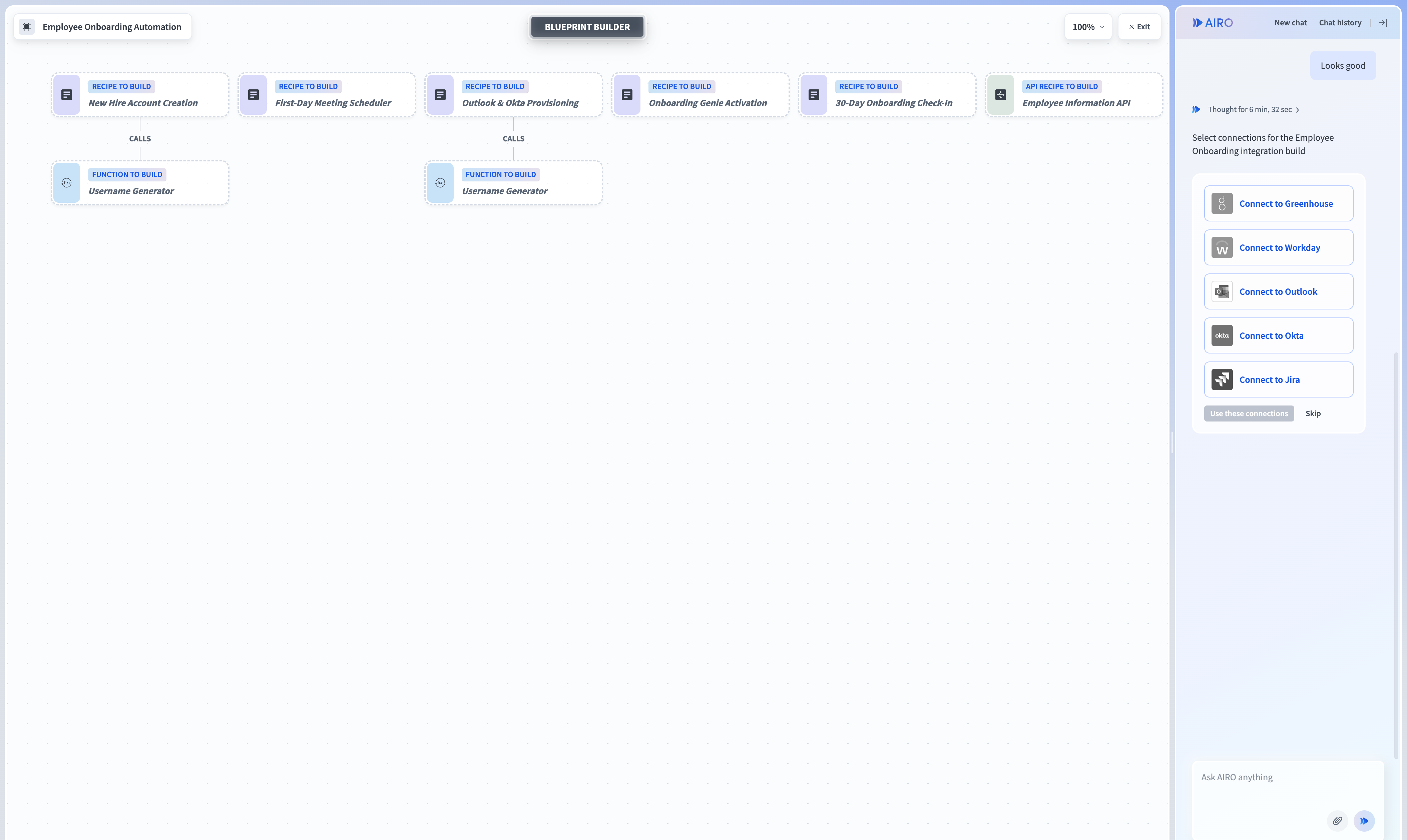 Review the generated blueprint
Start building
Review your blueprint and build the assets that you need for your automation.
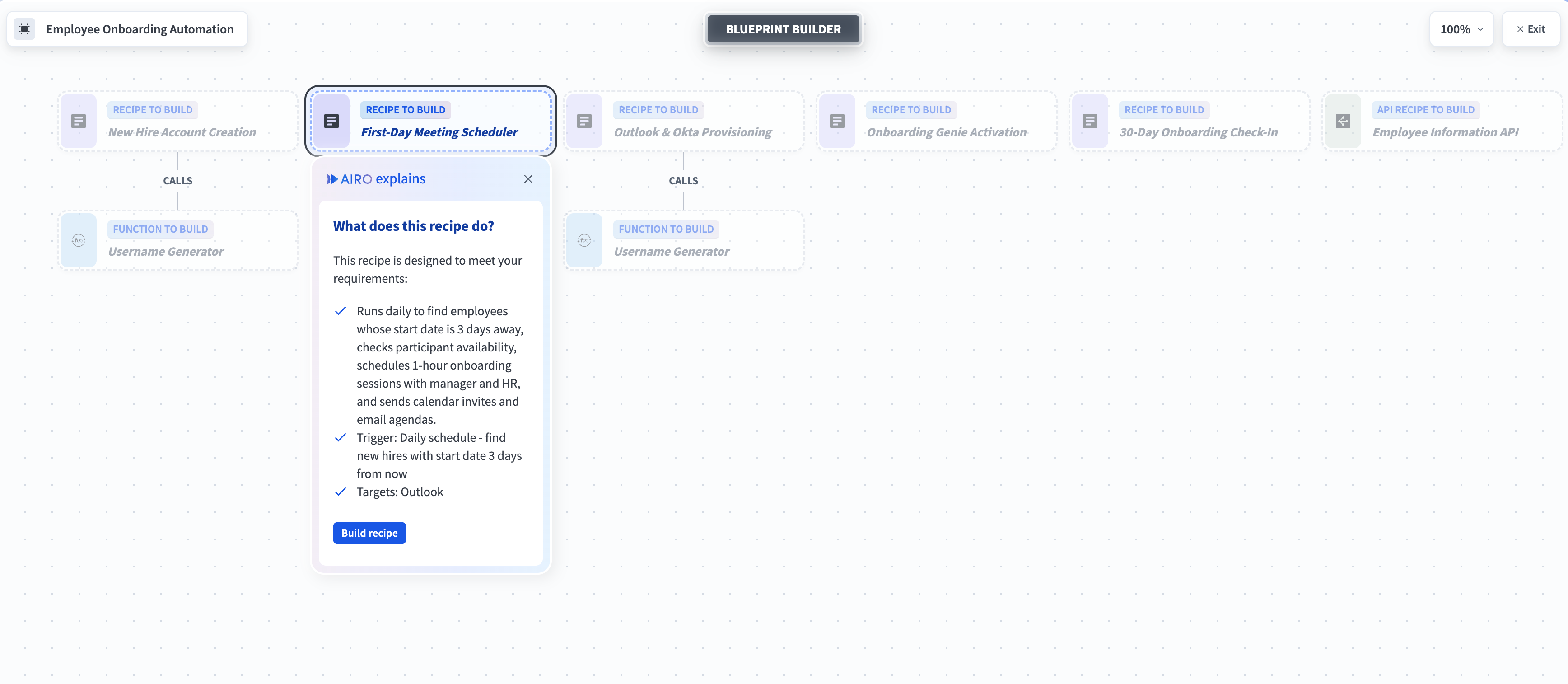 AIRO explains what each asset or collection of assets does
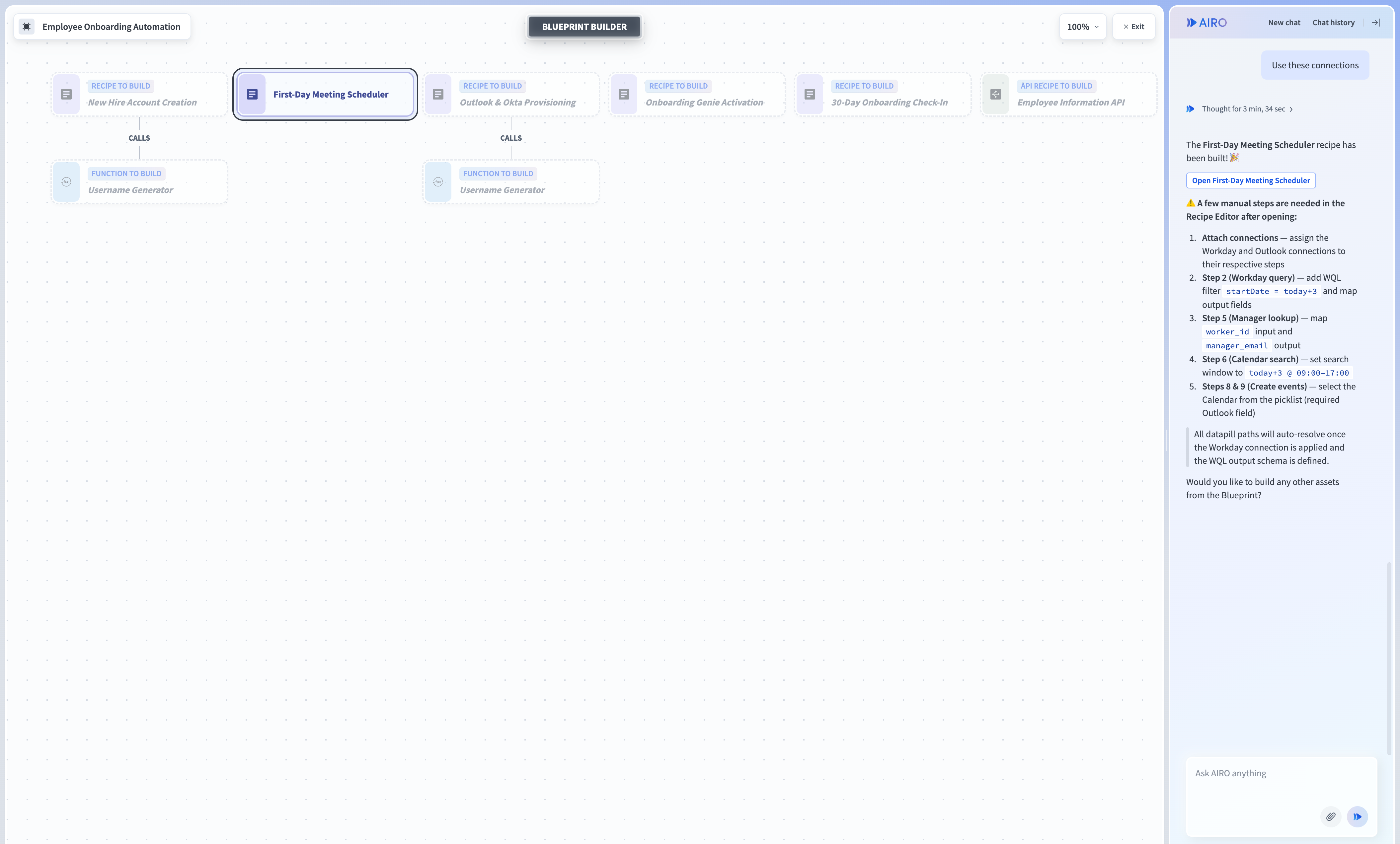 AIRO builds an asset
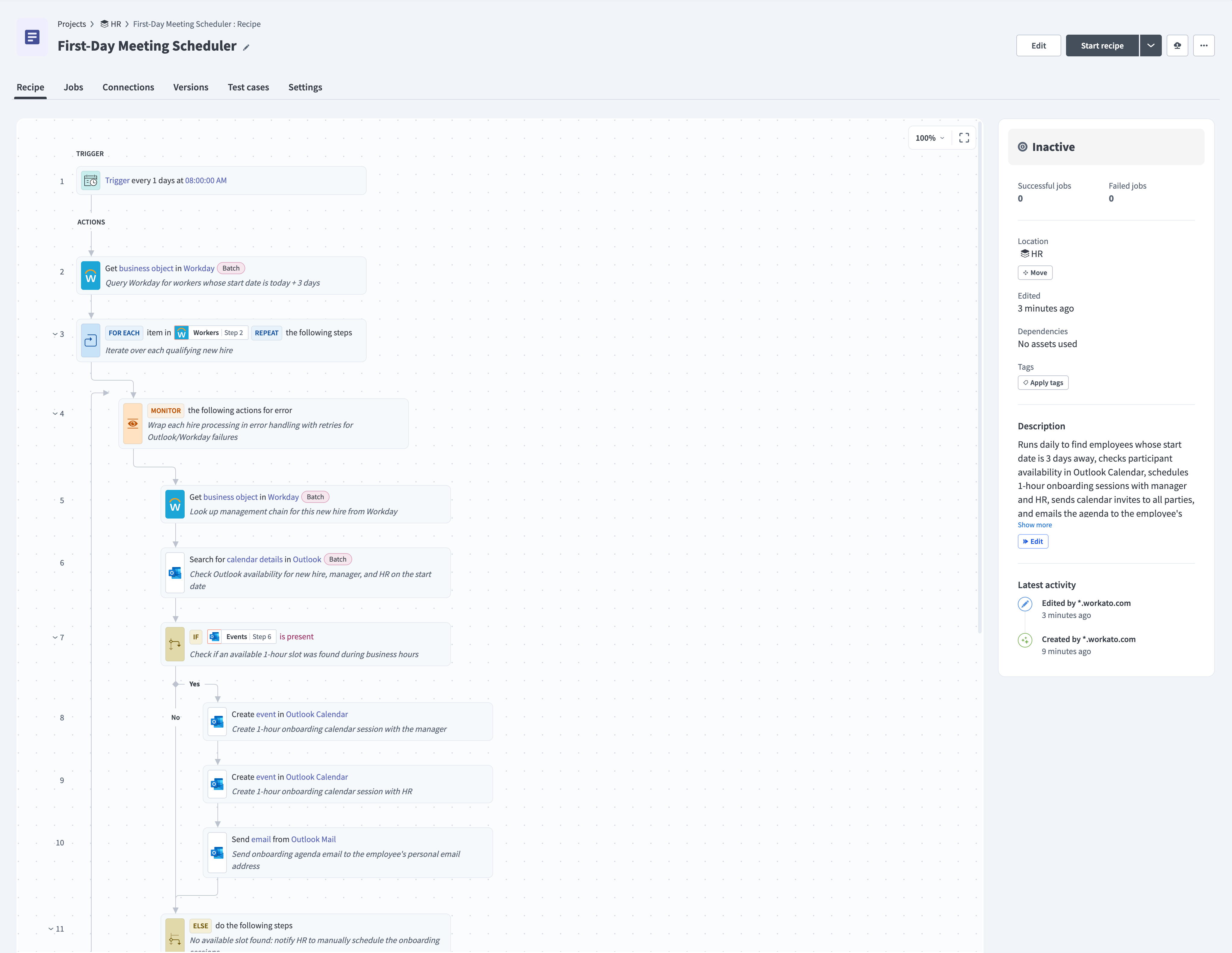 The AIRO generated asset
Refer to Requirements best practices for tips on structuring your requirements before you start, and Edit your blueprint for how to keep refining it afterward.
Last updated: