Manage AIRO chat history
You can revisit any past conversation with AIRO.
- Click Chat history in the AIRO chat panel, or AIRO in the sidebar, to see a list of your recent chats.
- Click View all chats under either list, or expand AIRO to fullscreen directly, to see a persistent All chats panel grouped by date.
Chats are automatically named based on your first message, but you can rename them anytime. Start with clear, descriptive requests for better organization later.
Rename a chat
Complete the following steps in All chats to rename a chat:
1
Select the ... (ellipsis) next to the chat.
2
Click Rename.
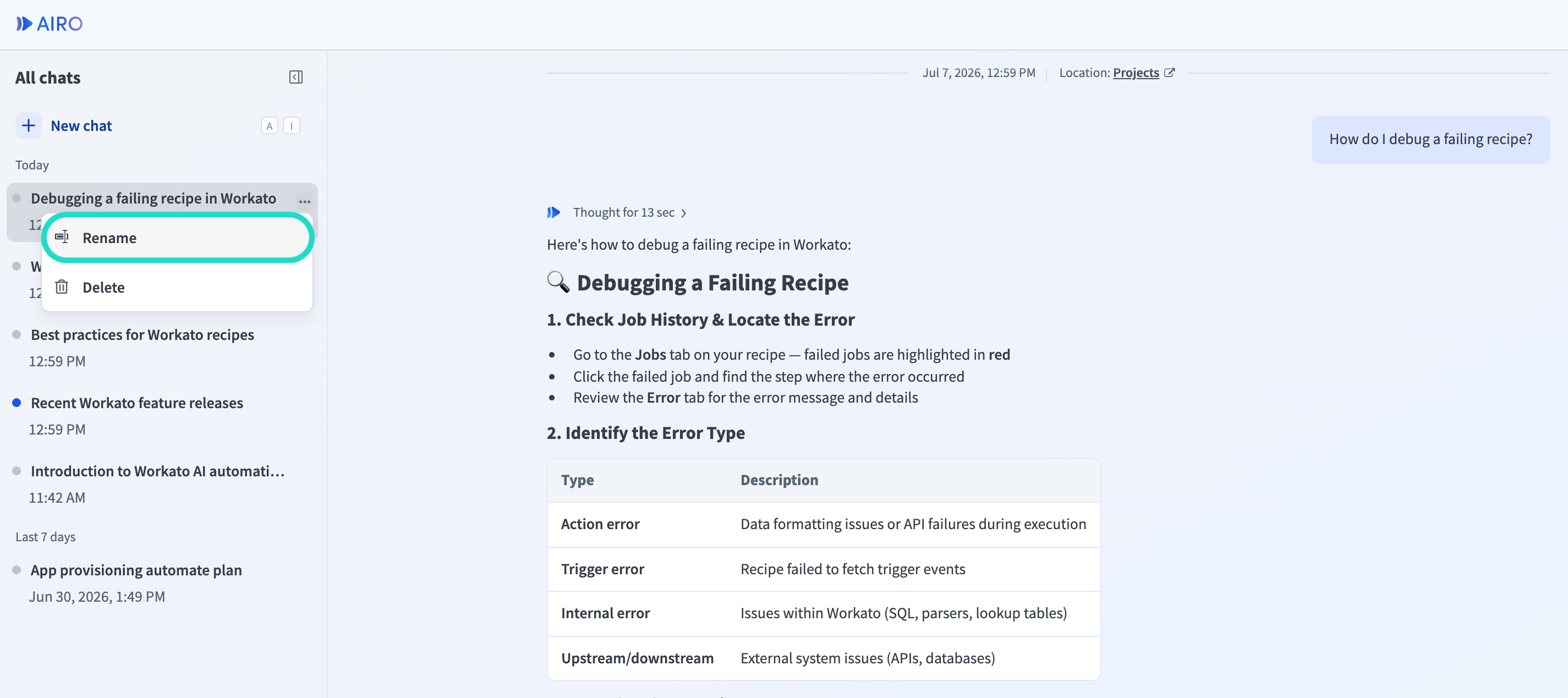 Rename chat
3
Enter a new name for the chat and click ✔ to save.
Delete a chat
Complete the following steps in All chats to delete a chat:
1
Select the ... (ellipsis) next to the chat.
2
Click Delete.
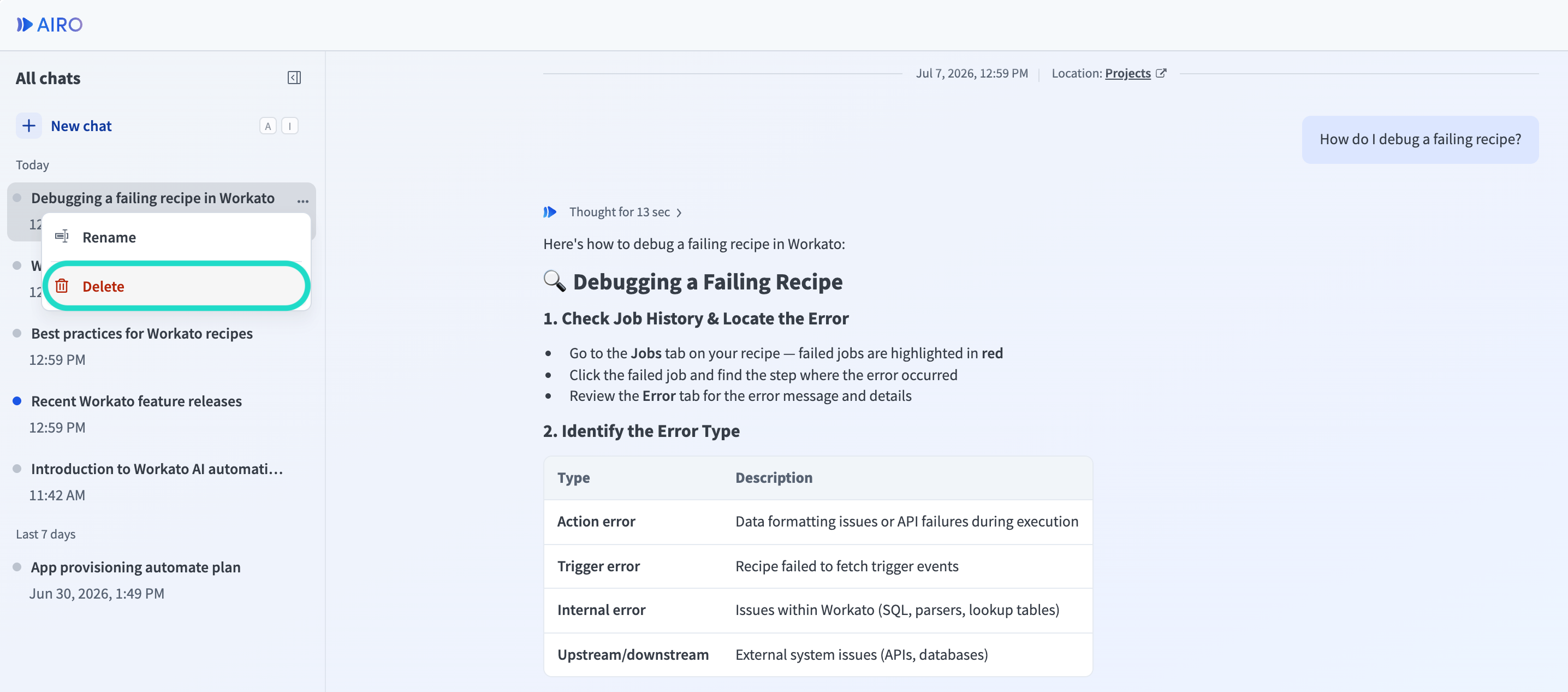 Delete chat
3
Click Delete again to confirm.
Last updated: