Manage chats with AIRO
AIRO saves your chats so you can return to them later. You can rename or delete a chat, or copy its conversation ID.
View previous chats
You can view recent chats from the AIRO chat panel or the sidebar.
 Chat history in the AIRO chat panel
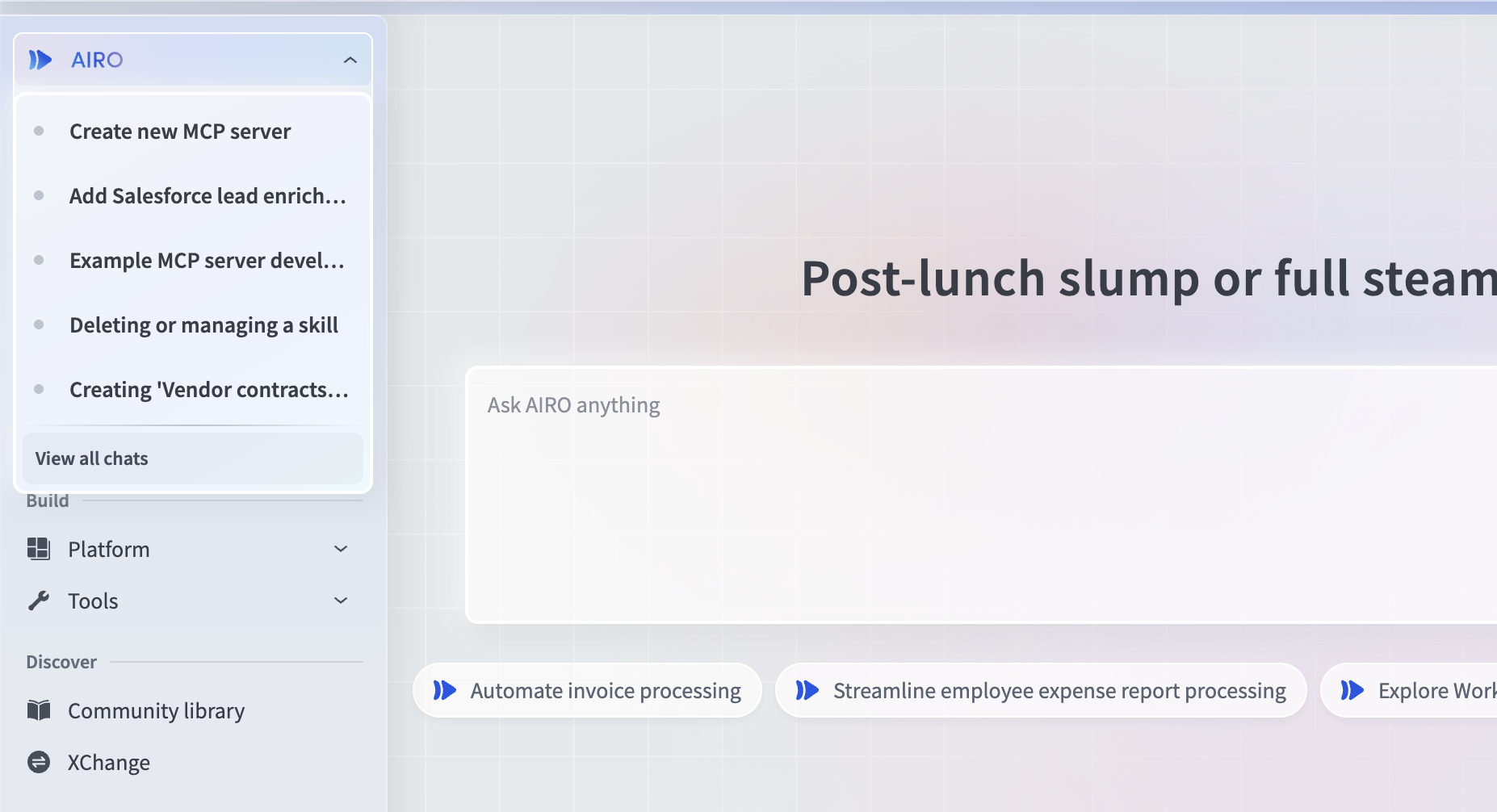 AIRO in the sidebar
Select a chat in either list to open it.
Select View all chats below either list to open All chats. You can also open All chats by expanding AIRO to full screen. All chats groups chats by date.
Select the ... menu next to a chat in All chats or in the header of an open chat to manage it.
Rename a chat
AIRO uses your first message to name each chat. You can change the name at any time.
Complete the following steps to rename a chat:
Select the ... menu.
Select Rename.
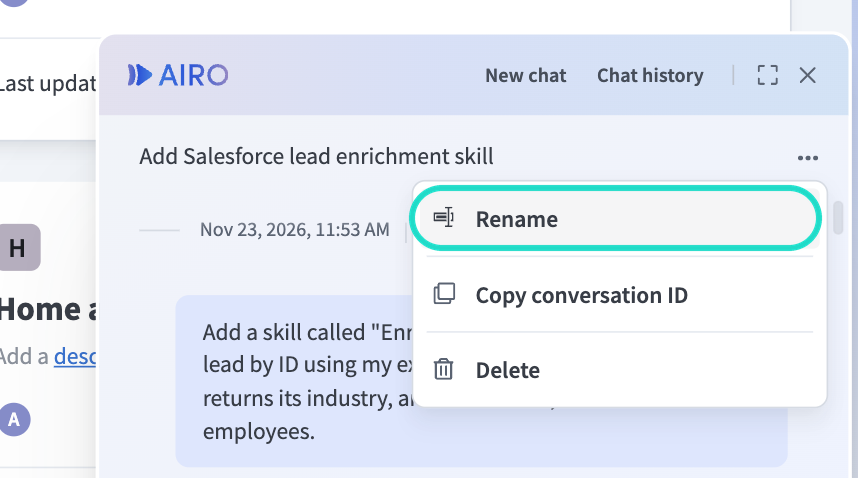 Rename chat
Enter a new name and select ✓ to save it.
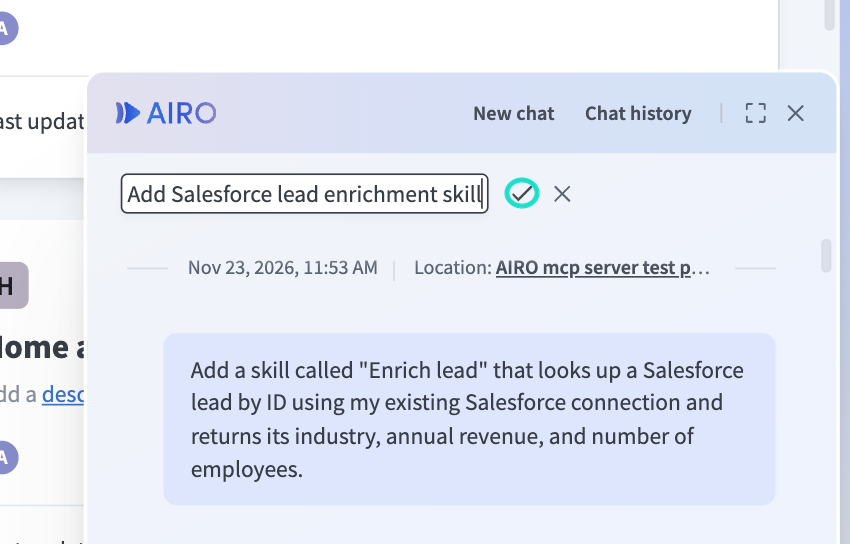 Save the new chat name
You can also rename an open chat by selecting its name in the chat header.
Copy a conversation ID
Complete the following steps to copy a conversation ID:
Select the ... menu.
Select Copy conversation ID.
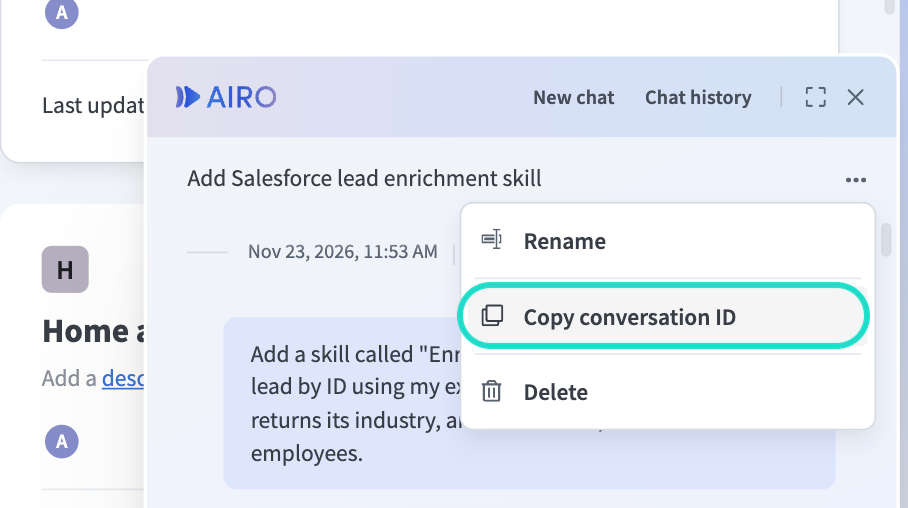 Copy conversation ID
Include the conversation ID in a support ticket to identify the chat.
Delete a chat
Complete the following steps to delete a chat:
Select the ... menu.
Select Delete.
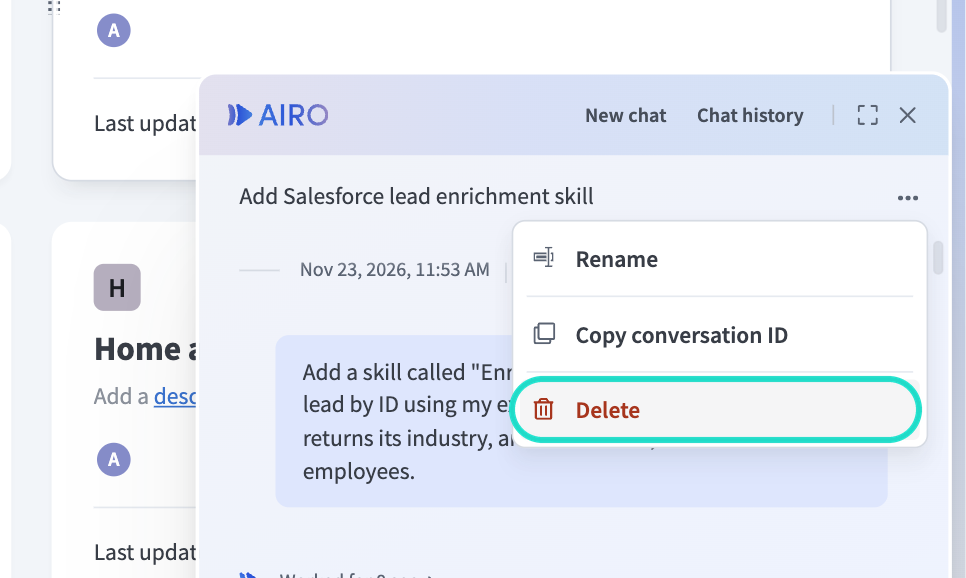 Delete chat
Select Delete again to confirm.
Last updated: