Find unused assets with AIRO
Workspaces accumulate unused recipes, disconnected connections, and idle AI assets as projects end and people move teams. You can ask AIRO what isn't being used instead of searching for it yourself.
Video guide: Clean up unused recipes and connections with AIRO
FORMAT MAY VARY
The exact wording and formatting AIRO uses can differ from this example, but the underlying analysis draws on the same workspace data each time you ask.
Ask what isn't being used
Start a new conversation with AIRO and ask what in your workspace isn't being used:
What in my workspace isn't being used?
Acumen, the part of AIRO that monitors your automations in production, checks assets across your workspace and flags anything idle, such as recipes that haven't run recently, connections that are disconnected, or genies and knowledge bases that haven't been queried recently.
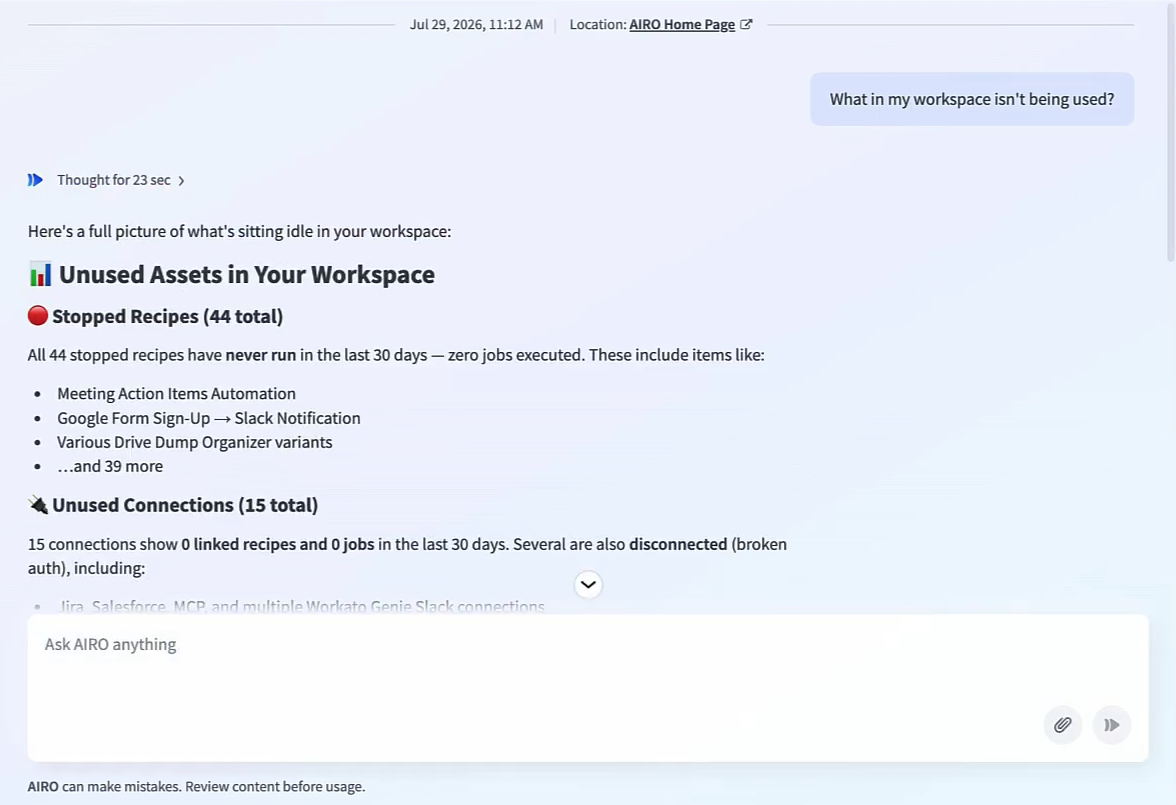 AIRO lists unused recipes and connections
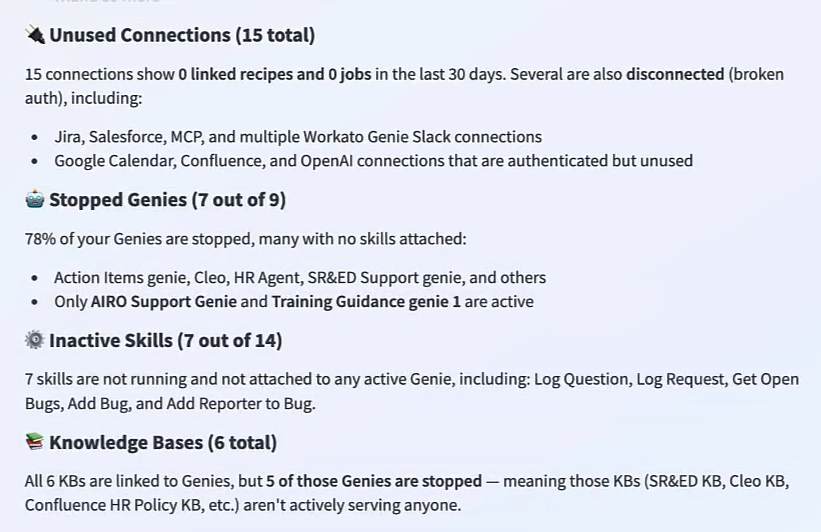 AIRO lists unused genies, skills, and knowledge bases
AIRO also gives recommendations for what to do with what it found, such as deleting unused recipes or reconnecting disconnected connections, to keep your workspace organized. AIRO surfaces the recommendation, but you make the change yourself in your workspace.
Every AIRO conversation persists in the side panel, so you can return to it later. Refer to Manage AIRO chat history for more information.
Last updated: