# Salesforce - Reject record in approval process action
This action rejects a Salesforce record and triggers all steps in the rejection process.
For example, steps in the rejection process can lock the record, update fields, send an outbound message, or send an email. This action also triggers the Salesforce 'Final rejection actions' if they are configured. Refer to the Salesforce approval process guide for more information about approvals.
# Input
| Input fields | Description |
|---|---|
| Record ID | Specify the Salesforce ID of the record and the approval process. You can use the drop-down menu to toggle this field to Use approval request ID if a previous step already submits the record for approval. You can obtain this ID from other Salesforce actions, such as Search records. |
| Comments | Enter comments to include with the rejection. |
| On-behalf-of user email | Optional. Enter the email of a Salesforce user to impersonate. Contact your Workato Customer Success Manager to enable this field. This field only supports JWT connections. |
# Output
| Output fields | Description |
|---|---|
| Record ID | The Salesforce ID of the record. |
| Status | The status of the record's approval. |
| Approval request ID | The Salesforce ID of the approval request. |
| Success | Indicates whether the record was approved successfully. |
| Errors | An object containing any errors that occurred. |
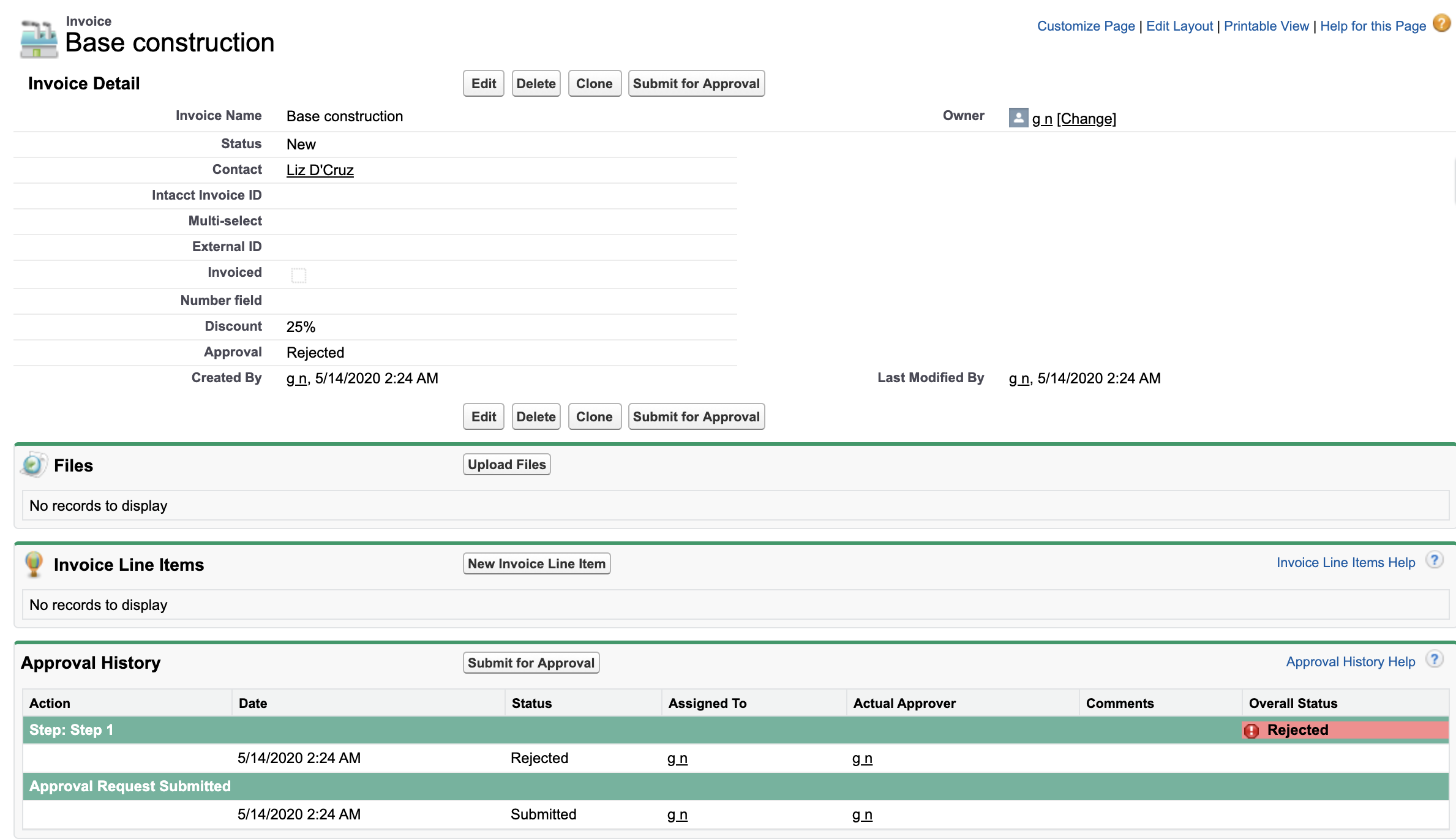 A rejected record
Last updated: 3/4/2026, 5:59:58 PM