Activity audit
Activity audit records governance actions in your Control plane, such as sign-ins, collaborator changes, workspace link requests, and SAML SSO and SCIM configuration changes. Use Activity audit to determine who made a change, when they made it, and where they made it from.
Activity audit only records Control plane events. Refer to Activity audit log for events in a workspace.
ROLE REQUIRED
Collaborators with the Admin or Auditor role can view and export Activity audit. Collaborators with the Policy admin role can't access Activity audit. Refer to Collaborator roles for more information.
Access Activity audit
Complete the following steps to access Activity audit:
Sign in to your Workato account.
Expand the workspaces menu.
Click Control plane.
Sign in using your Control plane credentials or SSO.
Click Activity audit in the side navigation menu.
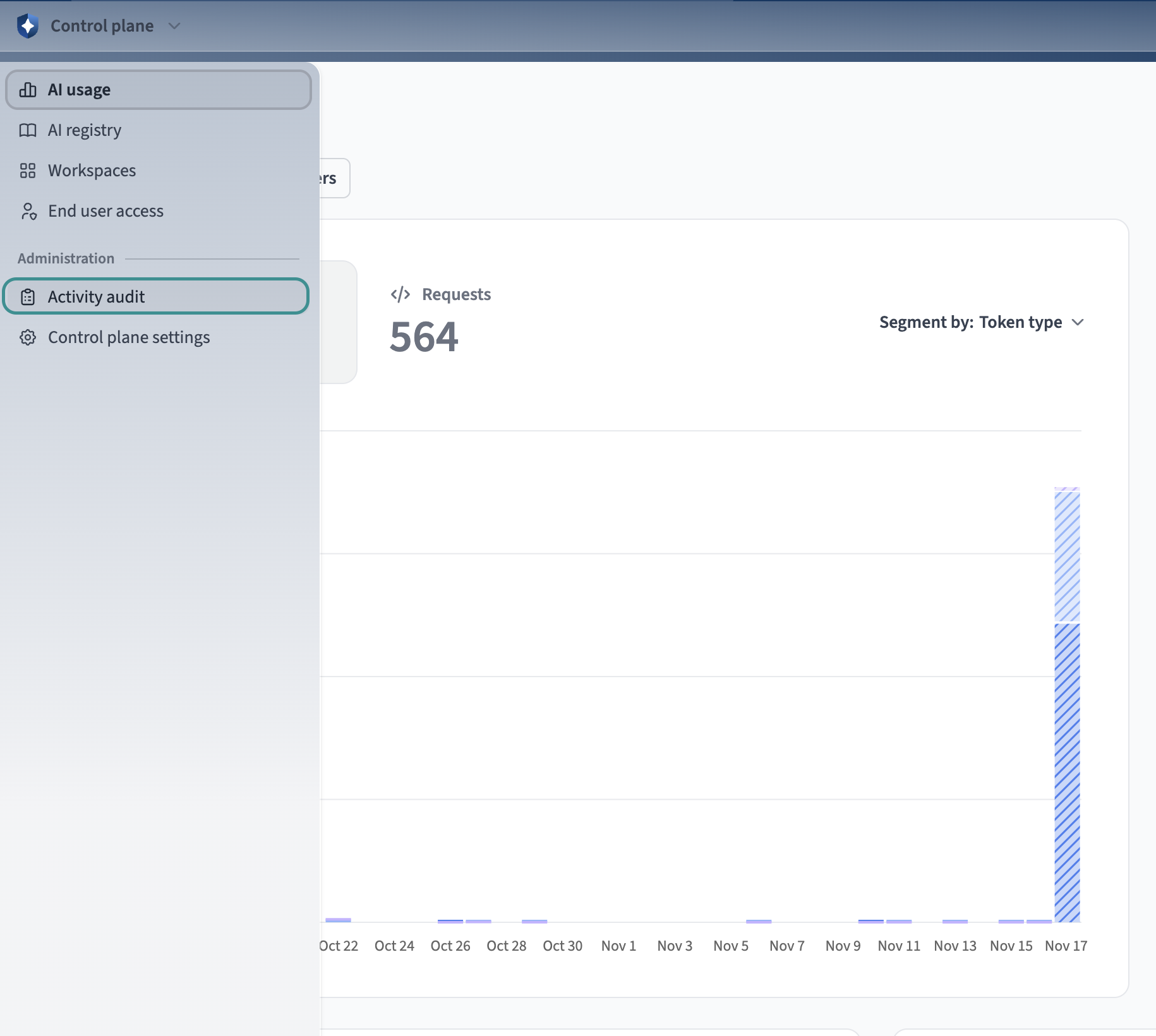 Click Activity audit
Recorded events
Activity audit groups events into the following categories:
| Category | Events |
|---|---|
| Authentication | A collaborator signs in to Control plane, or a sign-in fails. |
| Collaborators | A collaborator is invited or removed. Canceling a pending invitation records a removal event. |
| Workspaces | A link request is sent, resent, or canceled. A workspace owner approves or rejects a link request. Approving links the workspace. A workspace is unlinked. |
| SAML & SCIM | A SAML SSO configuration is created, enabled, or updated. A SCIM token is rotated. |
Each event includes the time it occurred, the collaborator who performed the action, the affected target, such as a collaborator, workspace, or SAML configuration, and the IP address and user agent of the request. Activity audit doesn't record tokens, certificates, or other secrets.
Activity audit records SAML SSO sign-ins and password sign-ins as the same event. Failed sign-in events don't include a collaborator. An incorrect password doesn't record a failed sign-in event. Activity audit also records a sign-in when a Control plane session ends and the collaborator is signed back in without re-entering their credentials. Control plane sessions end after 12 hours, or after 2 hours of inactivity.
Workspace owners approve or reject link requests from their workspace settings instead of Control plane. Approval and rejection events don't include a collaborator, IP address, or user agent.
Filter events
Activity audit lists events from newest to oldest and displays events from the last 7 days by default. Use the date range, collaborator, and category drop-down menus to filter events. You can combine filters to narrow the list further.
The category filter includes the following options:
- All categories
- Authentication
- Collaborators
- Workspaces
- SAML & SCIM
Export events
Export events as a CSV or JSON file. Exports only include events that match your current filters.
Complete the following steps to export events:
Optional. Filter events to limit the events you plan to export.
Click Export.
Select CSV or JSON in the Export activity audit modal.
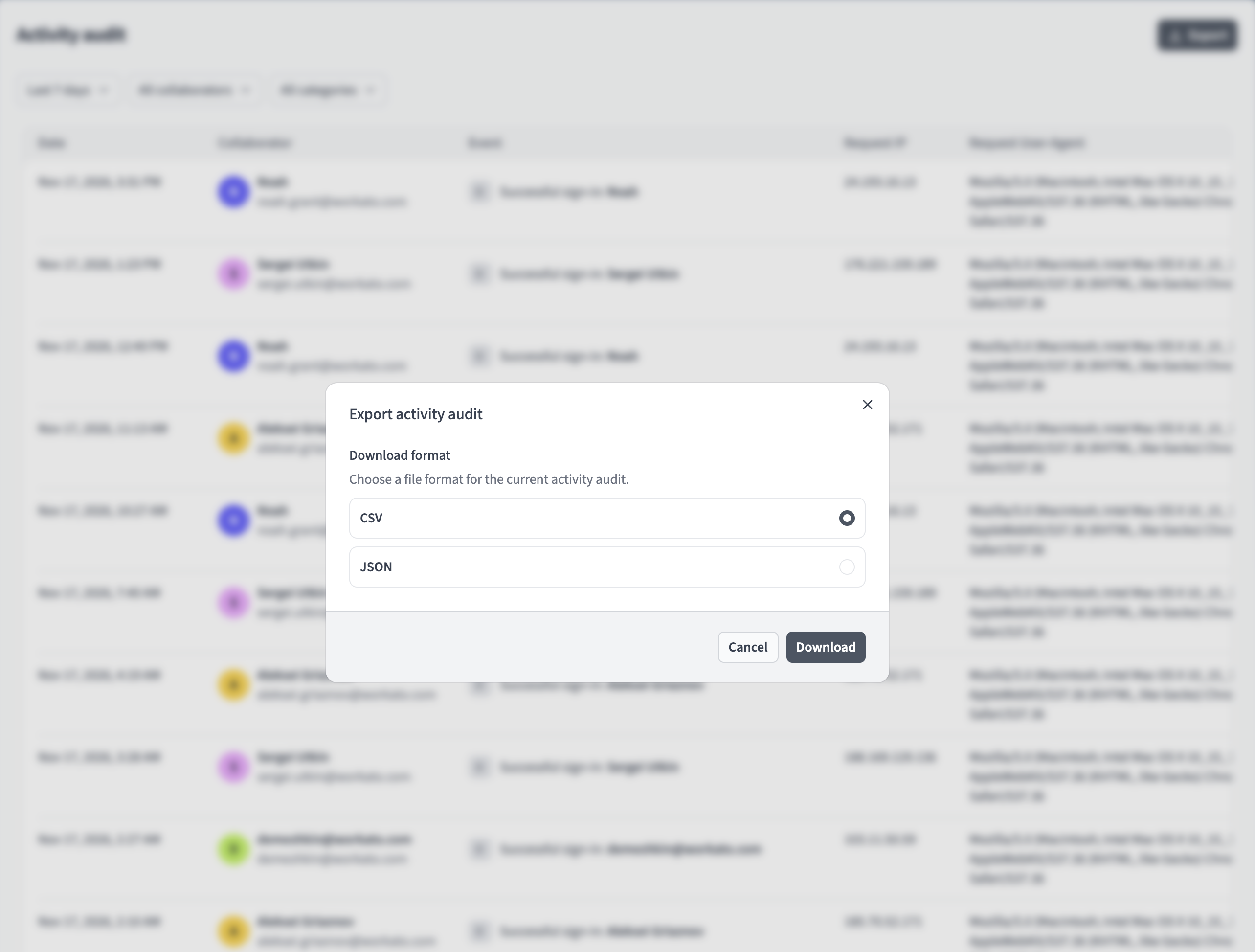 Select a download format
Click Download.
Last updated: