Install an on-prem agent using the RPM Linux package
Complete the following steps to install an on-prem agent using the RPM Linux package on operating systems such as Red Hat, Fedora, and Centos:
PREREQUISITES
You must complete the following prerequisites to install an on-prem agent using the RPM Linux package:
- Obtain
sudoprivileges on the machine where you plan to install the agent. - Ensure traffic to Workato is allowed from your server. Refer to security allowlists to add Workato to your allowlist.
- Create an on-prem group.
USE THE WORKATO SYSTEM USER
The OPA installer automatically creates a workato system user. Workato strongly recommends running set up commands as this system user to avoid permission errors during activation. Refer to the On-prem setup & installation issues guide for more information.
Sign in to your Workato account.
Go to Tools > On-prem groups and select the group where you plan to activate the agent.
Click Add new agent. The Add agent dialog opens.
Provide an Agent name, use the Operating system drop-down menu to select Linux, and use the Installation method drop-down menu to select RPM package. 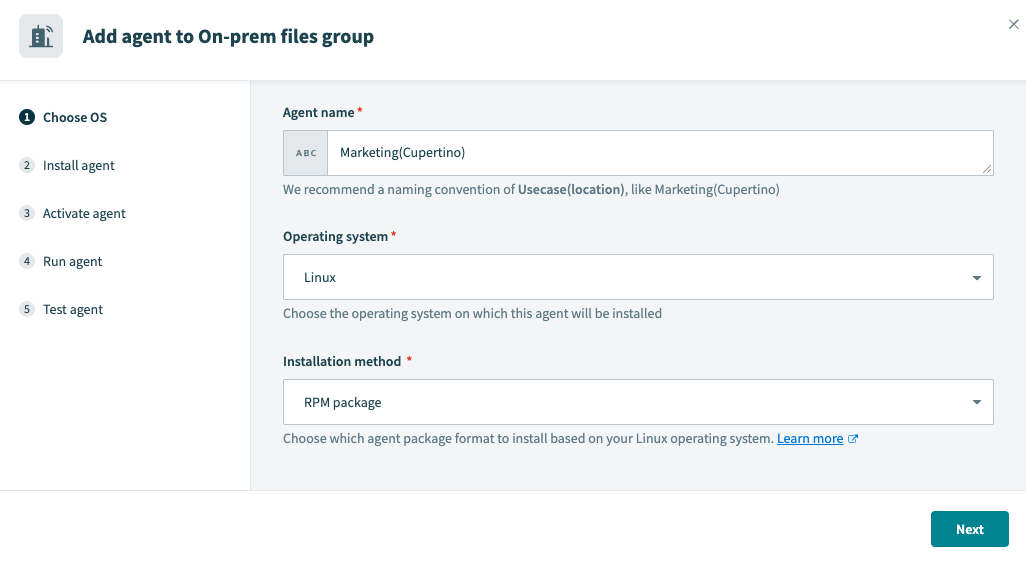 Choose OS
Click Next.
Return to Workato and click Next.
Copy the command provided by the wizard and run it in the directory where the agent is installed. This automatically creates the agent key and certificate in the agent package. We strongly recommend you run this command as the workato system user to avoid permission errors. Refer to the On-prem setup & installation issues guide for more information.
The activation code is valid for one hour. Click Regenerate code to generate a new code if it expires.
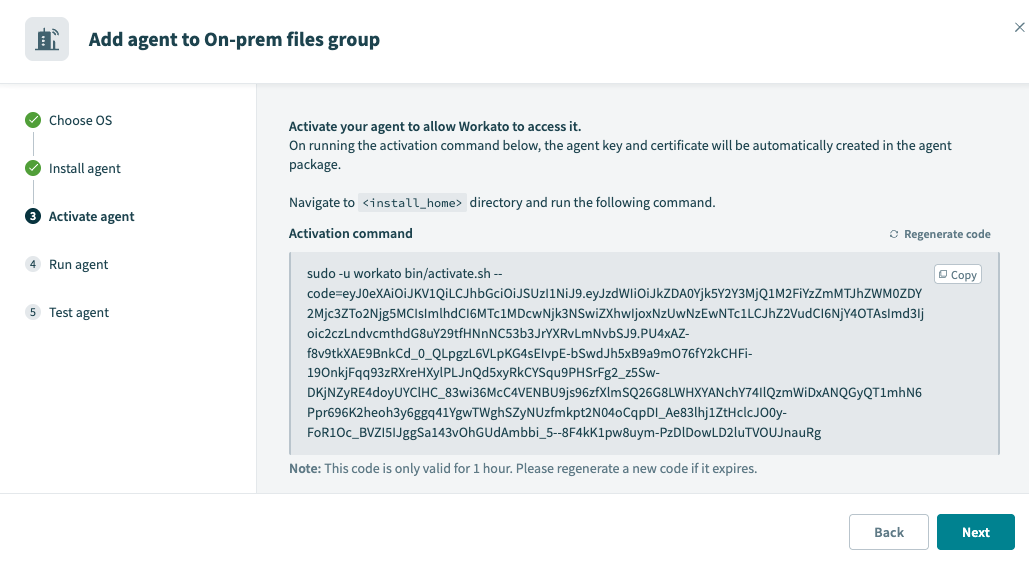 Activate
AGENT ACTIVATION USING A PROXY
You must add the --proxy-host=<host-ip-address> and --proxy-port=<port number> parameters to the Activation command if you're using a proxy. Refer to the Set up proxy access for your on-prem agent guide for more information.
Run the activate script with the --help parameter to display the list of accepted input properties.
CERTIFICATE VALIDITY PERIOD
The agent certificate remains valid for 1 year after the generation date.
Renew the certificate before its expiration date to avoid interruptions. Refer to the Renew agent keys guide for more information.
Return to Workato and click Next.
Use the following command to start the agent service in the background:
sudo systemctl start workato-agent.serviceOptional. Use the following command to enable the agent to start automatically:
sudo systemctl enable workato-agent.serviceReturn to Workato and click Next.
Click Test agent to confirm that your on-prem agent is working as expected.
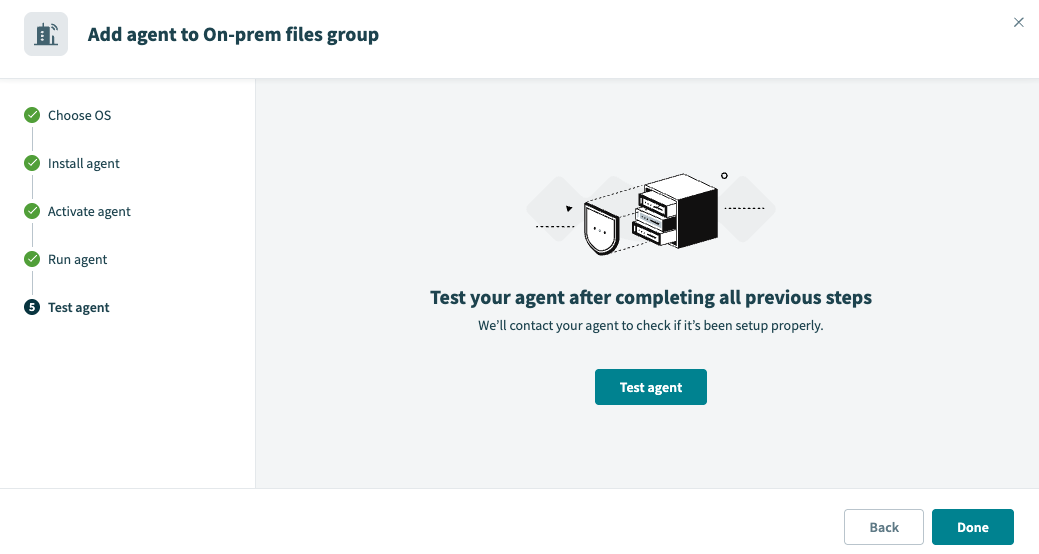 Click Test agent
Click Done to complete the setup.
PRIVATE KEY
Workato doesn't have access to your private key file (cert.key) in the OPA conf folder. Ensure you protect this file from unauthorized access.
Last updated: