MCP access methods
MCP supports API token–based access and OAuth2 integration with Workato Identity. Token–based access is set by default, but you can switch between access methods.
SWITCHING ACCESS METHODS
The MCP token is revoked when you switch from token-based access to Workato Identity. This means that users can no longer access the MCP server with token access.
OAuth2 access with Workato Identity
OAuth2 access enables you to govern access within Workato Identity. This enables you to control MCP server access centrally without managing separate tokens. OAuth2 access with Workato Identity provides your end users with a single sign-on (SSO) experience across MCP clients like Claude, Cursor, and Windsurf.
MCP and Workato Identity integration ensures enterprise-grade security centralized access management.
ALL USERS MUST BE ADDED TO A USER GROUP
You must have admin privileges to grant end-user access to an MCP server. Workspace owners, admins, and collaborators don't automatically have MCP server access. You must add all users, including yourself, to an end-user group to grant MCP access. Refer to Workato Identity end-user groups for more information.
Use Workato Identity for access
Complete the following steps to use Workato Identity for MCP server access:
Sign in to your Workato account.
Go to AI Hub > Enterprise MCP > Custom servers. A list of your existing MCP servers displays.
Click the MCP server card where you plan to use Workato Identity.
Click Settings > End user access.
Go to the Access Method section and click the switch method toggle to open the Switch User Access Method modal.
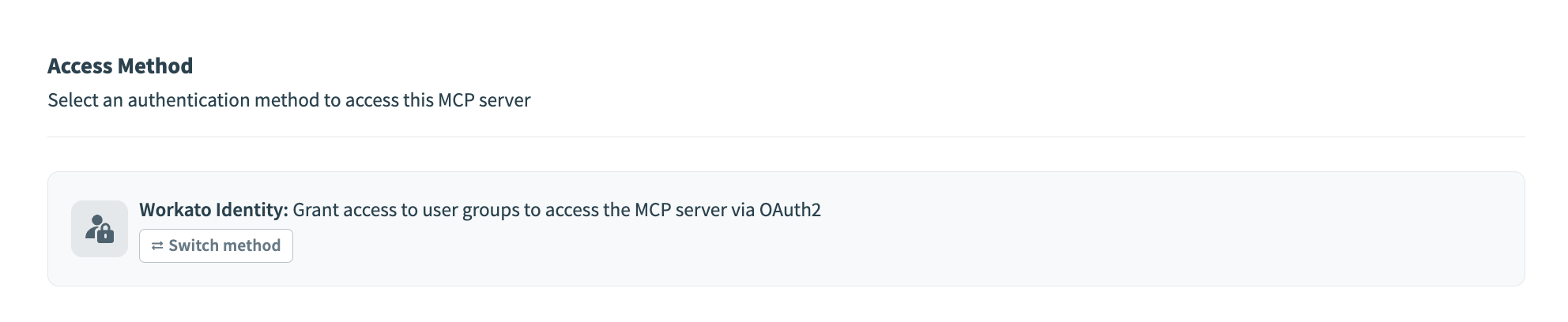 Access Method section
Click Workato Identity.
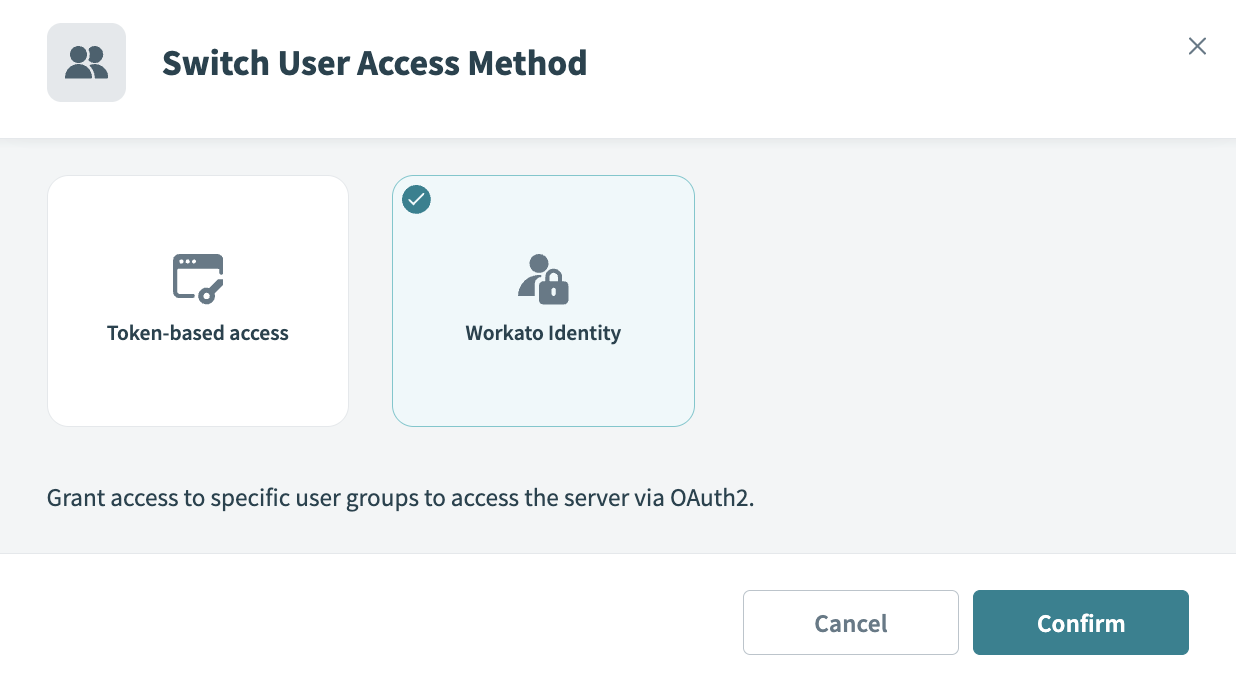 Access Method
Click Confirm.
End-user groups
Use Workato Identity to manage your end-user groups.
ALL USERS MUST BE ADDED TO AN END USER GROUP
You must have admin privileges to grant end-user access to an MCP server. Workspace owners, admins, and collaborators don't automatically have MCP server access. You must add all users, including yourself, to an end-user group to grant MCP access.
End-user group MCP server access
You can provide access to specific MCP servers after you create a user group with Workato Identity.
Complete the following steps to grant a user group access to an MCP server:
Sign in to your Workato account.
Go to AI Hub > Enterprise MCP > Custom servers and select the MCP server where you plan to add a user group.
Click Settings > End user access.
Ensure that the access method is set to Workato Identity.
Click Add end-user groups.
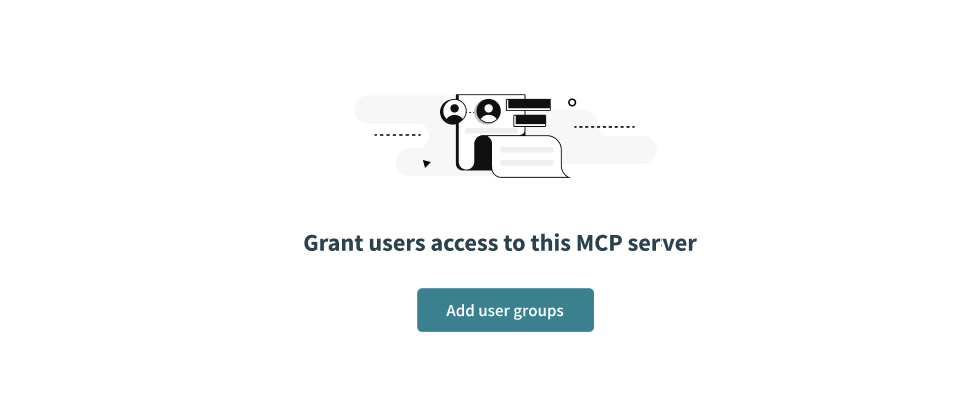 Click Add end-user groups
Select the checkboxes for the end-user groups you plan to provide with access to the MCP server.
Click Next.
Click Edit tool access and select the checkboxes for the tools users are allowed to access as part of this group.
 Select the checkboxes for the tools users are allowed to access
Click Add end user groups.
API token access
API token authentication enables you to develop and test without SSO configuration. Admins can manage tokens in the MCP server Settings > End user access page. MCP servers use token-based access by default. Tokens are generated automatically when you create a new MCP server with token-based access selected.
Admins can create multiple tokens to improve access control for individual users, enforce quotas, and maintain audit trails. Each token must have a unique name.
Use token access
Complete the following steps to use token access:
Sign in to your Workato account.
Go to AI Hub > Enterprise MCP > Custom servers. A list of your existing MCP servers displays.
Click the MCP server card where you plan to use token access.
Click Settings > End user access.
Ensure that the access method is set to Token-based access.
Go to the MCP Tokens section.
Click Create new token.
Enter a unique name for the token in the Token name field.
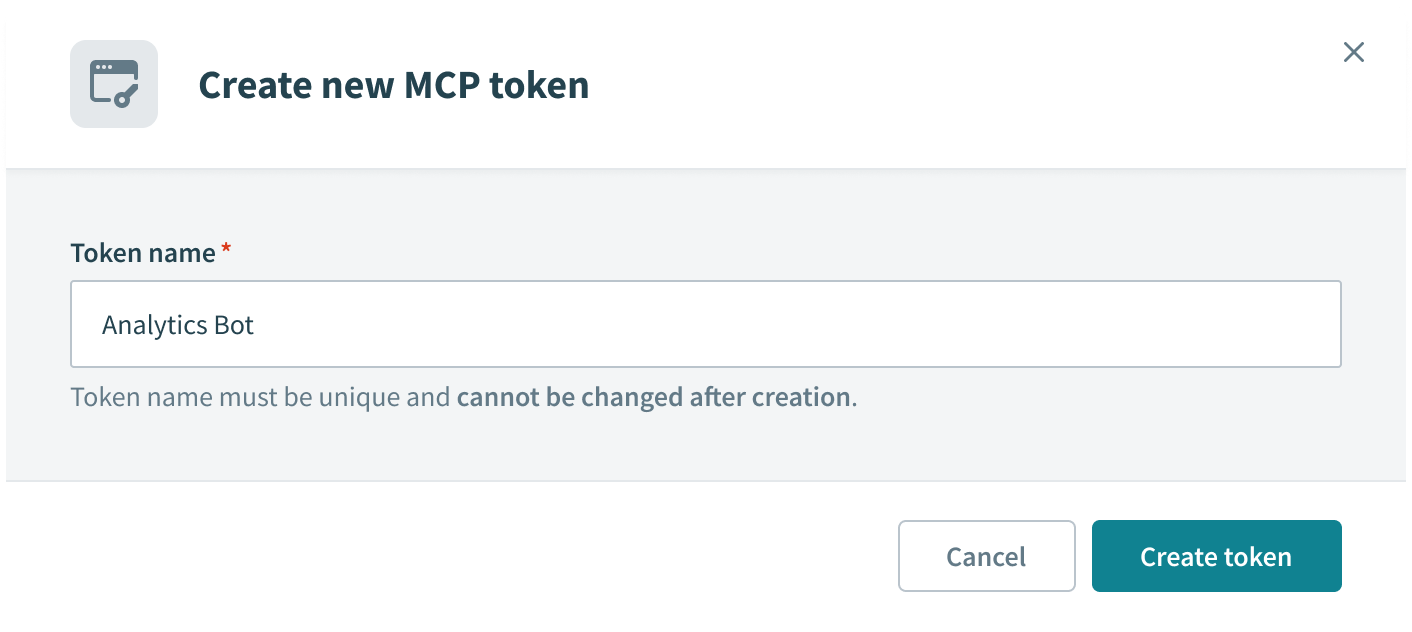 Enter a unique name for the token in the Token name field
Click Create token.
Click Copy to copy the generated token.
Generate and revoke a token
You can refresh an existing token to reset access. Your previous token is no longer valid after you refresh your token.
Complete the following steps to refresh an existing token:
Sign in to your Workato account.
Go to AI Hub > Enterprise MCP > Custom servers. A list of your existing MCP servers displays.
Click the MCP server card where you plan to refresh a token.
Click Settings > End user access.
Go to MCP Tokens and click the ellipsis (...) for the MCP token you plan to refresh.
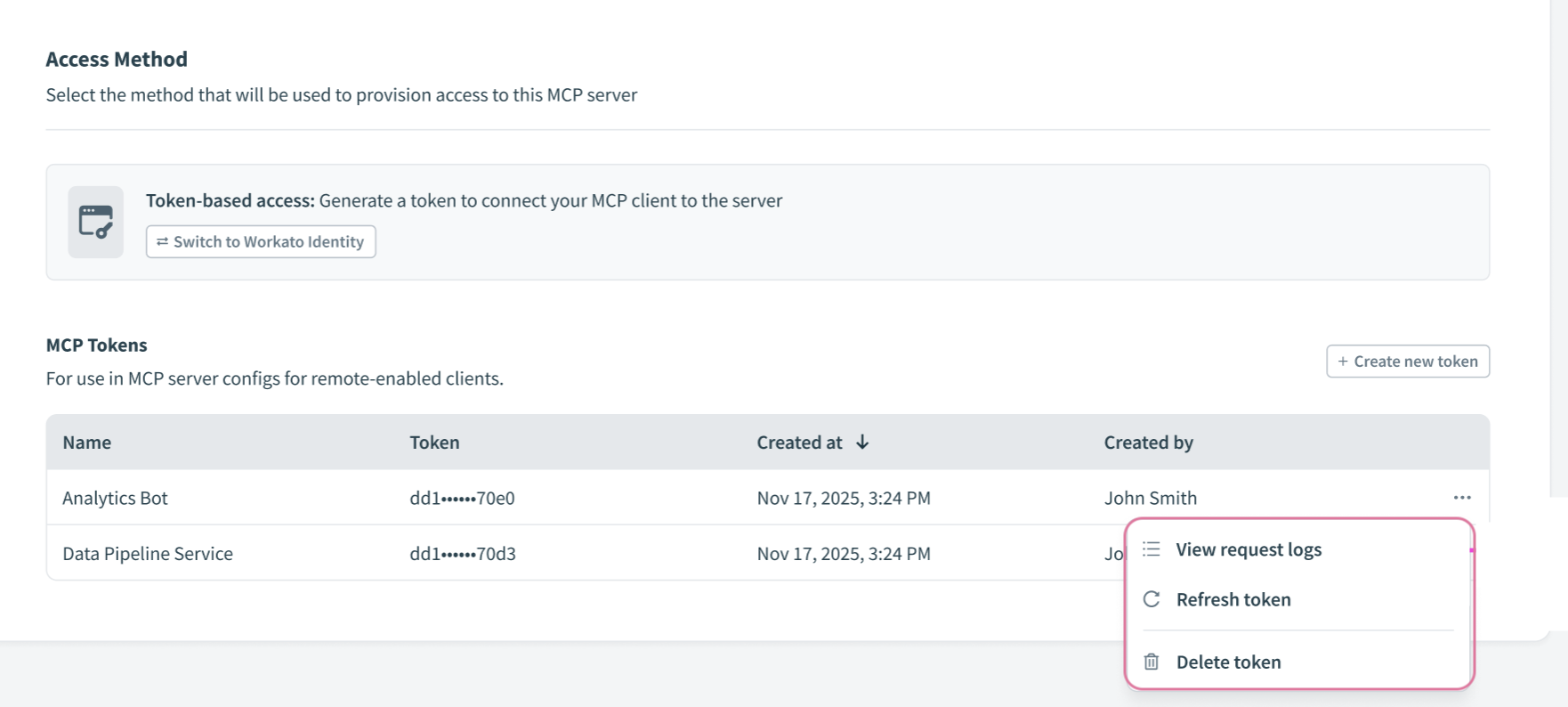 Go to MCP Tokens and click the ellipsis (...)
Click Refresh token.
Click Refresh token again when prompted in the confirmation modal.
MCP CLIENT IMPACT
A token becomes invalid when you refresh it. MCP clients using the token lose access to the server and stop working.
Copy the refreshed token and update your connections where appropriate.
Delete a token
You can delete an existing token to completely remove access to MCP clients using this token.
Complete the following steps to delete an existing token:
Sign in to your Workato account.
Go to AI Hub > Enterprise MCP > Custom servers. A list of your existing MCP servers displays.
Click the MCP server card where you plan to delete a token.
Click Settings > End user access.
Go to MCP Tokens and click the ellipsis (...) for the MCP token you plan to delete.
Go to MCP Tokens and click the ellipsis (...)
Click Delete token.
Click Delete token again when prompted in the confirmation modal.
MCP CLIENT IMPACT
MCP clients using the token lose access to the server and stop working.
Proxy MCP server authentication
Proxy MCP servers support API token and OAuth authentication. You can provide multiple parameters in the header, for example the client ID and client secret. Refer to Create a proxy MCP server for more information.
Proxy server OAuth authentication requires users to first sign in with Workato Identity. Users are then redirected to the external system, such as Salesforce or Snowflake, to sign in with their own credentials. This ensures each user's actions are tied to their personal account, not a shared token.
Proxy MCP servers support API token authentication. You can provide multiple parameters in the header, for example the client ID and client secret. Refer to Create a proxy MCP server for more information.
Last updated: