# UKG Pro (SOAP)
UKG Pro (opens new window) is a Human Capital Management (HCM) tool that helps enterprises manage the entire employee life cycle. This connector allows you to automate the recruitment, employee onboarding, and employee offboarding processes.
The UKG Pro SOAP connector allows you to add or update data in UltiPro. Use the UKG Pro connector to retrieve data.
# Prerequisites
Workato recommends using an Integration System User (ISU), such as a dedicated service account, for integration with Workato. This ensures that permissions are consistent and all operations are logged on a single account.
Ensure you have an active UKG Pro account with the View and Personal Integration permissions at a minimum. If permissions are not configured correctly, actions may not work as intended, even if the connection is successful.
To use employee objects, Workato recommends enabling the following view, add, and edit permissions:
- Personnel Integration
- Employee global new hire
- Employee new hire
- Employee contacts
- Employee job
- Employee compensation
- Employee employment information
- Employee person
- Employee address
- Employee phone information
- Employee User Defined Fields
- Employee Termination
Refer to the UKG Pro service account documentation (opens new window) for more information about creating a UKG Pro (SOAP) service account and configuring permissions.
# How to connect to UKG Pro (SOAP)
Complete the following steps to connect Workato to UKG Pro (SOAP):
Click Create > Connection.
Search for and select UKG Pro (SOAP) as your connection on the New connection page.
Provide a name for your connection in the Connection name field.
Use the Location drop-down menu to select the project where you plan to store the connection.
Enter your User name. Refer to the UKG Pro service account documentation (opens new window) for more information about creating a UKG Pro (SOAP) service account.
Enter your Password.
Enter your base API URL. For example, if the login endpoint is http://service.ultipro.com/services/LoginService, the base API URL is http://service.ultipro.com.
Enter your Customer API key for the master company.
Enter your User API key for the service account.
Select the Service you plan to use from the drop-down menu.
Click Connect to establish the connection.
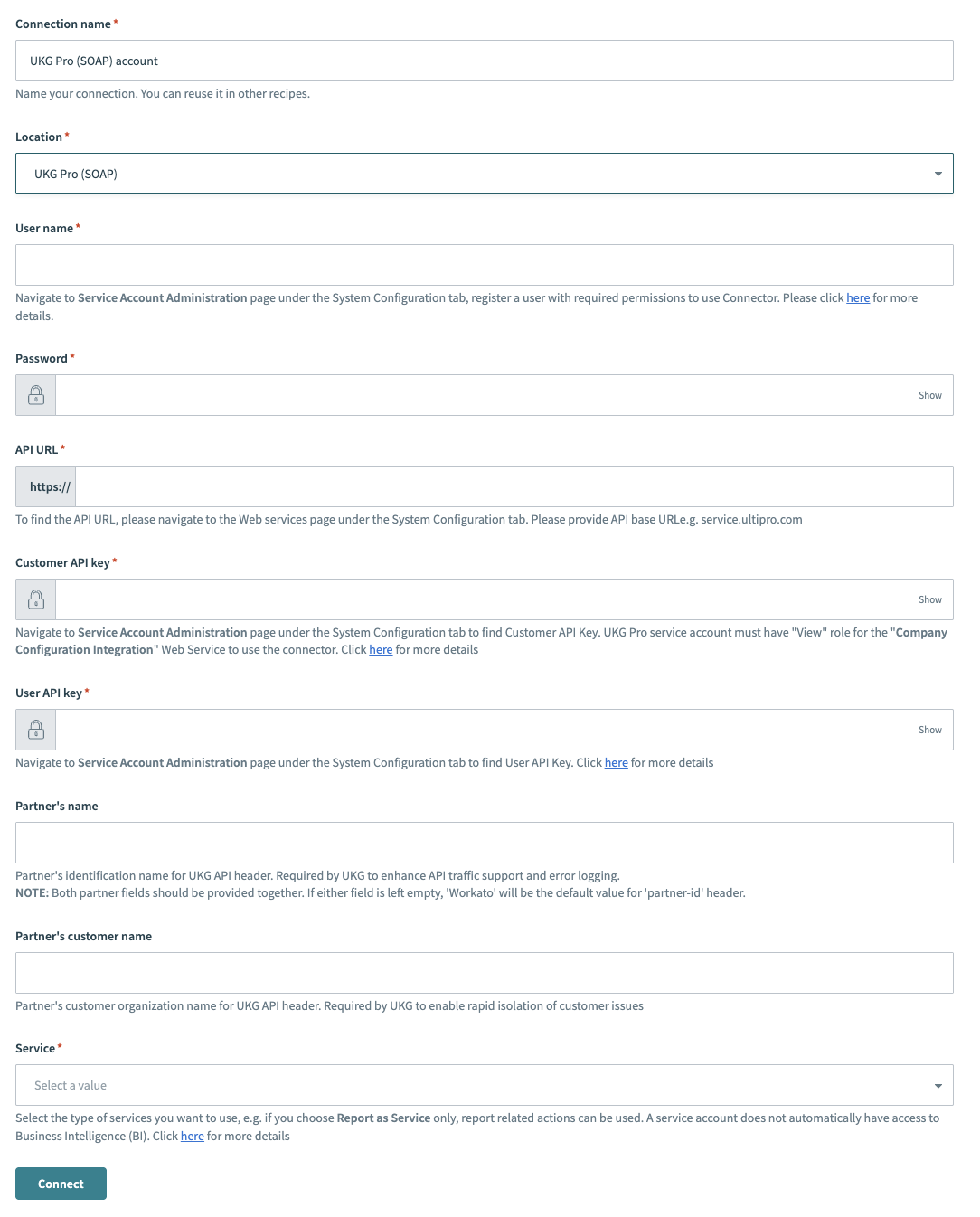 Create a UKG Pro (SOAP) connection
# Permissions
Ensure that your API credential has the necessary permissions. If permissions are not configured correctly, actions may not work as intended, even if the connection is successful.
To use employee objects, Workato recommends enabling the following view, add, and edit permissions:
- Personnel Integration
- Employee global new hire
- Employee new hire
- Employee contacts
- Employee job
- Employee compensation
- Employee employment information
- Employee person
- Employee address
- Employee phone information
- Employee User Defined Fields
- Employee Termination
Last updated: 1/8/2026, 10:58:12 PM