Tasks usage
Workato measures workflow recipe usage in Tasks. A Task is a single action step that a recipe executes. Every action a recipe runs counts as a Task, regardless of which app it uses. Triggers and control flow steps don't count as Tasks.
A recipe job may consist of multiple Tasks. The number of Tasks executed in a job depends on the recipe logic.
Some plans measure workflow recipe usage in Business actions rather than Tasks. Refer to your contract or contact your Customer Success Representative for more information.
Task calculation rules
Workato uses the following rules to calculate Tasks:
- Triggers don't count as Tasks, regardless of the connector that provides them.
- Action steps count as 1 Task each. This applies to all connectors, including platform, community, SDK custom connectors, and Workato utility connectors.
- Control flow steps don't count as Tasks. This includes
IFconditions,Repeat for eachandRepeat whileloops,Stop job, andHandle errorssteps. Steps nested inside them are counted per execution and skipped branches don't count. Looped steps contribute one Task per iteration. - Successfully executed steps still count even when a job fails partway through.
- Mocked actions configured during testing with Test Automation count as Tasks.
- IDP and Event streams steps don't count as Tasks. They're measured in Pages and Events on top of the recipe's Tasks.
- A bulk or batch action counts as 1 Task, regardless of how many records the action processes.
- AI by Workato action steps count as more than one Task each. Refer to your contract for details.
- Synchronous recipe function calls inherit the calling recipe's usage metric. Both the call itself and the recipe function's action steps count as Tasks when a workflow recipe makes a synchronous call. Any other recipe function invocation runs as an independent workflow measured in Tasks.
The following table summarizes how recipe step types are counted towards usage:
| Step | Count |
|---|---|
| Trigger and trigger conditions | Not counted |
| Action in an app | 1 Task per step |
Action inside a Repeat for each or Repeat while loop | 1 Task per iteration |
Control flow (IF, error handlers, Stop job) | Not counted |
| Bulk or batch action | 1 Task per action |
| Failed action that succeeds on retry | 1 Task (only the successful attempt counts) |
| Call to a recipe function from a workflow recipe | 1 Task per call. The recipe function's own action steps also count as Tasks. |
Task usage examples
The following examples demonstrate how Workato counts Tasks in different recipe scenarios.
Simple recipe
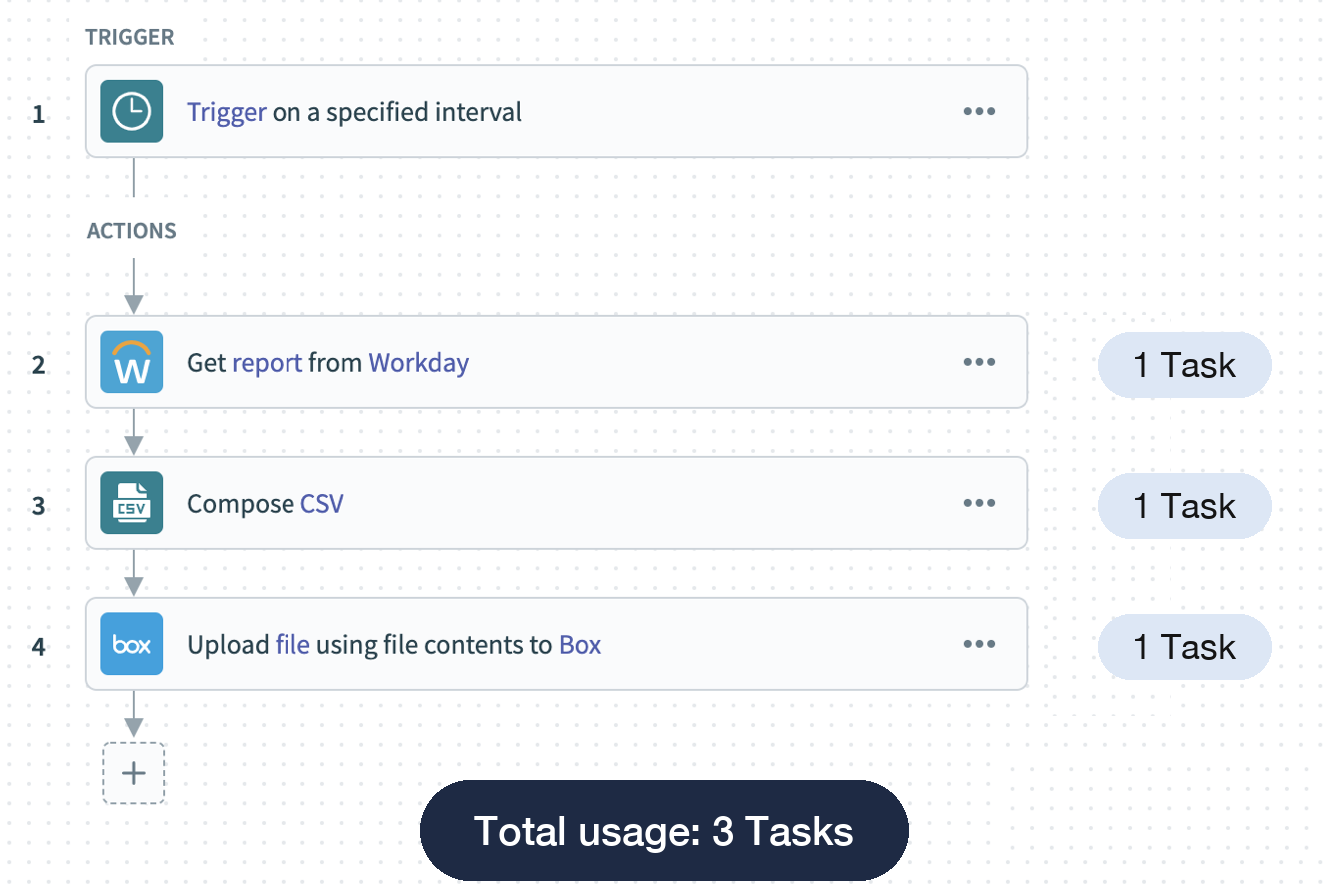 Simple recipe with three actions
Recipe with conditional actions
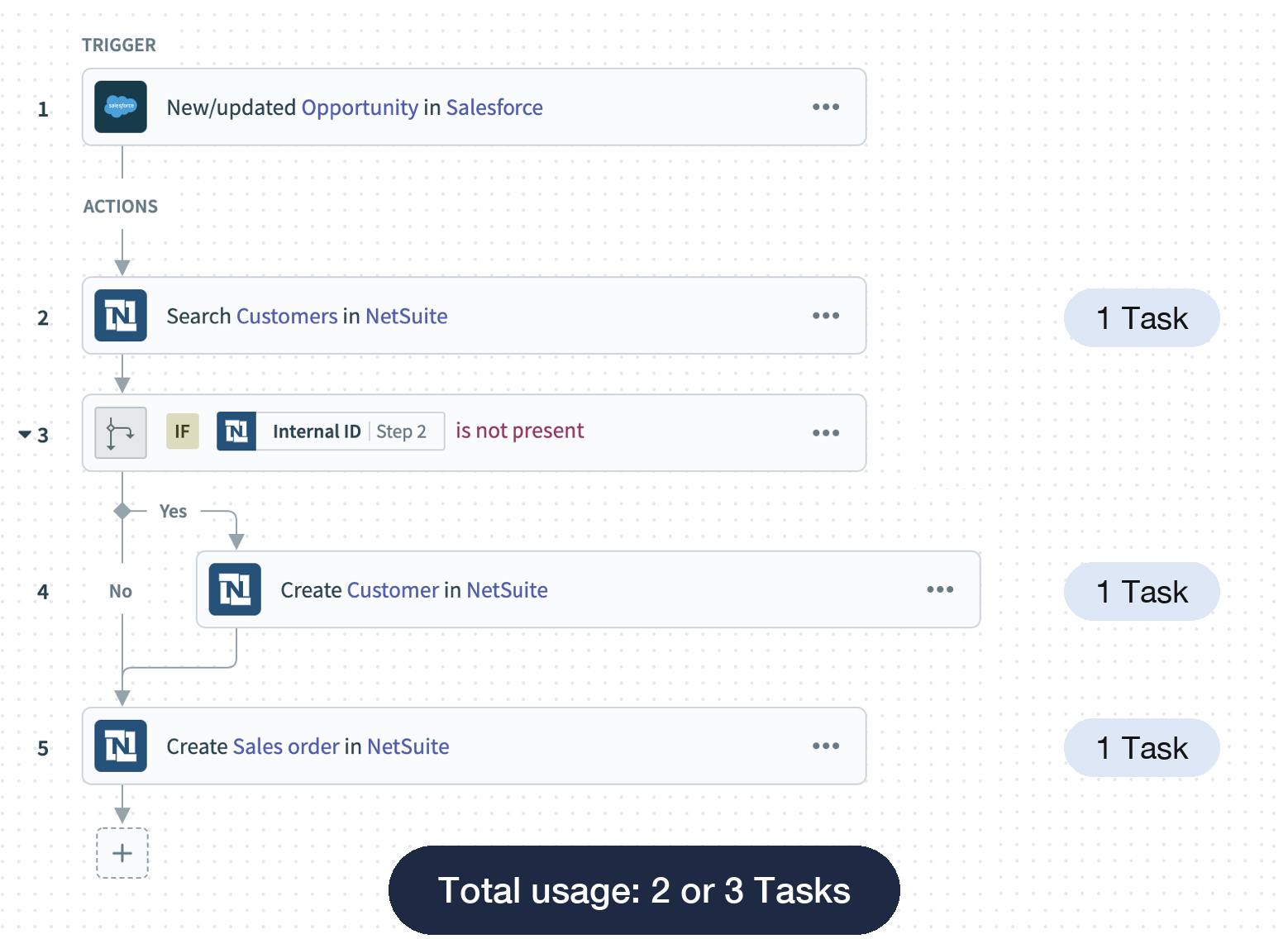 Recipe with conditional actions
Recipe with a loop
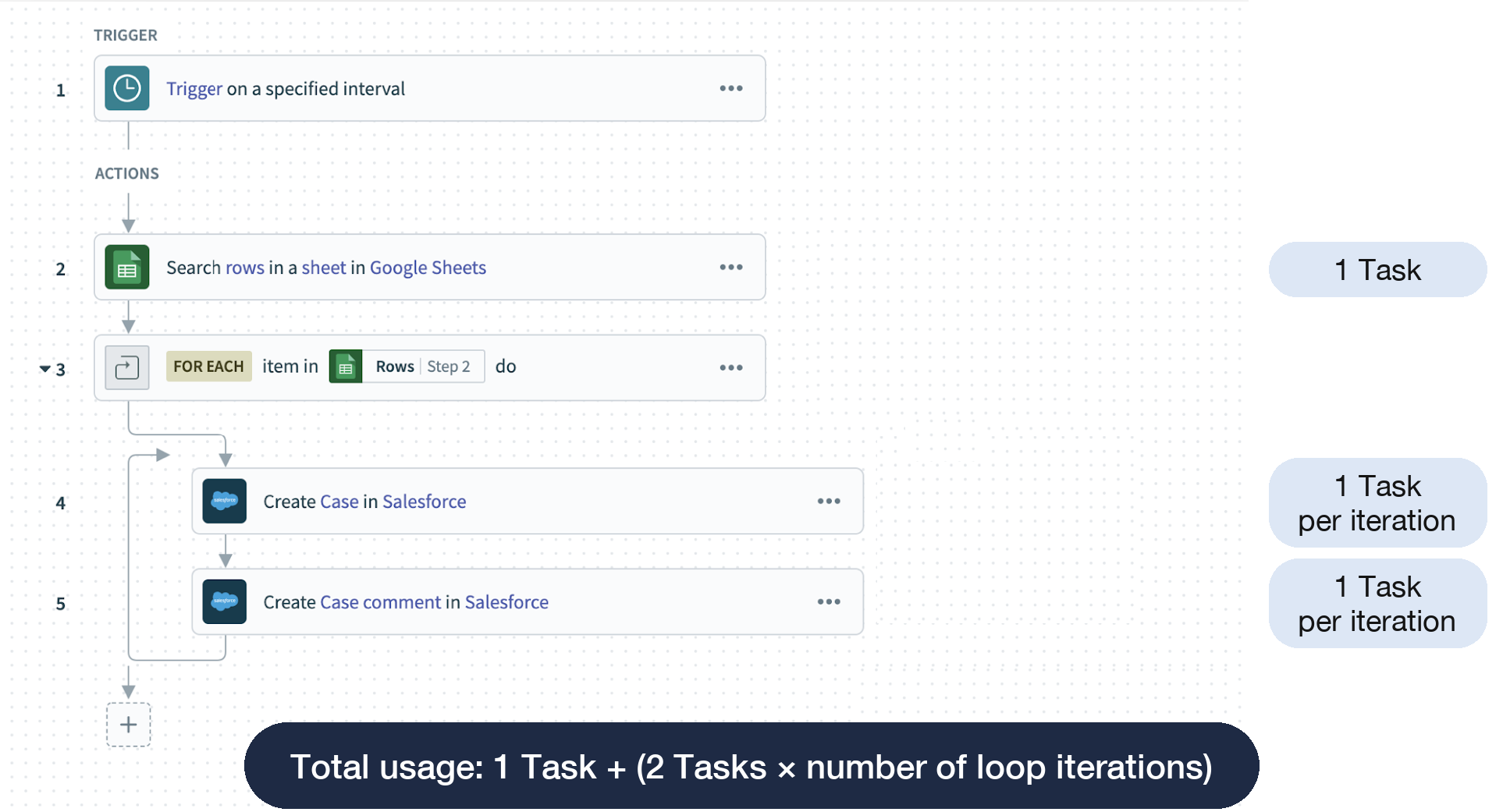 Recipe with repeated actions
Recipe with a bulk action
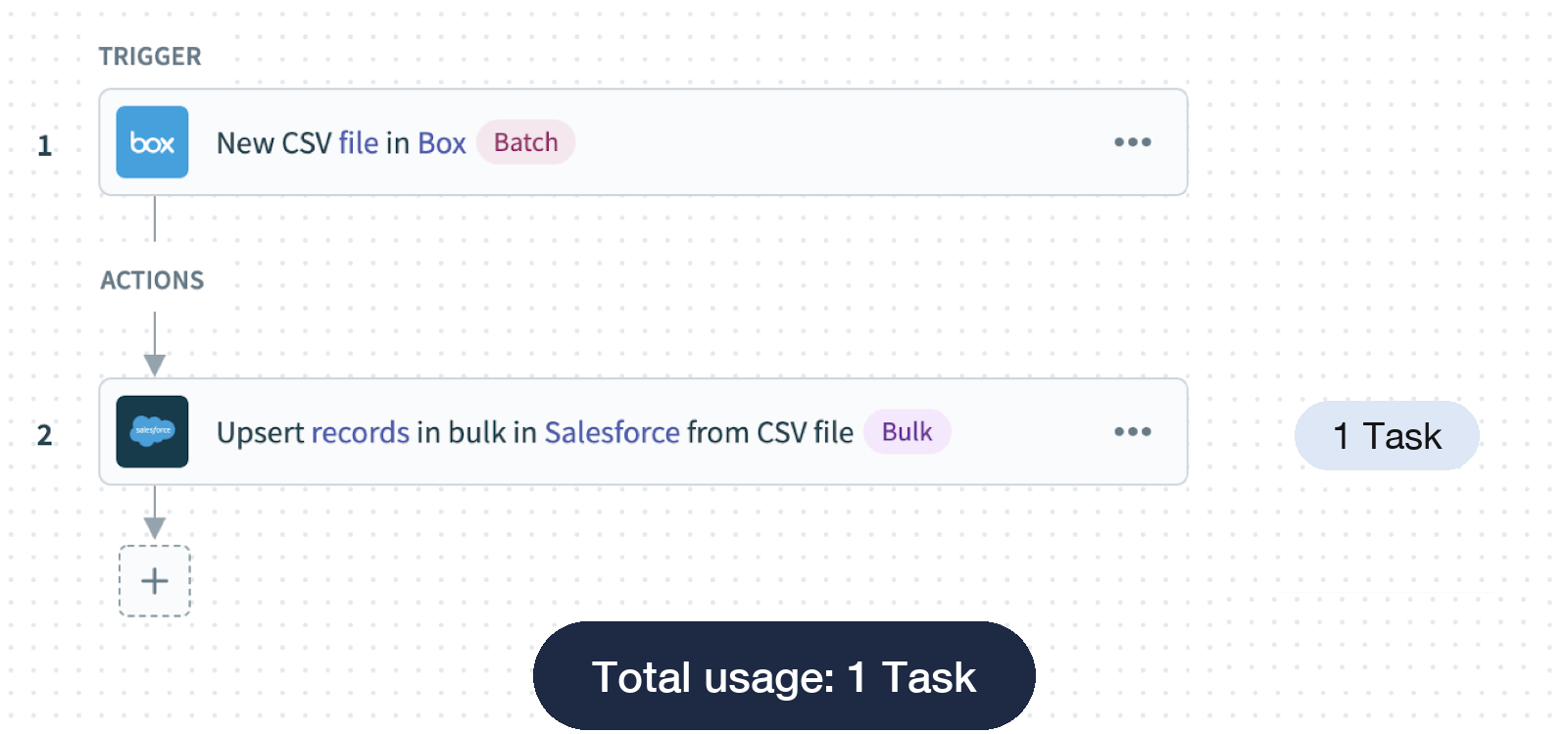 Recipe with a bulk action
Recipe with a failed step and error retry
This example shows how Workato counts Tasks when a step fails and the recipe enters its error retry path.
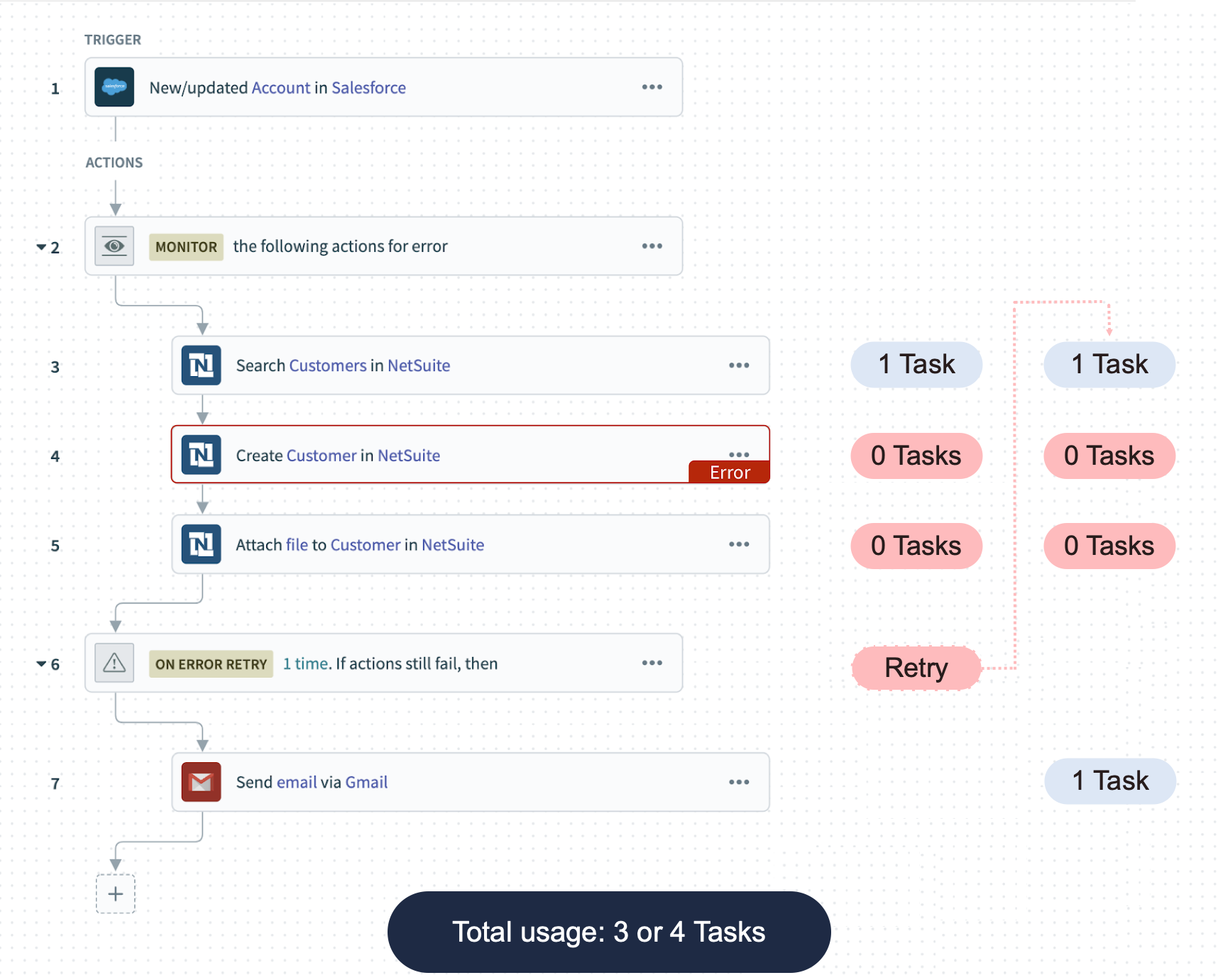 Recipe with error monitor and retry
MAXIMUM NUMBER OF RETRIES
You can configure an action block to retry up to 3 times. Refer to Actions with error handling for more information.
Workflow recipe calls a recipe function
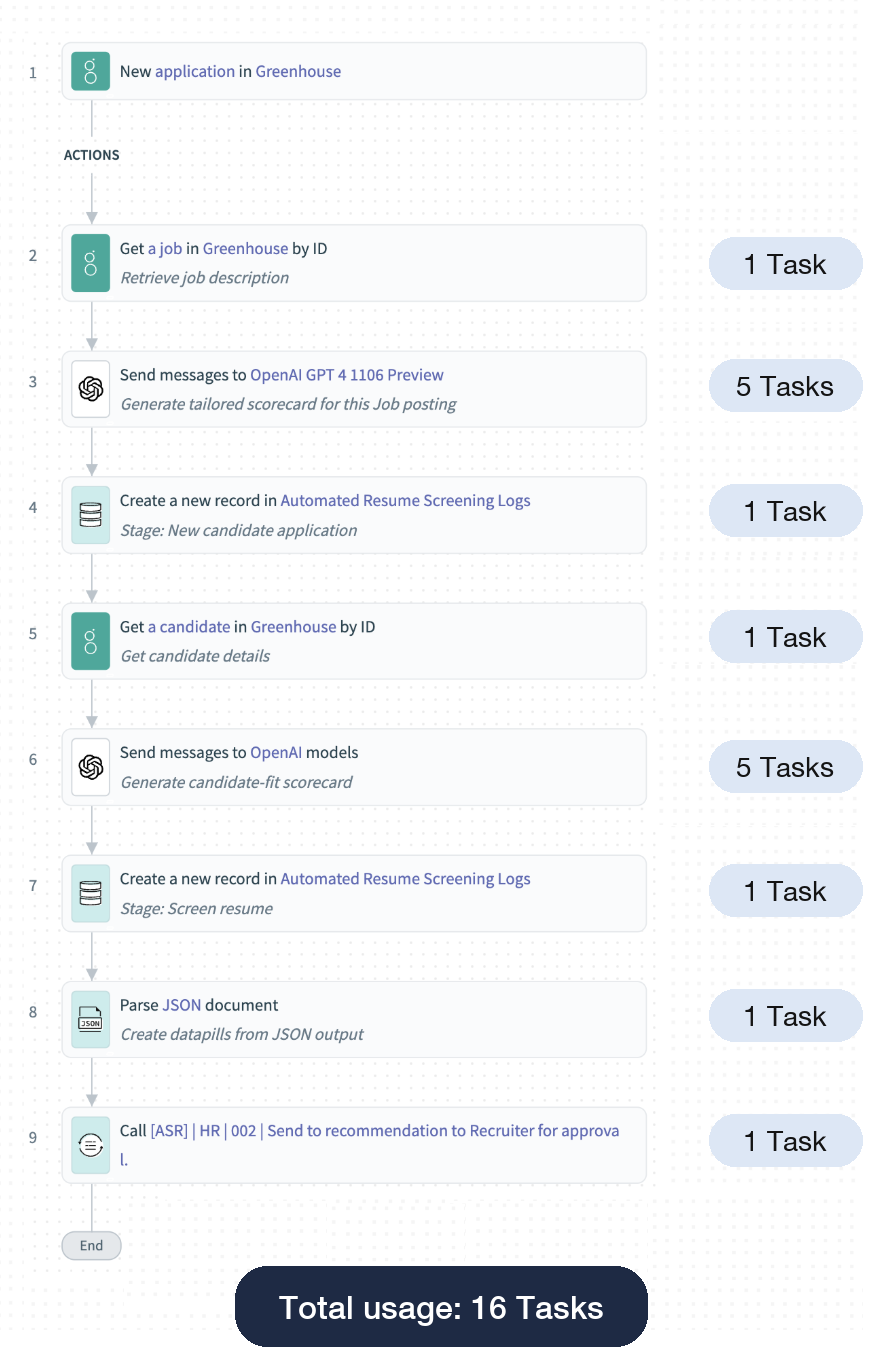 Workflow recipe
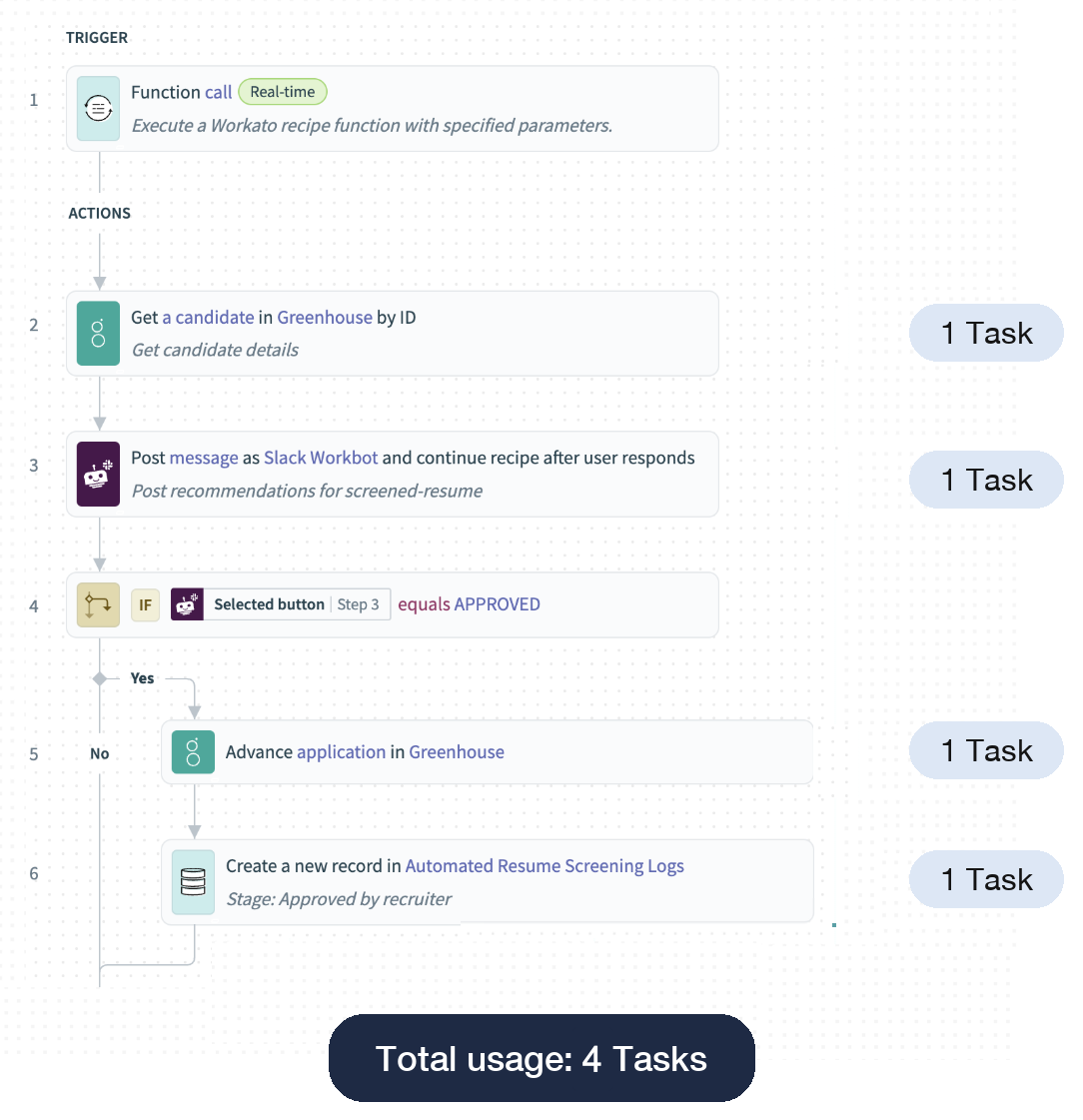 Recipe function
Last updated: