# Add an end user manually
You can manually add end users without SSO configuration. Manually adding end users is suitable for development and testing phases. Workato recommends that you use SAML-based SSO for scalable end user management. You can define the user's environment access and user group membership when you manually add a user.
Users are automatically added to the default Everyone group when you provision access to an environment.
Complete the following steps to manually add an end user:
Sign in to Workato.
Click Workspace admin in the sidebar. The Access control page displays by default.
Click the End users in the sidebar.
Click + Add end user
Enter the user's name in the Full name field.
Enter the user's email in the Email address field.
UNIQUE EMAIL REQUIRED
The email address you enter must be unique. An error message displays if the system detects an existing email that matches the email you entered.
Go to the Environment access section and select the checkboxes for the environments the user can access. Options are DEV, TEST, and PROD.
ENVIRONMENT AVAILABILITY
Workspaces without Environments provisioned only have one environment available.
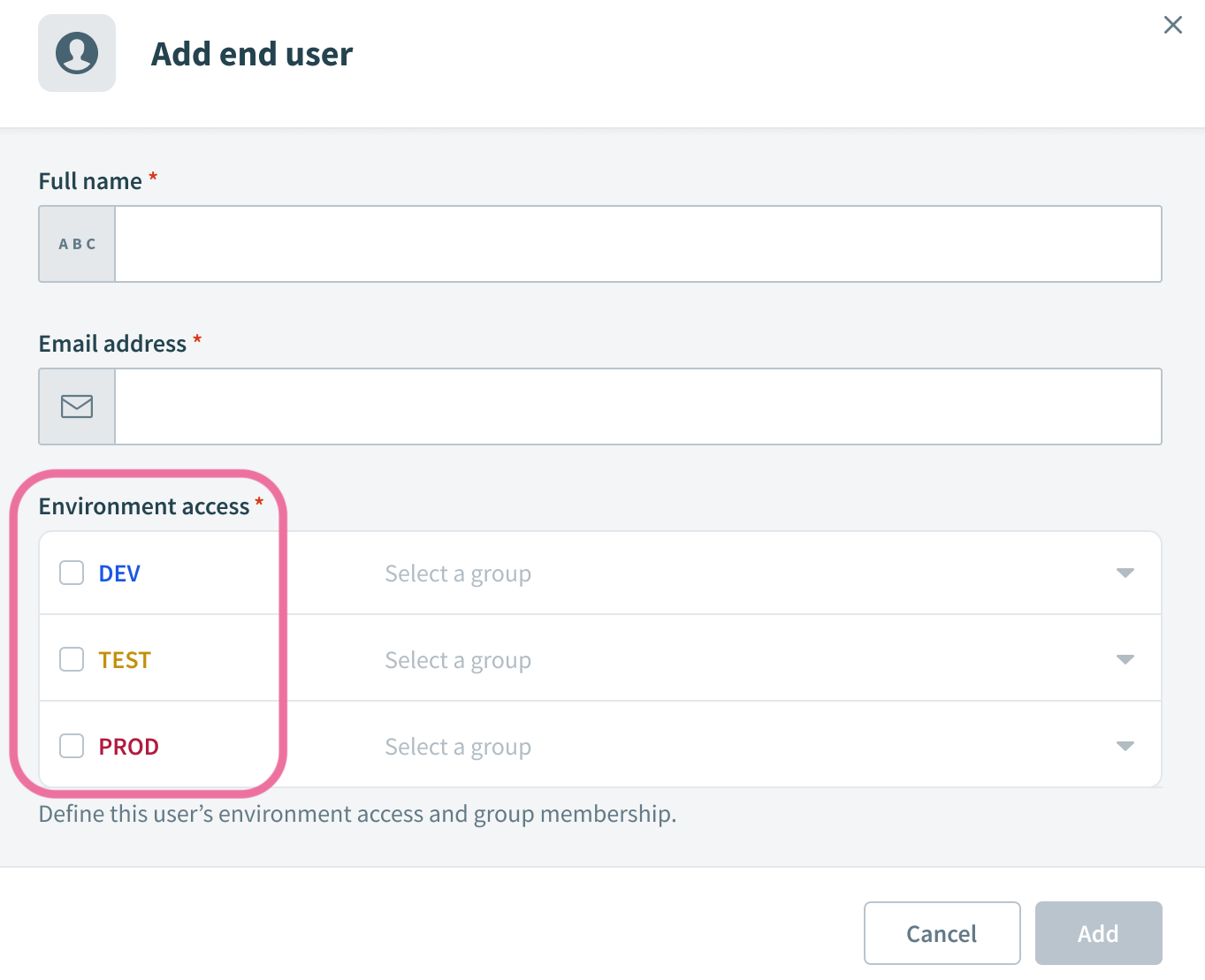 Select environment access
Use the Select a group drop-down menu for each environment to select the environment-specific user groups where you plan to add the user. The Select a group drop-down menu is only active after you select the environment checkbox.
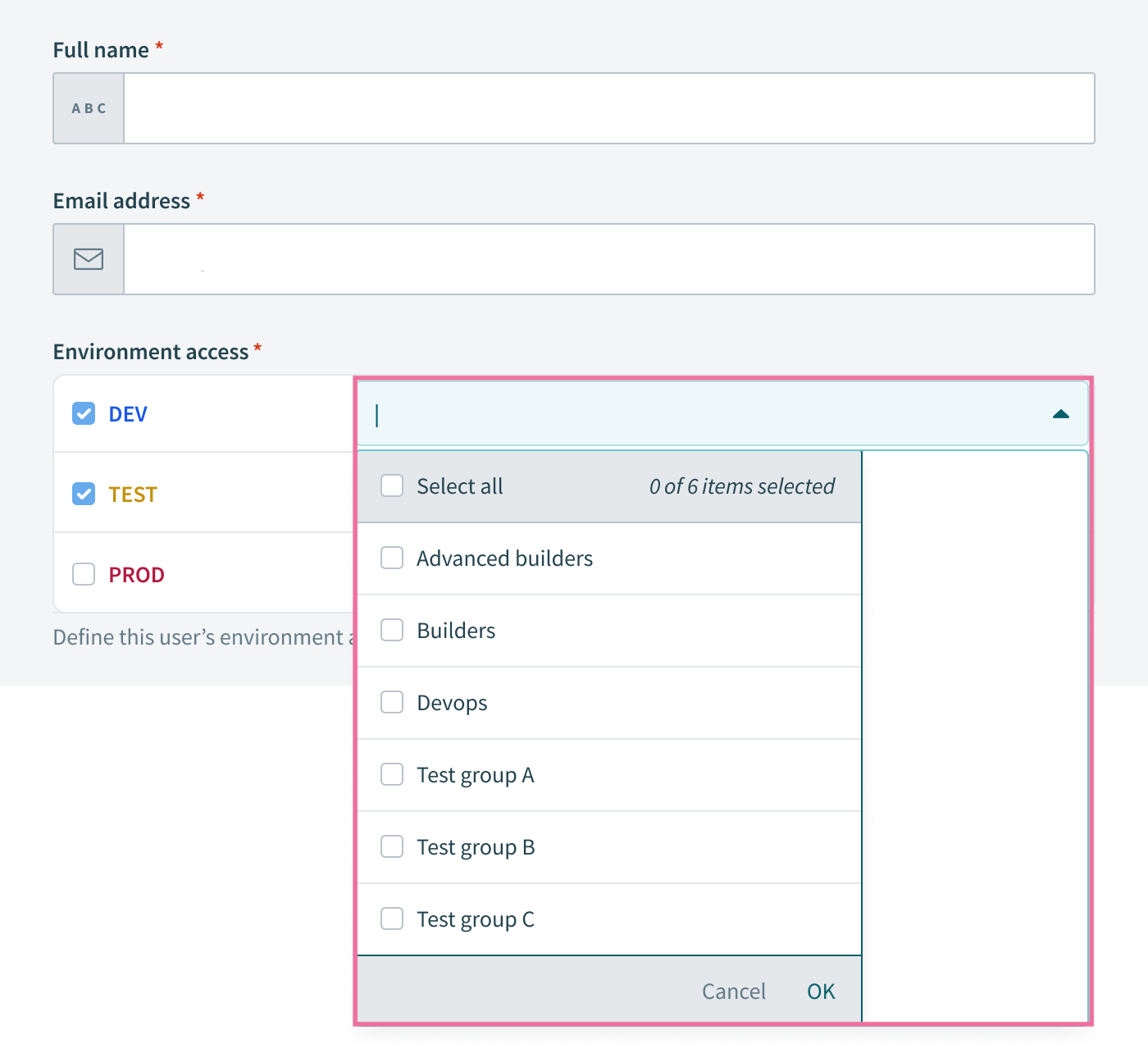 Add the user to environment-specific groups
Click Add.
Last updated: 3/12/2026, 5:20:57 PM