# Greenhouse - New event trigger (real-time)
This trigger picks up new events that are created in your Greenhouse instance. Events are picked up via a webhook sent from Greenhouse.
Workato listens to Greenhouse webhooks and processes them in real-time.
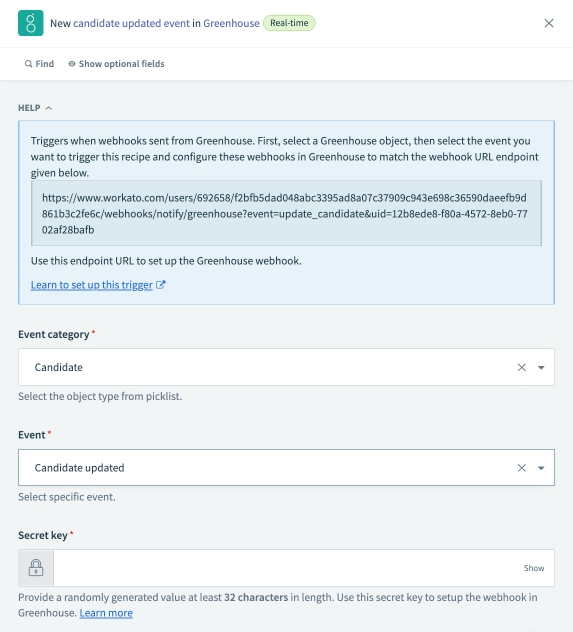 New event trigger
# Input
Select an event category and a specific event to listen to. This will generate a webhook endpoint URL. This will be needed to configure a webhook in Greenhouse.
| Event Category | Events |
|---|---|
| Candidate | Candidate update Candidate stage change |
| Application | Application updated |
| Job | Job created Job updated |
| Offer | Offer created Offer updated |
# Output
The output of this trigger will be a datatree that contains information about the Greenhouse object.
Refer to the Greenhouse object datapills documentation for more information.
# How to set up a webhook in Greenhouse
Complete the following steps to set up a webhook in Greenhouse:
Set up the Workato trigger and select the event to generate an endpoint URL.
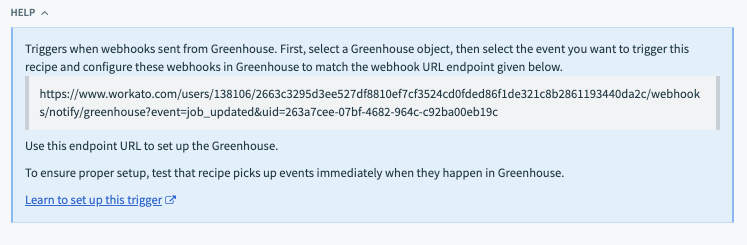 Retrieve Workato webhook endpoint URL
Prepare a secret key and paste it into the Workato trigger setup page. The secret key must be 32 characters in length. Keep the secret key available until the webhook is properly set up in Greenhouse as well.
Sign in to your Greenhouse instance and go to Settings > Dev Center > Web Hooks.
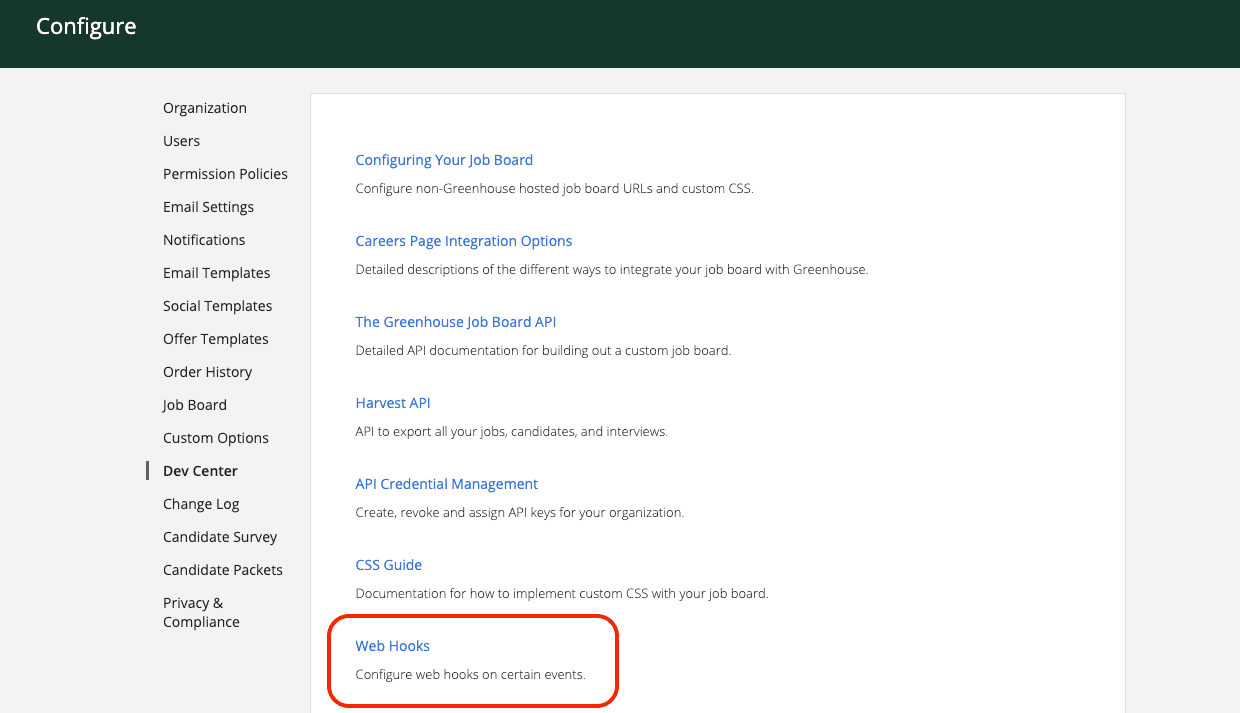 Greenhouse Webhooks
Select Web Hooks.
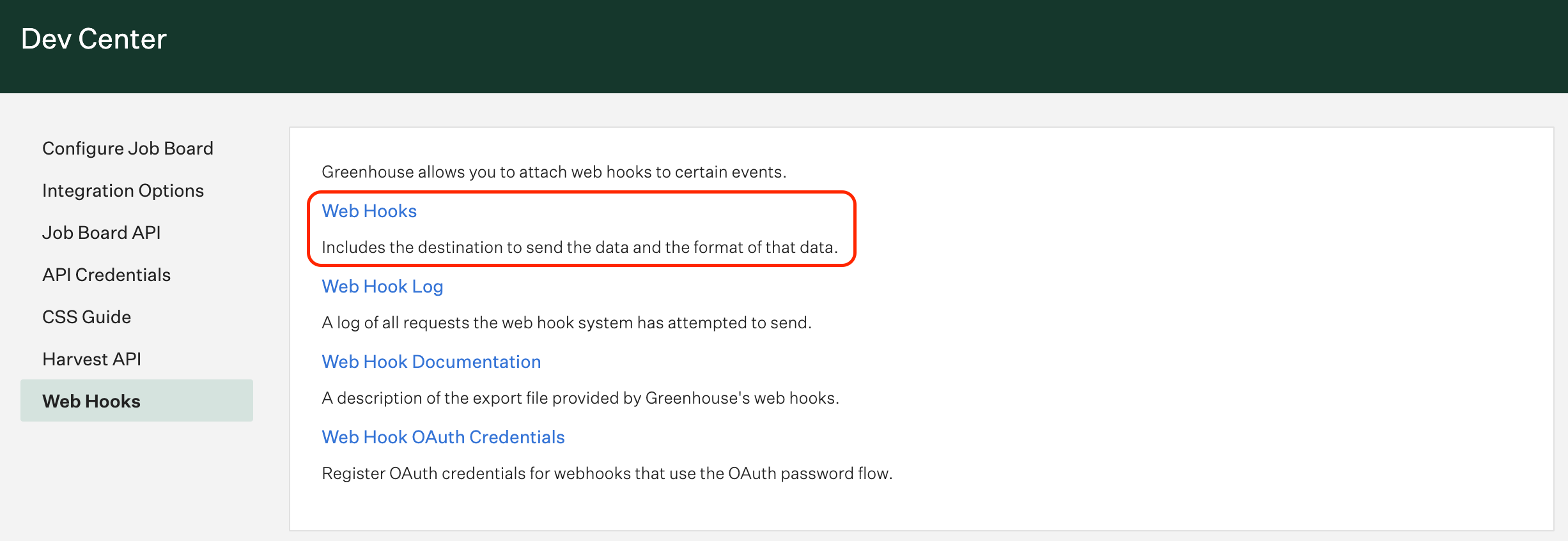 Create new webhook
Select the event specified in the Workato trigger.
Fill Endpoint URL with the endpoint provided by Workato.
Fill Secret Key with the secret key created while setting up the Workato trigger.
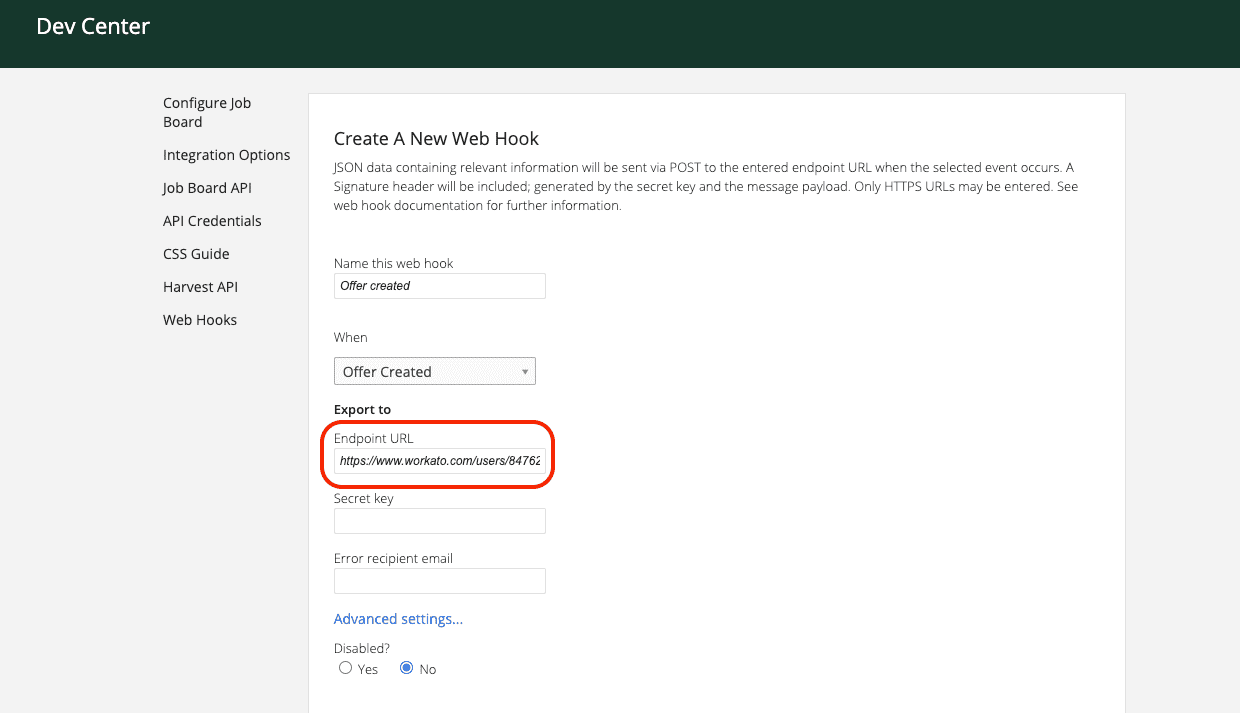 Configure Greenhouse webhook
Select Create webhook.
Refer to the Greenhouse Webhooks (opens new window) documentation for more information.
Last updated: 3/3/2026, 12:32:03 AM