JIT provisioning
Just-in-Time (JIT) provisioning automatically creates user accounts when users first authenticate through SAML-based single sign-on. This eliminates the need for administrators to manually pre-create accounts and ensures user information stays current with your identity provider.
Prerequisites
You must have the following configurations before you can enable JIT provisioning:
- A configured SAML-SSO provider for Control plane
Enable JIT provisioning
Complete the following steps to enable JIT provisioning:
NOT FOR WORKFLOW APPS SAML-BASED SSO
This documentation is specific to Control plane. Refer to SAML-based single sign-on authentication to configure SAML authentication for Workflow apps.
Sign in to your Workato account.
Expand the workspaces menu.
Click Control plane.
Sign in using your Control plane credentials or SSO.
Go to Control plane settings > Authentication.
Go to the Identity provider (IdP) for SAML SSO section and click the provisioning Setup now link for the IdP where you plan to enable JIT.
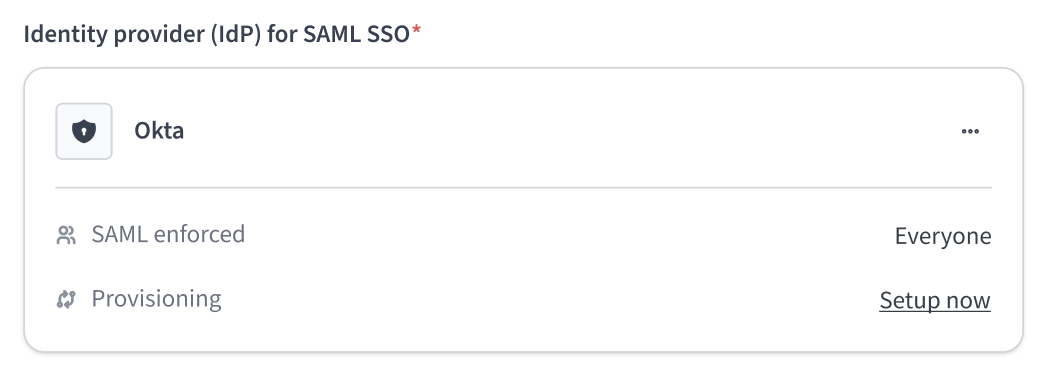 Click the provisioning Setup now link
Click JIT provisioning in the Provisioning modal.
Click Continue.
Complete the JIT configuration setup.
Click Done.
Last updated: