Workspace admin settings
Workspace admin settings provide workspace-wide configuration and management options. These settings affect all collaborators in your workspace and typically require admin privileges to access and modify.
You can access workspace admin settings by going to Workspace admin > Settings.
DISPLAYED FEATURES VARY
Available features vary depending on your platform plan and privilege levels determined by role-based access control.
Workspace
Configure general workspace information and features.
General
View and edit your workspace name, email, ID, session settings, logo, and community profile.
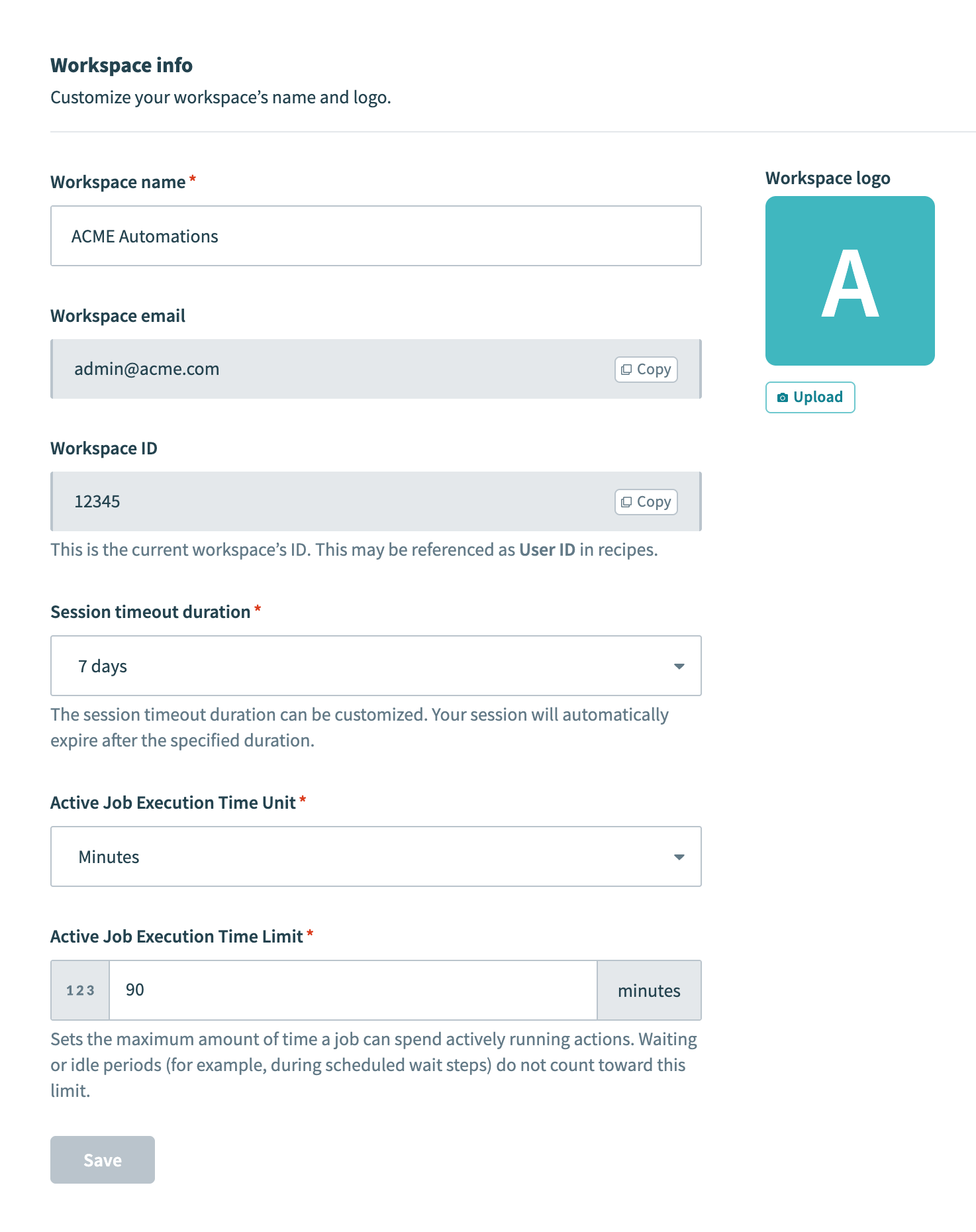 Workspace general settings
Workspace info
| Setting | Description |
|---|---|
| Workspace name | A name for your workspace that identifies it across Workato. |
| Workspace email | The designated email address for your workspace. Note: AHQ child workspaces and Embedded customer workspaces don't have an account owner, so the Workspace email field doesn't appear in this section. |
| Workspace ID | A unique identifier for your workspace. This may be referenced as User ID in recipes. |
| Session timeout duration | The time of inactivity after which users are logged out. |
| Active Job Execution Time Unit | The unit of time (for example, minutes or hours) for measuring active job execution time quotas. |
| Active Job Execution Time Limit | The maximum amount of time a job can spend actively running actions. Waiting or idle periods (for example, during scheduled stops) don't count toward this quota. The default is 90 minutes. |
| Workspace logo | A logo that represents your workspace across Workato. Note: If a workspace logo is missing and a profile logo exists, the profile logo displays on this screen. |
Community profile
Manage your workspace's public profile settings, which include name, contact email, website, and logo. You can also configure whether recipes can be published in the community library.
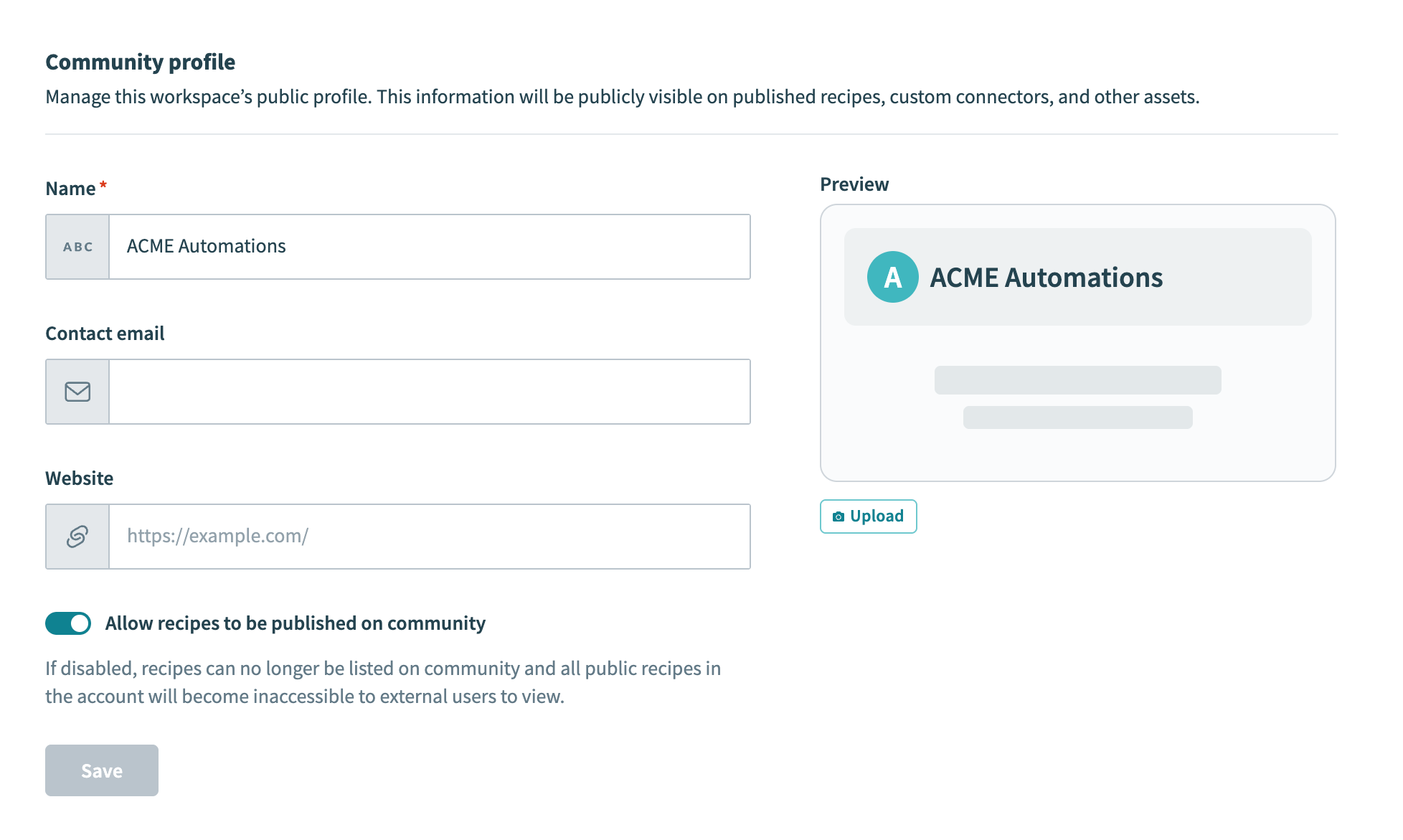 Community profile settings
| Setting | Description |
|---|---|
| Name | Your public community profile name. |
| Contact email | Public contact email for your community profile. |
| Website | Your organization's website URL. |
| Allow recipes to be published on community | Toggle whether recipes can be published to the Workato community. If disabled, recipes can no longer be listed in the community, and all public recipes in the account become inaccessible to external users. |
Subscription plan
View an overview of your workspace's subscription plan and usage metrics across all environments. This page displays information about your current plan, including recipe and task quotas, active add-ons, and renewal date. You can also monitor recipe and task usage with graphs that break down consumption by environment.
If you don't see this tab in your workspace admin settings, you can view billing and usage details by selecting Usage in the sidebar. Refer to the Pricing documentation for more information.
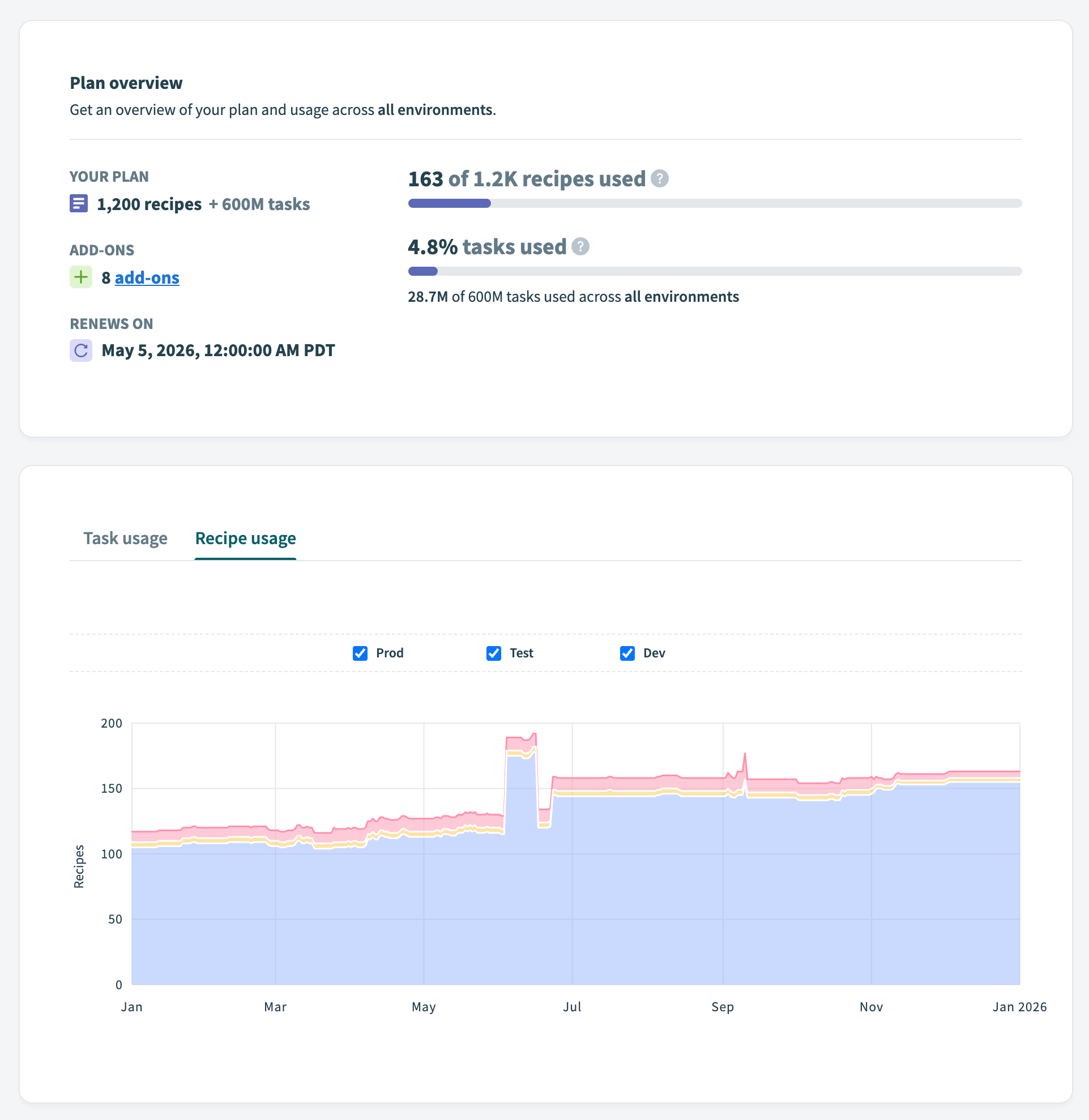 Subscription plan
Notifications
Configure who receives notifications about usage, incidents, account updates, and more. If no email is specified, emails are sent to the account email.
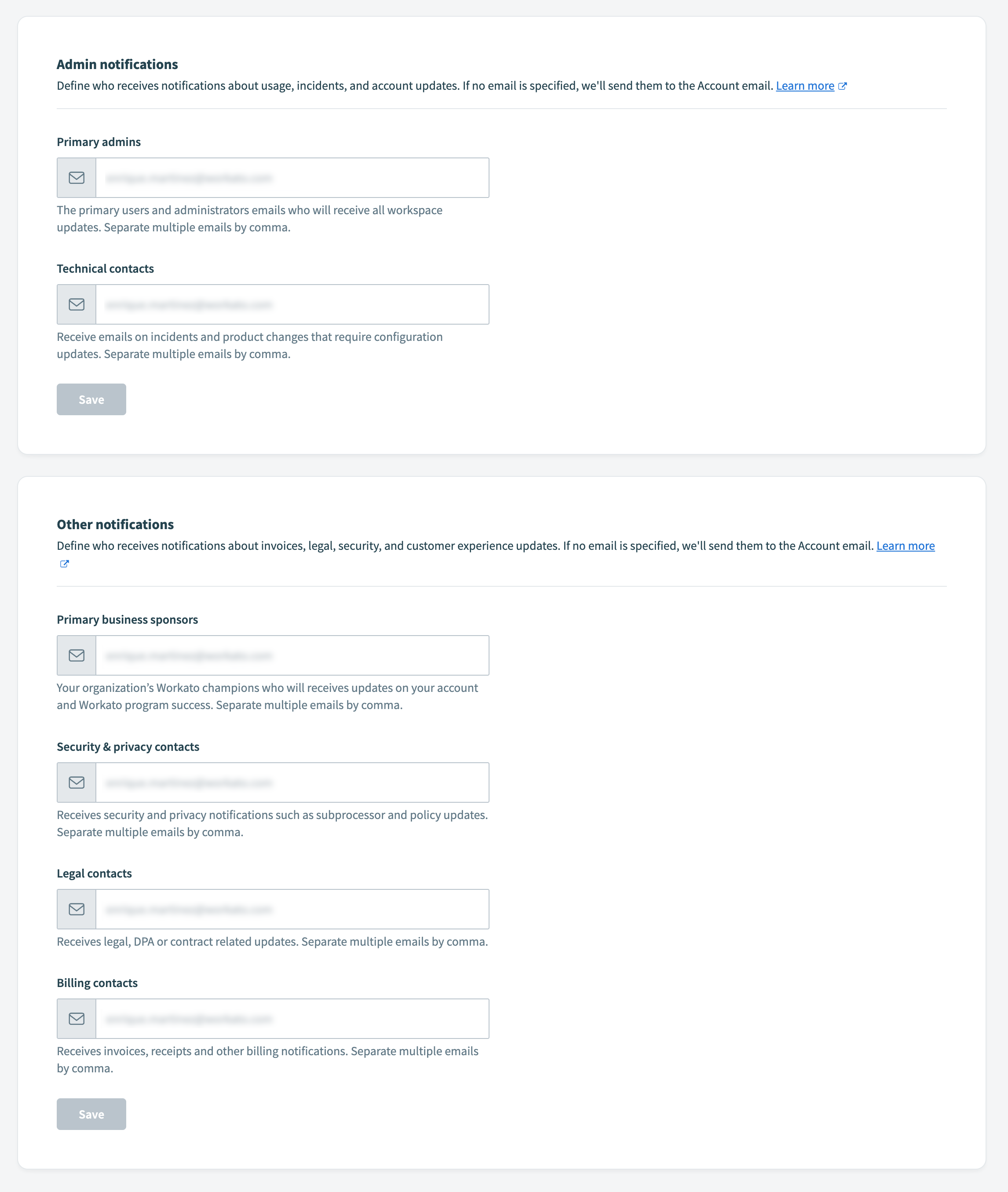 Notifications settings
Learn more about email notifications.
Admin notifications
| Notification type | Description |
|---|---|
| Primary admins | Email addresses for primary users and administrators who receive all workspace updates. Separate multiple email addresses with commas. |
| Technical contacts | Email addresses that receive notifications about incidents and product changes that require configuration updates. Separate multiple email addresses with commas. |
Other notifications
| Notification type | Description |
|---|---|
| Primary business sponsors | Email addresses for your organization's Workato champions who receive updates on your account and Workato program success. Separate multiple email addresses with commas. |
| Security & privacy contacts | Email addresses that receive security and privacy notifications such as unauthorized user alerts or policy updates. Separate multiple email addresses with commas. |
| Legal contacts | Email addresses that receive legal, Data Processing Agreement (DPA), or contract-related updates. Separate multiple email addresses with commas. |
| Billing contacts | Email addresses that receive invoices, receipts, and other billing notifications. Separate multiple email addresses with commas. |
Workato AI
Enable and manage Workato AI features, such as Copilot and the AI by Workato app, for collaborators within a workspace.
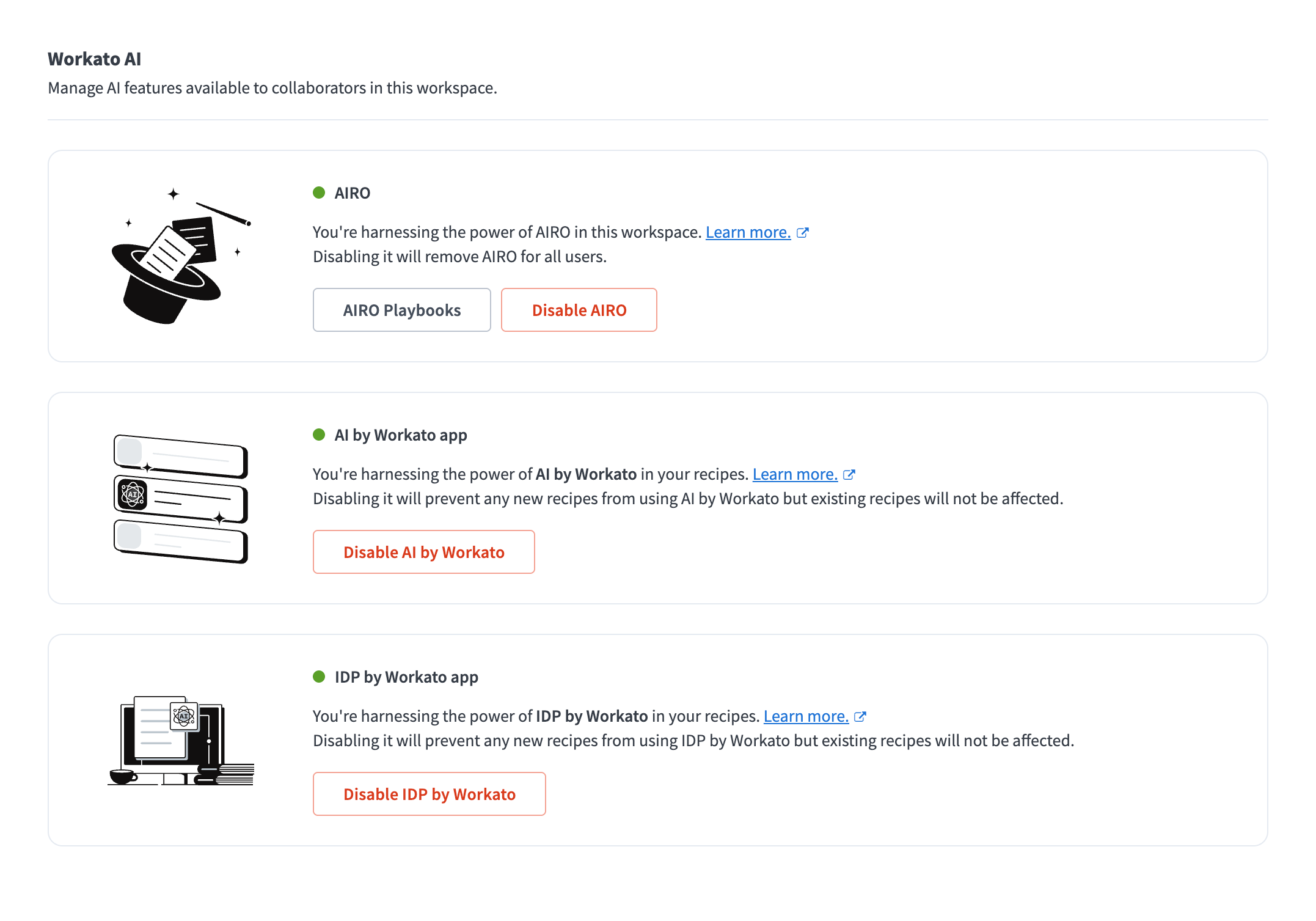 Workato AI settings
| Feature | Description |
|---|---|
| AIRO | AIRO is Workato's AI automation engineer that transforms intent into production-ready business solutions. You can enable or disable AIRO for your workspace. Learn more about AIRO. |
| Copilot | AI-powered assistant for building and managing recipes. You can enable or disable Copilot for all users in your workspace. Learn more about Copilot. |
| AI by Workato app | AI-powered application for enhanced automation capabilities. You can enable or disable the AI by Workato app for recipes in your workspace. Learn more about AI by Workato. |
| IDP by Workato app | AI-powered intelligent document processing for extracting structured data from documents. You can enable or disable IDP by Workato for recipes in your workspace. Learn more about IDP by Workato. |
| Edge Gateway by Workato | Hybrid API gateway that routes traffic through your own infrastructure while management, policies, and observability remain centralized in the Workato cloud. You can enable or disable Edge Gateway for your workspace. Learn more about Edge Gateway. |
Tags
Manage tag permissions within your workspace. When enabled, only those who have access to this page can create, modify, or delete tags. Learn more about tags for assets.
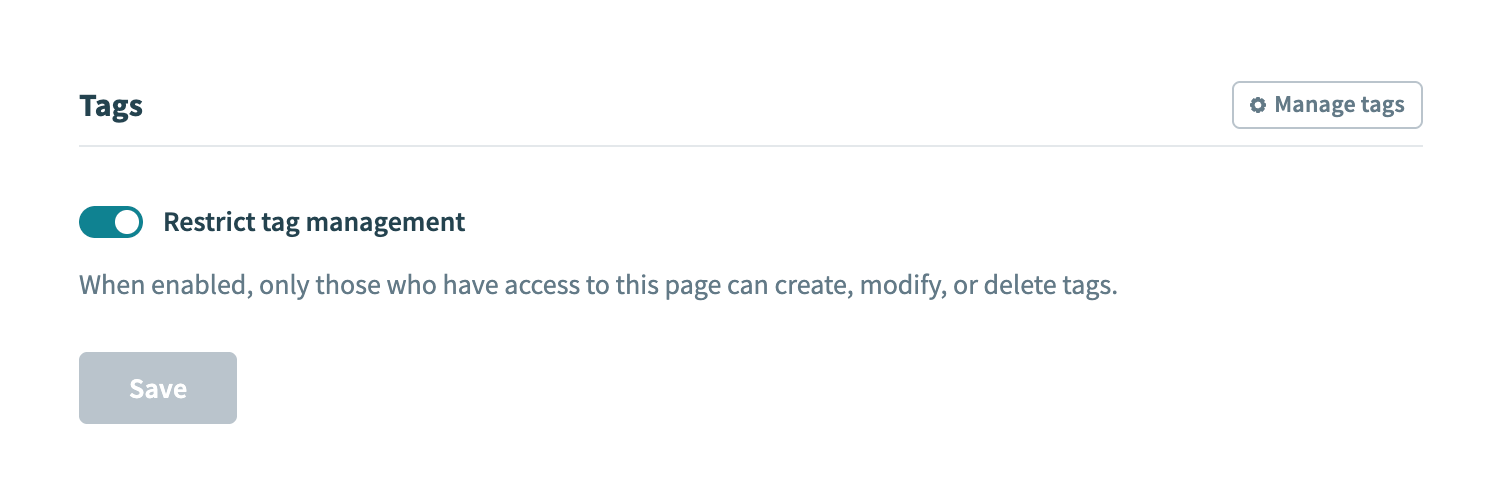 Tags settings
Deployments
Configure deployment approval workflows for your workspace. When enabled, deployments require approval before they can proceed. Collaborator roles can either review, deploy, or have no access to deployments.
PRIVATE BETA
The review and approve deployments feature is in private beta and only available to selected customers. Contact your Customer Success Manager to learn more.
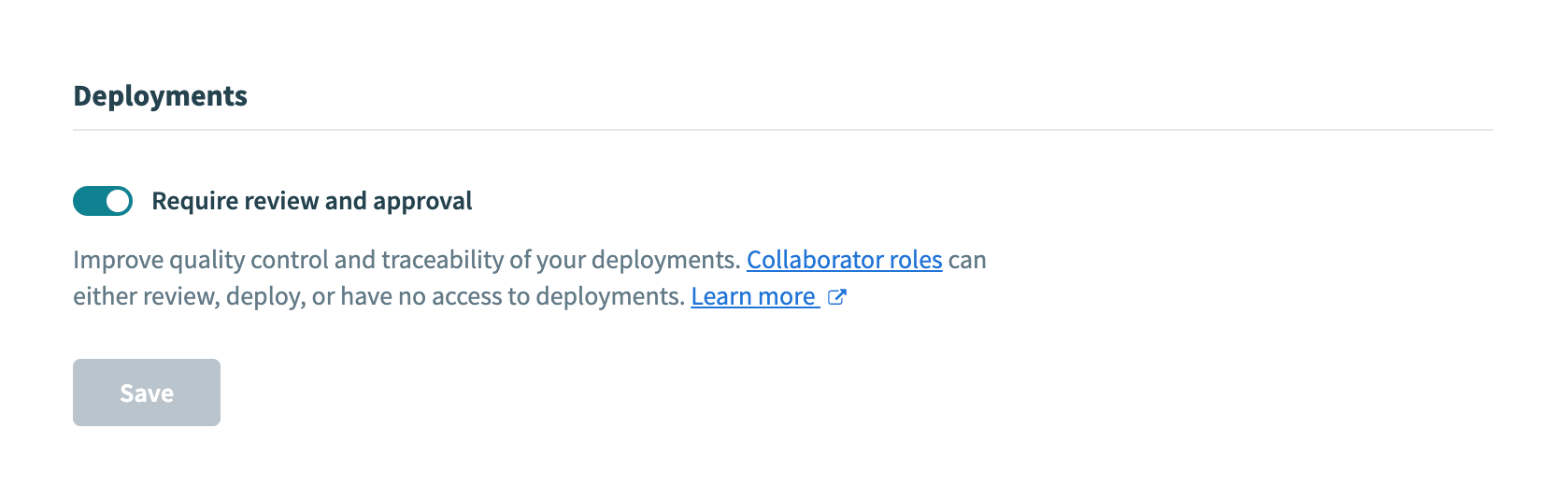 Deployments settings
Authentication
Configure how collaborators authenticate to your workspace.
Login methods
Configure your workspace authentication method.
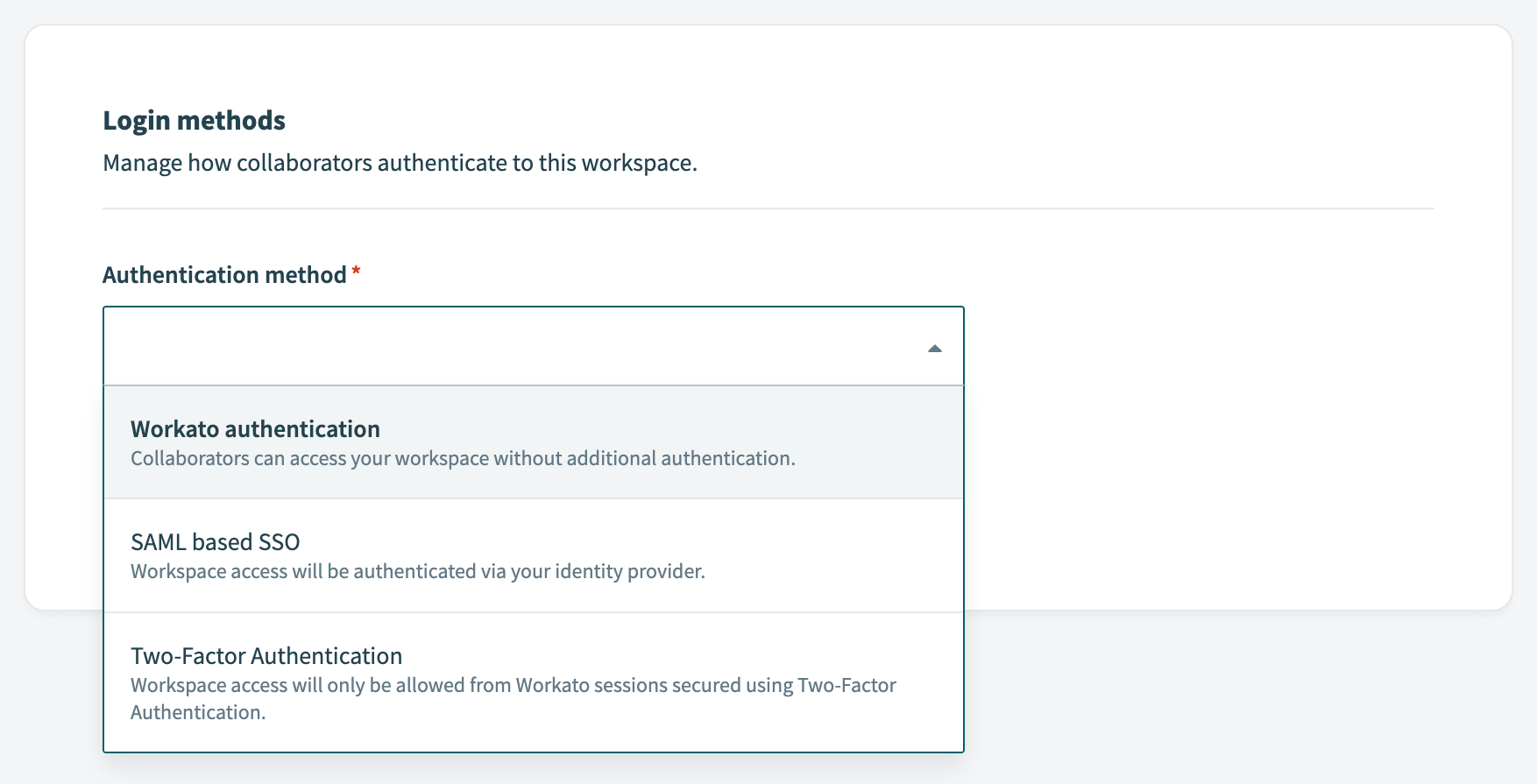 Login methods settings
Authentication options include:
- Workato authentication: Standard username and password authentication managed by Workato
- SAML-based SSO: Single sign-on using your organization's identity provider. Learn more about SAML-based SSO
- Two-factor authentication: Authentication that requires all users to use two-factor authentication. Learn more about two-factor authentication
SCIM provisioning
Automate user provisioning, role changes, and user de-provisioning from your identity provider (IdP) using the SCIM 2.0 protocol.
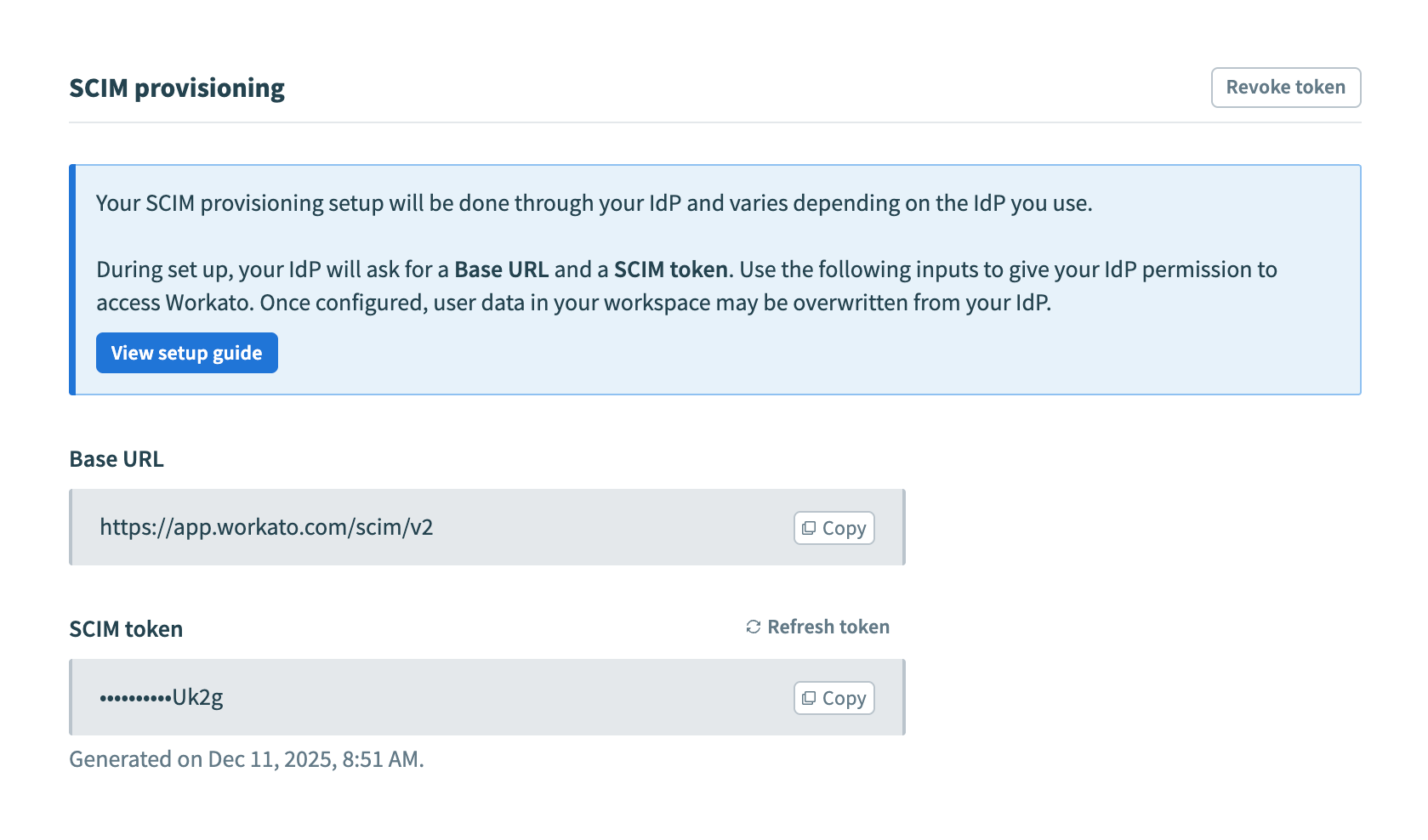 SCIM provisioning settings
Use your identity provider to automatically add, update, and remove collaborators in Workato. Learn more about SCIM provisioning.
Debug and logs
Configure debugging and logging features for your workspace.
ENVIRONMENT-RELATED SETTINGS
If you have environments enabled in your workspace, these settings are environment-specific.
Error alerts
Define when and which workspace collaborators will receive email alerts when recipe errors occur.
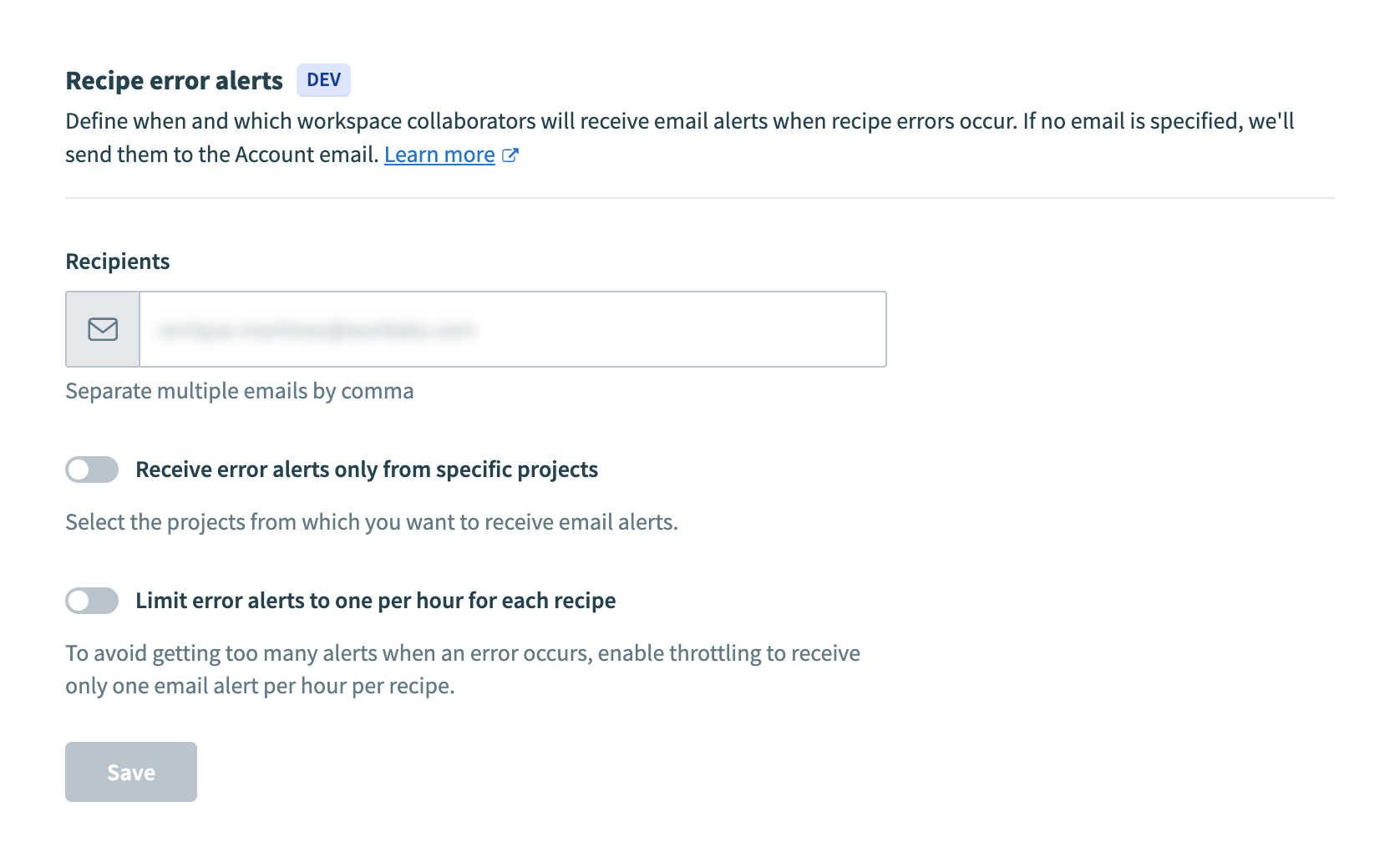 Error alerts settings
| Setting | Description |
|---|---|
| Recipients | Email addresses that receive error alert notifications. If no email is specified, the alerts are sent to the account email. Separate multiple email addresses with commas. |
| Receive error alerts only from specific projects | Toggle to limit error alerts to specific projects. When enabled, you can select which projects should trigger error alerts. |
| Limit error alerts to one per hour for each recipe | Toggle to avoid receiving too many alerts when an error occurs. When enabled, error alerts are throttled to one per recipe per hour. |
Learn more about error alerts.
Network trace
Inspect HTTP request and response data from your recipe steps for easier debugging, including payload and header information.
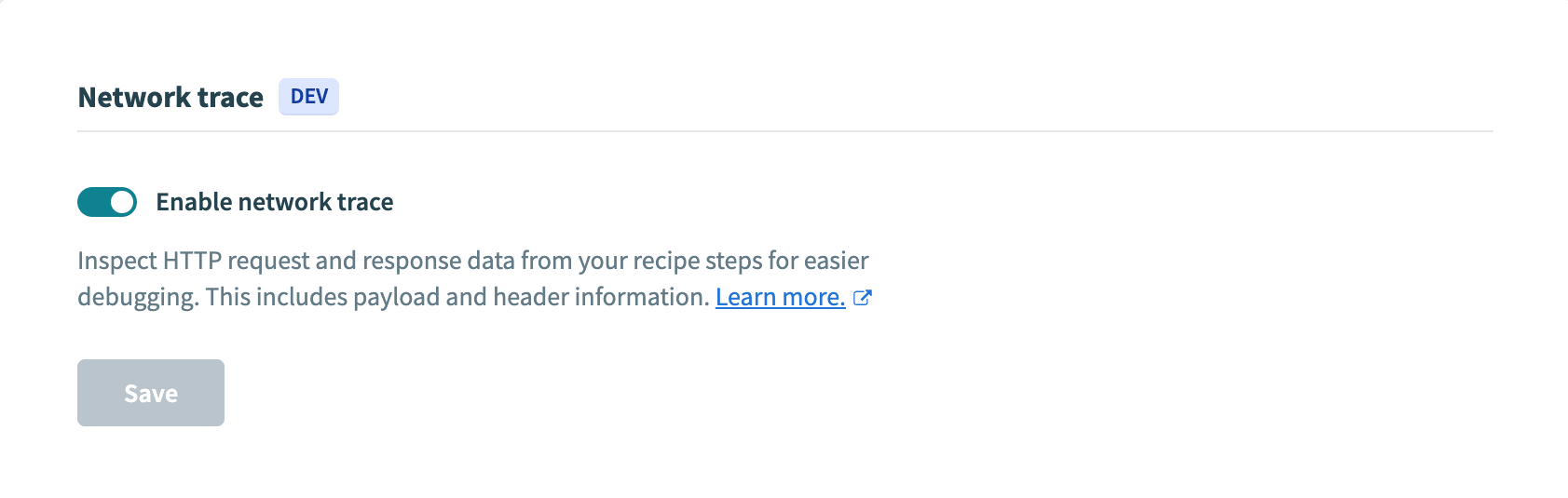 Network trace settings
Learn more about network trace.
Log streaming
Stream job history and collaborator activity to an external log provider for compliance, troubleshooting, and monitoring purposes.
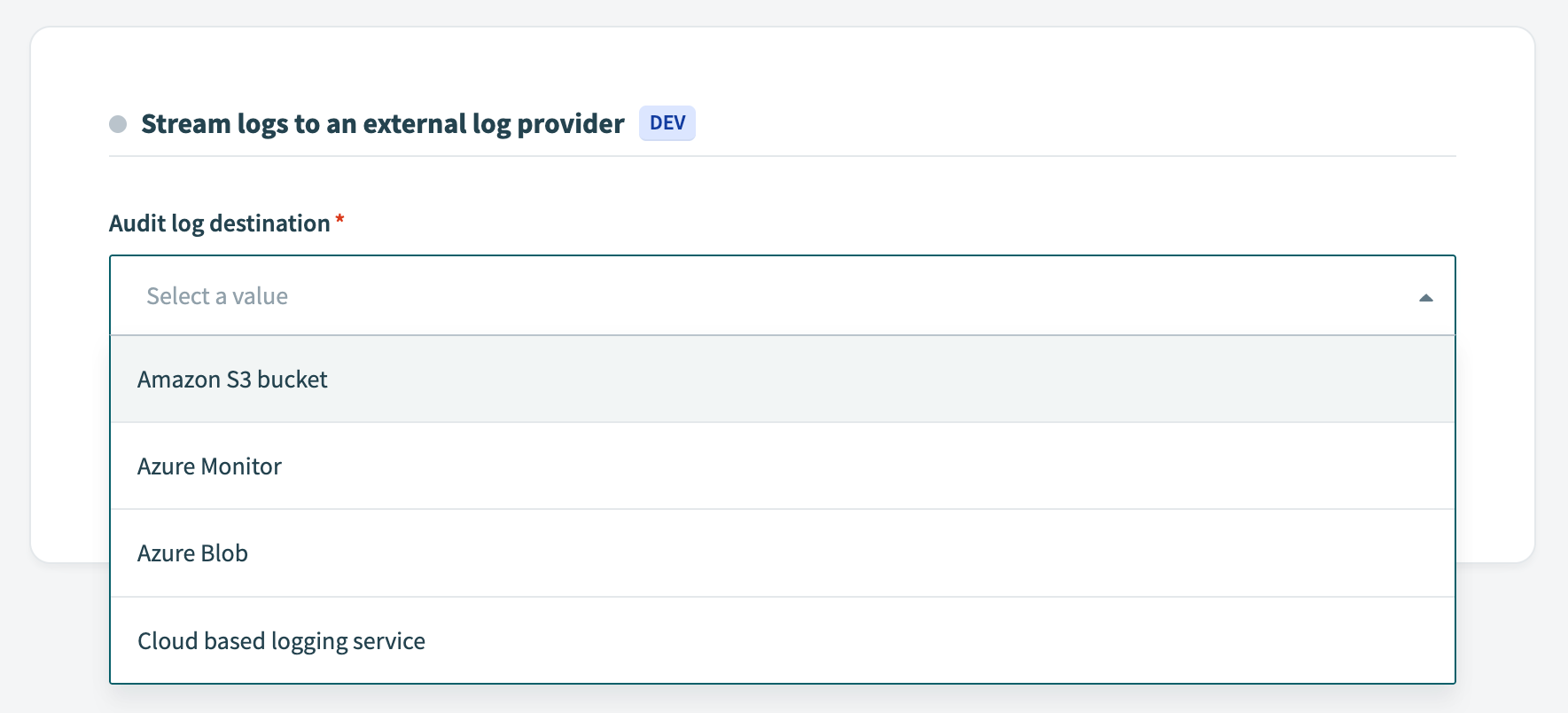 Log streaming settings
Learn more about log streaming.
Security
Configure security and data protection features for your workspace.
ENVIRONMENT-RELATED SETTINGS
If you have environments enabled in your workspace, these settings are environment-specific.
Data retention
Workato stores job data in encrypted form to support error recovery, duplicate detection, custom reports, and more. Your plan type determines how long Workato retains this data.
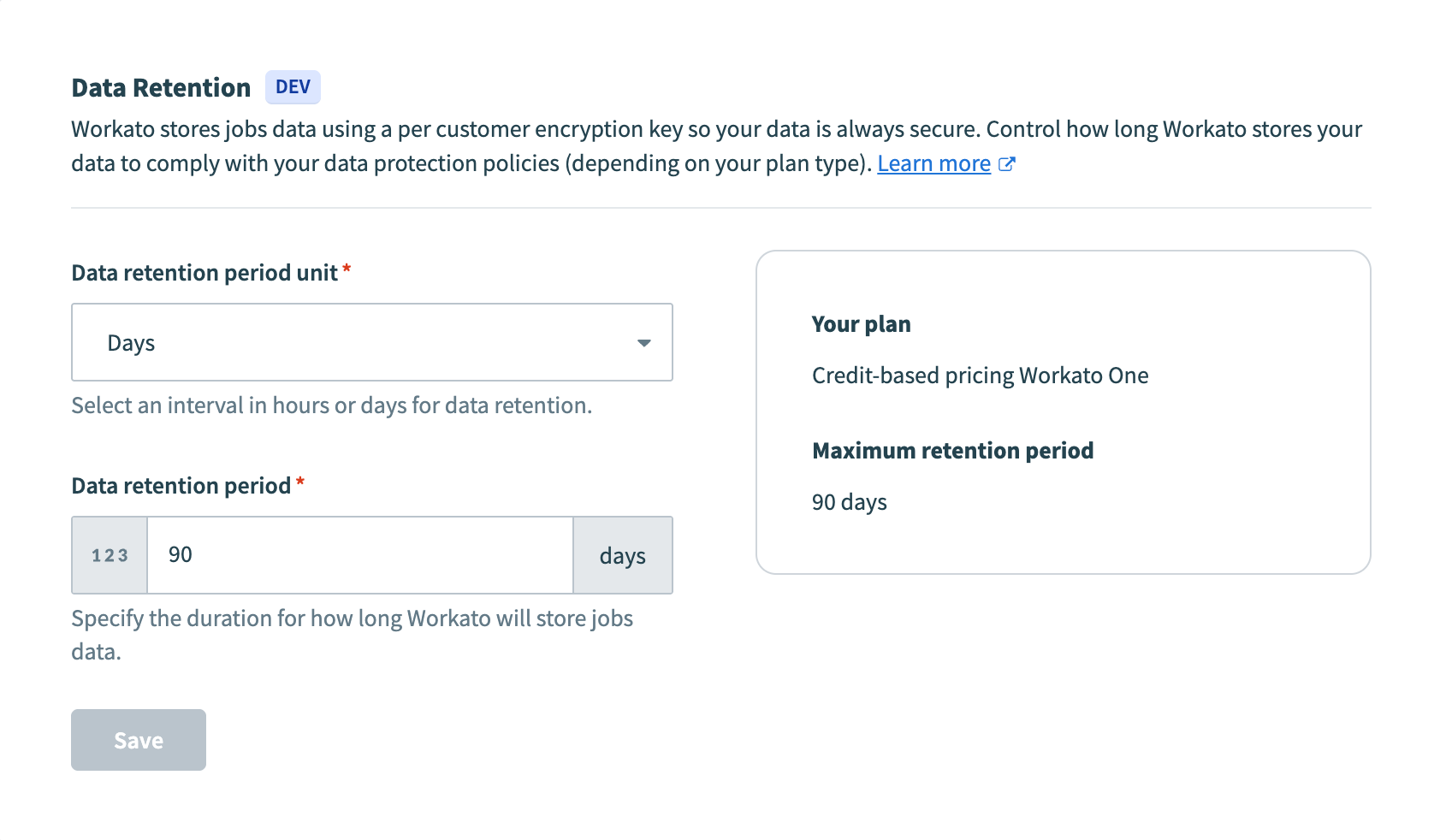 Data retention settings
| Setting | Description |
|---|---|
| Data retention period unit | Select an interval in hours or days for data retention. |
| Data retention period | Specify the duration for how long Workato will store job data. |
| Your plan | Displays your current pricing plan information. |
| Maximum retention period | Displays the maximum data retention period allowed by your plan. |
Learn more about data retention.
Encryption keys
Select how your data is encrypted.
By default, Workato creates, owns, and manages encryption keys on your behalf. Your workspace is encrypted with a unique main key used to encrypt job logs and connection keys.
You can also choose to use an AWS KMS key or your own custom key.
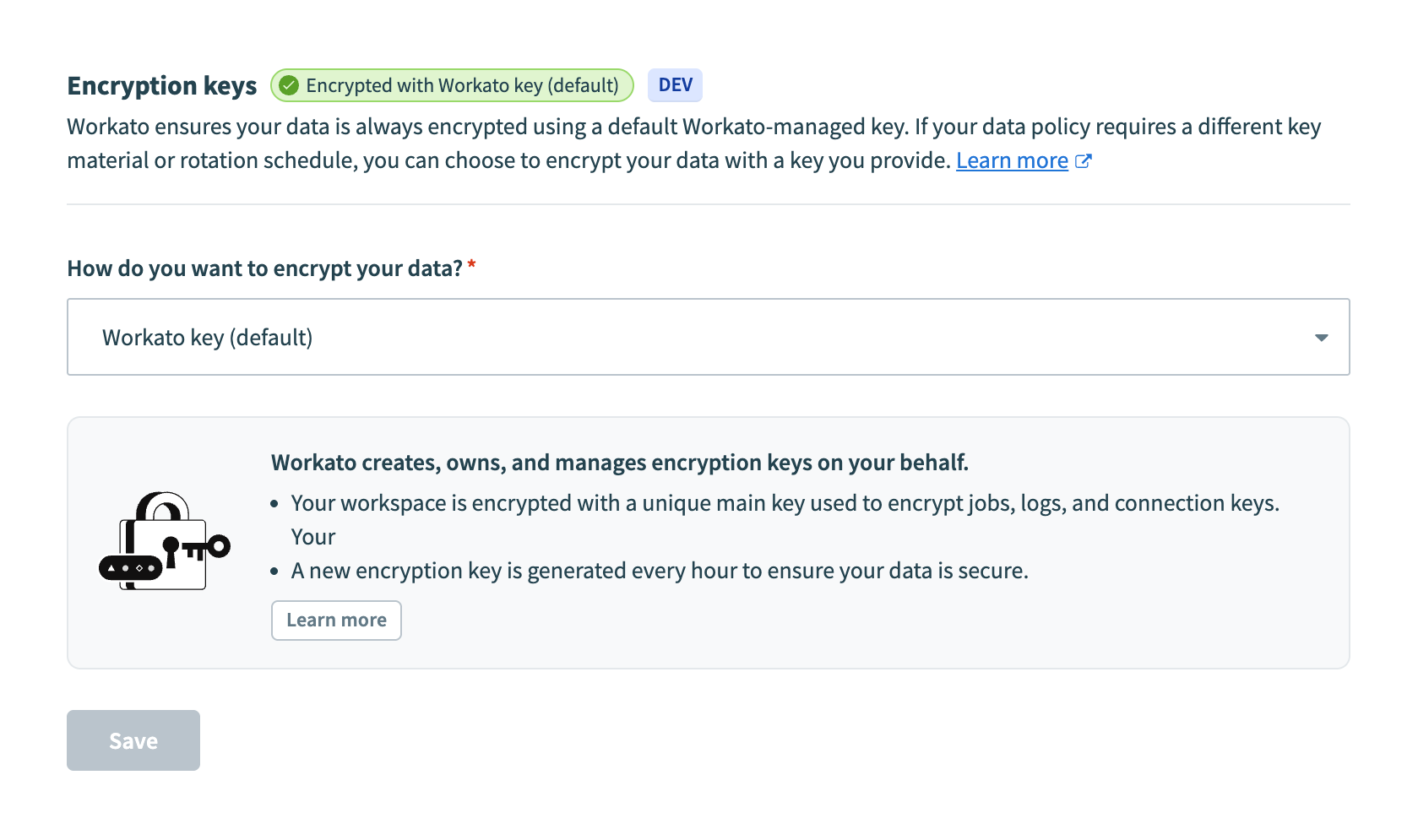 Encryption keys settings
Learn more about encryption key management.
External secrets manager
Set up an external secrets manager, such as AWS Secrets Manager, to use stored secrets when configuring connections on Workato instead of hardcoding credentials.
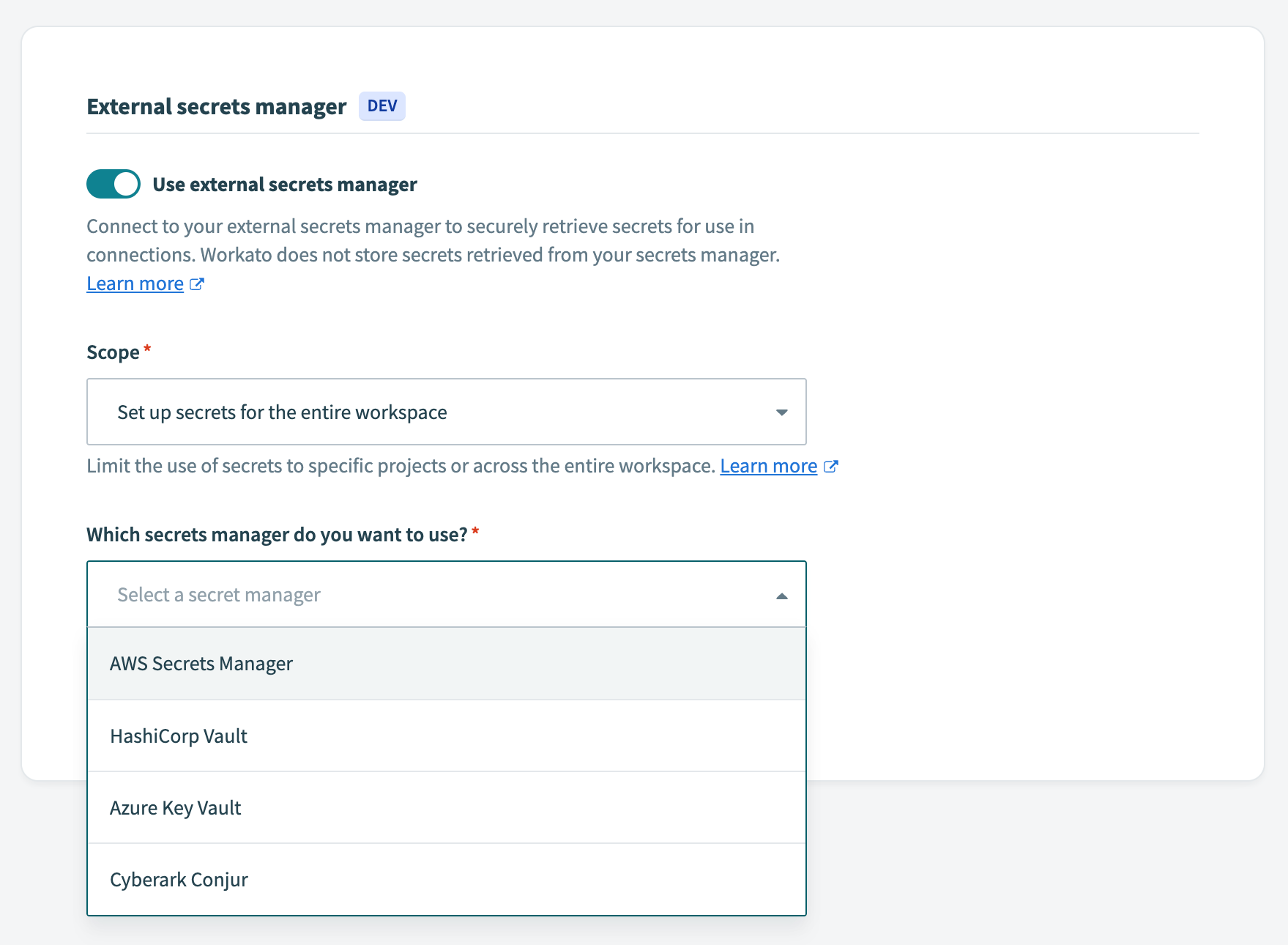 External secrets manager settings
| Setting | Description |
|---|---|
| Use external secrets manager | Toggle to enable integration with an external secrets manager. |
| Scope | Limit the use of secrets to specific projects or across the entire workspace. |
| Which secrets manager do you want to use? | Select your secrets manager provider. Options include:
|
Learn more about secrets management.
Amazon Web Services IAM
Configure how your Workato workspace works with your AWS IAM roles.
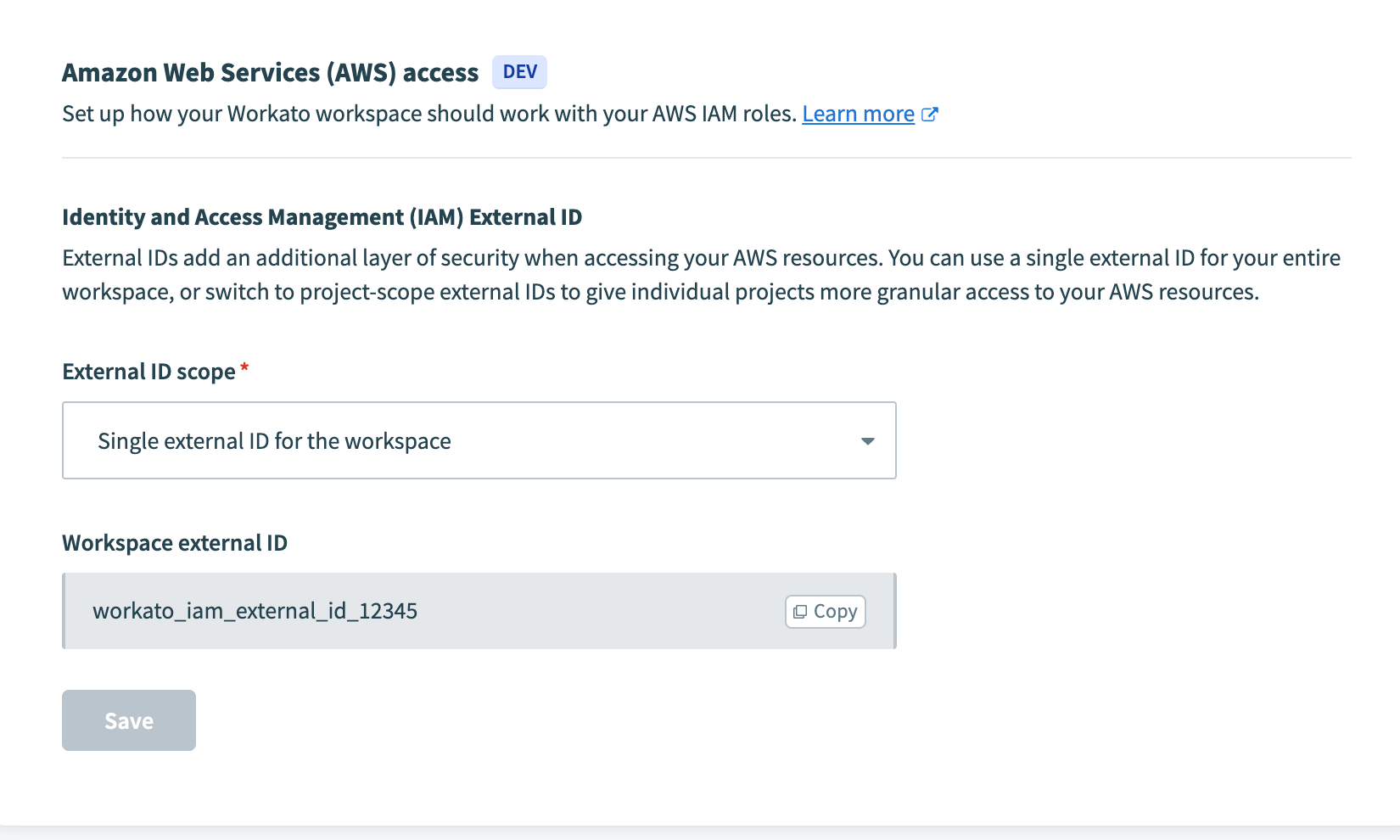 Amazon Web Services IAM settings
| Setting | Description |
|---|---|
| External ID scope | Set the scope of your AWS IAM integration. Options include:
|
| Workspace external ID | The external ID used when setting up AWS IAM roles for your workspace. |
Learn more about IAM role-based authentication for AWS. If you use Automation HQ, see AWS IAM role sharing to propagate external IDs to child workspaces.
Last updated: