Decision models
Decision models are scalable and reusable assets that streamline and centralize complex conditional business logic. Decision models allow teams to improve consistency and reduce maintenance by building logic once and reusing it across multiple recipes and projects.
Decision models contain decision tables that evaluate fields, conditional branches that control the flow of data, and schema configurations that define the inputs and outputs. Refer to the Model components section for an overview of decision model components or the Set up a decision model page for detailed configuration steps.
The Decision models connector calls an existing decision model from a recipe and returns the results for use in downstream recipe steps. This behavior is similar to the Recipe functions connector, which calls an existing recipe.
ROLE BASED ACCESS CONTROL
You can configure access to decision models using Workato role-based access control.
Custom roles created before April 1, 2026 don't have permissions to access decision models. Contact a workspace admin to update your permissions if you require access to decision models.
Model components
Decision models include the following components:
Decision table nodes define conditional business rules. They process data (Condition fields) and output data (Outcome fields) according to business logic you specify. Refer to Create a Decision table node to add a Decision table to a model.
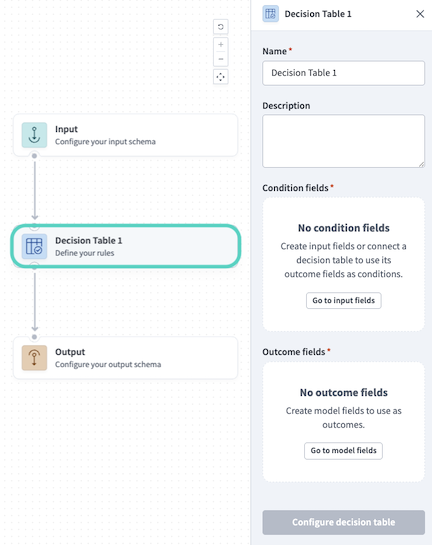 Decision table node
Alternatively, refer to Configure decision table rules to configure evaluation logic for a decision table.
 Example decision table for routing marketing leads
An Input node defines the input schema of the Decision model. These fields are supplied to the model from the recipe that calls it and are available as inputs in any node. Refer to Create an input field to configure an Input node.
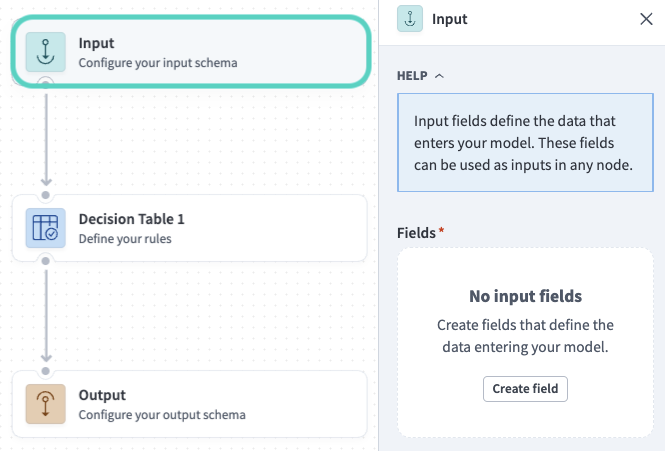 Input node
The Model fields sidebar defines the data (fields) that moves between nodes. Model fields are needed to carry data to the Output node, which returns the fields you specify to the recipe that called the model. Refer to Create a model field to configure model fields.
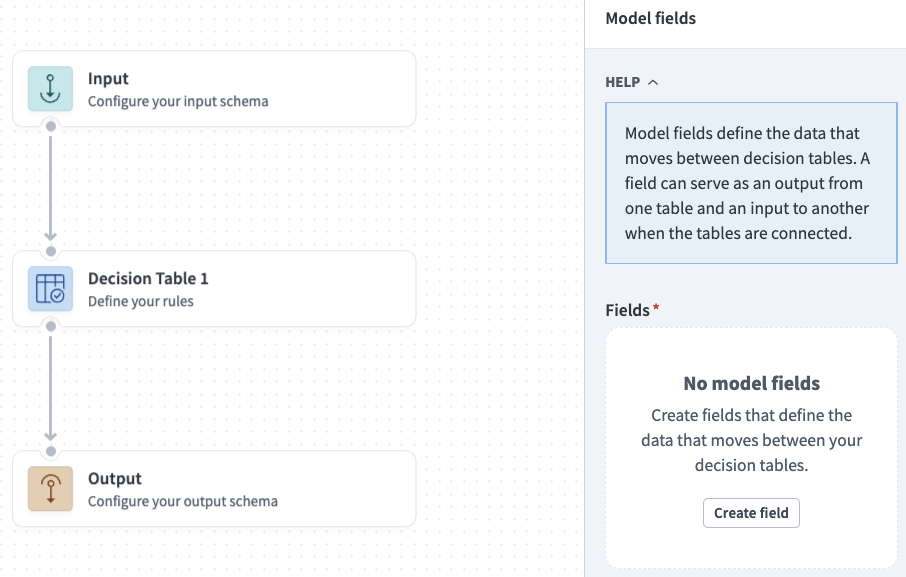 Model fields sidebar
An Output node defines the data (Output fields) that the model returns to the recipe that called it. Refer to Configure output fields to configure an Output node.
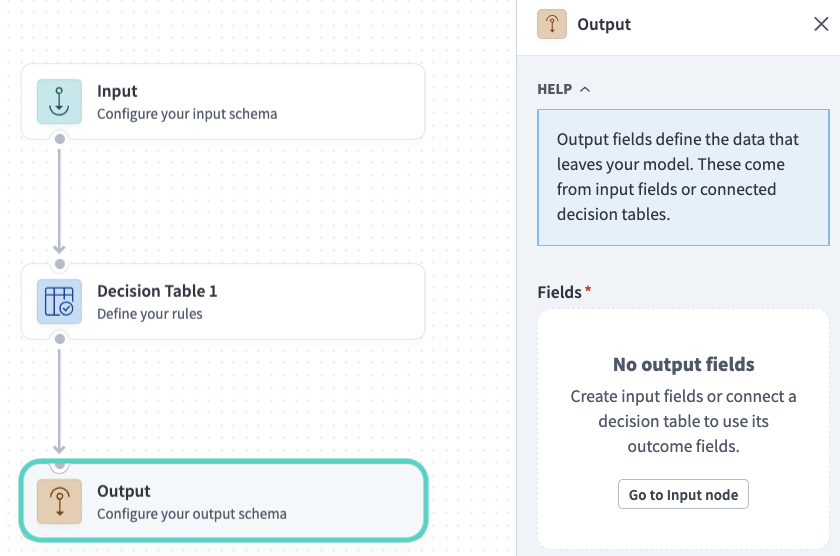 Output node
Conditional branches define a set of conditions that control the flow of data in the model using business logic you specify. Refer to Create conditional branches to configure conditional branches.
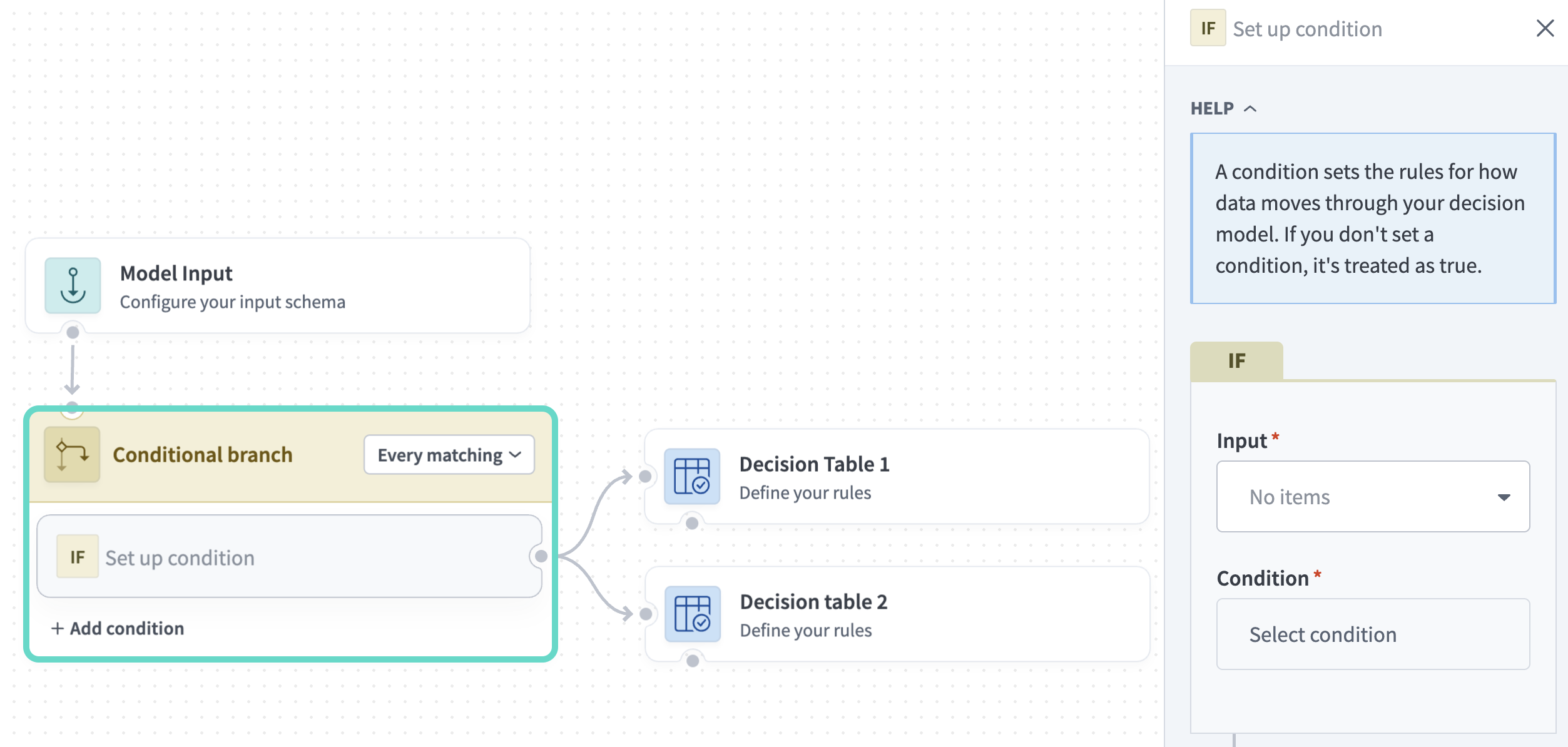 Conditional branch