# On-prem group settings
The on-prem group Settings page enables you to configure logging, network access, and alert behavior for your on-prem agents.
The on-prem group Settings page includes the following sections:
- Log management: Control whether on-prem agent (OPA) logs are sent to Workato logging services.
- IP allowlist: Define which IP addresses agents in this group can connect from.
- Email alerts: Configure email notifications for agent disconnections.
# Prerequisites
Ensure you meet the following requirements before you begin:
- You have access to Tools > On-prem groups
- You have permission to edit the selected on-prem group
# Log management
You can use Log management to control whether the on-prem agent (OPA) sends logs to Workato.
# Configure log management
Complete the following steps to configure log management:
Go to Tools > On-prem groups and select the on-prem group you plan to configure.
Go to Settings > Log management.
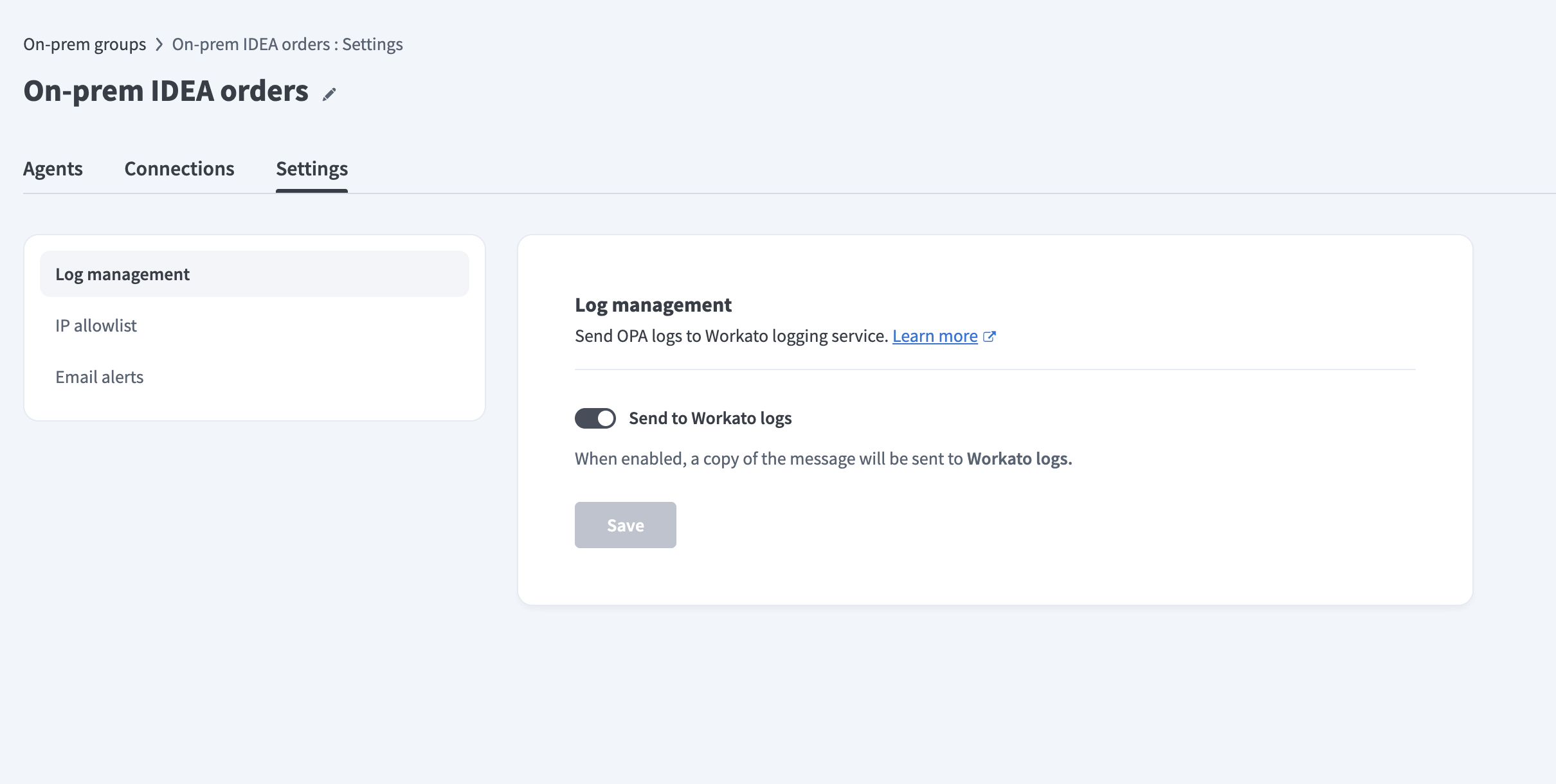 Configure log management
Enable or disable Send to Workato logs. The on-prem agent sends a copy of its logs to Workato logging services when enabled.
Click Save.
Refer to Workato Logging Service to learn more about OPA log storage and filtering.
# IP allowlist
The IP allowlist settings enable you to define which IP addresses on-prem agents in this group can connect from.
# Configure IP allowlist
Complete the following steps to configure the IP allowlist:
Go to Tools > On-prem groups and select the on-prem group you plan to configure.
Go to Settings > IP allowlist.
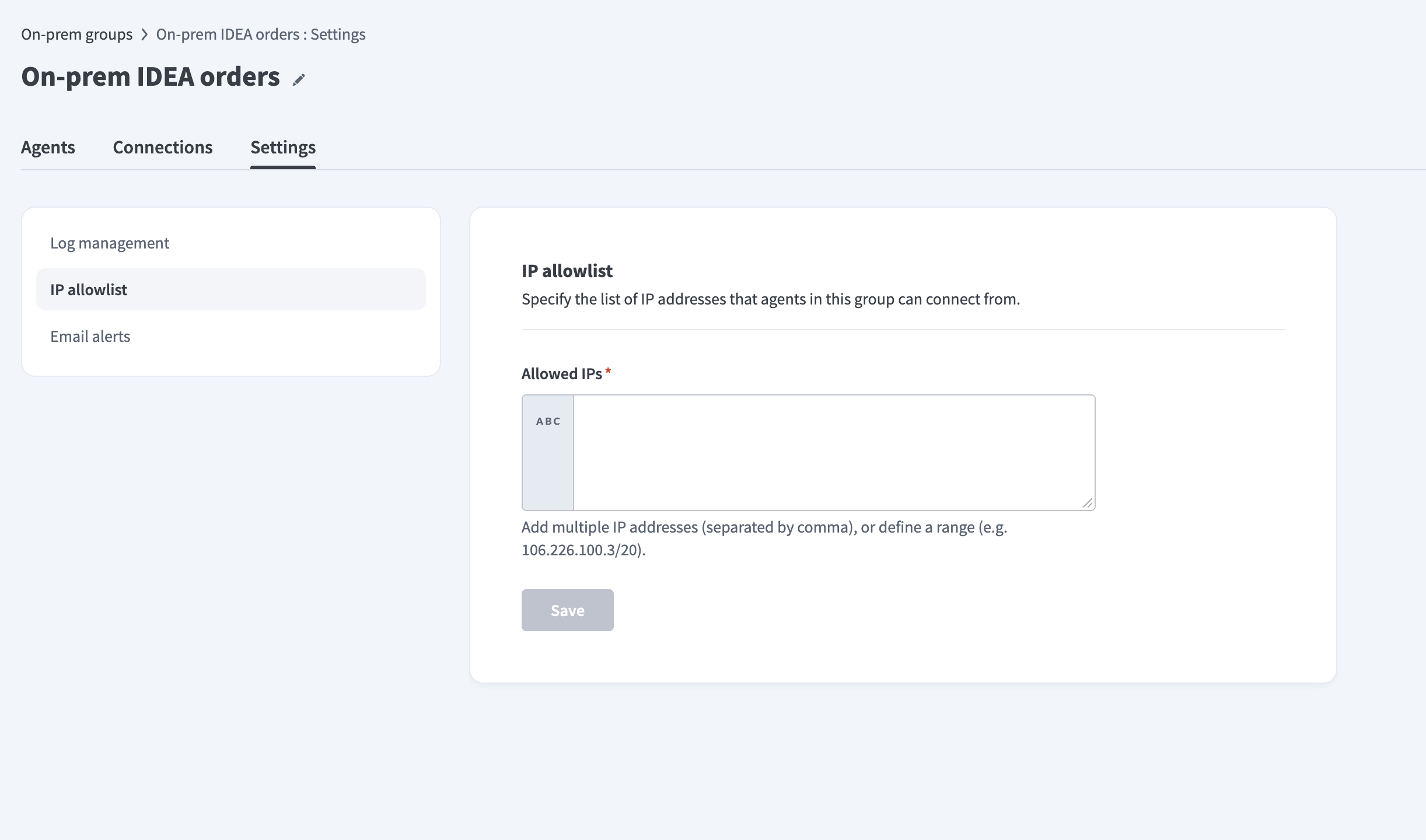 Configure IP allowlist
Enter IP addresses in the Allowed IPs field. You can enter multiple IP addresses separated by commas, or define a range using CIDR notation (for example, 106.226.100.3/20).
ON-PREM AGENT CONNECTION RULES
The IP allowlist setting defines which IP addresses on-prem agents can connect from.
It doesn't define which IP addresses or services the agent can connect to. Configure outbound access in your network firewall.
Click Save.
# Email alerts
Email alerts notify you when an on-prem agent disconnects. You can configure alert behavior, recipients, and disconnection types in the Email alerts page. Refer to the Automatic alerts page for more information.
Last updated: 4/3/2026, 4:37:05 PM