# OneLogin SAML configuration
This guide describes how to configure OneLogin as a SAML identity provider (IdP) for Workato Identity.
SAML enables secure authentication between an IdP, such as OneLogin, and a service provider like Workato. Users authenticate once through OneLogin and gain access to Workato with a single login instead of managing separate credentials for each application. Refer to the OneLogin SAML-based authentication (opens new window) documentation for more information.
PREREQUISITES
Workato Identity is available for Agent Studio, Workato GO, MCP, and the API developer portal.
Configure SAML-based authentication in Workato Identity before you begin. The Specify Single sign-on URL and Service provider (SP) entity ID values from that setup are required to complete the following steps.
Make sure you have administrator privileges in OneLogin.
# Configure SAML authentication in OneLogin
Complete the following steps to configure SAML authentication in OneLogin:
NOT FOR WORKFLOW APPS SAML-BASED SSO
This documentation is specific to Workato Identity. Refer to SAML-based single sign-on authentication to configure SAML authentication for Workflow apps.
Sign in to your OneLogin (opens new window) instance as an administrator.
Go to Applications > Applications and click Add App.
Search for and select SAML Test Connector (IdP w/ attr w/ sign response).
Enter a name for the app in the Display Name field. For example, Workato Agentic or MCP Servers.
Click Save.
Select the Configuration tab and enter the following values based on your Workato data center:
Audience:
| Data center | Value |
|---|---|
| US | https://www.workato.com/saml/metadata |
| EU | https://app.eu.workato.com/saml/metadata |
| JP | https://app.jp.workato.com/saml/metadata |
| SG | https://app.sg.workato.com/saml/metadata |
| AU | https://app.au.workato.com/saml/metadata |
| IL | https://app.il.workato.com/saml/metadata |
| CN | https://app.workatoapp.cn/saml/metadata |
| Developer sandbox | https://app.trial.workato.com/saml/metadata |
Recipient and ACS (Consumer) URL:
| Data center | Value |
|---|---|
| US | https://www.workato.com/saml/consume |
| EU | https://app.eu.workato.com/saml/consume |
| JP | https://app.jp.workato.com/saml/consume |
| SG | https://app.sg.workato.com/saml/consume |
| AU | https://app.au.workato.com/saml/consume |
| IL | https://app.il.workato.com/saml/consume |
| CN | https://app.workatoapp.cn/saml/consume |
| Developer sandbox | https://app.trial.workato.com/saml/consume |
ACS (Consumer) URL Validator:
| Data center | Value |
|---|---|
| US | ^https:\/\/www.workato.com\/saml\/*$ |
| EU | ^https:\/\/app.eu.workato.com\/saml\/*$ |
| JP | ^https:\/\/app.jp.workato.com\/saml\/*$ |
| SG | ^https:\/\/app.sg.workato.com\/saml\/*$ |
| AU | ^https:\/\/app.au.workato.com\/saml\/*$ |
| IL | ^https:\/\/app.il.workato.com\/saml\/*$ |
| CN | ^https:\/\/app.workatoapp.cn\/saml\/*$ |
| Developer sandbox | ^https:\/\/app.trial.workato.com\/saml\/*$ |
Click Save.
Select the Parameters tab and click the + (plus) icon to add the following attributes:
| Field name | Value |
|---|---|
workato_end_user_name | Display Name |
workato_end_user_groups | Group Name |
Check the Include in SAML assertion checkbox for each attribute and click Save.
Go to the Users tab and assign one or more users or groups to the application.
Click More Actions.
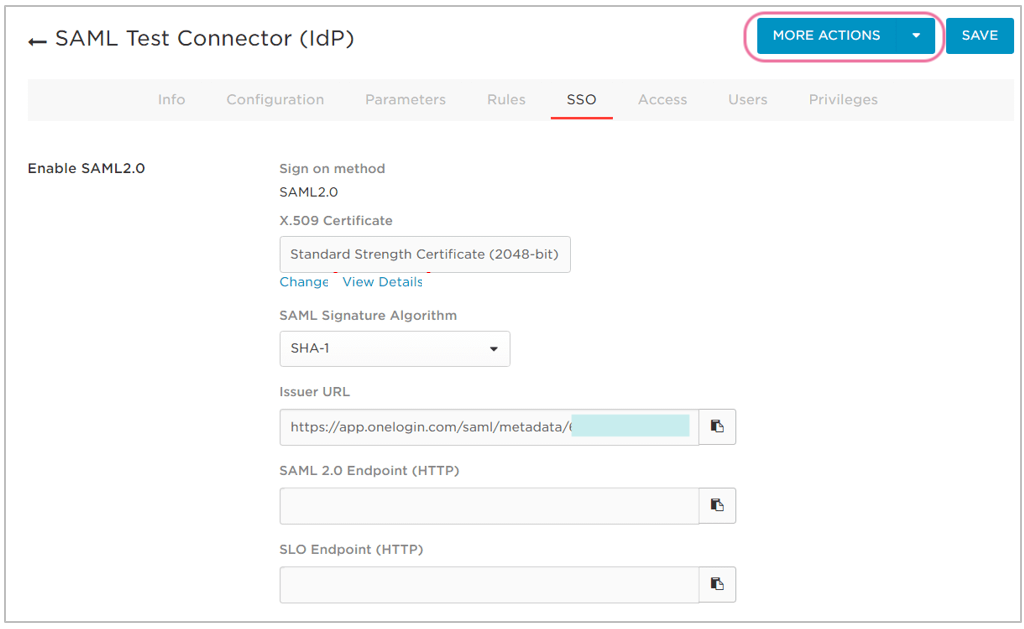 Click More Actions
Right-click SAML Metadata and select Copy link address.
Paste the SAML Metadata link address into the Do you have your identity provider metadata URL? section of the Set up a new provider modal in Workato Identity.
Go to your app's Info tab and disable the Visible in portal option to hide the application from users' OneLogin dashboards.
DIRECT SIGN-IN FROM IDP UNSUPPORTED
You can't sign in to Workato directly from your IdP. Authentication is only supported when initiated through a conversation in your connected LLM.
Last updated: 4/14/2026, 3:25:07 PM