Data pipelines
Data pipelines automate the movement of data from source applications or files into data warehouses. Rather than processing records one at a time, they can sync multiple data objects in parallel, making large-scale data transfers faster, more reliable, and easier to maintain.
Why use a data pipeline?
Standard recipes require separate workflows for each object and process records in small batches. This approach increases setup time, extends sync durations, and complicates failure recovery.
Data pipelines streamline replication by consolidating multiple object syncs into a single workflow. Pipelines begin with a full historical sync, then switch to incremental sync using Change Data Capture (CDC). This captures inserts, updates, and deletes automatically. Pipelines also detect schema changes and apply updates to keep destinations aligned.
Key benefits
Data pipelines provide the following capabilities:
- Automated schema management: Detects schema changes and applies them to the destination.
- Optimized change tracking: Uses CDC to capture new, modified, and deleted records.
- Reduced maintenance effort: Replaces multiple recipes with a single pipeline for simplified setup, monitoring, and error handling.
- Improved observability: View schema changes, data volume, and errors through the Data Orchestration dashboard and pipeline run history.
How data pipelines work
A data pipeline follows the extract, replicate, load, and sync process to automate data movement:
- Extract: The trigger retrieves data from the source application, such as Salesforce.
- Replicate: The pipeline replicates the schema and ensures compatibility with the destination.
- Load: The load action transfers records in bulk to the destination, such as Snowflake.
The pipeline syncs data on a scheduled interval. It executes the extract, replicate, and load process for all selected objects. The trigger extracts data from the source, and the load action replicates the schema and transfers records to the destination.
Prerequisites
Ensure you have the following before you create a data pipeline:
- A supported source application, such as Salesforce, NetSuite2, Jira, Coupa, or Marketo
- A supported destination data warehouse, such as Snowflake, Databricks, or SQL Server
- Required access and credentials for both systems
- Schema and object knowledge for the source system. This information is typically available in the product documentation of the respective application. For example, refer to the Salesforce standard object reference.
Get started with data pipelines
Refer to the following guides to configure a data pipeline recipe to sync data between applications:
- Configure data pipeline sources: Connect a supported source application, authenticate, select objects, and define a schema.
- Configure data pipeline destinations: Connect a supported destination data warehouse and configure how data is loaded.
- Monitor and manage pipelines: Track sync progress and troubleshoot errors.
Start your data pipeline
Select Start pipeline to start the data pipeline. After you start the pipeline, it syncs selected objects and loads historical data.
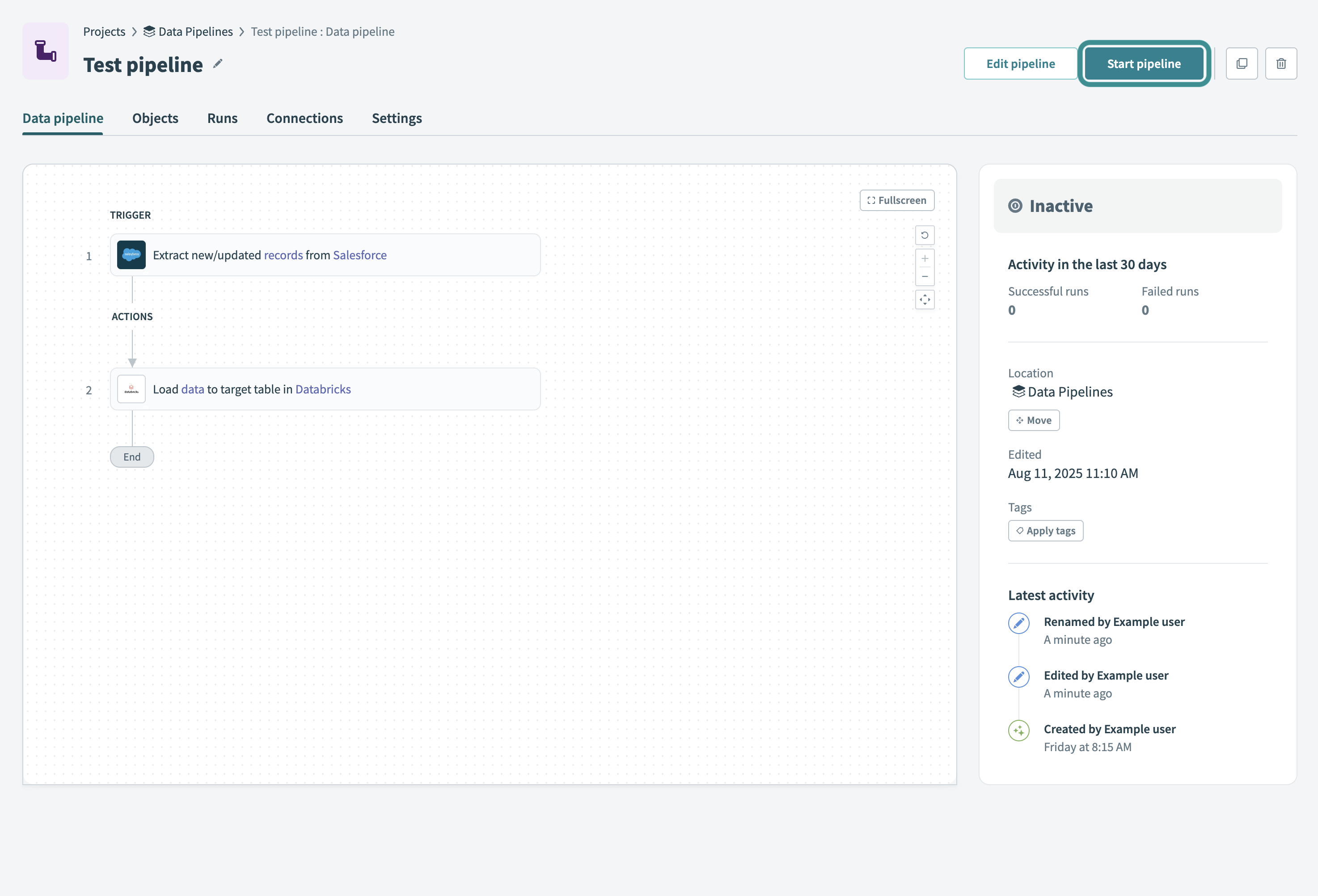 Start your data pipeline
You can also choose to Move, Edit, or Apply tags to the pipeline.
Refer to the Monitor data pipeline recipes guide to learn how to monitor pipeline activity and troubleshoot issues.
Last updated: